Crypto Commerce
PreSonus AudioBox 96 recording bundle — AudioBox 96 vs Scarlett Solo studio bundles for a first interview
Compare PreSonus AudioBox 96 recording bundle by mic paths, monitoring, accessories, and software.
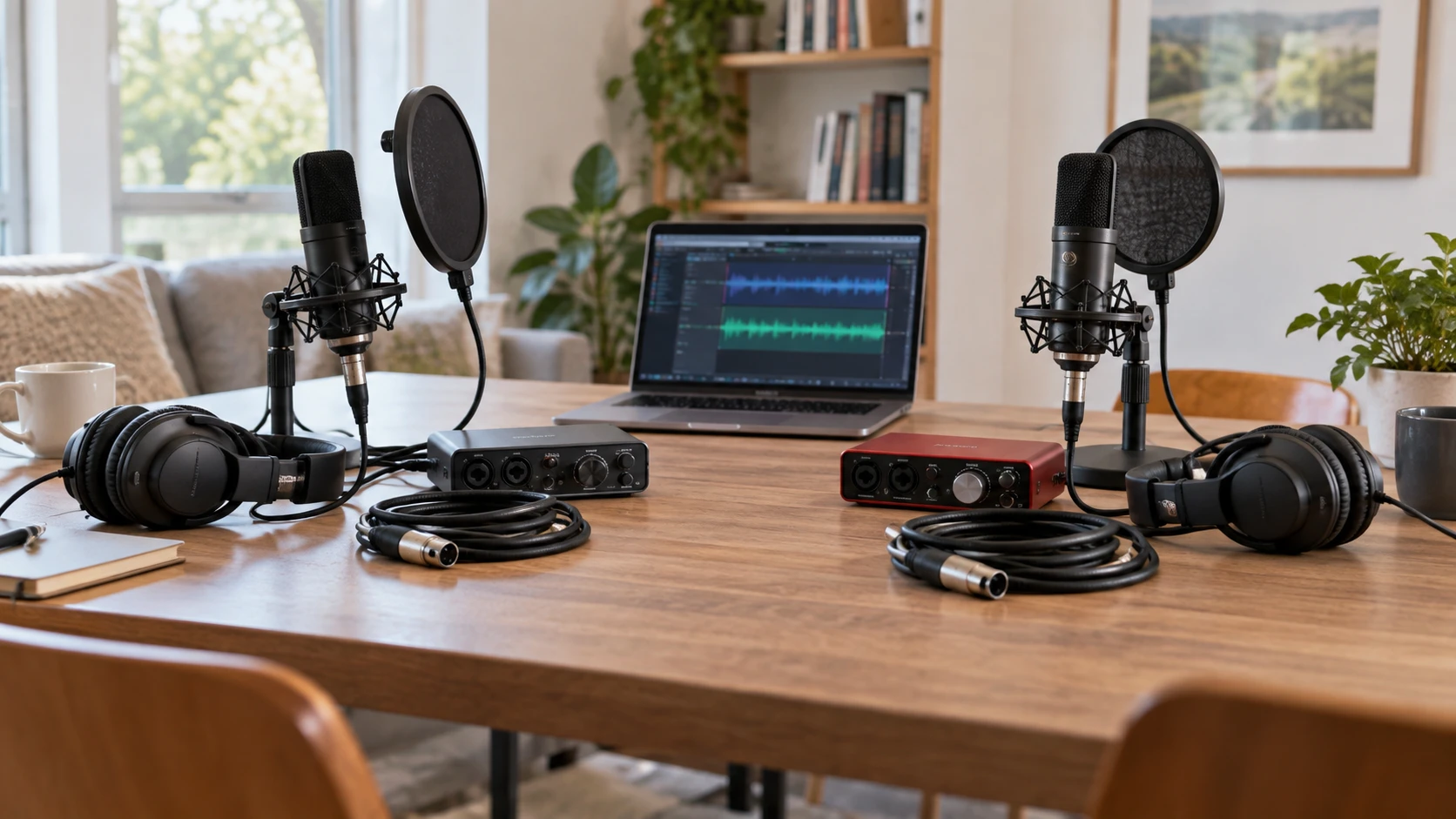
A boxed recording kit can get a first podcast or interview started, but its value depends on how the pieces fit the session. One microphone and one pair of headphones may be enough for a solo narration. A two-person interview asks different questions about inputs, monitoring, stands, and where the voices will sit. The PreSonus AudioBox 96 and Focusrite Scarlett Solo 3rd Gen bundles both include an interface and basic recording gear. Their saved listings emphasize different interface features and accessories, so lay out the entire signal path before choosing a box.
The PreSonus AudioBox 96 recording bundle row lists a USB 2×2 interface, cardioid condenser microphone, HAS-10 headphones, microphone stand, XLR cable, pop filter, shockmount, and Studio One Artist software. It names dual preamps, phantom power, MIDI input/output, and 24-bit/96kHz capture. The Focusrite bundle lists a Scarlett Solo 3rd Gen interface, cardioid condenser microphone, adjustable stand with pop filter, closed-back headphones, Direct Monitor, an Air-enabled mic preamp, and software tools. These are package descriptions, not an acoustic comparison made with the same speaker and room.
Count voices before counting accessories — Focusrite Scarlett Solo 3rd Gen Studio bundle
The PreSonus row explicitly states dual preamps. That gives a clear reason to inspect it for a two-source setup, but the bundle includes only one named microphone. A second person speaking into a separate mic would need another compatible microphone, cable, support, and a monitoring plan. Check the actual interface connections and software routing for recording both voices separately. Two inputs on the box do not automatically produce a complete two-person interview kit.
Focusrite's product name says Solo, but the saved row does not enumerate every input or describe a two-microphone session. Do not infer its precise routing from the name alone. Read the current panel diagram for the exact 3rd Gen unit and check whether it supports the sources you plan to record at the same time. If most work is one voice with an occasional instrument overdub, the smaller session may fit the listed package well. If two people regularly speak live, the connection count should be settled before the purchase rather than worked around during the first recording.
Sketch each route on paper: person to microphone, microphone to XLR cable, cable to interface input, interface to computer, and computer output to headphones. For a second voice, draw the second route in a different color. This makes missing gear obvious. The PreSonus description names one XLR cable and one headset; the Focusrite row names one mic and one set of headphones but does not enumerate the cable inventory. Confirm what comes in the package before assuming both sessions can begin without another purchase.
A microphone needs placement, not just a model name — Focusrite Scarlett Solo 3rd Gen Studio bundle
Both bundles name a cardioid condenser microphone. A cardioid pickup pattern is intended to favor sound in front of the mic, yet room reflections, distance, and off-axis speaking still shape the result. Put the speaker in the position used during a real conversation, then record a short paragraph with the mic near enough for a clear voice. Move it slightly and listen again. If the speaker is far away across a table, a supplied mic may capture more room than words, regardless of the interface's nominal recording resolution.
The PreSonus bundle lists a stand, pop filter, and shockmount. The Focusrite row lists an adjustable stand and pop filter. Those accessories can help place the mic and soften breath bursts, but the row does not say a shockmount is included with the Focusrite package. Verify the exact contents if desk-borne vibration is an issue. A stand that hits the table or a keyboard can put a thump into every take. Set the mic off the path of hands, phones, and a paper script while keeping it close enough for comfortable speech.
The related interview audio check before recording guide is a useful rehearsal prompt. Record room tone, natural speech, a louder sentence, and the kinds of interruptions likely during the interview. Listen for plosives, chair noise, computer fans, and an echo from bare walls. A short test file tells you whether moving the mic or softening the room would help. Neither catalog page can promise clean speech in a reflective kitchen or a busy office.
Set levels without turning the preamp into the story — Focusrite Scarlett Solo 3rd Gen Studio bundle
PreSonus lists 24-bit/96kHz capture and dual preamps with phantom power. Focusrite lists 24-bit capture and an Air-enabled mic preamp. Those specifications describe available features, but they do not by themselves rank the sound of a first spoken interview. The microphone, placement, gain setting, and room will affect what the listener hears. Set the gain so the loudest expected phrase remains clean. Record a rehearsal, inspect the waveform, and listen on the included headphones before a full session.
Phantom power matters for many condenser microphones, and the PreSonus row explicitly lists it. The Focusrite row names a bundled condenser mic but does not spell out the power arrangement in the saved description. Confirm the current manual's setup steps and the bundled microphone's requirements rather than improvising a power connection. If a second mic is added later, check that both channels can supply what their microphones need. Keep cables secured so a connector cannot be pulled during a live conversation.
Focusrite's row calls out Direct Monitor for latency-free tracking. That is useful when a speaker wants to hear their own voice without a distracting delay from the computer. The PreSonus row does not describe a matching monitoring control, although the AudioBox family may have options in its documentation. Check the exact interface manual rather than assuming feature absence from catalog silence. Make a short test with headphones: listen to your own voice while the recording software is open and verify whether you hear one voice or an echoing double caused by two monitor paths.
Monitor with the gear in the bundle — Focusrite Scarlett Solo 3rd Gen Studio bundle
Focusrite describes closed-back headphones for isolated monitoring during recording and editing. PreSonus lists HAS-10 monitoring headphones and describes them as providing isolation. Neither row gives a matched isolation measurement or confirms how the headphones fit your head. Wear them for a full test session, including the quieter passages. If sound from the headphones leaks into the microphone, lower the playback level or reposition the mic. A guest who cannot hear a cue may need their own headphone feed, which neither one-headphone bundle completes by itself.
Headphones also reveal faults that laptop speakers can hide: a low hum, a clipped consonant, or a phone vibration under the table. Listen through the take before the guest leaves. If the session is remote, play back a short sample of the received audio as well as the local mic. The interface can only capture what enters it; the video-call application's compression and the other person's setup are separate parts of the recording. Save an original test file to compare with the edited export later.
The included stands may seem mundane, but they decide whether the microphones can be placed correctly. Check reach across a desk, clearance for a monitor, and whether the base or clamp stays stable when someone shifts in a chair. A boom arm may be useful for a crowded table, but the two saved rows do not include the same type of arm or give full dimensions. Confirm the package contents and mounting hardware before planning the room around an accessory shown in a promotional photo.
Software and computer connections need a first-day check — interview audio check before recording
PreSonus lists Studio One Artist with its bundle. Focusrite lists software tools and plug-ins for arranging, mixing, and finishing tracks, without naming every license or version in the saved row. Open the current Republeq's catalog details and confirm how the software is redeemed, which operating systems are supported, and whether an account is required. Install what is needed before the first guest arrives. A computer that has never recognized the interface is a poor starting point for a timed interview.
PreSonus names MIDI input/output, which may matter if a keyboard or controller will become part of the studio later. It does not help a spoken interview by itself. Focusrite's row does not mention MIDI for this Solo bundle; if external instruments are part of the plan, verify the exact ports and adapters instead of inferring. Avoid buying a feature just because it sounds more professional. Draw the instruments or controllers that will actually connect this month, and leave hypothetical upgrades as a later decision.
Both packages rely on a computer recording the signal from a USB interface. Their saved rows do not give a full port-and-cable map for your computer. Check the connector on the supplied interface, the available host port, and whether a hub will be in between. Run a long test recording while the computer performs its usual tasks. Note any dropouts or power warnings. Keep the tested cable with the interface and label the software input so another person can start a session without searching through several similarly named devices.
A complete rehearsal before the interview — interview audio check before recording
Assemble the exact kit on the intended desk. Record five minutes of conversation, including an interruption, a quiet answer, and one person moving slightly off the microphone. Monitor while recording, then close the project and reopen it. Play the exported file on a different device. This checks the hardware path, software settings, file location, and whether the sound remains intelligible beyond the headphones used to create it. Make a backup of the source file before editing.
If a second speaker is part of the format, test two separate microphones before booking an important guest. The PreSonus interface's stated dual preamps make that a concrete path to investigate, but the bundle supplies only one mic. The Focusrite package also needs its current input diagram checked against the two-source requirement. Neither product should be selected on a vague hope that a single mic in the middle of a table will sound like two close-mic tracks.
The Focusrite Scarlett Solo 3rd Gen Studio bundle is worth examining for a solo recording path with its listed Direct Monitor control, condenser mic, stand, pop filter, and closed-back headphones. The AudioBox 96 bundle more clearly states dual preamps, phantom power, MIDI connections, and a shockmount alongside its mic and headphones. Choose the package whose confirmed ports and included accessories cover the first real session, then spend the setup time on microphone placement and a full rehearsal.