Crypto Commerce
Atomos Ninja V monitor recorder vs Portkeys LH5P II: decide what the screen must do
Compare Atomos Ninja V monitor recorder by external recording, camera control, brightness, power, mounting, and long-session storage needs.
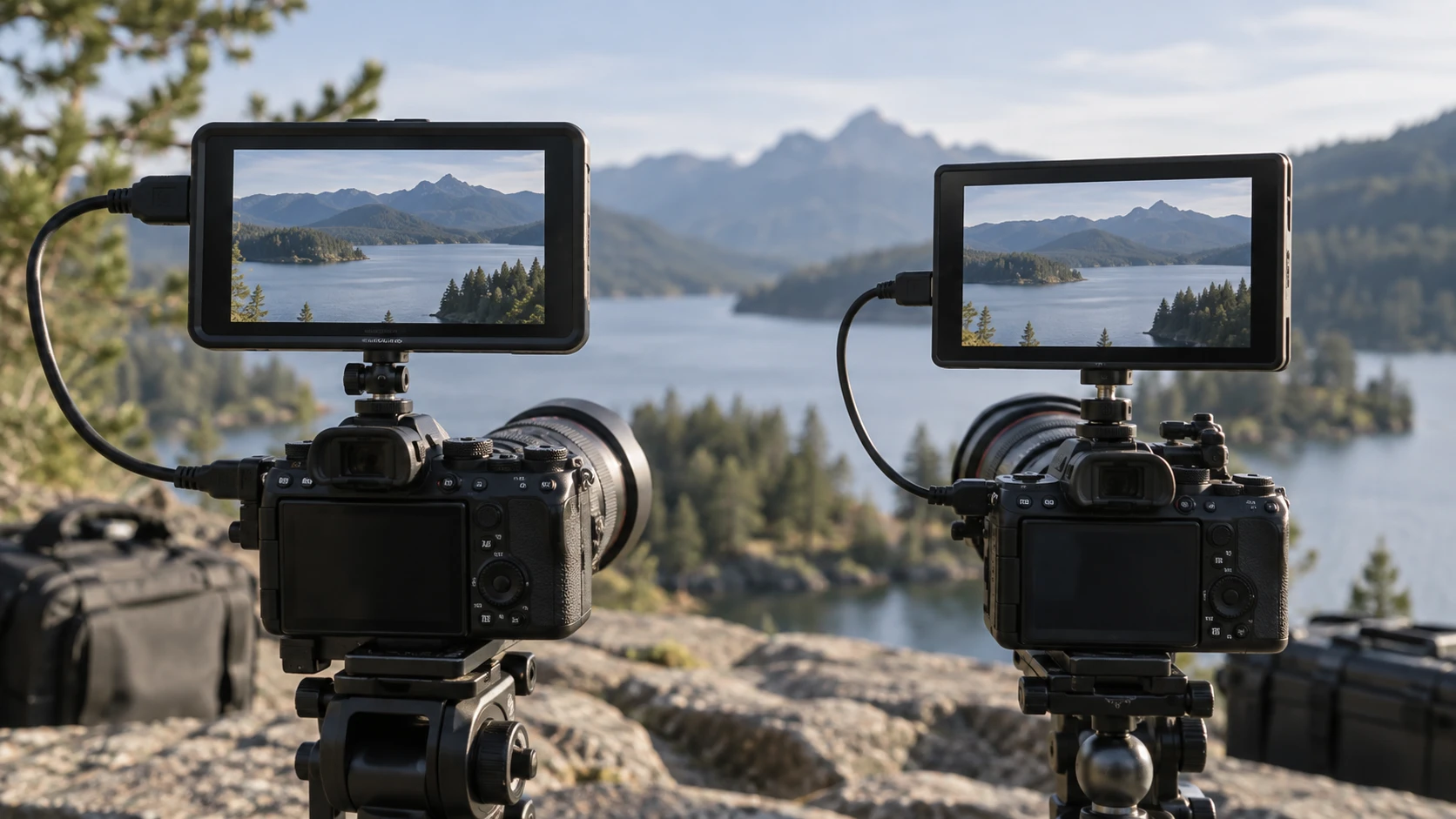
An external camera monitor can solve a simple framing problem, or it can become part of the recording path. The Atomos Ninja V and Portkeys LH5P II both offer a compact, full-HD touchscreen and on-set image tools. The listings place their effort in different areas. The Ninja V is a monitor-recorder with media, codec and video-output questions to settle. The LH5P II is a field monitor with camera-control options and a brighter claimed screen. Decide whether you need an external recording file, remote camera settings, or just a reliable viewing surface before comparing the displays.
The Atomos Ninja V monitor recorder listing describes a 5.2-inch, 1920 by 1080 display rated at 1000 nits. It supports monitoring aids such as waveform, focus peaking, LUTs and framing guides. Its distinguishing job is recording. The source lists Apple ProRes, Avid DNx and H.265 options, along with several media configurations. That breadth also creates more setup choices: the camera's output format, recorder firmware and license state, drive type, power supply and editing workflow all have to agree.
Start with the camera connection — Portkeys LH5P II field monitor
For either monitor, check the exact camera model and the connection you intend to use. A camera may send a clean HDMI feed, a feed with overlays, or different resolutions and frame rates depending on its settings. A product's list of formats does not establish that every camera outputs each format. Test or confirm the exact camera and mode you use most, particularly if high frame rate, log color or RAW output is part of the purchase reason.
The Ninja V source gives HDMI 2.0 input and output details, including loop-out, and describes optional AtomX SDI support. Optional modules matter here: a feature listed in the ecosystem may require hardware beyond the base monitor-recorder. Its source also names optional Atomos Connect for some sync and connectivity functions. Do not plan an SDI or remote-sync workflow from the base product description alone. Make a short list of the actual camera ports and the signal that must reach the recorder and any downstream monitor.
Portkeys lists Bluetooth and built-in wireless control for several camera families, including BMPCC 4K/6K and selected Canon and Panasonic models. It lists wired control for a separate set of Sony, Canon, Panasonic and Z CAM cameras. The product title also names FX3 and ZV-E10 compatibility. These lists are useful starting points, but camera control often depends on firmware and the correct cable or pairing path. The source says LANC and USB-C control cables are included, while other interfaces require a separately purchased cable. Confirm your camera's exact control function before assuming every setting can be changed from the screen.
Recording changes the whole workflow — long video recording storage plan
Ninja V is the option to investigate if the camera's internal recording format does not meet your editing or delivery needs. The catalog lists ProRes RAW and several ProRes, DNx and H.265 choices. It also lists simultaneous proxy recording, pre-roll in specified conditions and scene, shot and take naming. Each may save time in a particular production, but the saved source has conditions. For example, pre-roll is described as unavailable in RAW. Check current supported modes and required licenses or modules before designing a shoot around any single feature.
The Portkeys listing does not present the LH5P II as a video recorder. It is a viewing and control device in this comparison. Your camera's internal media and codec therefore remain the recording path unless a separate recorder is added. That can be simpler for a crew that already likes its camera files. It may be a limitation if your purpose is to capture a format unavailable internally. Buying a monitor for monitoring tools alone avoids the extra media handling that a recorder brings, but it does not add new files to the edit.
Build a long video recording storage plan before a long session with the Ninja V. Identify the required codec, expected recording duration, approved media, file size, offload location and backup copy. The source says SSDmini fits natively, Master Caddy II and III accept 2.5-inch drives in their respective caddies, and CFAST II requires an optional adapter. It also says Master Caddy I is incompatible. Those specifics make a media compatibility check essential. A drive that physically resembles a supported one is not automatically a tested recording medium.
With the LH5P II, storage planning still matters, but it centers on the camera and any separate recording equipment. Neither monitor can make an undersized camera card last a full interview. Calculate the recording path independently from the viewing path, then plan offload and backup breaks. If the screen is only for framing, you may be able to leave the camera's proven recording workflow untouched.
Screen brightness and exposure tools — Portkeys LH5P II field monitor
The Ninja V lists 1000 nits, a 1920 by 1080 panel and support for HDR modes, log transforms and 3D LUT monitoring. The extensive color and gamma list is useful when matching an established camera workflow, yet a supported profile name does not mean the monitor arrives calibrated for your viewing conditions. The source mentions calibration with specified Atomos and Calibrite tools. For critical exposure or color decisions, confirm calibration, the input signal and the monitoring transform as one chain.
Portkeys lists a 5.5-inch, 1920 by 1080 touchscreen with tempered glass and a metal frame. Its catalog gives brightness as both 2000 and 2200 nits. Treat that discrepancy as something to clarify with the Republeq's catalog, not as a precise side-by-side measurement. On a bright set, higher brightness may help an operator see the image; it is no replacement for checking exposure with proper tools. The LH5P II lists waveform, zebra, false color, peaking, audio meters, anamorphic viewing, 3D LUT support and image flip among its monitoring features.
Both devices can help an operator focus or check an exposure without relying on the camera's smaller built-in screen. Which interface is easier for your crew is difficult to infer from a feature list. Try the controls with the camera mounted at its normal height, and check whether the display can be read from the actual operating position. A tiny difference in diagonal size may matter less than menu layout, brightness adjustment and how a hood or rig blocks the view.
Power, weight and rigging — Portkeys LH5P II field monitor
Ninja V has no built-in battery according to the listing. It accepts NP-F L-series batteries and the source also describes external power requirements, including at least 30W through a USB-C PD cable. It gives an example of up to two hours for a 5200mAh battery at 4K 60p, which is a conditional estimate, not an all-day runtime. The unit is listed at 12.7 ounces with dimensions of about 5.94 by 3.60 by 1.22 inches. Add the battery, media, cable and mounting hardware when judging balance on a handheld rig.
The Portkeys description says the monitor can power a camera through a dummy battery, but it does not specify an included battery or a runtime for this arrangement. Verify the exact power source, voltage, connector and dummy-battery compatibility before combining the camera and monitor on one supply. A shared source can make cabling tidy while making both devices dependent on that source. The saved description also does not give a comparable installed weight, so look up the current package specification if handheld balance is a deciding factor.
Mounting deserves the same practical check as power. Ninja V lists anti-rotation quarter-inch and three-eighths-inch mounting points on its top and bottom. Choose a mount that keeps the screen visible and protects the cable from strain. For Portkeys, confirm its mounting hardware with the exact product listing or Republeq's catalog; the saved summary does not establish the mount configuration. Put the camera at its normal shooting angle and check whether the monitor interferes with controls, microphone placement or a follow-focus hand.
What comes with the listed package? — Portkeys LH5P II field monitor
The Ninja V listing describes a bundle with an Atomos 5-inch accessory kit designed for Shinobi, Shinobi SDI and Ninja V monitors, plus a ProOPTIC cleaning kit. The description does not fully specify the contents of the accessory kit in the saved source. Confirm precisely what is in the box, especially power, media and the cable you need. An advertised bundle can still leave a recorder unusable for the intended format until the correct storage and connection pieces are added.
The Portkeys source explicitly names a USB flash drive with the manual and LANC and USB-C control cables. It warns that cameras using other control interfaces need separately purchased cables. If control from the monitor is the principal reason to buy it, list your camera's required cable and verify its current support before checkout. The catalog snapshot prices are $874.99 for the Ninja V bundle and $658 for the LH5P II; current prices and package contents may differ.
The Portkeys LH5P II field monitor is the more direct candidate when a bright viewing screen and compatible camera control are your primary needs. Ninja V makes sense when external recording formats and a deliberate media workflow are required. For either one, settle the camera connection, power and mounting first. A long format list becomes useful only after the actual camera and rig can deliver the signal and keep the screen running through the shot.