Crypto Commerce
ASUS TUF VG27WQ1B curved monitor vs HP Series 5 27 for games and office work
Compare ASUS TUF VG27WQ1B curved monitor by QHD versus FHD detail, 165Hz versus 100Hz motion, HDMI and DisplayPort or VGA inputs, desk fit, and bundled…
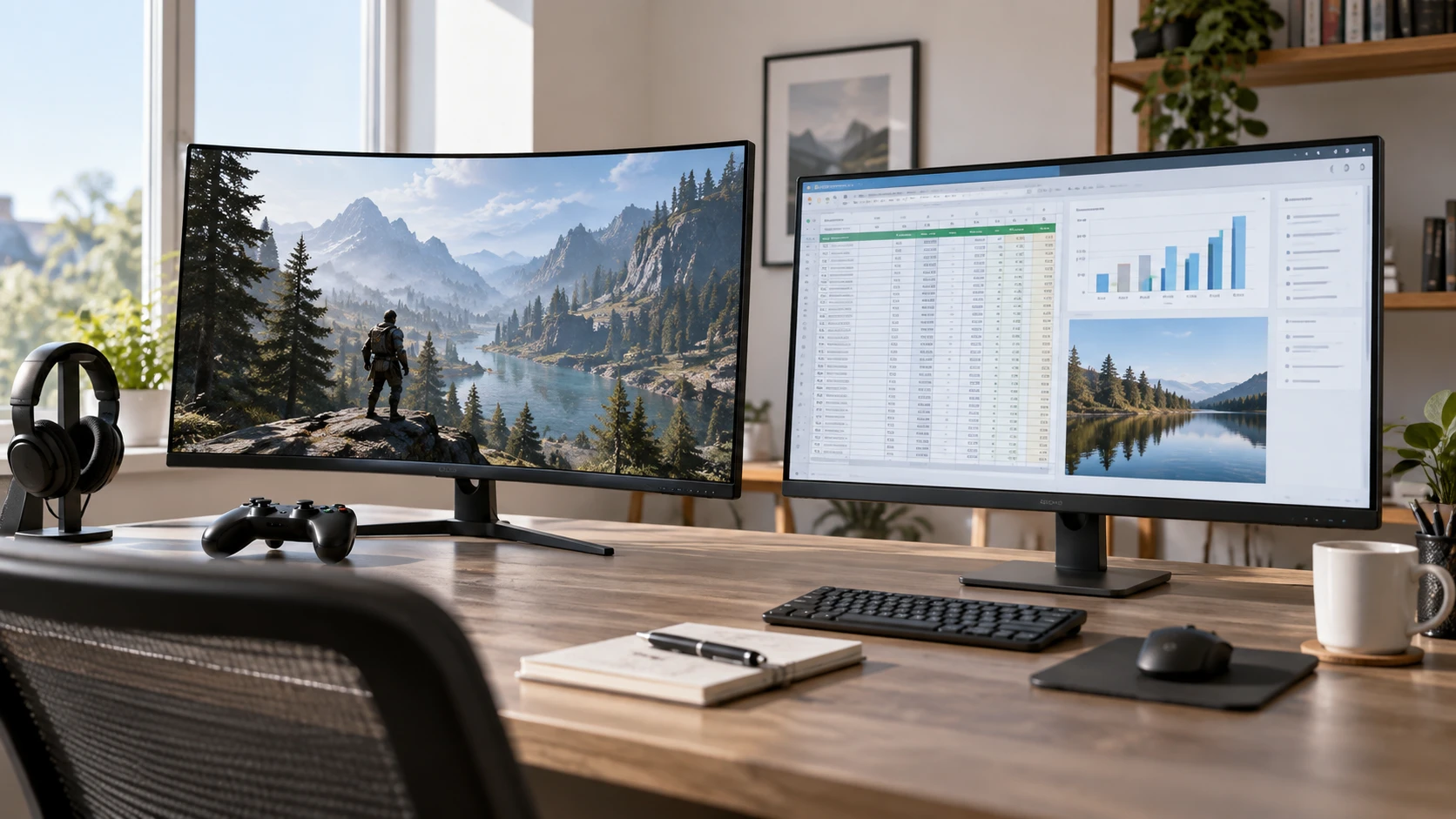
The ASUS TUF VG27WQ1B curved monitor and the HP Series 5 both have 27-inch screens. ASUS specifies a 2560 × 1440 curved screen with a 165Hz refresh rate and gaming features. The guide to checking display connections before choosing is useful because the input mix could determine which monitor works with an existing computer. The HP Series 5 27 FHD bundle lists a 1920 × 1080 screen, 100Hz refresh rate, two HDMI inputs, VGA, and a set of desk accessories. Choose a display around the computer, viewing distance, and applications already on the desk. Check that the computer can deliver the resolution and refresh rate that make a particular screen appealing.
Give the 27-inch screen a job — HP Series 5 27 FHD bundle
At the same diagonal size, QHD gives the ASUS more pixels to draw text, detailed game scenes, and several tool panels than the HP's Full HD screen. A spreadsheet with many columns or a photo editor with side palettes can benefit from the extra workspace. Full HD may still be comfortable for a desk focused on email, browser work, video meetings, and one document at a time. Text size is adjustable in the operating system, so compare readable layouts at the distance where the monitor will sit. Do not judge the two resolutions solely from a small product image displayed on a phone.
The ASUS page describes a 1500R curve. Some people like the way a curved screen brings the left and right edges into a closer viewing arrangement, particularly when sitting centrally for a game. The curve can be less convenient if several colleagues need to view the same screen from the side or if the screen sits beside a flat monitor. The HP listing describes a thin, three-sided border and mentions dual-monitor use, but does not state that its panel is curved. Try to see a 27-inch 1500R screen at the planned viewing distance. The sensation of curvature is a personal fit decision that a dimension in the catalog cannot settle.
Desk depth matters for both. Measure from the front of the screen to the seated viewing position, then check how much space the stand leaves for a keyboard, notebook, or drawing tablet. The saved ASUS excerpt does not list stand dimensions or adjustment range. HP lists a tilt-adjustable stand and cable management, without giving height or swivel adjustments. If the current desk requires the panel to rise above a laptop screen, ask for the exact stand dimensions and mounting support for the offered unit. Neither abbreviated listing establishes that an arm will fit without an additional adapter.
Decide whether smooth motion earns priority — HP Series 5 27 FHD bundle
ASUS lists 165Hz, while HP lists 100Hz. A higher refresh ceiling can make cursor movement and game animation look smoother, provided the computer outputs the desired resolution and rate through a supported connection. A competitive game running well below 165 frames per second will not become a 165-frame experience merely because the monitor accepts that signal. Conversely, someone moving from a conventional lower-refresh office screen may notice that even the HP's stated 100Hz feels more fluid in everyday scrolling. Check the graphics hardware, cable, operating-system setting, and game output before paying for a refresh rate the rest of the system cannot deliver.
The ASUS description claims a 1ms response time measured as MPRT while using Extreme Low Motion Blur. MPRT is a motion-picture response measure tied to how motion is presented; it should not be treated as a directly comparable pixel-transition figure for every operating mode. The same page lists Adaptive-sync and FreeSync Premium for variable refresh behavior. It does not explain which combinations of blur reduction, variable refresh, HDR, and maximum refresh can operate together on the exact inputs. Consult the manual or test the modes with the intended computer. A fast-sounding response figure is a starting point for a motion trial, not a guarantee that every game will have the same clarity.
HP does not list an adaptive-sync implementation or response-time measure in the saved excerpt. That absence should not be converted into a claim that games are unusable on it. The listing explicitly mentions video playback and gaming alongside productivity at 100Hz. For a player who mostly enjoys slower-paced titles and also needs a work display, test a familiar game on a 27-inch Full HD screen before assuming the 165Hz model is necessary. For someone who plays fast games often, the ASUS feature set gives more specific gaming controls to examine, especially if the computer can drive QHD at high frame rates.
Trace every cable from computer to screen — checking display connections before choosing
The ASUS page lists two HDMI 2.0 inputs and one DisplayPort 1.2 input. HP lists two HDMI inputs and a VGA input; its excerpt does not identify the HDMI version or include DisplayPort. Write down the outputs on the laptop, desktop, dock, and any game console before choosing a monitor. If the computer has DisplayPort and a console uses HDMI, the ASUS input mix may let both stay connected. If an older desktop has only VGA, the HP input list is directly relevant. A passive cable or an adapter is not a universal answer to mismatched ports, refresh rates, and display protocols.
The guide about connections is a prompt to check the entire path. A laptop USB-C port may or may not carry video, and a dock may impose its own resolution and refresh limits. An HDMI label alone does not establish that a particular computer and cable can send the monitor's highest advertised mode. Confirm the source device's output specification, choose a suitable cable, and set the monitor and operating system to the intended resolution and rate. Do that check before replacing a monitor that appears blurry or stuck at a lower refresh setting.
The HP bundle lists three HDMI cables, plus a surge protector, cable ties, a cleaning kit, and a screen protector. That may simplify a new desk setup, but the abbreviated page does not give cable version, length, or surge protector electrical ratings. Ask for those details if a specific installation depends on them. The ASUS listing gives its monitor inputs but does not promise a particular cable in the box. Confirm the contents of either exact order rather than buying around an assumed accessory. A spare cable is helpful only when it matches the output device and the mode you intend to use.
Interpret image claims with the right limits — HP Series 5 27 FHD bundle
HP states 99% sRGB coverage, 300 nits of brightness, and a 1500:1 contrast ratio. Those are catalog specifications for the named bundle, not a color-calibration report for the individual screen that arrives. They are useful questions for a designer producing web graphics, a buyer matching several office monitors, or someone placing the screen near a window. Ask about calibration and brightness control under the actual room lighting. A white chassis and thin borders may suit a bright workspace, but neither feature predicts how accurately the panel will display a client's colors.
ASUS lists HDR10 support and a Shadow Boost feature intended to reveal dark-area detail. The saved excerpt does not specify peak brightness, contrast, color-gamut coverage, or local dimming. Receiving an HDR10 signal is different from demonstrating high-impact HDR in a controlled test. Shadow Boost can be helpful when playing a dark game, but it changes how shadows look; turn it off when judging artwork that should preserve the intended tonal balance. For color-sensitive work, request more complete panel specifications and evaluate a calibrated sample rather than using HDR support as a proxy for fidelity.
Both listings describe eye-comfort features. ASUS names flicker-free operation and low-blue-light filtering with TÜV Rheinland certification; HP names Eye Ease with Eyesafe certification. Those describe display modes or certifications, not a medical promise that long sessions cannot cause discomfort. Set readable text size, avoid excessive brightness for the room, and position the screen so reflections do not force a strained posture. The HP excerpt points to an ergonomic setup guide in HP Display Center. Check whether the software and settings are available for the computer in use, especially on an office system with restricted installations.
Read the bundle and service terms closely — HP Series 5 27 FHD bundle
The HP offer includes accessories that have their own practical value only if they are needed. A household that already has suitable cables and a protected outlet may care much more about the panel, inputs, and stand. The product page also claims recycled-material content, sustainably sourced packaging, EPEAT Silver registration, and ENERGY STAR certification. If those attributes matter to a purchasing policy, verify the exact monitor model in the current certification records and confirm with Republeq which bundle components are covered. A certification associated with the monitor does not automatically describe every accessory in the package.
The saved ASUS description does not give price, warranty period, return conditions, pixel-defect policy, or included cable list. The HP excerpt also omits warranty and return terms for this particular bundle. Get written terms from the Republeq's catalog for the exact offer, including who handles a faulty panel or damaged accessory. Before the return window closes, connect each intended device, check for damage and image defects, and confirm the modes that motivated the purchase. A feature that cannot be selected with the actual computer deserves investigation while an exchange is still possible.
ASUS is the more focused candidate for a user who wants QHD detail, the 1500R curve, DisplayPort, and a high-refresh gaming setup. The HP bundle is a practical starting candidate for a Full HD work desk that values 100Hz motion, two HDMI inputs, a legacy VGA input, tilt adjustment, and included setup items. Check the computer's outputs and the desk space before ordering either one, then test the game or work application that will spend the most time on the screen.