Crypto Commerce
ASUS ROG Xbox Ally handheld vs Lenovo Legion Go: choose your portable game setup
Compare ASUS ROG Xbox Ally handheld by operating system, game stores, screen size, storage, controls, battery evidence, and price.
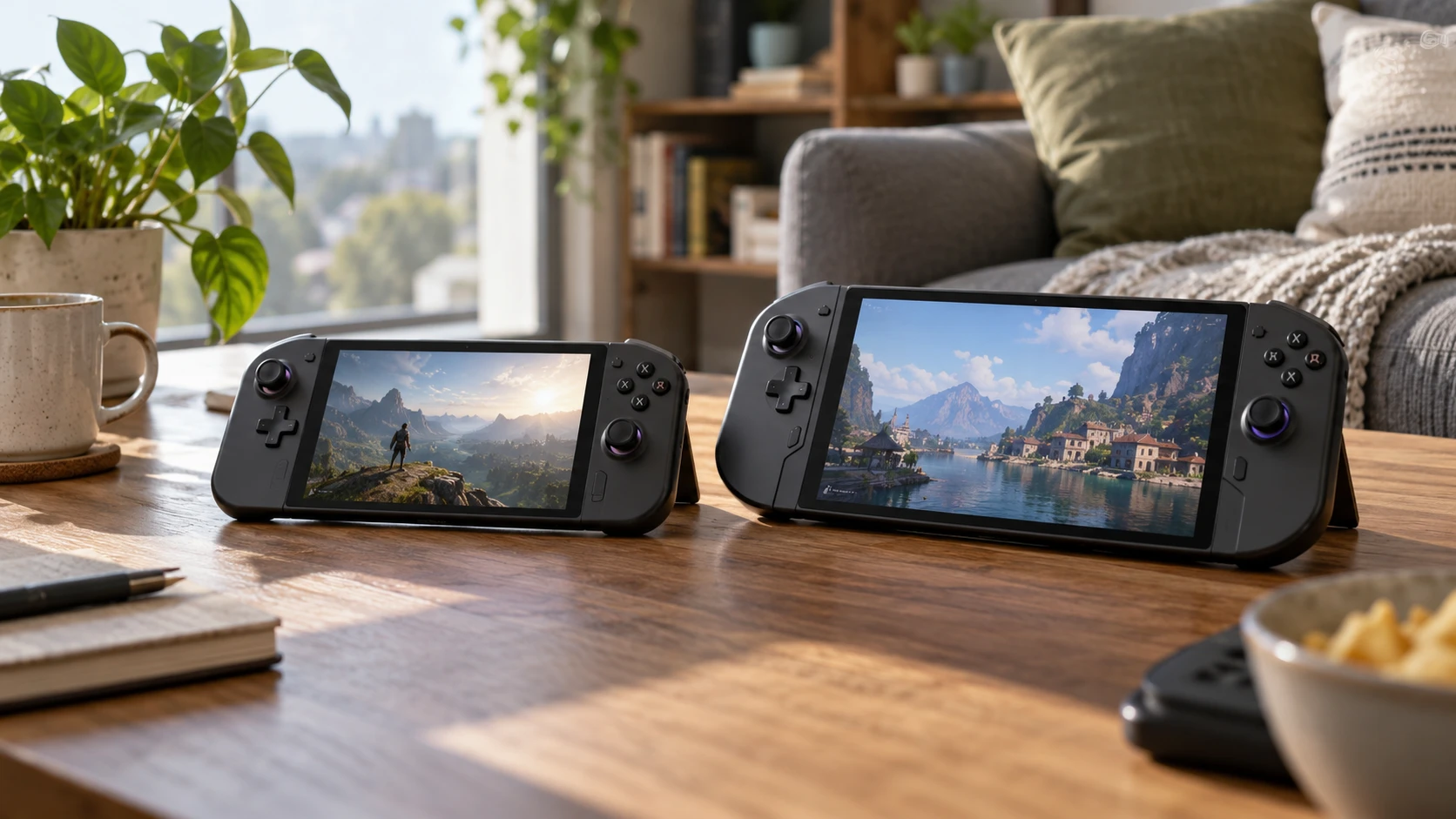
These listings offer two noticeably different handheld layouts. The ASUS ROG Xbox Ally has a 7-inch 1080p screen, an AMD Ryzen Z2 A processor and a Windows 11 game-library pitch. The Lenovo Legion Go listing pairs an 8.8-inch 2560 by 1600 screen with a Ryzen Z1 Extreme, larger listed storage and a controller base for its FPS mode. A bigger screen and a longer feature list can look decisive until the device is in your hands. Check the exact game library, operating system and control setup you will use before deciding which numbers matter.
The ASUS ROG Xbox Ally handheld listing says it runs Windows 11 and can launch titles from Xbox Game Pass, Steam, Epic Games and other Windows stores. An Xbox button opens Game Bar, and the product copy describes Play Anywhere progress across eligible games and devices. Those statements describe an ecosystem, not ownership of every game in it. Confirm the particular titles, subscription terms and account you plan to use. The saved listing advertises a three-month Game Pass Premium offer, which should be checked against current eligibility and redemption terms at checkout.
Verify the exact operating system and games — Lenovo Legion Go 8.8-inch handheld
Lenovo's saved catalog description says this Legion Go listing runs SteamOS. Legion Go models and software configurations can vary, so that line deserves explicit verification with the Republeq's catalog for the exact unit being offered. Ask whether SteamOS is factory-installed on that SKU, how it is supported, and what recovery method is included. The answer affects access to your existing games, launchers and accessories. A product name by itself cannot settle the software image on an individual unit.
The ASUS Windows description may suit someone with purchases across several PC storefronts. That does not promise every Windows game will play well on a small touchscreen or controller, and store access alone does not establish a stable frame rate. For Lenovo, a SteamOS listing may fit a Steam-centered library if the exact titles and their required launchers are supported. Check your five most-played games one by one, including online login, controller layout and any game-specific compatibility notes. A list of compatible stores or an operating-system badge is too broad to answer that question.
Consider how often you will be away from home WiFi. Some games need an online sign-in or periodic license check even when their gameplay is mostly local. A portable device is only convenient for an offline journey if the games you choose are installed, updated and authorized before departure. The saved product pages do not state offline behavior for individual titles, so test your actual library while you still have a connection.
Two screens, two shapes — handheld game screen aspect ratios
ASUS lists a 7-inch 1920 by 1080 touchscreen at 120Hz, with FreeSync Premium variable refresh and 500-nit brightness. Lenovo lists an 8.8-inch 2560 by 1600 PureSight touchscreen with a maximum 144Hz refresh rate and a 60Hz setting to conserve power. The Lenovo description says resolution can be adjusted from 1600p down to 800p. Those settings give a player options, but neither listing supplies measured battery life or game frame rates at each screen mode. A high refresh ceiling is useful only when a game and its chosen graphics settings can approach it.
The screen shapes also differ. ASUS's 1920 by 1080 is a 16:9 format; Lenovo's 2560 by 1600 is 16:10. Think through handheld game screen aspect ratios for the titles and video you use. Some games may render comfortably in both shapes, while other content may show borders or need a display setting. The extra vertical space on a 16:10 desktop can be pleasant for menus, but the visible result depends on the application. Check whether a favorite game offers native support for the selected resolution before assuming every pixel will be filled.
For text-heavy games, the larger Lenovo panel may make menus easier to inspect. That is a practical possibility, not a measured readability result from these sources. Hold or view the device at the distance you normally play, and look at the game's actual interface. Resolution can improve detail, but tiny menu text may still be small. For travel, consider the physical size of the unit and its case as well as the display diagonal; the saved Lenovo description does not give a comparable total weight or dimensions.
Processor names do not settle performance — Lenovo Legion Go 8.8-inch handheld
The ASUS listing names an AMD Ryzen Z2 A and 16GB LPDDR5 memory at 6400MHz. Lenovo names a Ryzen Z1 Extreme and 16GB LPDDR5X at 7500MHz. These details identify the advertised hardware configuration, but the saved source does not provide comparable frame-rate tests, power limits or thermal settings. A processor label or memory clock cannot tell you how a specific game will perform at 1080p on one device versus 1600p on the other. Screen resolution, graphics settings and power mode all interact.
Find a test of the exact devices in the game you actually play, ideally at a stated resolution and power mode. Keep those conditions together when comparing results. A benchmark at low detail on one handheld and high detail on another answers a different question. The catalog's broad claims about console-caliber performance and smooth multitasking should be treated as Republeq's product descriptions until matched to a measured workload.
Heat and fan noise are also part of portable play, yet neither saved description provides a comparable noise measurement. A game that runs well for a short demo may feel different during a long session in a quiet room. If comfort matters, try the devices or look for a detailed long-session review with the controls and power setting you expect to use. The same applies to how much warmth reaches your hands.
Storage and installed library size — Lenovo Legion Go 8.8-inch handheld
ASUS lists a 512GB SSD. Lenovo's saved listing advertises a 2TB PCIe Gen4 SSD and describes the storage as expandable. That is a substantial stated capacity difference, though the actual free space will be lower once system files and bundled software are accounted for. Check the exact installed drive size on the checkout SKU and ask how expansion works before ordering extra media. A game library with several large titles can fill 512GB quickly; a smaller rotating set may fit comfortably.
Start with the games you will keep installed together. Add their current download sizes, updates, saved content and any offline media you plan to carry. Then leave room for system updates and a new game during a trip. A large advertised SSD is useful if you habitually move among many titles without a fast connection. If you mostly play two or three games, the larger drive may have little day-to-day value. The decision depends on the library you own, not simply the larger number on the product page.
The Lenovo listing also mentions a 5AVE 3-in-1 kit. It does not explain the kit contents in the saved description, so confirm the package before treating it as extra storage or another accessory. ASUS's offer similarly needs checking: a subscription period adds potential library access, but it does not change the physical SSD capacity. Keep hardware contents and time-limited services separate when comparing prices.
Controls and ways to play — Lenovo Legion Go 8.8-inch handheld
ASUS emphasizes contoured grips inspired by Xbox controllers and a balanced 1.47-pound weight. Its Xbox button gives quick access to Game Bar. If you already use an Xbox controller layout, that arrangement may feel familiar, but hand comfort varies. The listing does not establish whether every PC game has a usable controller scheme. Try a game that normally needs a mouse or keyboard before assuming the handheld controls will be enough.
Lenovo describes included ergonomic controllers and an FPS mode using a supplied controller base. In that mode, the source says the left side maps to WASD and the right side works like a vertical mouse. That may be helpful for a game built around pointer aiming or desktop controls. It also means the tabletop area and controller base become part of the setup. Confirm with Republeq exactly which pieces are included and how they attach. If you mainly play while standing on a train, a tabletop control mode may matter less than comfortable handheld input.
The Lenovo listing says an external monitor can be connected for a larger view. Confirm the output connection and adapter needs for the exact unit. If desk play is frequent, think about where the controllers, power and display cable will go. A handheld can serve as a small desk computer for some games, but this source does not specify a docking package or guarantee support for every peripheral. Build the desktop plan from verified ports and accessories.
Battery and travel evidence — Lenovo Legion Go 8.8-inch handheld
ASUS lists a 60Wh battery and claims a fast charge from zero to 50 percent in 30 minutes. It does not give a measured playtime for a particular game and screen setting in the saved source. Lenovo's description says its 60Hz display mode can conserve power but does not give a battery capacity or runtime figure. There is no sound basis here to rank endurance numerically. Ask for tests of the same game at comparable brightness, resolution and power settings if the length of an unplugged session decides the purchase.
Plan charging around your actual travel day. Confirm the power adapter and charging port included with each unit, plus any airline or venue restrictions relevant to your trip. A high-capacity SSD and bright screen do little good if the unit cannot last until the next outlet. Conversely, a familiar game library and comfortable controls may make shorter sessions entirely adequate. The saved specs help form questions for a battery test, but they do not replace one.
Which listing fits your habits? — Lenovo Legion Go 8.8-inch handheld
The saved catalog prices are $748.75 for ASUS and $1,287.49 for Lenovo. They are snapshots and the Lenovo listing's unusually large 2TB configuration and stated SteamOS deserve confirmation for that exact price. Compare current package contents and return terms before using the price difference as a value judgment. Confirm that the screen, controller pieces and software image in the live offer match the specifications you considered.
The Lenovo Legion Go 8.8-inch handheld is the candidate to examine for a larger 16:10 screen, more listed SSD space and the FPS controller mode. ASUS presents a smaller Windows handheld with a specific 60Wh battery figure and access to several PC storefronts in its listing. Choose the exact games and travel pattern first, verify the offered software configuration, then compare display and controls with a real play session if possible.