Crypto Commerce
ASUS NUC15CRHU7 barebone mini PC NUC 15 Pro Ultra 7 vs Ultra 5 barebones for a small desk
Compare ASUS NUC15CRHU7 barebone mini PC by chassis height, shared memory and storage slots, ports, complete build cost, and setup.
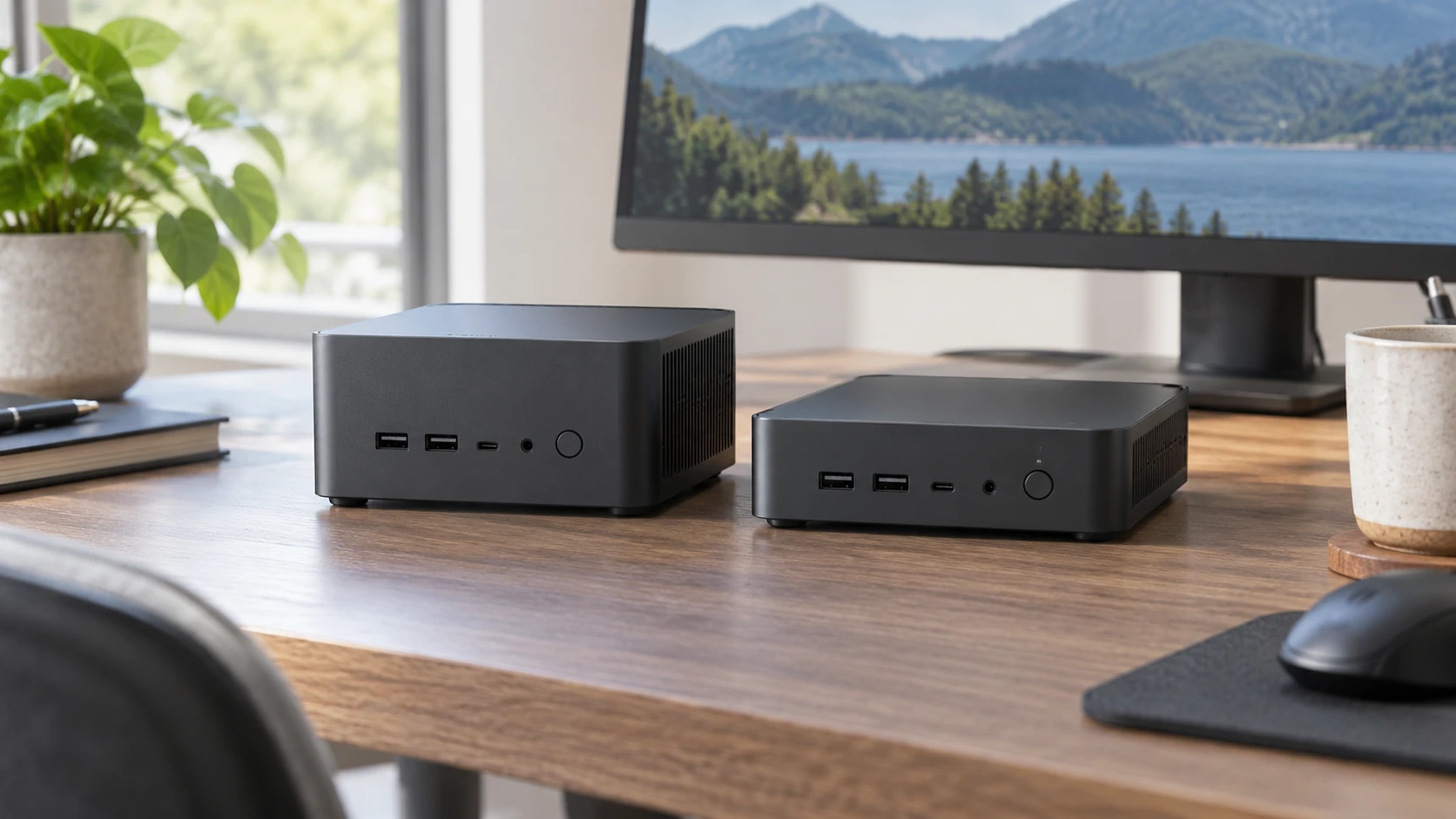
Two ASUS NUC 15 Pro barebones in the saved catalog have the same 4.61-by-4.41-inch footprint. The NUC15CRHU7 pairs that footprint with an Intel Core Ultra 7 255H and a 2.13-inch-tall case. The NUC15CRKU5 lists an Intel Core Ultra 5 225H in a slimmer 1.45-inch case. Both offer two memory sockets and two M.2 storage positions. A buyer choosing between them should price a complete working system and check the physical clearance before treating the processor label as the whole decision.
The ASUS NUC15CRHU7 barebone mini PC is the taller Ultra 7 model. Its saved row gives a 0.7-liter volume and 0.80-pound net weight. The Ultra 5 NUC15CRKU5 lists 0.48 liter and 0.79 pound. Their weights are effectively the same for desk planning, while the height difference of 0.68 inch may matter beneath a monitor or on a shelf. The saved rows do not provide a ventilation-clearance allowance, so measure the space against the maker's installation instructions rather than the bare chassis height alone.
Both are described as barebone computers. The rows give supported memory and storage formats but do not list installed RAM, an SSD or an operating system. Do not assume those are included because a product photograph shows a desktop screen. Check the exact current bundle, then add any missing memory, drive, software and input devices to the price. The US power cord and VESA bracket are listed as included with each of these two saved offers.
What the shared design gives you — mini PC expansion path guide
Both listings describe two 262-pin SO-DIMM sockets, with support for DDR5-5600 SO-DIMM or DDR5-6400 CSO-DIMM memory. These are supported formats in the saved rows, not installed capacities. Before ordering a kit, find the exact board's qualified memory list, maximum capacity and firmware requirements. If dual-channel operation is important, check how modules should be matched. A barebone unit can have good processor specifications and still be unusable when the chosen memory is incompatible.
Storage is similarly described for both: one M.2 2280 PCIe 5.0 position and one M.2 2242 PCIe 4.0 position. The numbers 2280 and 2242 describe different physical lengths. A buyer who orders two identical 2280 drives may discover that the shorter slot cannot take the second one. Check the mounting hardware, supported drive capacities and any cooling guidance in the exact manual. The rows do not say an SSD is included, and a slot standard alone does not establish the speed of a drive that has not been chosen.
The published mini PC expansion path guide covers useful questions about free slots, installed modules and drive formats in other computers. Its named products are different from these ASUS NUCs. Use it as a question list, then rely on model-specific documentation for memory and storage compatibility. An attractive expansion diagram for another machine cannot tell you where a NUC's screw or thermal pad belongs.
Both rows list a 2.5G Ethernet port, Wi-Fi 7 and Bluetooth 5.4. Those are promising connection categories for a small office or home desk. Their presence does not guarantee that a particular router supports the fastest Wi-Fi mode or that the wireless hardware is configured in a barebone package exactly as expected. Confirm the included antenna and module, drivers and network adapter details in the current model specification. If stable networking is critical, plan the wired cable route as well as the wireless one.
The port descriptions on both rows include Thunderbolt 4, HDMI 2.1, USB 3.2 and USB 2.0. They do not give a complete port count and position map in the short catalog text. Count your displays, external drives, keyboard, camera and audio connections, then compare that list with a current rear-and-front diagram. A port name is not enough when a dock requires a specific number of connections, display modes or power behavior. Check which screen can use HDMI directly and which would need an adapter or dock.
CPU, graphics and the work you do — ASUS NUC15CRKU5 barebone mini PC
The NUC15CRHU7 row names an Intel Core Ultra 7 255H. NUC15CRKU5 names an Intel Core Ultra 5 225H and explicitly mentions integrated Intel Arc 130T graphics. The saved Ultra 7 row does not give a graphics model or a matched performance result. It would be careless to rank these systems for gaming, editing or rendering from their product titles alone. Seek tests of the exact processors with comparable memory, storage and cooling if a demanding application will decide the purchase.
For ordinary documents, browsing and video calls, both models may meet the task, but the rows do not include workload tests or an installed software setup. A buyer who mainly needs a small desktop should consider whether the higher priced processor changes anything in the actual work. For a more demanding program, identify the step that is slow on the current machine and look for a relevant benchmark. A broad “Ultra 7” label is not a measurement of that program's performance.
The taller Ultra 7 chassis might suggest a different thermal arrangement, but the saved listing does not explain its internals. Do not infer that the extra 0.68 inch automatically means quieter fans, more storage or higher sustained speed. The two rows list the same storage-slot formats. Check a service diagram and model-specific thermal test if case design matters. The shorter Ultra 5 may fit a shelf that the taller model cannot, provided both have the maker's required airflow clearance.
Both listings include a VESA bracket, which may allow a compatible installation behind a monitor or on another permitted surface. Check the monitor's mounting pattern, the bracket's instructions and how cables and air will flow after mounting. A mounted computer still needs access to power, network and USB ports. In a shared workspace, consider how easily a person can reach a power control or swap a peripheral without removing the whole installation.
Plan the first week of use — ASUS NUC15CRKU5 barebone mini PC
A barebone purchase involves more than inserting a drive and pressing the power button. Before opening the case, download the correct manual for the exact model code and check the assembly order. Confirm whether a screwdriver, mounting screw or thermal pad is supplied. The catalog rows do not list those small parts. Read how the case opens and how a memory module should be seated; small systems can put sockets close to cables or cooling hardware. If Republeq's offer includes installation as a service, compare its price and warranty handling with doing the work yourself.
After assembly, confirm that firmware recognizes the full memory capacity and each SSD. Check the drive interface and health report before loading important files. Install the intended operating system and drivers from a trusted model-specific source. Then test the displays, wired and wireless networking, audio, USB connections and any dock in the arrangement you will use every day. A successful first boot proves only that some components work; it does not establish that every port or sleep-and-wake function behaves as expected.
Keep packaging until the machine has completed a normal work session and any return period is understood. A desktop mounted behind a display can be difficult to remove if a drive later proves incompatible. Test it in an accessible location first, then mount it once the component and cable plan is stable. This setup cost is real even though it does not appear on the product page.
The complete cost is larger than the listing price — ASUS NUC15CRKU5 barebone mini PC
The saved catalog price is $828.74 for NUC15CRHU7 and $593.75 for NUC15CRKU5, a $234.99 difference. That is the gap between the two barebone offers at snapshot time, not the cost of two complete desktops. Build a cart for each with the same intended RAM, SSD, OS and accessories. A different memory kit or storage drive can obscure the processor price difference. Confirm current prices and what each Republeq product record actually includes before deciding which is better value.
If the buyer already owns a compatible drive or RAM, verify that the exact parts meet the new NUC's requirements before counting them as free. Storage may contain data that needs a backup or a clean OS installation. A preexisting Windows license may or may not transfer under its terms. The saved product rows do not resolve those issues. Plan the first boot, updates and recovery media as part of the purchase, not a task to discover after the barebone arrives.
Support terms can also differ between listings or Republeq's catalog entries even when two computers share a family name. The saved rows do not give a warranty duration. Ask how a memory or SSD failure is handled when those parts are installed separately and how a barebone return works after assembly. Keep the model code, product ID, component receipts and configuration record. A clear paper trail helps distinguish a base-system problem from an aftermarket part issue during a return or repair.
The NUC15CRHU7 is the model to investigate first when a confirmed Ultra 7 255H configuration is important and the taller case fits with proper airflow. The ASUS NUC15CRKU5 barebone mini PC is the closer look when the slimmer case and lower saved price suit a complete build based on the Ultra 5 225H. Both need a verified parts list and port diagram. Choose after comparing the finished systems in the space and workload where one of them will actually run.