Crypto Commerce
ASUS L210MA-DB01 small Windows laptop or a restored Latitude 5420 for everyday work?
Compare ASUS L210MA-DB01 small Windows laptop by space, ports, weight, and saved price.
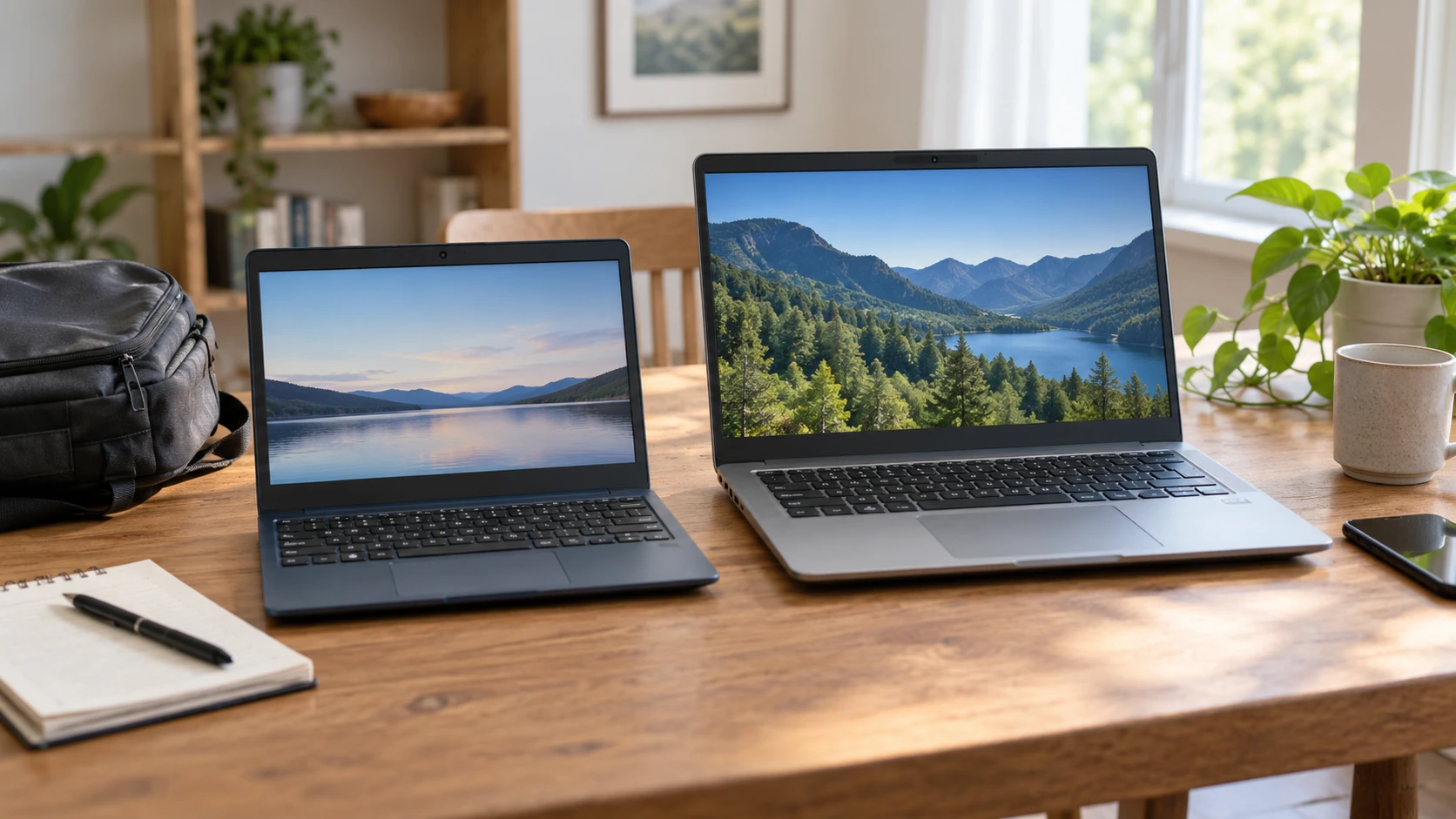
The ASUS L210MA-DB01 small Windows laptop has an 11.6-inch 1366-by-768 display, 4GB of memory, and 64GB of eMMC storage. A published guide to mini laptop Windows and memory choices covers different devices and is useful context for checking software and capacity before checkout. The restored Dell Latitude 5420 laptop lists a 14-inch 1920-by-1080 screen, 8GB of memory, and a 256GB PCIe NVMe SSD. A buyer choosing between these exact offers is deciding how much screen and storage can be traded for a smaller, lighter machine and lower saved price.
The catalog recorded $280 for ASUS and $504 for the restored Dell, a $224 difference. Both product URLs and the related guide returned HTTP 200 when checked, but current prices and stock still need confirmation. The Dell row says it was refreshed and tested; it does not describe the individual unit's wear, battery health, return terms, or warranty. The ASUS row has a conflicting color description, calling the machine Blue in the catalog field and Black in the source title. Check the exact variant shown at checkout if appearance matters.
Measure the workspace before choosing a screen — restored Dell Latitude 5420 laptop
At 11.6 inches, the ASUS display makes for a compact machine on a small table or in a crowded bag. Its listed resolution is 1366 by 768 with a 16:9 aspect ratio. That may be adequate for a browser tab, simple document, or video, but the saved listing supplies no equal-condition readability test. A person who keeps a spreadsheet beside a reference page should try that actual layout at the intended zoom level. Text that seems readable in a product photo may require frequent scrolling during a full work session.
The Dell uses a 14-inch display with 1920-by-1080 resolution. It gives more pixels and a larger physical work area than the ASUS listing, although usable space also depends on scaling. For drafting, comparing documents, or seeing more rows at once, the extra area may reduce window switching. Screen size does not settle brightness, color quality, viewing angles, or outdoor readability; neither saved row gives a matched measurement. If the device will be used all day, view a similar screen in person or under a return policy instead of buying from resolution alone.
Travel changes the answer. ASUS lists a weight of 2.2 pounds and a 0.7-inch thickness. The Latitude listing says 3.1 pounds and gives dimensions of 8.3 by 12.65 by 0.8 inches. The stated weight gap is 0.9 pounds, before either charger is packed. For someone carrying a laptop between classes or shifts, that difference may be noticeable. For a laptop that sits beside an external monitor, its own screen and weight may matter less than its connections and storage. Check that the bag, desk, and any stand fit the device you would actually use.
Treat 64GB and 256GB as different planning limits — restored Dell Latitude 5420 laptop
ASUS lists 64GB eMMC flash storage and 4GB DDR4 memory. The storage figure is the device capacity, not a promise that 64GB will be free for files after Windows and installed software. If you expect to keep downloaded video, large photo libraries, or several offline applications, estimate their actual sizes. The listing does not state that the eMMC can be upgraded or describe an empty expansion slot. Confirm any upgrade path from the exact model documentation before assuming one exists.
The restored Dell lists a 256GB PCIe NVMe SSD and 8GB DDR4 memory. That is four times the named storage capacity and twice the named memory of the ASUS offer. Those ratios describe listed components, not a measured speed difference for a particular task. The Dell also names an Intel Core i5-1135G7 processor and integrated Iris Xe graphics; ASUS names a Celeron N4020. The product excerpts do not supply comparable performance tests. A buyer using browser tabs, office documents, and video meetings should check application requirements and consider how many tasks will be open at once.
A small amount of memory can become a practical limit even when there is room for files. A video call plus several browser tabs may have a different feel from a single document. The saved catalog does not measure either machine under that workload. Write down the essential apps, storage already used on the current computer, and files that must remain offline. If the ASUS capacity still fits with room for operating-system maintenance, its smaller body may be useful. If that estimate is tight before purchase, the Dell's larger listed memory and SSD deserve attention.
Check Windows edition and current software needs — guide to mini laptop Windows and memory choices
The ASUS offer says Windows 10 in S Mode and mentions one year of Microsoft 365 Personal. S Mode limits how software can be installed unless the device is switched out of that mode, subject to Microsoft's current rules. Do not assume a required desktop app will install in the supplied configuration. Check the exact application, account, and operating-system requirements before ordering. The catalog does not spell out how the included Microsoft 365 period is activated or what it costs afterward, so verify the current offer terms.
The Dell listing says Windows 10 Professional. A Pro label may matter for work tools that require that edition, but the description does not promise an employer's configuration, installed security software, or a particular update path. Both listings name Windows 10, so check each device's present licensing, supported updates, and any upgrade eligibility directly from the Republeq's catalog and manufacturer. The saved snapshot cannot establish the operating system that will be installed on a particular delivered unit months later.
The related guide discusses Windows and memory choices for other mini laptops. Use it as a checklist, not as evidence that either ASUS or Dell includes the guide's software or ports. Someone buying for a school or employer should obtain the organization's minimum specifications first. A lower purchase price is of little use if a required exam app, VPN, or management tool cannot run in the purchased configuration.
Map ports, meetings, and an external desk setup — restored Dell Latitude 5420 laptop
The restored Latitude row lists two USB 3.0 connections, HDMI, a DisplayPort connection, Gigabit Ethernet, and Bluetooth 5.0. It also names a backlit keyboard, 1MP webcam, and integrated microphone. This gives a starting map for a desk with a monitor, wired network, and meeting setup. The excerpt does not specify the physical connector form or revision for every display path. Check the current manual against the monitor and dock you own before buying an adapter or promising a particular refresh rate.
The ASUS excerpt lists a QWERTY keyboard but does not give a complete port inventory or webcam specification. Its short description cannot support a claim that a particular connector is missing. If an external display, wired internet, or USB accessory is essential, ask for the exact L210MA-DB01 port diagram. A small chassis may affect how cables sit around a desk even when the required ports exist. Sketch the intended arrangement, including power, mouse, headset, and monitor, rather than counting ports in isolation.
For video calls, test the camera and microphone in the lighting and room where meetings happen. The Dell's 1MP figure alone cannot tell whether its image or audio will meet a particular team's expectations. The ASUS listing does not give a corresponding measurement. If a separate webcam or headset will be used, check compatibility and reserve the ports or Bluetooth connection it needs. The saved rows do not provide a head-to-head meeting quality test.
Price the condition and battery question — restored Dell Latitude 5420 laptop
The ASUS is listed at $280 and 2.2 pounds. Its description gives no battery runtime. The Dell is a refurbished unit listed at $504 and 3.1 pounds, with a claimed battery life of up to five hours. “Up to” is a figure in Republeq's catalog whose test conditions are not described. Battery health on a restored machine may vary by unit, and the row does not state a minimum capacity. Ask what was replaced during refurbishment, what battery condition is guaranteed, and what the return process covers if portable runtime matters.
A new-looking product photo is not a condition report for the delivered laptop. The Dell row says refreshed and tested, but the saved source does not define cosmetic grade. The ASUS color conflict deserves the same caution: confirm the actual unit, finish, charger, and included software on the live offer. Ask whether any parts are missing and whether the listed Windows license is valid for the exact device. These checks are especially useful when comparing a low-cost small laptop with a restored office model rather than two sealed units of the same type.
Choose the ASUS if the small screen, Windows configuration, and 64GB storage genuinely fit the work and the lower saved price matters. Choose the Latitude if a larger display, 8GB memory, 256GB SSD, and documented port set are worth the higher price and the condition checks pass. Try the essential apps and a typical desk layout before deciding. The right purchase depends on the work that will be done on the machine delivered, not on the size of a catalog number alone.