Crypto Commerce
ASPIRING H3D N100 mini PC for a quiet office
The ASPIRING H3D N100 mini PC is a reasonable candidate for light office work when a fanless computer is part of your buying brief. Its description lists an Intel N100 processor, 8GB of memory and a 256GB SSD, alongside two HDMI outputs and one DisplayPort output. Those specifications provide a starting point for choosing a desktop, although they do not establish how your particular applications will perform together.
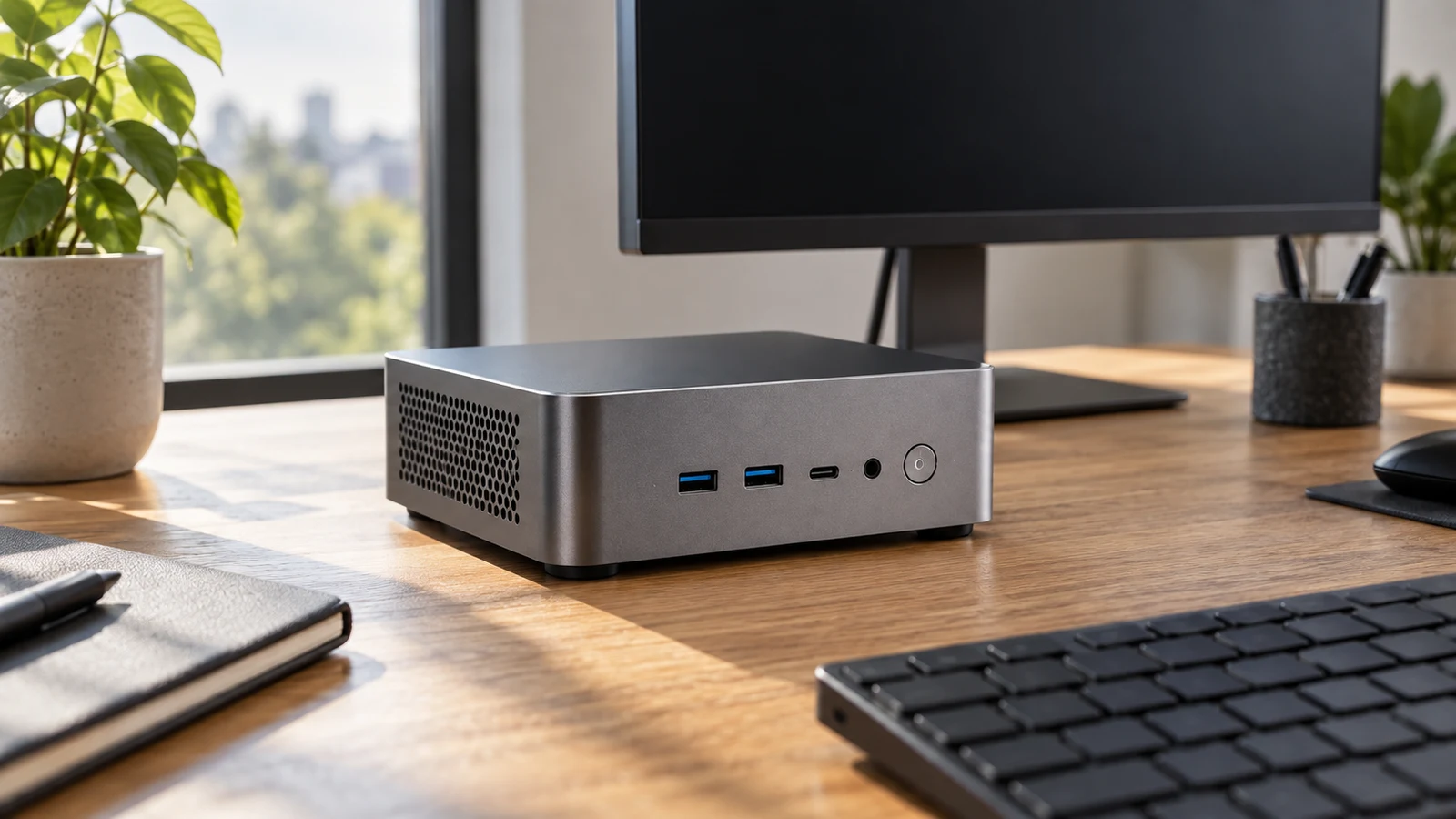
The ASPIRING H3D N100 mini PC is a reasonable candidate for light office work when a fanless computer is part of your buying brief. Its description lists an Intel N100 processor, 8GB of memory and a 256GB SSD, alongside two HDMI outputs and one DisplayPort output. Those specifications provide a starting point for choosing a desktop, although they do not establish how your particular applications will perform together.
For a quiet office, the useful distinction is between a stated fanless design and a measured acoustic result. ASPIRING describes this model as fanless, but supplies no sound measurements in the description. You can treat that design as a reason to investigate the machine without assuming that the complete desk setup will be inaudible. Connected equipment and any later storage changes also deserve consideration.
The configuration discussed here is the black H3D N100 8+256, identified by SKU sku-15286952175. The ASPIRING H3D N100 mini PC product page is the place to check that identity against the option you select. Confirm the item's condition separately: the supplied description does not establish whether the unit being offered is new, refurbished or otherwise classified.
Before comparing extra features, write down the reason you want to replace your present computer. If the problem is an intrusive cooling fan during ordinary desk work, the fanless specification addresses that preference directly. If the problem is waiting for a demanding application, you need application-specific evidence as well. A quieter design and sufficient performance are separate purchasing requirements, and both need to fit the same working day.
Compare Computer Memory And Storage Without Adding Them Together For Light Office Work
ASPIRING's description places this system in the light-office category and also names online classes, 4K video and basic design tasks. The listed Intel Alder Lake N100 has four cores, four threads and speeds up to 3.4GHz. These are product specifications, not a demonstration of your workload. The description provides no timed office tests or results showing several applications running concurrently.
Make your workload concrete enough to evaluate. For example, consider whether your usual session involves a browser-based booking tool and email, or whether it also includes a video meeting while you edit a large spreadsheet. These are suggested assessment scenarios, not tested capabilities of this computer. Compare the requirements published by your software providers with the selected configuration, including any requirements for meetings, screen sharing or local processing.
The supplied configuration has 8GB of single-channel DDR4 memory and a 256GB SSD. Keep those figures in separate fields when comparing computers. For a fuller explanation of the capacity labels, read Compare computer memory and storage without adding them together. For this purchase, the immediate task is to decide whether the installed configuration meets your applications' requirements before relying on a future upgrade.
If your existing computer can show resource use, observe it during an ordinary busy session. Note which applications are open when responsiveness becomes frustrating and whether memory use is approaching the installed capacity. This does not predict an N100 system's speed, but it gives you a more useful question to ask than whether the new computer is generally suitable for office work. You can describe what you actually need it to do.
Consider your local files with the same specificity. Estimate the space needed for your applications and the files you expect to keep on the machine, then allow room for ordinary growth. The advertised 256GB storage figure is not a statement of free space after setup. The description does not give an available-space figure for the delivered system, so avoid planning to fill the entire nominal capacity with your own files.
The quiet-office case is strongest when your needs fit the installed hardware without a complicated modification plan. If you already expect to replace memory or add drives immediately, identify the parts and work involved before choosing. That assessment may still favor ASPIRING, but it should account for the configuration you intend to use. An advertised expansion limit alone does not establish the cost or ease of reaching it.
Compare Computer Memory And Storage Without Adding Them Together Before Planning Upgrades
ASPIRING states that memory is expandable to 32GB. Its description does not specify the memory-slot arrangement or give an installation procedure. Ask which module specifications are accepted and whether reaching your intended capacity requires replacing the supplied memory. If you will depend on an upgrade for essential software, settle that compatibility question before treating the base configuration as a suitable purchase.
For storage, the description names MSATA SSD support, a PCIE 3.0 slot for NVME SSDs and SATA 3.0 support for a 2.5-inch HDD or SSD. It does not explain which connection the supplied drive occupies or which combinations can be installed simultaneously. Do not turn a list of supported interfaces into an assumption that every position is empty, accessible or equipped with the necessary fitting hardware.
A proposed drive change should also remain consistent with the quiet-office objective. Ask about the exact drive you intend to fit and any installation requirements, rather than assuming every supported option will have the same acoustic characteristics. The supplied SSD and the possibility of fitting a different drive are distinct configurations. Keep your buying decision tied to the one you will actually operate.
Monitor connections deserve their own check before you commit. ASPIRING lists two HDMI ports and one DP port, with support for three independent displays used for mirroring, extending or separate tasks. This establishes the advertised connection arrangement. It does not specify every supported resolution and refresh-rate combination across those outputs, and the reference to 4K video does not fill that gap.
Write down each monitor's model and the input you intend to use. Ask whether the computer supports the desired resolution and refresh rate on that connection, including when all intended screens are attached. For an office using two existing HDMI monitors, the two listed HDMI outputs are directly relevant. If either display needs an adapter, confirm the complete connection path instead of assuming that matching the plug at one end is sufficient.
The remaining desk equipment needs space in the connection plan too. ASPIRING lists two USB 2.0 ports, two USB 3.0 ports and one audio input/output connection. Count the connections required by your keyboard and pointing device, then account for equipment such as a webcam or headset. Wireless peripherals are not included by default, so avoid treating the computer description as a complete desk-equipment package.
Wireless configuration is another place where selection matters. The description gives dual-band WiFi on 2.4G and 5G, with Bluetooth 4.2, as standard. WiFi6 and Bluetooth 5.2 are selectable options. If either upgraded wireless feature affects your choice, confirm that it belongs to the selected unit. Two Gigabit Ethernet ports are also listed, although that port count does not establish compatibility with a particular workplace network arrangement.
Kinupute Computer Alternative For The Same Quiet Office
The MV8 is a useful Kinupute computer alternative when your application requirements point beyond ASPIRING's supplied configuration. Kinupute lists an Intel Core i9-9880H with eight cores and sixteen threads, together with 16G DDR4 memory and a 512G PCIE3.0 NVME SSD. Those differences warrant comparison, but the descriptions do not provide a shared benchmark from which to calculate an office-performance advantage.
There is an important limit to this comparison for a noise-sensitive buyer: Kinupute's supplied description does not establish a fanless design or provide acoustic measurements. You therefore cannot use it to declare the MV8 equally quiet, quieter or louder than ASPIRING. If silence during concentrated work is the reason for shopping, ask about operating noise under the intended workload before letting the larger specifications decide the purchase.
Kinupute gives more detail about memory expansion. Its two SO-DIMM DDR4 slots support dual-channel memory up to 64GB. The description also lists two M.2 NVME PCIE3.0 2280 storage slots, upgradeable to two 2TB drives, plus a bay for a 2TB 2.5-inch SATA drive. These are reasons to investigate the MV8 if expansion is already part of your plan; they do not establish that you need those capacities for light office work.
The display descriptions differ in specificity. Kinupute states that its two HDMI ports and DP port support three displays at 4K@60Hz. ASPIRING states support for three independent displays without supplying an equivalent resolution-and-refresh statement for that arrangement. If your intended setup requires that particular display mode, the MV8 description addresses it more directly. Confirm compatibility with your monitors and cables before relying on either machine for the complete setup.
Software requirements may also separate the choices. ASPIRING lists Win11 without specifying an edition in the supplied description. Kinupute lists Windows 11 Pro 64bit and Linux compatibility. If your workplace requires a particular Windows edition or a specific software environment, ask the person responsible for that requirement to check the proposed system. Do not extend Kinupute's Linux statement to ASPIRING or assume either description guarantees support for your organization's applications.
For networking, Kinupute lists two 2.5G RJ45 LAN ports, Intel AX210 WiFi6E with a 6GHz band and Bluetooth 5.3. Compare those features only against needs you actually have. A higher connection specification is not evidence of a quieter office computer, nor does it resolve an application-performance question. It belongs in the decision when your existing equipment or planned network calls for it.
Keep the final comparison short enough to use. Record whether each candidate meets your software requirements, supports the intended monitor connections and satisfies your noise expectations. Mark an unanswered question as unanswered instead of awarding a feature on assumption. For ASPIRING, the fanless statement is explicit; for Kinupute, the supplied memory and storage configuration is larger. Neither description settles every aspect of the same desk setup.
Before ordering, collect any remaining compatibility answers into one specific request. Identify the ASPIRING SKU and ask about the selected wireless option, your monitor modes and any planned memory change. Confirm package contents where they matter to installation, including whether you need to obtain cables or other accessories separately. The description's silence about an item does not establish that it is included or excluded.
Read the current transaction terms separately from the hardware description. Check the selected configuration, condition and total, along with the terms relevant to delivery and any possible return. If you choose a crypto payment option, follow the currency and network details actually presented at checkout. Product specifications do not establish payment conditions, and this hardware comparison does not supply a current checkout quote.
Choose the ASPIRING H3D N100 mini PC when its stated fanless design fits your preference and the selected 8GB/256GB configuration meets your verified software and connection needs. If a necessary application or display mode remains uncertain, make that the next question you resolve. Revisit the product configuration with your monitor models and application requirements beside you, so the purchase reflects the quiet office you intend to use every day.