Crypto Commerce
Archer AXE75 Wi-Fi 6E router — Two tri-band routers built around different priorities
Compare Archer AXE75 Wi-Fi 6E router by 6 GHz clients, multi-gig ports, mesh plans, and real-room checks.
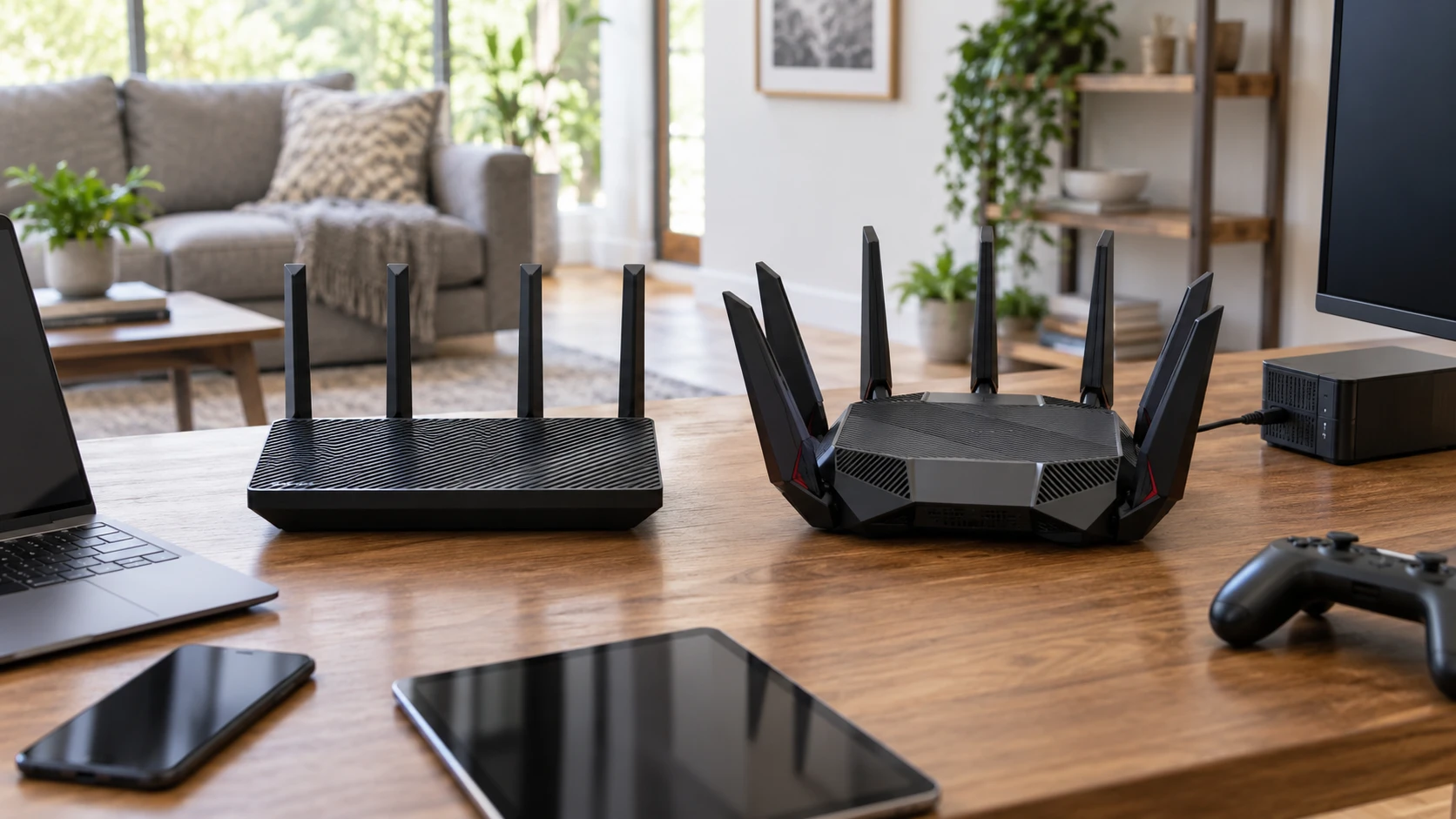
The Archer AXE75 Wi-Fi 6E router explicitly lists a 6 GHz band, WPA3, VPN support, and OneMesh compatibility. A published guide about tri-band Wi-Fi 6E router planning uses a different MSI model, so its device-specific figures do not transfer to either router here. The ROG Rapture GT-AX11000 Pro router lists tri-band Wi-Fi 6, a 10G port, a 2.5G port, and AiMesh compatibility. These are catalog descriptions, not a throughput test in the same house.
Inventory the devices that can use 6 GHz — ROG Rapture GT-AX11000 Pro router
AXE75's Wi-Fi 6E listing specifically names the 6 GHz band. That can give a compatible laptop or phone another band to use when the familiar bands are busy. It does nothing for a client that lacks 6 GHz support. Before making this the decisive feature, list the exact network adapters in the household and check their supported bands and operating-system requirements. A phone labeled “Wi-Fi 6” is not automatically a 6E client.
The ROG row calls the GT-AX11000 Pro tri-band Wi-Fi 6 but does not claim 6 GHz support. Its description also does not enumerate the bands behind “tri-band.” Confirm the exact radio layout from the current manual instead of assuming every tri-band router assigns its third radio the same way. If most household devices use 2.4 or 5 GHz, practical coverage and wired needs may matter more than a new band. If several primary devices already use 6 GHz near the router, AXE75 offers a feature this saved ASUS row does not document.
A band name does not predict room-to-room speed — tri-band Wi-Fi 6E router planning
Wi-Fi conditions depend on walls, neighboring networks, placement, client antenna design, and the channel selected. AXE75's description calls 6 GHz near-zero latency and says OFDMA increases capacity fourfold. Those are Republeq's catalog performance claims with no test room, client mix, or baseline in the saved row. A person gaming two rooms away cannot use those phrases as a guaranteed latency figure. Test from the places where calls drop or games stutter, not only beside the router.
ASUS advertises RangeBoost Plus for broader wireless reach and high-performance chipsets for larger spaces. That does not establish a measured advantage over AXE75 in your floor plan. Put a router in a sensible central location, then check signal quality and actual application performance at the far desk. A single strong benchmark near the router can hide a weak bedroom or garage. If the route across the house is the real problem, plan for a wired access point or compatible mesh node rather than treating antenna marketing as a substitute for placement.
Multi-gig ports need matching equipment — ROG Rapture GT-AX11000 Pro router
ASUS explicitly lists one 10G port and one 2.5G port, with either configurable for WAN or LAN use. That flexibility may suit a fast Internet connection, a local storage server, or a wired gaming PC. It is useful only when the modem or optical terminal, switch, cable, and endpoint can run at the intended rate. A 10G socket connected to a 1G device cannot make that link faster. Draw the wired path before paying for port capacity you cannot use.
AXE75's product title says Gigabit, but the saved description does not give a complete Ethernet port map or state a multi-gig port speed. Do not infer its WAN or LAN layout from the ASUS listing or from another Archer model. Verify the exact AXE75 hardware revision and current port diagram. If your Internet service and wired devices top out at gigabit, this may be a minor issue. If a home server needs faster local transfers, the documented ASUS ports become a more concrete reason to examine that model.
Decide what mesh expansion should mean — ROG Rapture GT-AX11000 Pro router
AXE75 lists OneMesh compatibility. ASUS lists AiMesh compatibility. Both phrases suggest options for extending coverage within their own product families, but the saved rows do not name every compatible node, backhaul method, or software limitation. OneMesh and AiMesh are separate ecosystems; do not buy a random satellite assuming it will join either router. Check the current compatibility list and exact firmware versions before choosing a second unit.
If the far room has an Ethernet run, a wired backhaul may be worth planning. If it does not, a wireless node's placement and connection to the main router become especially important. Walk the path through the house and note where the signal weakens. A mesh label does not guarantee seamless roaming for every older client, and it does not eliminate a poor link between nodes. Choose a system around the building and the devices, not a badge on one router box.
Processor claims are not a speed test — ROG Rapture GT-AX11000 Pro router
AXE75's row lists a 1.7 GHz quad-core processor and 512 MB of memory. ASUS lists a 64-bit 2.0 GHz quad-core processor. Those are specifications, yet clock speed and memory alone cannot rank routing throughput, wireless stability, VPN performance, or latency. Firmware design, hardware acceleration, and the features enabled during a test matter. Neither row provides a matched set of those results. Avoid treating 2.0 versus 1.7 GHz as though these were interchangeable desktop CPUs.
If the home has many active devices, define the actual load: video calls, backups, streaming, downloads, and a game at the same time. Then look for independent testing of the exact hardware revisions under a similar mix. A router that performs well with one large download may behave differently with dozens of small connections. The catalogs' capacity language should guide a test question, not settle it. Reliability over weeks can matter more than a short peak-speed result.
Security and VPN details need current documentation — ROG Rapture GT-AX11000 Pro router
AXE75 names WPA3 and VPN support. That is a useful starting point for checking how guest networks, older smart-home devices, and remote access will work. The saved row does not specify the VPN protocols, client limits, or whether every feature works at the same time. Find the current firmware manual and decide whether you need the router to host a VPN, connect outward as a VPN client, or simply pass VPN traffic from a computer. Those are different tasks.
ASUS advertises subscription-free network security, but the Republeq's product description does not define which protections are included, how updates are delivered, or what the router records. The row also does not state its exact wireless security modes. Do not infer that one product lacks WPA3 because another lists it. Check present firmware support, update history, privacy controls, and the guest-network settings for both. Change default credentials and keep software current whichever router you choose.
Gaming language should lead to a test plan — ROG Rapture GT-AX11000 Pro router
ASUS describes triple-level game acceleration. The listing does not show which games, traffic types, or connections benefit, and it offers no comparison with a normal router configuration. A faster packet route in marketing copy cannot repair a distant game server, overloaded Internet line, or weak Wi-Fi signal. Start by measuring latency and packet loss over a wired connection, then repeat over Wi-Fi from the gaming location. That separates the Internet path from local wireless trouble.
AXE75 does not advertise the same gaming feature in the saved row, yet its 6 GHz band may be useful to a compatible gaming device near the router. Neither feature automatically wins for a console that is wired or a client that has only 5 GHz. Put the actual hardware and room in the comparison. If a router setting claims to prioritize a game, test it while another household member streams or uploads, and record whether play improves without harming other work.
Think about the devices that cannot be upgraded — ROG Rapture GT-AX11000 Pro router
Some printers, smart plugs, and older televisions may use only 2.4 GHz or older security methods. A new router still has to serve them or leave a safe separate network for them. AXE75's 6 GHz band does not replace 2.4 GHz for those devices; ASUS's multi-gig ports do not help a wireless printer connect. Check the current manuals for band steering, separate network names, WPA mode choices, and guest or IoT network options. The saved rows do not enumerate these settings.
A migration can fail for mundane reasons: a fixed IP address, a device tied to an old network name, or a password too difficult to enter on a small display. List important devices before replacing the router, especially door locks and work equipment. Keep the old configuration available until the new connection is verified at each location. Features for the fastest client are only part of a household network; the slowest indispensable device still has to work.
A practical decision for this home — ROG Rapture GT-AX11000 Pro router
Make a two-column inventory. In one column, put the 6 GHz-capable wireless devices and where they are used. In the other, put wired devices and their actual port speeds, plus the Internet service speed. If the first column is central, AXE75's documented 6 GHz support deserves close attention. If the second contains a 10G or 2.5G endpoint and a suitable path, ASUS's documented configurable ports may be more valuable. Check the precise AXE75 Ethernet map before concluding it cannot serve any particular wired setup.
Both listings offer tri-band designs, mesh-brand compatibility, and performance language that needs real-room verification. They differ in the features their saved rows state explicitly. Select a location, plan the needed expansion, check current firmware and client compatibility, then test coverage and latency at the problem spots. The best router for this house is the one that solves its present bottleneck without leaving the rest of its devices behind.