Crypto Commerce
Amcrest IP8M-FCT2999EW-AI PoE camera — Put the camera where the event will happen
Compare Amcrest IP8M-FCT2999EW-AI PoE camera by cable path, field of view, recording options, night footage, and installation evidence.
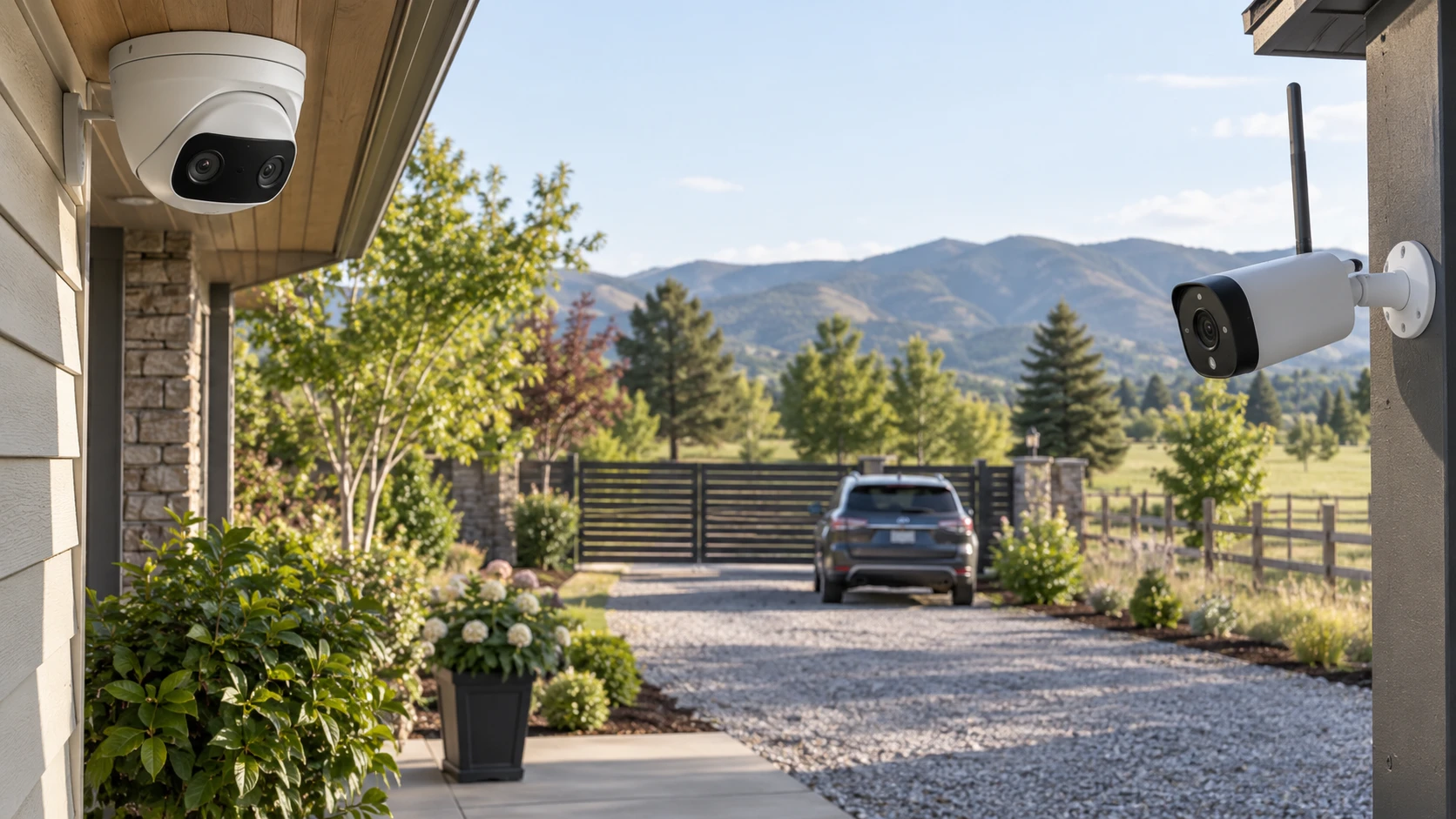
The Amcrest IP8M-FCT2999EW-AI PoE camera is a dual-lens outdoor turret described with a 180-degree panoramic view and a required Power over Ethernet connection. The TP-Link VIGI S345-4G is a four-megapixel outdoor bullet camera described with 4G or Ethernet connectivity. Those are different installation choices before they are picture-quality choices. Draw the area you need to watch, mark where an event is likely to occur, and decide how power and recorded video will reach the camera.
Amcrest's 180-degree claim could help watch a wide entrance or several approaches from one mounting point. A wide view also spreads image detail across more of the scene. TP-Link's fixed 4 mm lens may frame a narrower target area, but its saved listing does not give a horizontal field-of-view angle. Ask for the exact lens diagrams and sample images at the mounting distance you plan to use. A number like 180 degrees cannot tell you whether a person's face or a vehicle plate will have enough pixels at the far edge of a yard.
Make a small scene sketch with likely approach paths, trees, porch lights, and the sun's direction at different times. Mark the distance to each point where you would need to identify a person or recognize a package. A panoramic camera may cover several paths without providing the same detail at all of them. A narrower camera may give more useful pixels on one gate while leaving a blind side. If one camera cannot satisfy both jobs, plan a second view rather than stretching a single device beyond its lens and resolution. The listings cannot replace a site-specific view test.
The published guide on an outdoor camera wiring decision compares different models, yet its installation questions apply here. Trace a possible Ethernet cable route to the Amcrest location and identify the network equipment that would provide power. For TP-Link, check whether a 4G signal is actually available at the exact mount and where power would come from. A cellular link changes the data path; it does not prove the camera operates without a wire or battery. The saved TP-Link excerpt does not specify its power input.
Check the installation contract before buying hardware — outdoor camera wiring decision
Amcrest explicitly requires PoE, and the saved description says a PoE injector or switch is not included. Confirm the model's power standard and consumption in its current manual, then match an approved injector or switch. Plan a protected cable path, outdoor-rated components where required, and the network connection back to the recorder. Do not assume any existing Ethernet jack supplies power. The camera's metal housing is described as IP67 weatherproof, but a rated enclosure does not make an exposed cable joint or connector weatherproof by itself.
TP-Link's listing says the S345-4G can connect through 4G or Ethernet. It does not state which cellular bands, carriers, SIM type, data plan, or antenna arrangement this exact variant supports. Nor does it state whether Ethernet supplies power. Ask for the installation sheet and radio variant before choosing a remote site. If the camera will rely on cellular service, test signal strength and upload performance at the intended mounting height, not just on a phone inside the building. Determine what happens when the data connection drops and whether local recording continues.
Plan for a power interruption as well. A PoE camera stops when its supplying switch or injector loses power unless that equipment has a suitable backup. A 4G link will not help a camera whose own power supply is down. The saved TP-Link excerpt does not specify battery operation, so treat backup power as an unanswered design question. Ask how long the recorder and network would remain available during an outage and whether event footage would still be saved locally. These practical details matter more than a remote-access promise during the one event you hoped to review.
The camera's physical position affects maintenance. A high mount may discourage tampering yet make it hard to clean a lens, replace a card, or reach a reset control. Amcrest is a turret; TP-Link says its bullet camera can mount on a wall, ceiling, or pole. Confirm the included bracket, allowable orientation, and dimensions of each unit. For a pole, ask about compatible hardware and wind exposure. For either camera, plan a safe route for the required power and check local rules about where surveillance can point and whether audio may be recorded.
Compare the image claims carefully — TP-Link VIGI S345-4G camera
Amcrest describes two fixed-focal 4K lenses that together create an 8K, 16MP panoramic image. The saved source also gives per-lens frame rates of 25 fps with WDR off or 20 fps with WDR on. Ask for the actual recorded pixel dimensions and whether the panorama is stitched in the camera, recorder, or viewing software. A combined panoramic claim should not be treated as though every portion of the scene has the same detail as a single narrow 8K view. Check sample recordings at the settings you would use, including wide dynamic range where bright sky and shaded faces appear together.
TP-Link lists 2688 by 1520 recording from a four-megapixel sensor. The source calls its color night vision and infrared range up to 164.04 feet. Amcrest claims up to 131 feet of full-color night vision through its low-light sensor and chipset. These ranges come from different descriptions without shared test conditions. Night footage depends on ambient light, exposure, reflectivity, and the position of the subject. Ask for clips taken at a comparable distance and lighting level, then check whether moving people remain identifiable instead of judging a still frame of an empty scene.
Amcrest's features include motion detection and filtering for humans or vehicles, plus perimeter protection, people counting, and a heat map. TP-Link says motion events can be triggered by people or vehicles. Ask whether each alert type requires a particular firmware version, recorder, subscription, or app. A feature listed under the camera may work only with a compatible system. Test the alerts at the property, including a person crossing at the edge of view and a vehicle passing behind foliage. Excessive false alarms can make a sophisticated detection feature less useful in daily operation.
Audio deserves its own check. Amcrest names an integrated microphone and speaker for two-way audio. TP-Link describes a built-in microphone, two-way audio, and alarm triggering. Confirm the speaker arrangement and whether the function works in the app, browser, or recorder you intend to use. Wind, traffic, and mounting distance can make speech difficult to understand outdoors. Follow applicable recording and notice requirements for the location. A microphone should be selected because it serves a real use case, not merely because both product pages mention audio.
Plan where recordings will go — TP-Link VIGI S345-4G camera
Amcrest lists several recording destinations: a MicroSD card up to 256GB, an Amcrest NVR, NAS, SFTP or FTP, and an optional Amcrest Cloud subscription. Those options are not automatically interchangeable. Check the exact camera firmware, supported card specifications, compatible NVR features, network permissions, and retention schedule. A local card may keep a short history even when the network fails, but its duration depends on bitrate and event frequency. A cloud service may add recurring cost and upload requirements. The saved TP-Link excerpt names codecs but does not state a recording destination or card slot, so ask for its storage contract before buying.
Both listings name H.265-family compression, while Amcrest also names H.264. TP-Link lists H.265+, H.265, H.264, H.264+, H.264H, and H.265M. More codec labels do not guarantee that an existing recorder can play every stream or retain the same quality at a fixed storage size. Choose the recording resolution, frame rate, and codec your actual recorder supports. Calculate how many days of footage the system will keep with those settings and the number of cameras installed. A four-megapixel stream may be easier to store than a panoramic one, but no common bitrate is supplied here.
Amcrest says its View app can send event alerts, and the source mentions browser and remote-access routes. It also warns that some advanced browser functions may require an executable plugin. Confirm current supported browsers, operating systems, and firmware before relying on a feature from an older interface. TP-Link's excerpt does not specify its viewer app or browser workflow. Ask for a demonstration of live view, playback, alert setup, and account recovery on the devices you use. Regular firmware updates are listed for Amcrest, but the exact support window is not given for either model.
Network security belongs in the installation plan. Amcrest lists SSL and HTTPS support; neither short excerpt provides a complete security configuration. Change default credentials, use supported firmware, limit unnecessary remote exposure, and decide who can view or export recordings. If a 4G plan is involved, review the carrier's data and account controls. A camera that records reliably but cannot be administered safely is a poor fit for a home or business. Ask a qualified installer or network administrator to check the proposed setup when several cameras or off-site access are involved.
The TP-Link VIGI S345-4G camera is a candidate where cellular backhaul or a focused four-megapixel view solves the coverage problem, subject to verified power, carrier support, and recording options. Amcrest is a candidate for a broad panorama where a reliable PoE route and compatible recorder can be installed. Compare sample footage at the intended distance, trace the complete power and data path, and confirm retention and alert behavior before choosing the mounting hardware. Those checks determine whether the camera will capture useful evidence when it matters.