Crypto Commerce
Aluhayos portable 4K projector vs XGODY Gimbal 5 Pro: portable projector setup
Compare Aluhayos portable 4K projector by stated image format, streaming software, room setup, sound, and missing specifications to verify before buying.
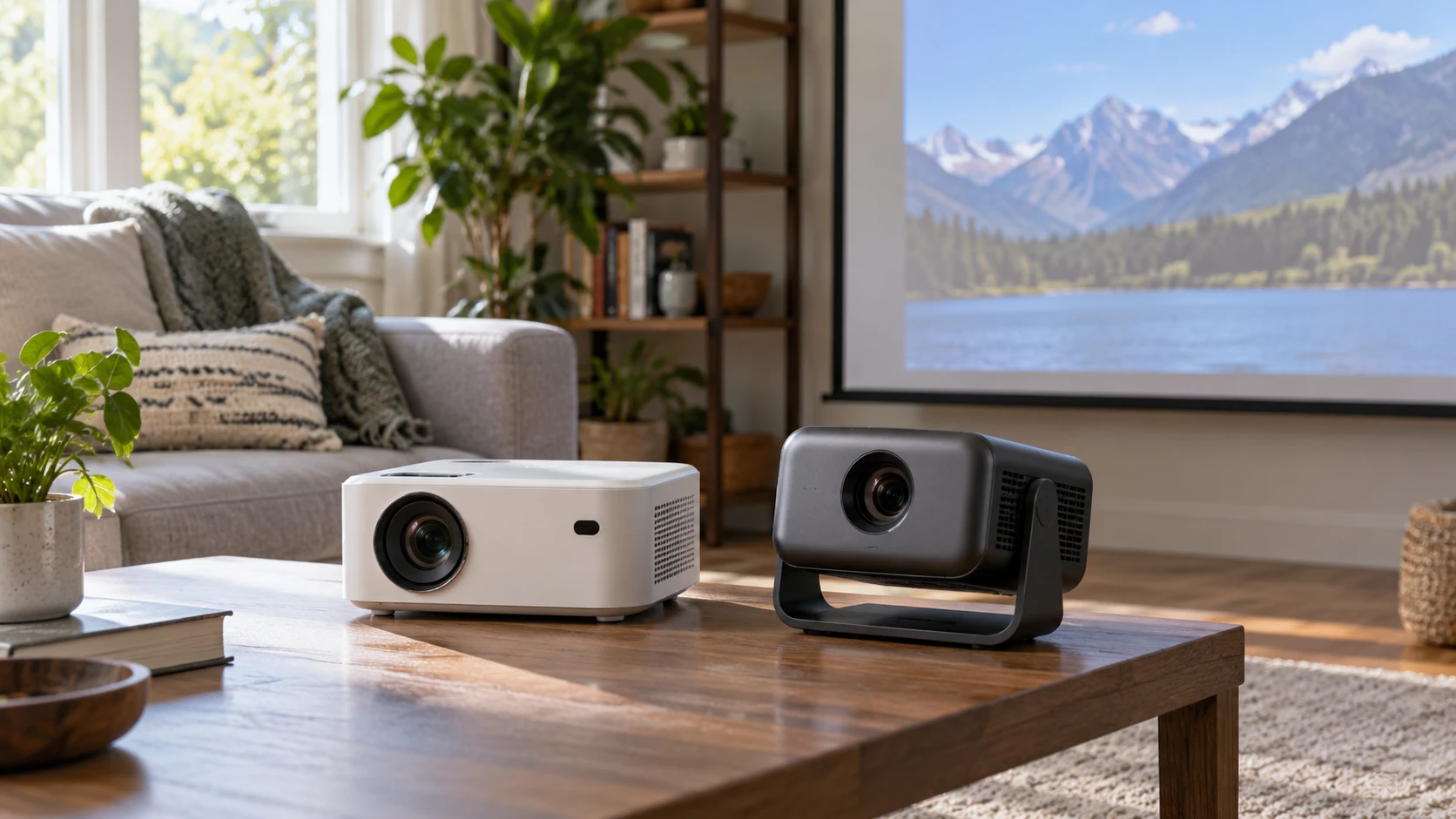
The Aluhayos and XGODY Gimbal 5 Pro listings both describe projectors that can move between rooms, but they give different kinds of evidence for a buying decision. Aluhayos emphasizes 4K images, an LED light source, built-in stereo speakers, and a compact housing. XGODY gives a 1080P description with 4K compatibility, Android TV 11.0, WiFi described as 5G, Bluetooth, and named streaming apps. Those phrases do not settle native panel resolution, measured brightness, throw distance, or how well a particular app will run. Set the screen size and source plan first, then use the listings to identify which specifications still need confirmation.
The Aluhayos portable 4K projector is described as using a high-brightness LED light source and showing 4K images. Its source row does not give a numeric lumen rating, native imaging resolution, throw ratio, or input list. Treat "4K" as a claim to investigate on the current manufacturer's specification sheet. It may refer to accepted content, displayed detail, or another aspect of the signal path; the saved description does not distinguish those possibilities. A sharp-looking product title cannot answer the native-resolution question for you.
Native image detail and accepted signals — projector screen aspect-ratio planning
XGODY's saved row says the Gimbal 5 Pro supports 1080P with 4K compatibility. The wording places 1080P and 4K in different roles, so do not assume it projects a native 4K image. Ask the manufacturer for native resolution and the exact 4K input formats it accepts. The same question belongs on the Aluhayos checklist, even though its description says it displays 4K images. A source device may send a high-resolution signal while the projector scales it to its own imaging panel. That can be useful compatibility, but it is not a substitute for a verified native pixel count.
Decide what content you will show. Fine text in slides and spreadsheets may reveal image limitations more readily than a film watched from across the room. A small bedroom screen, a meeting-room display, and an outdoor movie image do not need the same brightness or viewing distance. If slide legibility is important, ask for a measured native resolution, a supported computer input format, and a test at the intended image size. If films dominate, test real scenes at the seating distance. "4K" on its own cannot predict either experience.
A projector also has to fit the image to the surface. The published projector screen aspect-ratio planning guide helps frame that choice. Measure the available wall or screen, decide whether typical content is wide video or another format, and keep the source's aspect ratio in mind. A projector can show bars or crop content when the image shape and material differ. Neither saved product row supplies a complete throw-distance chart, so consult the current manual before fixing a shelf, ceiling point, or portable screen position.
Brightness needs a number and a room — XGODY Gimbal 5 Pro projector
Aluhayos calls its LED light source high brightness, but the source row does not state a measurement. XGODY's description also gives no lumen figure. Without comparable measured brightness, there is no sound basis to rank the projectors for a sunlit room, a dim bedroom, or a large outdoor screen. Ask for a standardized output figure and the conditions under which it was measured. Marketing descriptions can use different conventions; match the same measurement basis before comparing numbers from different Republeq's catalog entries.
A demonstration in the intended room can answer more than a headline. Test the target screen size with the lights in their normal positions. Move back to the actual seats and inspect dark scenes, pale slides, and subtitles. A projector that looks bright on a small image may struggle when the same light is spread across a much larger one. At an outdoor movie night, the remaining daylight, nearby lamps, and screen material matter. Both products are presented as portable, but portability does not make ambient light irrelevant.
Image geometry needs similar care. You may need to move a projector to square the picture, and digital keystone correction can change the usable image area or detail. The saved Aluhayos and XGODY rows do not document their correction ranges, lens shift, or throw ratios. Do not plan a room around an assumed swivel angle or mounting trick based on the "Gimbal" name. Get the model's actual geometry chart and try the planned location before buying brackets, a screen, or a long cable.
Streaming and source connections — XGODY Gimbal 5 Pro projector
XGODY's listing says the Gimbal 5 Pro runs Android TV 11.0 and that YouTube and Hulu can be downloaded and used on the projector. It also names WiFi (5G) and Bluetooth. Check the current app availability, software support, sign-in requirements, and region for the exact unit. Streaming services can change their device requirements. The "5G" WiFi wording in this catalog entry should not be interpreted as cellular service; confirm with Republeq which wireless bands and standards it means. Bluetooth support does not, by itself, state whether the device accepts audio, sends audio to a speaker, or connects only particular accessories.
Aluhayos's saved description mentions built-in stereo speakers but gives no operating system, streaming apps, wireless features, or input ports. If you plan to use a streaming stick, laptop, or phone, verify the connector and any required adapter in the full specification sheet. The built-in speakers may be useful for a quick presentation or movie, yet the listing gives no output rating or listening test. If sound is central to the event, listen at the planned seat or design a separate audio path. Do not infer that the XGODY and Aluhayos models offer the same inputs merely because both can show video.
Software convenience can also change the setup routine. An integrated app menu may avoid an external streamer, but it introduces account, network, update, and remote-control steps. An external source can keep those functions separate from the projector and may make replacement easier later. For either product, write down the source devices you already own and the output each one provides. Then confirm one complete source-to-projector path for every device. That practical check is more useful than counting wireless buzzwords in a listing.
Size, sound, and moving between rooms — XGODY Gimbal 5 Pro projector
XGODY's saved description gives dimensions of 148.3 by 136 by 253.8 millimeters and a listed weight of two pounds. It calls the model a mini home-theater projector with an LCD display. Confirm which direction each dimension measures before choosing a shelf or travel case. Leave room for ventilation, power and source cables, and access to controls. A projector's small weight does not eliminate the need for a stable surface; a slight movement can shift the image out of alignment or make a temporary setup frustrating.
Aluhayos is described as compact and portable, with a PC+ABS housing, but its saved row has no dimensions or weight. Measure the storage space and request those figures if mobility is a deciding factor. The listing suggests use in family gatherings, meetings, training, education, and outdoor movie nights. Each use has a different setup burden. A classroom presentation may depend on quick computer connection and text clarity. A family film may depend on streaming and sound. Outdoors adds ambient light, power access, and weather protection. The source does not state an outdoor weather rating for either unit.
The Aluhayos built-in stereo speakers may reduce the number of pieces in a small temporary setup. The source does not give enough information to judge volume or sound quality at a particular seating distance. XGODY's saved row names Bluetooth but does not describe the installed speaker system. For XGODY, check its audio-output options and built-in speaker details before assuming you can run a movie without external sound. For either unit, confirm how the audio follows the selected video input. A picture on the wall with sound still playing from a distant laptop can be a poor arrangement for a group.
Model identity and catalog language — XGODY Gimbal 5 Pro projector
The XGODY row calls the unit "Gimabl 5Pro" in one field and "Gimbal 5 Pro" in the description. Match the model code and actual Republeq's catalog photos to the manufacturer's page before ordering accessories or relying on a manual found elsewhere. Small spelling variations in marketplace listings can point to the same product, a revised product, or a catalog error. The saved row mentions Android TV 11.0 and downloadable apps, but a current unit's software screen and support policy are more useful evidence for ongoing use.
The Aluhayos title says 4K Portable Projector, while the description gives broad use cases and a high-brightness LED label without core optical specifications. Ask for the exact model number and native resolution. Also ask whether "4K images" refers to input acceptance, output, or another Republeq's product description. These are questions about the current advertised unit, not accusations about the product. Clear answers let you compare like with like and avoid buying based on two listings that use "4K" differently.
Neither source row provides a complete package list. Confirm whether a remote, power supply, case, video cable, or mount is included. Check the return window and any restocking or compatibility terms if you cannot see a demonstration. The XGODY row says it comes with accessories as one unit but does not itemize them. Do not count on a cable or screen that is absent from the current checkout details. For a room-to-room projector, the omitted small parts can determine whether it is actually quick to move.
A workable choice — XGODY Gimbal 5 Pro projector
The XGODY Gimbal 5 Pro projector is the more specifically described option for someone who wants an onboard app and wireless setup, subject to verifying current app support, native resolution, input formats, and audio. Aluhayos is the candidate if its built-in stereo sound and compact LED design fit a simple portable setup, but its saved row leaves more optical and connection details open. Neither listing supplies enough comparable data to declare a winner for brightness or image sharpness.
Choose the room, screen size, and primary source first. Verify native resolution, measured brightness, throw distance, inputs, and package contents for the exact model you will receive. Then test the placement and sound path with your real content. That sequence turns a comparison of attractive projector labels into a specific plan for a meeting, bedroom film, or movable screen.