Crypto Commerce
Akito Plus10 offline digital camera without wireless radios
The Akito Plus10 offline digital camera is worth considering if your requirement is a camera built without Wi-Fi or Bluetooth. Republeq's product description explicitly says those connections are absent. That makes the listed model relevant to a disconnected photo routine, although it leaves practical questions about transferring pictures and choosing storage. If you expect to send photographs straight to a phone through a wireless connection, this design does not meet that expectation.
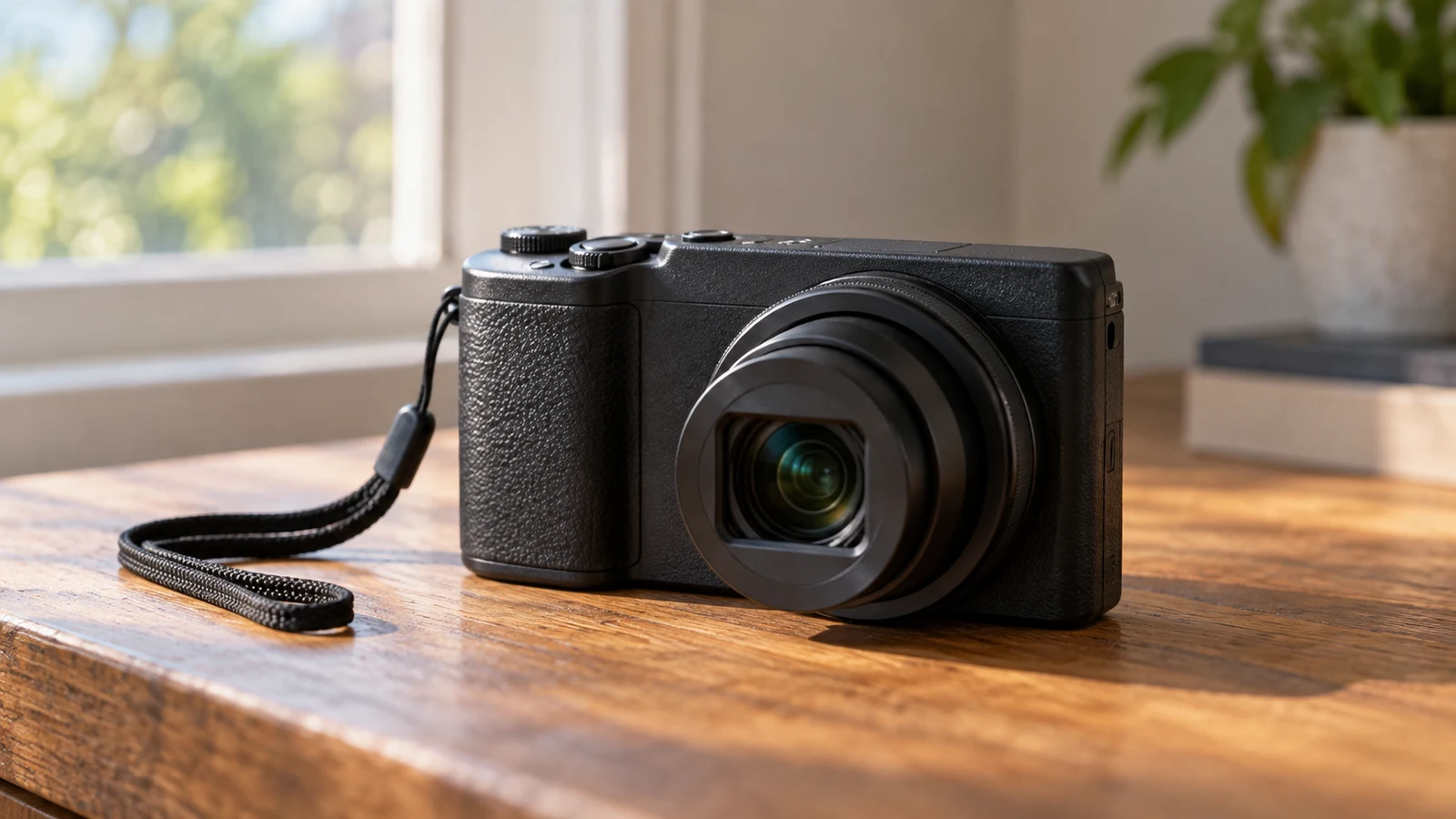
The Akito Plus10 offline digital camera is worth considering if your requirement is a camera built without Wi-Fi or Bluetooth. Republeq's product description explicitly says those connections are absent. That makes the listed model relevant to a disconnected photo routine, although it leaves practical questions about transferring pictures and choosing storage. If you expect to send photographs straight to a phone through a wireless connection, this design does not meet that expectation.
The choice starts with how you want photography to fit into your day. Someone who wants to take pictures, review them on the camera and leave sharing until later has a different requirement from someone who needs immediate app access. Akito's listed touchscreen and memory-card support are relevant to the first routine. Before buying, establish how the photographs will eventually reach the device or service where you want to keep them.
The exact item in this comparison is the black Akito Plus10 Kosher Digital Camera, listed with a 56MP sensor, 5K Ultra HD video and 5x optical zoom. The approved Akito Plus10 offline digital camera listing is the product reference. Match the model and color when reviewing an offer; a general reference to an Akito camera would not establish that another version has the same features or connectivity restrictions.
Condition and package contents need separate attention. The supplied description does not establish whether a particular offer includes a memory card, a charger or every accessory you expect. It also does not specify the item's condition. Confirm those details against the offer you intend to buy, especially if the camera is a gift and the recipient needs to use it without arranging additional equipment.
The listing describes the Plus10 as Kosher certified, but does not identify the certifying organization or explain the certification's scope. If that status is part of your purchase requirement, ask for the certification details for this exact model and check them against the standard you follow. The absence of Wi-Fi and Bluetooth is a specific product claim; certification acceptance is a separate question that a broad marketing description cannot settle for every reader.
Use Camera Battery Planning For Time Away From Charging: Define The Offline Routine
A disconnected routine can mean leaving your phone out of photography altogether, or simply postponing transfers until you return home. Decide which applies before judging the features. If your aim is to avoid having wireless connectivity in the camera itself, the stated hardware design matters directly. If your aim is only to stop sharing during an outing, you may have more flexibility about the kind of camera you choose.
The description specifies a 2.8-inch LCD IPS touchscreen for previewing and editing images on the camera. This gives you a stated way to interact with photographs without using a phone screen. However, the listing does not enumerate the editing tools. If you need a particular adjustment, establish whether it is available before treating on-camera editing as a replacement for your usual software.
For example, a household might want photographs to stay on the camera until a designated person imports them later. In that situation, the useful purchase question is whether everyone can use the camera's own controls and whether the later import method works with the household's computer. The supplied description supports on-camera preview, but it does not establish the complete import process. Resolve that gap before relying on this routine.
The listed dual cameras are intended to simplify selfies and front-facing shots. A built-in timer and multilingual menus are also mentioned. These features may matter when choosing how you will operate the camera independently of a phone, but their descriptions are brief. Check the available menu languages and the timer options if either is important to the person who will use it.
The imaging specifications give you another set of requirements to consider. Republeq lists a 56MP sensor, photo sizes from 5MP to 56MP and Ultra HD 5K video. Those figures describe advertised capabilities; they do not establish how satisfying the results will be for your subjects or how easy the files will be to use afterward. If possible, assess representative original photographs and video files before choosing on the strength of resolution alone.
The description also lists 5x optical zoom and a 10x optical-plus-digital option. Keep those labels attached to their respective specifications when comparing offers. Neither number answers the central connectivity question, and neither supplies missing information about file handling. For this purchase, the camera must satisfy both your picture-making needs and your decision to work without wireless transfers.
USB Type-C charging is stated, but battery endurance is not. There is no supplied figure for photographs per charge or continuous recording time. Use camera battery planning for time away from charging if an outing will keep you away from a power source. Treat that as a separate planning task; the absence of wireless radios does not establish a particular runtime for this model.
Use Camera Battery Planning For Time Away From Charging Alongside Storage Checks
Storage deserves its own purchase decision. The Akito description says the camera supports memory cards up to 256GB, but does not identify the card format or required speed rating. Capacity alone is not enough information to select a compatible card. Obtain the model's storage requirements before adding media to an order, particularly if recording at the advertised maximum video resolution is important to you.
A physical transfer route also needs confirmation. USB Type-C charging does not, by itself, establish USB file-transfer support. Ask whether pictures can be copied directly through the camera's port or whether the intended method uses a compatible card reader. Then check the requirements of the receiving computer or other device. Avoid buying a cable on the assumption that the charging connection necessarily provides the data function you want.
Think through where the photographs should go after import. If you want them to remain offline, review the receiving device's own photo-import and synchronization settings before using it. A camera without Wi-Fi or Bluetooth cannot establish how another device will handle copied files. This is particularly relevant when a shared computer already has a photo application configured by someone else.
The Akito Plus10 offline digital camera therefore fits best as a candidate for a deliberately separated process: capture on the camera, then move files through a confirmed physical method when you choose. That process remains partly unconfirmed until you know the compatible media and transfer method. You can accept the listed absence of Wi-Fi and Bluetooth as the stated design while still leaving those purchase questions open.
Leica Camera Alternative: Decide Whether App Connectivity Belongs In Your Routine
The listed Leica D-Lux 8 provides a useful contrast because its description expressly includes connectivity. Republeq describes Leica FOTOS app pairing for remote control and firmware updates, along with Bluetooth LE and USB-C file-transfer capabilities. If you want a camera with an app-connected workflow, the Leica camera alternative is relevant to investigate. Those features serve a different requirement from buying hardware deliberately built without Wi-Fi or Bluetooth.
The distinction is decisive if physical absence is your requirement. Choosing not to use a connection on a connected camera does not establish that the connection is absent from its hardware. The Leica listing should therefore not be treated as an equivalent answer to a no-Bluetooth requirement. Conversely, if you want the option of app use later, the Akito's stated omission represents a capability you would be giving up.
The two descriptions also emphasize different viewing arrangements. Akito lists its 2.8-inch touchscreen, while Leica lists a 3.0-inch TFT LCD and an OLED electronic viewfinder with automatic eye-sensor switching. If you prefer framing through a viewfinder, that is a stated feature of the Leica offer. The supplied Akito description does not establish a viewfinder, so confirm any such requirement directly rather than assuming it from the camera category.
For imaging, Leica lists a 17MP Four Thirds CMOS sensor, 4K video and a fixed 10.9–34mm lens with an f/1.7–2.8 aperture range. Its description also names DNG and JPEG file options. Akito's supplied description does not identify its still-image file formats. If a specific editing application or file type is essential to you, that missing information can matter more to the buying decision than a comparison of the advertised megapixel figures.
Neither supplied description provides a controlled comparison of image quality. There is no basis here for declaring one model sharper, easier to use or better in low light. Compare actual output and the functions you need if those issues remain decisive. For the narrower question of a disconnected routine, start with the straightforward difference: Akito explicitly omits Wi-Fi and Bluetooth, while Leica explicitly offers connected features.
Leica Camera Alternative Or Akito: Resolve The Remaining Purchase Questions
Before ordering the Akito, bring the unresolved details together around your intended use. A buyer who needs accepted certification and physical file transfer should prioritize those answers. A buyer planning mostly video should also resolve storage requirements and playback compatibility. This keeps the decision tied to what you will actually do with the camera instead of treating every advertised feature as equally important.
A concise question to the seller could be: which certification applies to this exact black Plus10, which memory-card format and speed does it require, and how are files transferred to a computer? Follow with any condition or package-content question that affects your order. Ask for model-specific information so that an answer about another Akito camera does not accidentally become the basis of your purchase.
Keep the current offer separate from the product description. Confirm the selected item, its condition and the final amount before making a purchase decision. Read any applicable warranty, delivery and return information directly; none of those terms follows from the camera's resolution, certification claim or lack of wireless connections. The supplied product facts do not establish those commercial details.
If you choose a crypto payment option, inspect the asset and network actually presented for that transaction and make sure they match your intended payment method. Review any displayed fees and timing instructions before proceeding. No particular network, fee amount or payment deadline is established by the camera listing, and a product comparison should not be used as a substitute for the terms shown at checkout.
Return to the Akito listing with your requirements settled: no Wi-Fi or Bluetooth, an acceptable certification if needed, compatible storage and a confirmed way to retrieve your pictures. If those details fit your routine, the Plus10 is a relevant candidate. If immediate app access is essential, examine the connected Leica offer instead. Leave the final choice open wherever a missing specification still affects whether you can use the camera as intended.