Crypto Commerce
AEEZO LE1411-P laptop extender laptop extender vs Lesown stretched display for second-screen tasks
Compare AEEZO LE1411-P laptop extender by display shape, connections, power, mounting, and source conflicts.
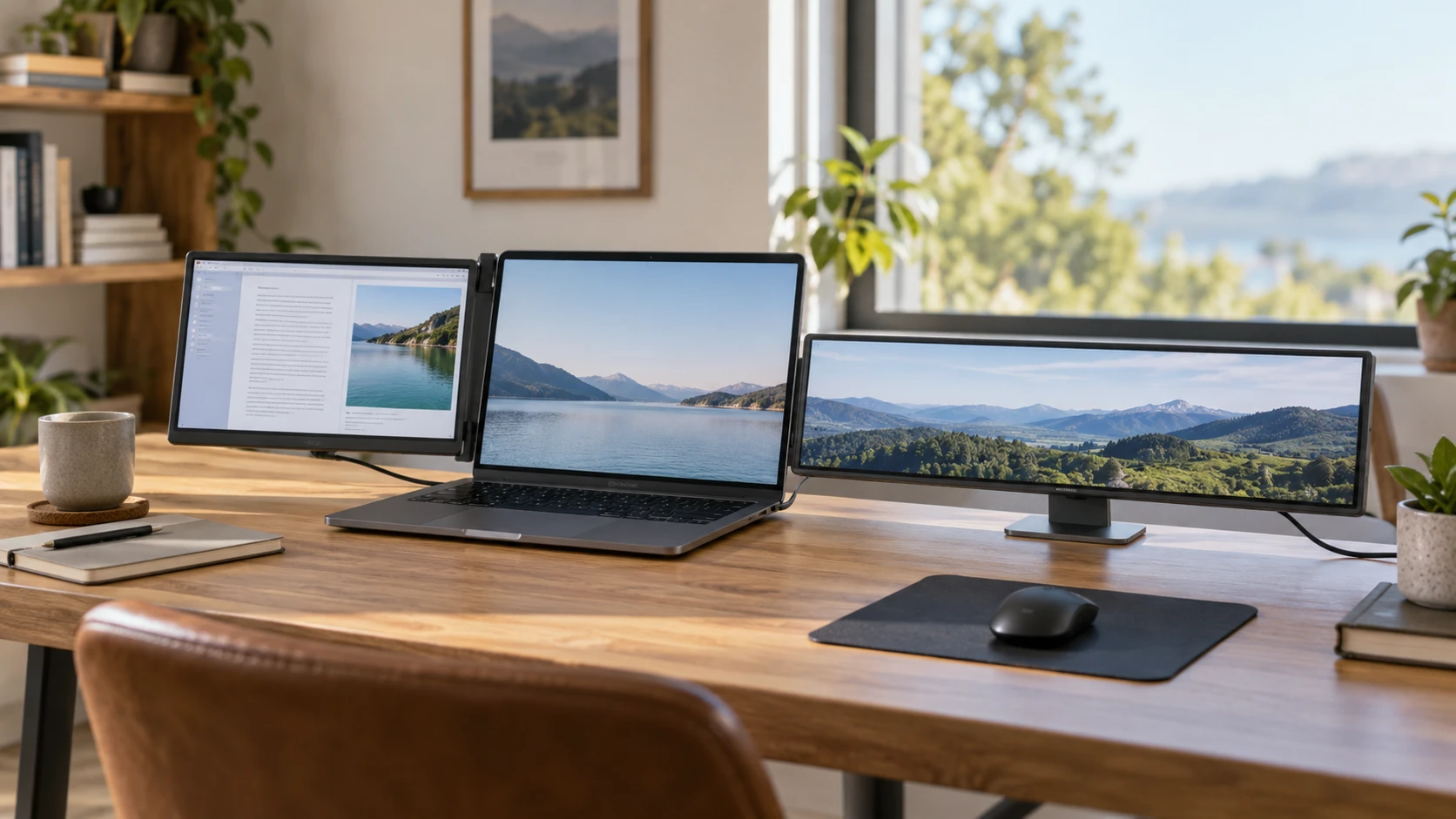
The AEEZO LE1411-P laptop extender is described as a 14-inch IPS screen for adding display area to a laptop. Its listing emphasizes rotation, laptop fit, and connection paths for one or more external screens. Lesown's P141GMS is a 14.1-inch stretched-bar IPS monitor with a very wide 3840 by 1100 pixel grid, mini HDMI video input, and USB-C power. The diagonal measurements are close, but the shapes and use cases are far apart. AEEZO may suit a document or browser beside a laptop. Lesown may suit a narrow status strip, sensor panel, or embedded display where wide content fits a shallow opening.
The published guide on screen aspect ratio for second displays explains why content shape affects whether a second screen is helpful. Its examples are general rather than tests of these products. A broad page of text, spreadsheet, or video call needs a different window shape from a row of gauges. Start by sketching the information that must stay visible. If it is a normal application window, check how it scales on AEEZO's 1080p panel. If it is a custom dashboard, determine whether Lesown's long, narrow pixel grid can display it without forcing tiny labels.
Check what the pixels and shape mean — Lesown P141GMS stretched monitor
AEEZO's source calls its 14-inch panel “1080P Full HD” but does not write out the horizontal and vertical pixel counts in the excerpt. Ask for the native panel grid and supported input modes if your workflow depends on exact dimensions. Its IPS description and adjustable angle suggest a screen intended to be viewed beside a laptop rather than tucked into a fixed strip. The saved source claims improved color saturation, brightness, and clarity, but gives no brightness or color-accuracy test. Read a document and move a window between screens during a demonstration if possible. That will reveal scaling and text-size issues that marketing phrases cannot settle.
Lesown gives a native resolution of 3840 by 1100 pixels at 60 Hz. The description also calls the panel “16:4,” yet those pixel dimensions work out to roughly 3.49:1, while 16:4 is exactly 4:1. The figures do not match. Ask the manufacturer for the native resolution, active display dimensions, and actual aspect ratio before designing graphics around it. A stretched-bar display can show a long timeline or several compact indicators, but an ordinary 16:9 video may occupy only part of the width or require cropping. The listing's “4K-wide” phrase also needs interpretation: its height is far below a standard 4K television image.
Lesown claims 100 percent sRGB coverage, a 170-degree viewing angle, a 1200:1 contrast ratio, 300 cd/m2 brightness, and a typical 30 ms response time. Those are figures in Republeq's catalog for the exact listing, not measured results in your room. The short AEEZO excerpt offers no matching numeric color, brightness, or response figures. This source gap prevents a like-for-like image-quality ranking. If the display will show color-critical work, seek an independent measurement. For status labels or controls, test readability at the intended distance and lighting. A very wide strip can be legible nearby yet hard to scan across a room.
AEEZO's panel rotates up to 280 degrees according to its listing. That flexibility could help when sharing a screen across a table or folding it into a travel position, but verify how the hinge is meant to move and where the cables sit during rotation. Lesown is described as a slim aluminum-alloy unit for sensor panels, laptops, and compact PC cases. Its excerpt does not describe a comparable folding mechanism. Ask for exterior width, height, depth, and mounting details. A stretched screen's 14.1-inch diagonal can be misleading when planning a case opening or a narrow shelf; the exact rectangle matters.
Map the connection and power path — Lesown P141GMS stretched monitor
AEEZO's description gives several conditional connection rules. For two external screens, it says the computer needs HDMI plus a Type-C USB port that supports DisplayPort. For one external screen, it says HDMI or a Type-C port with DisplayPort support may suffice. It also states that the extender needs a full-function USB-C or Thunderbolt port on the laptop. These statements are not a complete compatibility chart for every laptop. Check the exact model, available ports, and whether those ports output video before ordering. A USB-C socket used only for data or charging may look right but fail to provide a picture.
The AEEZO listing includes two Type-C-to-Type-C data cables, each 100 cm long. It does not clearly establish all the power and video arrangements those cables support. Lay out your laptop ports and where the screen will stand. If an HDMI cable is also required for your setup, verify whether one is included or must be purchased separately. The saved source says older laptops without HDMI or DisplayPort will not work. It also names Windows, Mac, Android, and Chrome compatibility in the title, but the detailed setup text concentrates on Windows and Mac. Confirm the specific operating system and output mode you intend to use.
Lesown names one mini HDMI connection and one Type-C connection, with the latter supplying power at 5 to 12 volts and 2 amps according to its source. The package list includes a full-function USB-C cable, a USB-A-to-C cable, and a mini HDMI cable. Check the exact power requirement with the current manual before connecting it to a laptop, Raspberry Pi, or external supply. A mini HDMI video lead may still require a separate power lead. The listing does not establish single-cable video and power over USB-C for every host. Plan the two paths separately, then test them together with the actual source device.
If the Lesown screen is going into a PC case or instrument panel, think about service access. Mini HDMI and Type-C plugs need space behind the display, and the power source needs to remain within the stated range. The saved source does not specify a mount pattern or enclosure cutout dimensions. A prototype on a desk can hide a cable problem that becomes expensive after a panel is installed. For AEEZO, daily setup matters instead: can the cable reach without pulling on the laptop port, and can the screen fold without snagging it? The right connection is one you can repeat reliably.
Resolve the setup contradictions — Lesown P141GMS stretched monitor
The AEEZO description gives two laptop-fit ranges: 13 to 17.3 inches in one place and 10 to 17 inches in another. Do not assume the extender fits an edge-case laptop based on either broad claim. Compare your laptop's physical screen width, bezel, thickness, and hinge layout with the current mounting instructions. A 13-inch laptop can have a different chassis width from another 13-inch model. The source also calls the product “Two Screen,” while it describes a 14-inch panel and connection rules for dual external screens. Confirm the exact number of panels in the box before planning a multi-screen workspace.
The same AEEZO text mentions a USB flash drive with Windows and Mac installers, then says a second-generation product supports driver-free installation. Those claims may refer to different versions or connection modes; the saved excerpt does not reconcile them. Confirm with Republeq which hardware revision is being offered and use its official setup instructions. If the screen shows “NO SIGNAL,” first confirm the cable is seated and that the laptop port actually supports video output. Then check display settings and the manual. Do not treat repeated driver installation as a substitute for verifying the physical signal path.
Lesown's excerpt describes a 60 Hz screen, speaker, and built-in visual specifications but says little about its operating-system setup. A small sensor panel may be driven by software that can place a custom 3840-by-1100 canvas. An ordinary laptop application may not scale gracefully into that shape. Test the target software's window size before building a project around the hardware. If the aim is a travel second screen for reading and calls, the AEEZO form factor may be easier to use. If the aim is a permanent narrow display, the Lesown shape may save height while offering a long horizontal canvas.
Decide what the second screen must do — screen aspect ratio for second displays
For travel, count the pieces you would carry: screen, cables, any power adapter, and protective case. The saved sources do not give complete packed dimensions or weights for these exact offers. AEEZO's moving hinge and laptop-fit claims deserve a hands-on check before commuting with it. Lesown's aluminum case may fit an embedded project, but its unusual shape may need a custom bracket or case opening that is not described in the listing. Ask about warranty and returns if the measurements or ports do not match the installation. Both purchases depend on a precise fit more than a general “portable” label.
The Lesown P141GMS stretched monitor provides a long, shallow display canvas for specialized content, pending clarification of its pixel-grid and aspect-ratio conflict. AEEZO offers a more conventional laptop-adjacent panel, pending confirmation of panel count, fit range, and driver requirements for the exact revision. Measure the available space, list the ports and power supplies on the source device, and test one real application window. Those checks will tell you which second screen can perform the job you have in mind.