Crypto Commerce
1MORE S70 open-ear wireless earbuds vs JBL Soundgear Sense for calls and open-ear listening
Compare 1MORE S70 open-ear wireless earbuds for two-device calls, solo-bud use, fit, charging, and controls.
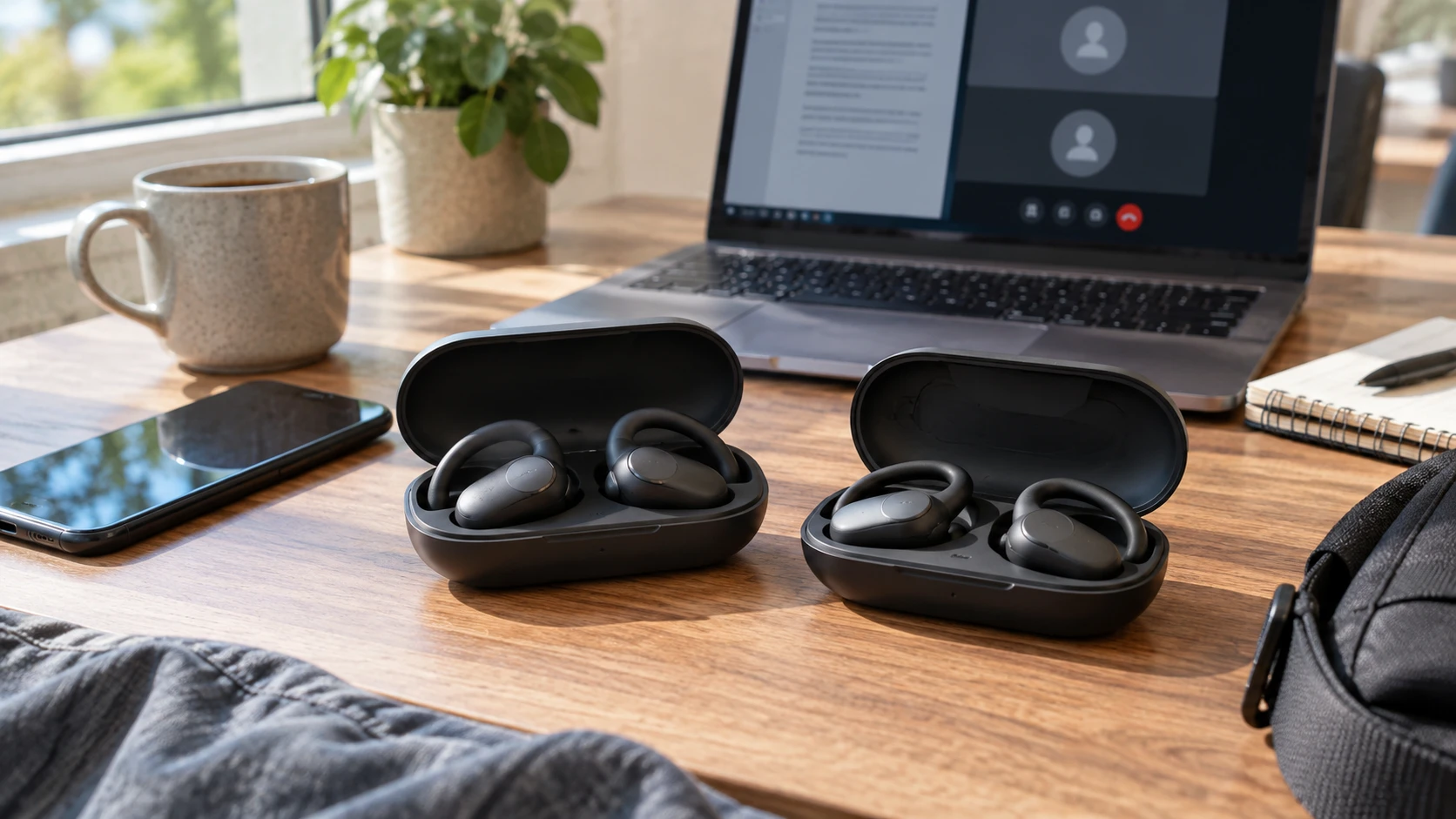
Open-ear earbuds leave the ear canal unobstructed, which can be useful when you want music or a call while still hearing a colleague, a doorbell, or traffic nearby. They also change the tradeoffs around fit, volume, and privacy. The 1MORE S70 and JBL Soundgear Sense listings both describe open-ear wireless sets, but they emphasize different daily routines. One gives a two-device connection claim, charging figures, and a water-resistance rating. The other highlights using one earbud at a time, quick pairing, app controls, and its call microphones.
The 1MORE S70 open-ear wireless earbuds row says each bud weighs 8.7 grams, has a titanium-and-silicone construction, and carries an IPX5 rating for sweat and splashes. It advertises up to 40 hours total listening with the case, two hours after a five-minute quick charge, multipoint connection to two devices, and four AI ENC microphones. JBL's Soundgear Sense row describes 16.2mm drivers, four microphones, Dual Connect and Fast Pair, touch controls, and an app for gesture settings and finding the earbuds. Those are Republeq's product descriptions, not a matched call or comfort test.
Try the fit with the things you actually wear — JBL Soundgear Sense open-ear headphones
An open-ear design sits differently from a silicone-tipped in-ear bud. The 1MORE listing says its liquid-silicone finish and lightweight construction are intended to remain secure, while JBL describes a shape that sits around the curve of the ear without entering the canal. Neither description can predict how the set will fit with your glasses, mask, helmet strap, or hairstyle. Wear each candidate during an ordinary walk, then turn your head and speak for several minutes. A fit that feels fine during a quick unboxing can become distracting during a long call.
If you use earbuds for exercise, test the motion that matters. A stationary fit check says little about running, cycling on a rough path, or bending to lift equipment. The S70's IPX5 rating is a concrete resistance claim, though it does not mean the charging case is protected to the same level or that the buds are safe to submerge. JBL's saved row has a fragmentary resistance specification and does not provide a clear enough rating to use here. Check its current manufacturer documentation for the exact Soundgear Sense model before choosing it for rain or heavy sweat.
Open ears may improve awareness of nearby sounds, but they do not make a busy crossing or worksite safe on their own. Playback volume and attention still matter. Use the level at which you can follow the audio without straining, then check whether you can hear an ordinary voice or the warning sounds relevant to your activity. If the place is very loud, raising an open-ear set's volume may be uncomfortable and may disturb someone beside you. A product's awareness claim should lead to a personal test, not a promise.
Two devices and two earbuds are separate features — Bluetooth audio pairing direction guide
The S70 listing explicitly says multipoint connectivity allows switching between two devices. That could help if you listen from a laptop and take calls from a phone, but it does not explain which device wins when both play audio or how quickly the earbuds switch. Pair both of your actual devices and test a meeting notification, an incoming call, and a video playing on the other screen. If you need to share the earbuds between work and personal accounts, check whether the companion settings remain stable after each device updates.
JBL's row names Dual Connect and Fast Pair. It says either bud can be used alone or the pair can be used together, and that pairing can start when the case opens. Those are useful details for someone who keeps one ear free during a shift. They do not establish the same two-device multipoint behavior that the S70 row claims. If simultaneous phone-and-laptop connection is required, verify the exact supported mode from JBL's current documentation and try it before relying on the feature at work.
The related Bluetooth audio pairing direction guide is a reminder to identify the sending device, receiving device, and intended audio path before changing settings. A phone that is paired but still sends a call to its own speaker may be a routing problem rather than an earbud failure. Reproduce the problem with one device first, then add the second. Keep a note of which device was playing when the connection changed so a setup issue is not mistaken for poor radio range.
Call quality begins with the room — JBL Soundgear Sense open-ear headphones
Both listings mention four microphones. The 1MORE row calls its arrangement AI ENC and says it reduces ambient noise; JBL says its built-in microphones are intended to keep calls clear even in wind. Neither gives a controlled recording made in the same street, room, or network conditions. Make a short call from your quiet desk and another from the place where you usually struggle. Ask the listener whether your words remain understandable when a fan runs or a bus passes. Record a sample if the calling app allows it, and compare at the same playback level.
Microphone count alone cannot rank a headset. The placement of the buds, wind hitting the mic openings, and the calling app's own processing may shape the result. If you routinely make confidential calls, remember that open-ear listening may let nearby people hear some playback, especially at a high volume. JBL's claims in Republeq's catalog almost zero sound leakage through its OpenSound design, but it gives no measured distance or listening level. Test beside another person in a quiet room. Privacy needs a real-world check, and a closed headset may be more suitable when nearby listeners must hear nothing.
Touch and button behavior also matter during calls. JBL describes touch-sensitive controls for music, volume, and calls, with app options to personalize gestures. The S70 row does not describe its control scheme. A touch panel can be convenient when your hands are clean and free; gloves, wet fingers, or accidental brushes may change the experience. Try answering, muting, and ending a call without looking at the phone. Verify the S70's current manual for the same actions rather than treating an omitted catalog detail as a missing feature.
Charging numbers need a workday test — JBL Soundgear Sense open-ear headphones
The S70 row advertises up to 40 hours with its case and says five minutes of charging can yield two hours of playback. The total combines time across repeated charges from the case; it does not mean one continuous 40-hour session. The listing does not state the test volume, call mix, or settings behind those figures. For a workday, note how long the earbuds themselves run between visits to the case and whether quick charging actually covers the interval you need. Check the case battery separately before a trip.
JBL's saved description has corrupted battery-number text, so it cannot support a reliable comparison of hours or charging speed. Look up the current manufacturer specification for the exact Soundgear Sense unit and test the case with the included charging cable. If you depend on a single bud while the other charges, try that rotation and see whether your preferred side can remain active. JBL's Dual Connect claim supports solo use; it does not say how long the case takes to refill a bud in your routine.
If an earbud set lives in a commuting bag, the case matters as much as the buds. Confirm that the contacts seat correctly, the lid stays closed, and the set reconnects after a short stop. Charge the case on a schedule rather than waiting for the earbuds to announce low power at the start of a call. Keep the charging cable with the bag until you know the connector and charge behavior. Neither catalog row establishes wireless charging or a specific case-durability test.
App controls can solve or create friction — JBL Soundgear Sense open-ear headphones
JBL lists a free My JBL Headphones app for personalizing touch gestures, locating the earbuds, and selecting Smart Audio & Video modes. Check whether the features you want work on your phone's operating system and whether a setting persists when the earbuds reconnect to a laptop. A locate function may help find a misplaced bud under a sofa, but the row does not describe range, precision, or what happens when the battery is empty. Test it while you can still see where the bud was placed.
The S70 catalog row does not name a companion app or specify adjustable controls. That silence should be checked against current documentation if an EQ, gesture assignment, or firmware-update path matters to you. Do not make app availability the deciding feature from an incomplete Republeq's product description. Set up each candidate once on the phone you use most, then perform normal playback and call tasks without reopening the app. A useful everyday control is one that remains understandable after the setup session.
Both products make sound-quality claims: 1MORE describes bass and clarity from dual-magnetic drivers, while JBL attributes a natural presentation to its OpenSound arrangement and 16.2mm drivers. Neither row includes a matched frequency-response test, and driver size does not decide which sound you will prefer. Listen to a familiar podcast for voice intelligibility and a familiar track at a moderate level, indoors and outside. Open-ear audio interacts strongly with the surrounding sound, so a store demo in a quiet corner may not match a commute.
The JBL Soundgear Sense open-ear headphones are worth examining when solo-bud use, gesture controls, and the named app features fit the routine. The S70 gives more concrete catalog detail for two-device multipoint, sweat resistance, weight, and quick charging. Bring your phone, laptop, glasses, and usual calling environment into the decision. A short fit and call trial will answer more than either product's microphone count or sound-quality adjectives.