Crypto Commerce
Wyze WVCR200SW robot vacuum vs Karcher RCV 5: mapped cleaning on mixed floors
Compare Wyze WVCR200SW robot vacuum by floor plans, exclusion zones, mopping, carpet handling, obstacles and everyday upkeep.
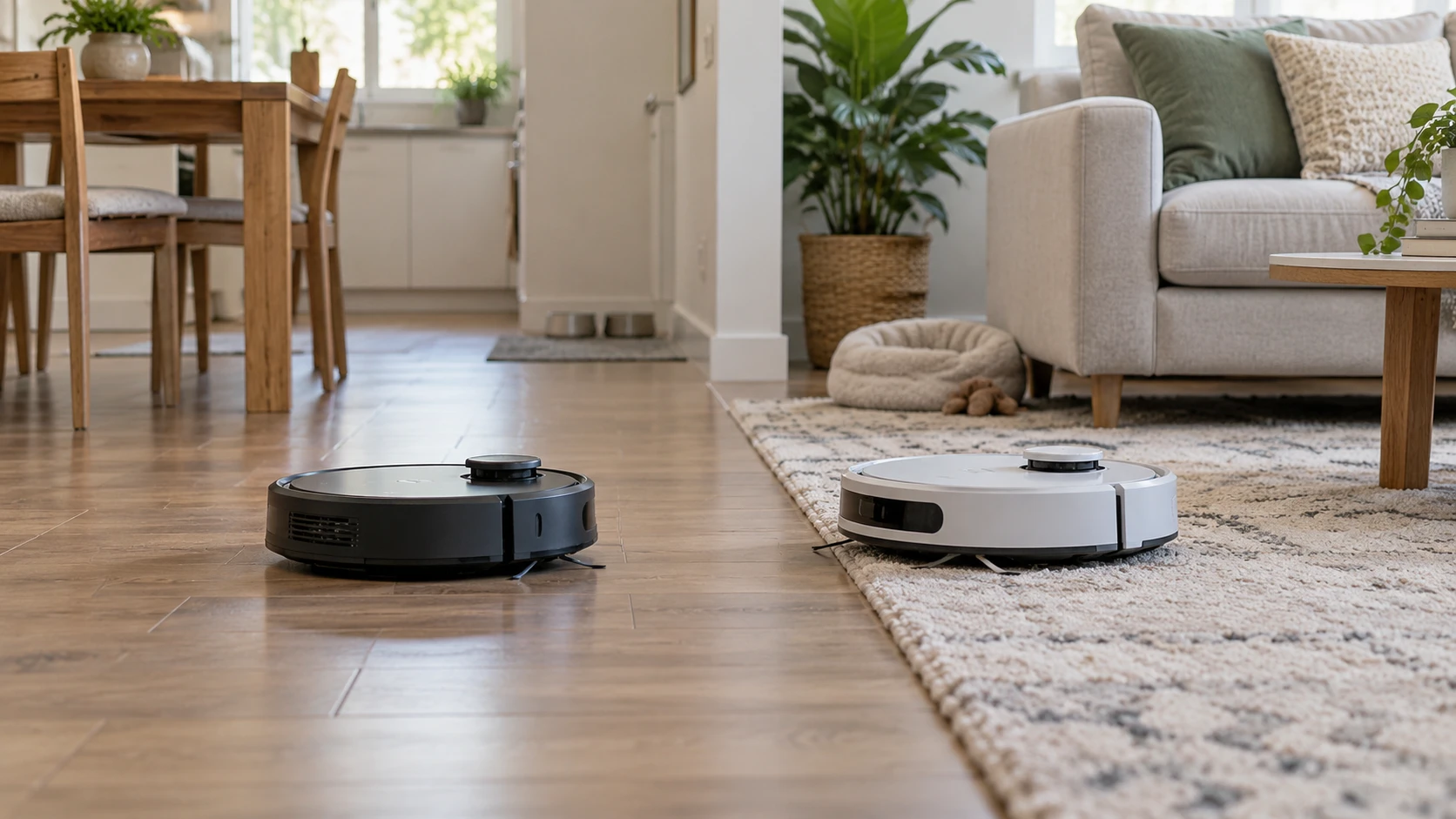
The Wyze WVCR200SW robot vacuum and Karcher RCV 5 both describe floor maps that guide cleaning and let a household exclude problem spots. The saved Wyze listing concentrates on vacuuming routes, virtual walls, and charging after an interrupted run. The Karcher listing adds a mop function and says its robot detects carpet and avoids wetting it. If your main frustration is missed corners or blocked areas, compare the maps first. If wet cleaning is part of the job, examine how the Karcher handles that extra work.
The descriptions come from product listings, not a common cleaning test. Neither proves that a robot will navigate your furniture without supervision or leave a particular floor spotless. Check the current model and software version before buying, then test the functions you rely on during the return window. The exact SKU matters: Wyze is WVCR200SW, while the Karcher listing identifies the RCV 5 as model 12696450.
Start with the floor plan — Karcher RCV 5 robot vacuum and mop
Wyze says its LiDAR sensor scans rooms to create a floor plan that can be viewed, edited, and saved on a phone. Its description says the vacuum divides rooms into sections and cleans in straight lines using that map. It also lists virtual walls and restricted areas for places such as cords or pet bowls. Those features can be valuable if a room has a recurring trouble spot, but verify how the app draws a boundary and what happens when the robot approaches it from different sides. A virtual line should be tested with the actual obstacle you need to protect.
Karcher says its Home Robots app saves floor maps and no-go zones and lets you set cleaning specifications and schedules. The listing attributes navigation and obstacle recognition to LiDAR, a dual laser system, a camera, and artificial intelligence. It names shoes, scales, and cables as examples of things the robot may recognize. Those are claims in Republeq's catalog about sensing equipment, not a guarantee that a particular dark cord or low chair rail will be avoided. Ask whether a map can be edited after furniture moves and whether different floors require separate maps or any special setup.
The published guide on robot vacuum mapping and room controls suggests a useful home inventory: mark rooms, doors, rugs, and places the robot should never enter. Use that method before comparing app screenshots. The guide does not certify either product's navigation in your rooms. Make a paper floor plan and circle a handful of places that routinely catch a vacuum: a narrow table leg gap, a cable bundle, the edge of a rug, and the route back to the dock.
The map features should also fit how you live. If a chair moves every day, a fixed no-go zone might waste cleanable floor. If pet bowls stay put, a saved exclusion area can spare repeated rescues. Ask whether each app lets you start one room without cleaning the whole floor and whether changes to a zone take effect immediately. Wyze's listing describes room sections but does not spell out every scheduling control. Karcher lists schedules without detailing their granularity. Check the current app manuals for the exact action you need.
What happens at the rug edge — Karcher RCV 5 robot vacuum and mop
Wyze describes cleaning hard floors and carpets and crossing gaps up to 0.8 inch, or 20 millimeters. That threshold is a Republeq's product specification, not evidence it will climb every threshold of the same measured height. The approach angle, edge shape, and surface can change a crossing. Check the height and profile of your own doorway strips. If a rug has a fringe, test whether the vacuum pulls it in or gets caught. The saved listing does not provide brush design, suction settings, or carpet performance data for a direct comparison with Karcher.
Karcher describes cleaning hard floors and carpets. It says the robot detects carpets, increases suction there, stores carpet locations in the app, and avoids mopping those areas. For a home with rugs next to hard floors, the carpet-avoidance claim is worth testing before allowing a full wet run. Check the manual's instructions for any carpet zone you want to exclude, including thick or dark rugs that may be detected differently. If the robot misses a rug edge, a no-go zone might provide another boundary, but verify that the app applies it to the intended cleaning mode.
The Karcher listing calls its mop a function for hard floors such as laminate and wood, and says it removes solid dirt. It does not provide a measured stain-removal result or establish that every wood floor is approved for wet cleaning. Follow your flooring manufacturer's care instructions and the robot manual's water settings. A robot mop cannot replace checking for standing water or a pad that has picked up grit. If mopping is essential, ask how much water the fresh-water container holds and how the robot controls flow; those details are absent from the saved description.
Wyze's saved listing describes a robot vacuum and does not document a mop function. Treat mopping as unverified for this exact SKU unless a current manual establishes it. A household that already uses a separate manual mop may prefer a robot focused on dry daily pickup. If the goal is to reduce both vacuuming and wet cleaning, compare the Karcher workflow carefully rather than assuming a mop feature saves labor by itself. Someone still has to fill water, fit a clean cloth, remove the dirty one, and protect floors that should stay dry.
Obstacles, cables and useful exclusions — robot vacuum mapping and room controls
Karcher's obstacle system is described in more detail than Wyze's. The listing claims detection of shoes, scales, and cables using several sensing methods. Before counting on that claim, place harmless examples in the intended room and watch the first run. Thin cords may lie flat or hide beneath furniture. A small scale may reflect or absorb light differently from a demonstration object. Keep important wires off the floor until you have observed what the robot actually does. No consumer robot should be treated as a childproofing or pet-safety device.
Wyze's description emphasizes virtual walls and restricted areas rather than named object classes. That may be enough when troublesome objects stay in one place: a pet feeding station, a cluster of chargers, or a low shelf where the vacuum wedges itself. A phone-edited floor plan is useful only if it lines up with the physical room after the dock is placed and the map is saved. Ask how to reset a map and how the robot behaves if it starts away from its normal dock position.
For either model, set up the dock in the spot where it will remain. Clear an ordinary route to the rooms you want cleaned, and watch a mapping run before scheduling unattended cleaning. A map made while doors are shut or furniture is moved for delivery may not reflect the room a week later. Check whether each product can update a map incrementally or needs a fresh mapping run. The catalog does not answer that software question, and app behavior can change through updates.
Charging, runtime and the work left to you — Karcher RCV 5 robot vacuum and mop
Wyze says the vacuum returns to its charging station after cleaning. If its battery runs low during a job, the listing says it charges and resumes where it stopped. That is relevant in a home with several rooms, though it does not tell you how long a full run takes. There is no comparable runtime figure in the saved Wyze description. Plan with your actual room count and the number of passes you want. Verify that a resumed job keeps the intended room exclusions instead of restarting from the beginning.
Karcher's saved description mentions a 140-minute runtime. The description includes a docking station but does not say whether the robot resumes an unfinished assignment after charging. Treat the time as a listed maximum under unspecified conditions and ask about recharge-and-resume behavior in its current manual. Vacuum mode, suction level, mopping, room shape, and obstacles can all change how much floor gets covered during that time. A runtime figure alone cannot show whether your morning schedule will be met.
Karcher's saved package list includes separate dust and fresh-water containers, two side brushes, two filters, and two microfiber cleaning cloths. Confirm what is in the exact offer and how often parts should be cleaned or replaced. The saved Wyze listing does not enumerate comparable included accessories, so request a current box-content list and consumable prices. Do not mistake a longer accessory list for a reliability advantage. The parts matter because a clogged filter or worn brush can change how the robot performs over time.
Think through the maintenance after one week of use. Where will you empty dust, wash or replace filters, and dry a Karcher cleaning cloth? If pets shed heavily, how often will hair need to be removed from the brush? Neither listing supplies a measured maintenance interval for your home. A dock needs a clear location and an accessible outlet. For the Karcher, also plan a convenient place to fill the fresh-water container and let cloths dry after a wet run.
Choose the job, then check the app — Karcher RCV 5 robot vacuum and mop
Wyze deserves a closer look if you mainly want mapped dry vacuuming, edited room boundaries, and an explicitly listed recharge-and-resume sequence. Verify the app controls and the way it crosses your own thresholds. The saved description does not supply a mop feature or detailed accessory list, so settle those points from the current manual if they matter to you.
The Karcher RCV 5 robot vacuum and mop deserves a closer look if mixed floors make carpet-aware mopping and no-go zones especially useful. Check the wet-cleaning instructions for your flooring, the actual carpet-detection behavior, and the work involved in filling and cleaning its containers. The 140-minute figure in the description should be tested against your room plan, not treated as a promise for every mode.
Write down which rooms need daily dry pickup, which can be mopped safely, and which must remain excluded. Then compare the app steps required to start those jobs and the chores waiting when the robot returns. That gives the product listings a practical test: a map is worthwhile when it reliably sends the machine to the right floor and keeps it away from the wrong one.