Office Supplies & Stationery
wall calendar setup: choose a weekly board or monthly grid
Use a weekly planner or monthly grid as the main shared view and move unresolved notes with care when the view changes.
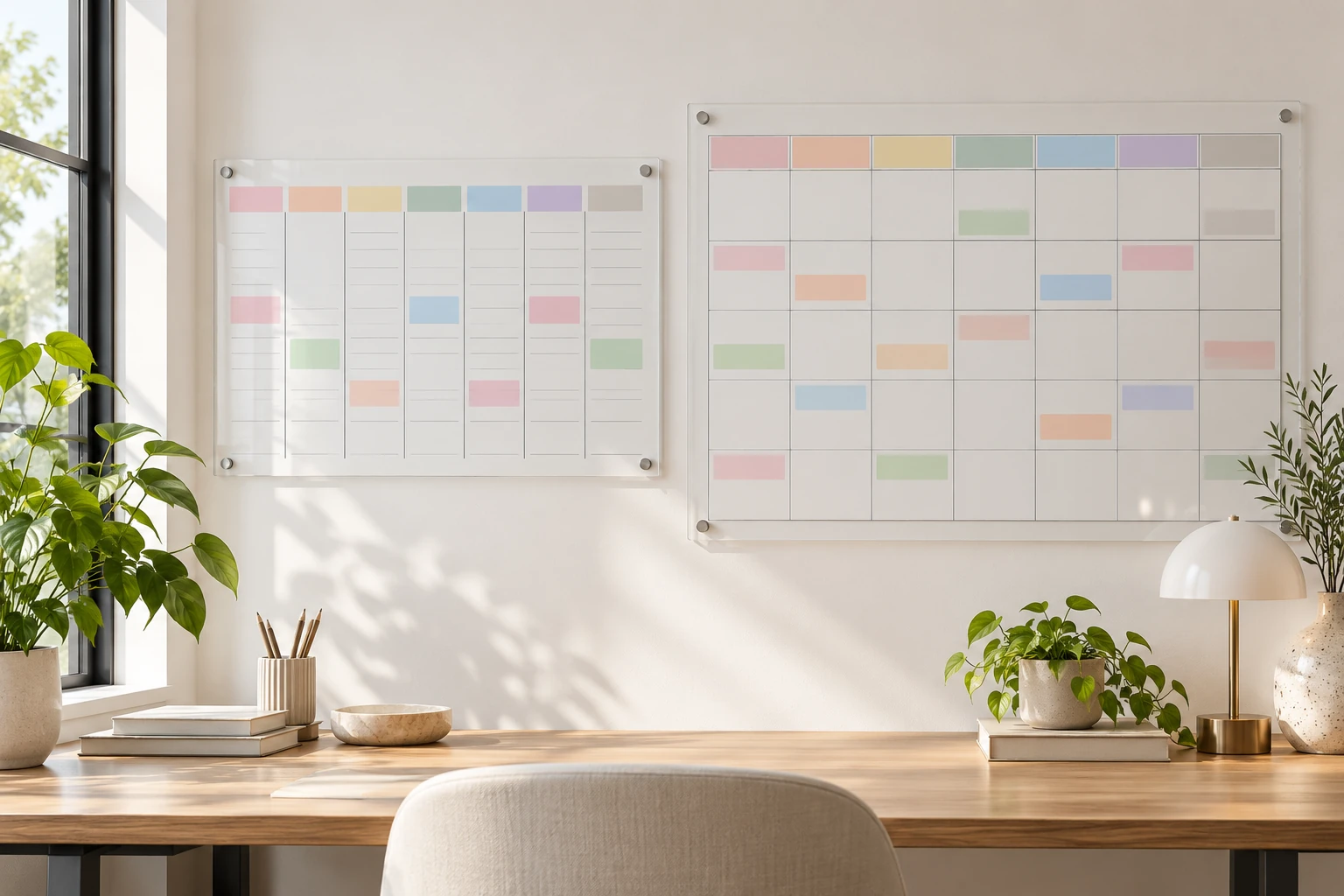
A wall calendar is useful when the people sharing a space can tell what to do from a quick look. The hard part is deciding which kind of look they need. A weekly board keeps the next few days and flexible notes in view. A monthly grid puts dated commitments in their positions across a named month. This wall calendar setup guide walks through choosing one primary display, filling it from the actual source of each plan, and keeping the writing current. You can use the procedure with a board you already own; the two product examples show the different layouts.
The personalized acrylic weekly planner is presented as a clear wall board. Its product image shows separate day columns and spaces for notes and priorities. The listing describes a customizable header and side sections. Those are layout choices to check in the exact offer before purchase. The photographed labels show the layout. The listing separately names an eraser, magnetic notebook, zipper bag and erasable pen; confirm the contents of the selected offer. The weekly structure is most helpful when the immediate question is what belongs in each upcoming day and what remains flexible.
The Highcool acrylic monthly calendar is presented as a clear wall grid with dated cells, a side area for lists, and a lower tray. Its title names a 24-by-18-inch size, while the description mentions more than one available size; check the currently selected option. The seller warns that some supplied hole templates may not print accurately. Treat the actual board and the wall instructions as the installation reference, not the printed template alone. This layout helps when the first question is which dates in the month already hold commitments.
Choose one question for the main board
Stand where someone normally enters the room and imagine a question they would ask before leaving: “What needs attention this week?” or “Which date is that appointment?” If near-term handoffs, chores, and priorities dominate, day columns can be easier to scan than a full month. If several commitments must be placed around weekends and other fixed dates, a monthly grid may be the clearer main view. The board does not need to display every detail. It needs to direct people to the right information without making them decode several competing copies.
Write down the source of truth before putting anything on the wall. That might be a message from an organizer, a school notice, a work schedule, or an appointment confirmation. A wall board is a shared display of selected facts, not a replacement for the document or person that established them. If a date or time has not been confirmed, mark it as a question or leave it in a notes area. Do not place it in a dated cell as if the arrangement were final. This small distinction helps prevent an attractive board from becoming a source of invented certainty.
Choose a limited set of entry types. Fixed appointments can have a short label and the person responsible for checking the details. Flexible tasks can go in a note or priority zone until someone decides when to do them. A household may also need a place for a question that has no answer yet. Use plain words that everyone sharing the board will understand. If initials are useful, agree on them once and put a small key nearby. Color can help, but a person should still be able to read the entry without relying only on color.
Check the wall before choosing a size
Measure the clear wall area rather than assuming any product photograph reflects your room. Include the space taken by a switch, shelf, cabinet door, or picture frame that would overlap the calendar. Then check the height from which the shortest regular user needs to read and write. A board placed high enough to look balanced in a photo may be awkward to update every day. You should also be able to stand in front of it without blocking a doorway or moving a chair. Mark the proposed rectangle on the wall with removable paper before committing to a size.
Look at the wall under its usual lighting. A clear acrylic surface can pick up the color and pattern behind it, which may make small entries harder to read. Test with a temporary paper grid or a sample mark where the board would hang. Choose a background and marker contrast that remain legible from the normal viewing distance. The product images demonstrate layouts, but they cannot show how readable the writing will be against your particular paint, tile, or nearby window. Take a step back and ask another user to read a test entry.
Installation deserves its own check after the layout is chosen. Follow the exact product instructions, the supplied hardware inventory, and the wall material guidance. Confirm any hole spacing against the physical item before making marks that cannot be removed. This matters particularly for the monthly example because its seller warns that some printed hole templates are inaccurate. A picture of wall spacers is not a guarantee that the selected offer supplies the same pieces. Keep the board clear of a route where a door or bag might strike it.
Set the board up while it is blank
Start with a clean, empty surface and decide how the board’s zones will be used. On a weekly layout, the day columns can hold confirmed items that belong to those days, while notes and priorities can hold work that is not yet assigned a time. On a monthly layout, date cells can hold confirmed calendar entries and a side list can hold actions to resolve. This is an editorial convention for the shared display, not a feature guaranteed by either seller. If one area fills up immediately, shorten entries before adding a second board with conflicting information.
Choose a writing convention that can survive a busy morning. A short event label, a time if confirmed, and a person to follow up are often enough to make an entry useful. The full address or confidential detail can stay in its original source. Decide how to mark an item that is tentative, and use the same mark each time. Keep the key small. A complex code with several colors and symbols can cost more attention than it saves, especially when visitors or occasional users also look at the board.
Test the writing and cleaning method on a small corner using the exact surface and the marker maker’s directions. An image of colorful entries does not establish which ink will erase cleanly after weeks on your wall. Keep the product’s care instructions with your household notes. If the board has a tray, it can be used for appropriate tools when the selected product actually provides one; do not overload it or treat a photo as a load rating. Put the writing tool where the person who updates the board can reach it without searching.
Fill the first view from confirmed information
Choose the actual week or named month you intend to display. For a weekly board, label the start of the week clearly if the layout does not already settle it for every user. Then transfer only the confirmed plans that matter to the people who see this board. For a monthly grid, check the month and year before writing the dates, and place each confirmed item in its date cell. If the board has reusable date labels, verify their positions against a reliable calendar for that month. Do not carry a sample image’s dates into a real schedule.
Do a second pass after the fixed entries are in place. Add tasks that are genuinely tied to a day, then leave flexible work in a note area. If a task depends on someone answering a question, write the question or the next person to contact instead of guessing the result. Keep entries short enough to be read without leaning over the board. Where several people share a task, a single owner for the next check may be clearer than a long list of names. The board should show the next useful step, not recreate every message that led to it.
If both a digital calendar and the wall display exist, decide which one is authoritative for changes. A display copied from another source needs a routine for checking that source. Do not silently edit a confirmed time on the wall and assume the organizer, employer, or other household member has changed the underlying plan. Mark an uncertainty and verify it first. After confirmation, update the display and remove the old version. This prevents a neat physical copy from drifting away from the information on which people actually rely.
Review the board without rewriting everything
Pick a short review point that fits the household’s rhythm. Stand at the board with the current source messages or schedule and ask which entries are still current, which questions have answers, and which flexible tasks need a place. Erase or change only what is supported by a new fact. A weekly board may need that check when the next set of day columns starts. A monthly grid may need a check before the named month changes and whenever an important commitment is updated. The right frequency depends on how often the actual plans change.
An unanswered task should not disappear merely because a box or column is about to be cleared. Decide who will carry it forward and where it will appear next. If it is no longer relevant, close it deliberately. If it still needs a confirmed date, keep it in the questions or notes area rather than assigning one by habit. This carry-forward step is especially important for reusable boards: the ease of erasing can make unfinished work vanish without anyone noticing. A brief check can prevent that loss.
Keep a change note separate from the new entry when the change itself matters. The recurring-plan exception guide handles a different task: identifying one changed occurrence without silently changing the remaining pattern. This wall calendar setup article does not decide whether a recurring plan was cancelled, rescheduled, or replaced. If a message about one occurrence is ambiguous, leave the wall board provisional and settle that question with the plan owner before writing the result.
Roll a weekly or monthly view forward
Before clearing a weekly planner, read each day column once. Confirm what was completed, what moved with an actual source update, and what remains open. Move the open items to a list or to the next week only after deciding who owns the next step. Wipe one section at a time so a missed entry can still be checked against the old view. For a monthly grid, preserve any open items before changing the month label and date positions. Then compare the new grid against a reliable calendar rather than assuming the last layout can simply be shifted.
A month and four weeks are different ways to describe time. The calendar-month and four-weeks guide works through that interval distinction. Here, the practical rule is to label the actual named month or actual starting week on the board and verify the dates being copied. This article does not calculate a contract period, deadline, or endpoint. A reusable wall grid is a place to display confirmed dates; it cannot settle an ambiguous time expression by itself.
Check the exact offer before buying
Return to the selected product page and verify its current size, grid layout, surface, and supplied contents. The personalized weekly example and the Highcool monthly example answer different viewing questions. A title may list a size while the page offers other selectable options, so confirm the option in the cart. A staged marker, tray, spacer, or sample message should be treated as a picture until the exact offer says it is supplied. Review the maker’s cleaning and mounting instructions as well as the return terms if the wall surface or readability is a concern.
The board should make plans easier to see, not become another plan that someone must maintain separately. Choose the weekly or monthly view from the question people ask most often, copy confirmed facts from their real sources, and give unresolved items a visible place. Check wall fit and writing contrast before mounting, then agree on a modest review and carry-forward routine. When a plan changes, verify it with the person or document that owns it and update the display. That keeps the calendar useful after the first neat photograph has faded from memory.