How-To Guides & Tutorials
Time Timer MAX setup for a short desk session
Follow the actual MAX face, duration, alert and starting instructions for an agreed ordinary desk reminder, keeping Qihe identity and controls separate.
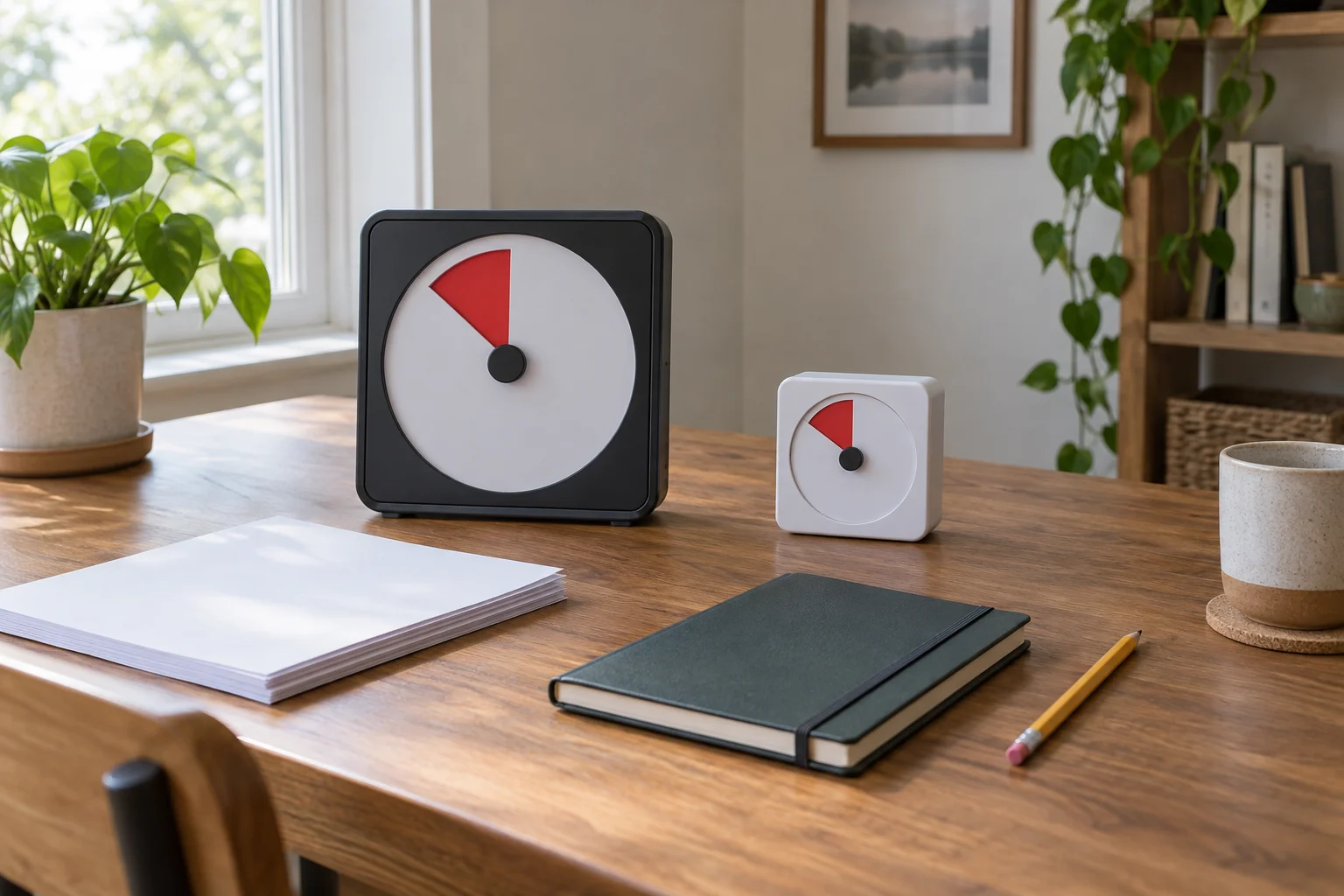
A Time Timer MAX setup can begin with one ordinary desk task and an agreed reminder. Decide what the interval is for before starting it. You might want a reminder to pause while sorting papers or a shared point at which two people review their separate work.
The procedure below follows Time Timer's actual MAX guide and its supporting face and duration articles. It applies to a matching, prepared MAX. The second retail example is a Qihe-listed visual timer with its own identifying fields. Its presence here does not make the MAX controls a procedure for that other product.
Choose the job before choosing the interval
Write down the small task you intend to work on. Sorting the papers already on one desk is clearer than promising to finish all your administration. Keep any handling requirements for the actual documents with them. The timer supplies a reminder interval, while the work itself still needs its own appropriate method.
Decide what you want to do when the interval ends. You could review what remains, put the papers aside or ask whether both people want to continue. Agree on that meaning before beginning. A timer cannot decide which of those choices fits your day merely by reaching the end of a selected duration.
Choose an interval the people involved actually accept. The example later uses ten minutes only to illustrate a setting. It is not a recommended attention span, a productivity prescription or a completion promise. Another ordinary task can have a different agreed duration while using the same documented setup relationship.
Identify the actual MAX offer
The Time Timer MAX seventeen-inch offer names a customizable visual timer. Its actual listed brand is Time Timer.
Keep the complete identity with the manufacturer's guide. A diagram for another timer in the same maker's range does not establish the controls for MAX. Begin with the matching unit prepared under its full instructions. This article does not replace those instructions for battery preparation, mounting, servicing or other setup questions outside the procedure below.
Choose an appropriate place under the equipment instructions where the people using the reminder can see the display. Establish that from the real space and unit. An editorial photograph cannot prove a placement, a secure mounting or a line of sight from someone else's chair.
Match the Time Timer MAX face and duration
For the Time Timer MAX face and duration, push the three faces out through the rear hole, put the selected face on top and snap them back individually. Match the rear duration dial to that face's total, including a total written on the dry-erase face, as its guide directs.
Treat that matching step as one relationship. The face provides the scale you intend to read, and the duration setting must correspond to it. Do not choose a familiar-looking face and leave the rear setting unconsidered. Before proceeding, compare the actual two selections using the matching instructions.
Separate the full scale from the interval you intend to use. In the ten-minute example, a fifteen-minute face and its matching fifteen-minute duration provide the selected scale. Ten minutes is the amount you will choose within it. Those two numbers have different roles in the example rather than being competing answers to one setting question.
If the available face or dial indication is unclear, stop at that question. Keep the unit and guide reference with your enquiry. Do not invent a meaning for an unidentified marking or change another control to compensate. Clarifying the selection comes before interpreting what a later display appears to show.
Choose the Time Timer MAX alert choice deliberately
For the Time Timer MAX alert choice, its red rear switch selects no alert, low or high. Choose the documented option you want before starting. The setting identifies the selected preference; it does not establish an actual sound level at every person's seat or promise that a cue will be heard from another room.
Discuss the choice if the space is shared. A person concentrating nearby may prefer a different arrangement from someone using the reminder alone. Agree whether the people involved will watch the display or expect an audible cue. Keep that social agreement separate from a claim that an unobserved alert has already been tested.
The countdown-timer alert troubleshooting article keeps the expected event, selected mode and actual observation distinct. Its Taylor and BTB SIGN details belong to those products. Here, make the documented MAX preference intentionally; this setup guide does not diagnose a silent unit or prescribe a repair.
Start the selected amount only when you are ready
To set the interval, the MAX guide directs you to turn its center knob counterclockwise until the red disk reaches the chosen amount. The countdown starts immediately. Have the task and the agreed reminder meaning ready before making that final setting, rather than assuming there will be a separate preparation period.
For the fictional ten-minute desk session, use the already matched fifteen-minute scale and choose ten minutes. The number is an illustration of an ordinary agreement. It does not certify elapsed-time accuracy or establish what any actual person will accomplish before the interval ends.
If somebody is still gathering their papers, decide whether to wait before starting. That decision belongs to the group. Avoid describing preparation time as completed working time simply because the timer was already moving while someone was away from the desk.
Read the reminder without making it a work measurement
A remaining-time display and the state of a task answer different questions. Look at the actual papers, draft or other work when you review progress. The interval can provide a point for that review, but it cannot report which page was checked or whether the work meets its own requirements.
Keep a short task note if you will return later. It might identify the group of papers still to sort or a question you need someone else to answer. The note belongs to the work. You do not need to reconstruct every movement of the display to explain where you intend to resume.
If the actual timer behaviour is unclear, use the matching instructions and an appropriate support enquiry. This article gives no pause, reset, accuracy-check or internal repair sequence. Do not add a guessed button action to the documented face, duration, alert and starting steps.
Keep the Qihe offer's identity and instructions separate
The Qihe FRF62-465DX timer offer has actual catalog brand Qihe. Its description names a three-inch visual timer with a sixty-minute countdown and a closeable lens that flips open for desk use. It also gives TT03B-W as a separate item-model field. Preserve both fields when asking for matching instructions.
The description's health and learning-related wording is not adopted as an outcome claim here. Nor does the retail title establish that this is an authenticated Time Timer-branded unit. The actual catalog identity stays Qihe. Resolve the model and applicable instructions instead of silently substituting a maker or transferring MAX's rear controls.
A different size or appearance can be worth considering for your actual space, but establish the relevant dimensions and use information before deciding. This guide supplies no completed desk-fit trial or comparative visibility test. You can leave the alternative undecided while working with an already identified MAX and its own guide.
Give an interruption its own account
If a call or another household task interrupts the session, describe what actually changed when you return. You may have left the papers untouched while someone needed help elsewhere. That interruption belongs in your account of the work. Avoid presenting the entire selected interval as uninterrupted attention simply because a reminder was running.
Follow the matching equipment instructions for whatever control action is needed. This guide supplies no additional action for stopping or restarting the timer. Meanwhile, decide what you want to do about the unfinished desk task. You can resume it, leave a clear note or choose another time. The work decision can remain understandable without an invented equipment sequence.
With another person, ask whether the original agreement still suits both of you. One person may have continued working while the other was interrupted. Agree on the next review point rather than requiring someone to make up an assumed lost interval. There is no score to equalise in this example.
A useful stopping note can also say why you paused. Waiting for an answer about one document is different from putting the whole task aside until tomorrow. Record the particular unresolved question when it matters. On returning, you can then choose a suitable next action without treating a fresh reminder as a substitute for that missing answer.
A fictional pair can give the reminder a shared purpose
Imagine Rowan and Lee each sorting their own small set of household papers. They agree that the interval ends with a pause to say what remains. They are not competing to finish the same number of pages. This is an invented scene explaining the agreement, without a report of a product test or a measured productivity result.
Rowan follows the matching instructions, and the pair make their agreed selection. When the interval ends, Lee still has a question about one document. That unanswered question remains part of Lee's work rather than becoming a timer fault.
They decide to ask the appropriate person about the document later. Rowan can finish their own current task while Lee puts that item aside. The shared interval gave them a point to compare what they wanted to do next; it did not require both tasks to reach an identical state.
Keep appliance control outside this reminder task
The appliance timer-functions article distinguishes a measured interval from an appliance's documented action at an endpoint. Its dehydrator and oven descriptions concern those appliances. This desk reminder supplies no command to another device and no completion judgment for cooking, treatment or any other process.
If your task has a prescribed duration or requires another piece of equipment to change state, use the actual applicable procedure and equipment. Do not replace it with the informal ten-minute example. A convenient reminder arrangement does not become an approved process controller because its display is easy to see.
Leave the next session attached to a clear agreement
At the stopping point, decide whether to continue, change the task or finish for now. Make another interval a fresh choice by the people involved. Someone who agreed to a short session has not automatically agreed to repeat it until every piece of work is complete.
Keep the matching guide available for the actual unit and retain any unresolved equipment question. A Time Timer MAX setup can mark their agreed pause without settling the work itself. Let the next work decision follow the actual task and the people doing it.