Crypto Commerce
Synology DS423 four-bay NAS — Begin with the archive, then choose the box
Compare Synology DS423 four-bay NAS by drive planning, expansion, shared-file access, backup, surveillance, and warranty.
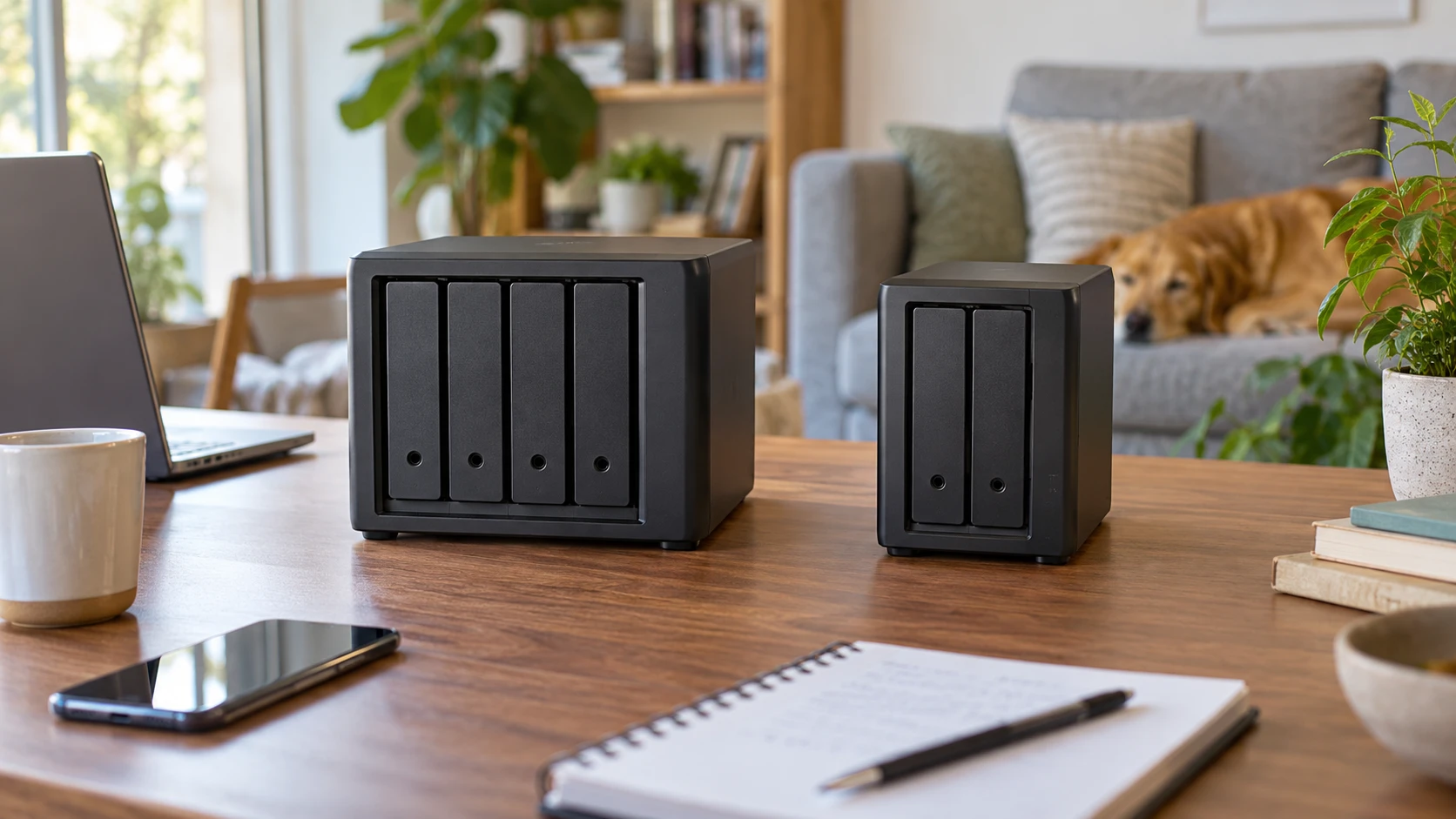
The Synology DS423 four-bay NAS is listed as a SATA storage system for private-cloud access, media and file sharing, backup to multiple destinations, and snapshots. Four drive bays give a household room to plan several disks inside the enclosure. The saved description also names surveillance tools and support for as many as 30 IP cameras, with camera licenses sold separately. That is a broad set of possible jobs; decide which ones the home archive actually needs before counting bays or cameras.
Shared storage is easier to use when the files can be found. The published guide to planning a document index for shared files is relevant after the first folders have been created. Choose names for people, projects, dates, and subjects that everyone in the home will recognize. A NAS can expose files to several devices, but it cannot decide whether “Photos Final” means the edited selects, the phone originals, or last year's holiday album.
The Synology DS725+ two-bay NAS is explicitly described as diskless. Its saved listing names a built-in 2.5GbE network port, Synology applications for files, photos, backups and surveillance, and an optional DX525 expansion unit that adds five drive bays. The same listing gives a supported capacity ceiling of 140TB with expansion. That is a planning limit, not 140TB of storage included in the package. Drives and the expansion unit require their own compatibility and price checks.
Four bays now or two with a later expansion route — Synology DS725+ two-bay NAS
DS423 begins with four bays in the main enclosure. That can suit a household moving several old external drives into a managed archive, or one expecting photo, video, and computer-backup collections to grow. The source specifies SATA support only. It does not list the drives shipped in this particular DS423 package or a current drive-compatibility matrix. Confirm box contents, approved drives, and usable capacity with the intended disk arrangement before assuming that a four-bay label means four disks are already installed.
DS725+ begins with two bays and is explicitly diskless. Its described DX525 expansion adds five more bays, so the future physical plan differs from simply replacing disks in a two-bay box. The catalog does not include the price of the expansion unit, compatible drives, cables, or the conditions behind the 140TB supported maximum. If the archive will need more than two drives soon, compare the cost and space of that future arrangement with buying a larger main enclosure now. Do not treat the expansion capacity figure as a promise for the base unit alone.
Bay count is different from usable storage. A disk's advertised capacity is not the same as space available after formatting, redundancy choices, shared snapshots, and application data. A household with four 8TB drives should not budget as though every advertised terabyte will hold a separate original. Decide how much data needs protection and how much room must remain for growth, then use the current manufacturer's storage calculator and supported-drive list. Neither product description gives a finished usable-capacity example for a specific disk set.
Count the archive you have today. Phone photo libraries, scanned documents, raw camera files, and computer backups grow at different rates. A video project may be large but temporary; family photos may be smaller but kept for decades. Separate the folders that must be online all year from files that can move to cold storage. That exercise often reveals whether two bays are enough at the start or whether four bays will be used quickly. The answer depends on retained data and backup policy, not the number of people in the house alone.
Check the network path, not a port number in isolation — Synology DS725+ two-bay NAS
DS725+ has a stated native 2.5GbE port. Its listing quotes sequential read and write throughput up to 276 and 224 MB/s. Those are product claims under unspecified test conditions, not guaranteed speeds for every home laptop. To use a faster wired path, check the router or switch, cable, and computer network adapter as well as the NAS. A wireless laptop or a slower switch can become the limiting part before the enclosure reaches its quoted rate.
The DS423 saved source does not state an Ethernet speed or comparable measured read/write result. It would be unsound to declare it slower from that omission. Look up the exact port specification for the unit offered and test a representative folder through the network you actually have. A collection of small photographs may move differently from one large video file, and opening a file from a phone over home Wi-Fi is a different experience from copying it on a wired desktop.
Shared access also needs a permissions plan. Decide who can delete the family originals, who can only view them, and whether a guest needs a separate share. A private-cloud feature in the DS423 description and file-management applications in the DS725+ description describe possibilities, not a ready-made household policy. Test with a second account before placing irreplaceable files on the device. Remote access should be enabled with the current security guidance for the exact system, not left at an unknown default.
If work-from-home access matters, test from the real computer and network rather than assuming local copy speed predicts remote performance. The home internet connection and access method can dominate the experience. Neither saved product description supplies a measured remote-transfer result or an account-security setup. Treat remote sharing as a setup project with its own verification, especially when the archive includes tax records, school documents, or client material.
Keep an independent copy of important files — planning a document index for shared files
DS423's listing explicitly mentions backup to multiple destinations and snapshot technology that can help guard against malware. DS725+ lists backup and data-protection applications. Those features do different jobs. A snapshot can help recover an earlier state on the system; a separate backup can survive loss or failure of the entire enclosure if it is stored and verified independently. Neither product page proves a backup exists just because an application icon is available.
Set a recovery goal before choosing a schedule. For family photographs, how many days of new pictures could you afford to lose? For an important document, how quickly must an earlier version be restored? Make at least one test restore into a separate location. Check that the restored file opens, carries the expected date and content, and can be found by the naming pattern you chose. A status badge that says “backup complete” is weaker evidence than an actual restored file.
Do not confuse internal redundancy with an external copy. Multiple drives in one box can protect against some disk failures when configured for that purpose, but the enclosure can still be damaged, stolen, misconfigured, or accidentally emptied. The two listings do not specify a selected disk layout for the units as shipped. Plan a separate destination for the most valuable data and document how to reach it. That plan matters whether the home starts with two bays or four.
Snapshots and backups can consume storage. Leave headroom for version history, then periodically check whether the current retention rules still fit the disks. A household may discover that camera recordings or computer-image backups are consuming space much faster than photos. The guide to indexing helps keep the visible archive intelligible; the storage plan must separately account for the less visible recovery copies.
Decide whether cameras belong on this system — Synology DS725+ two-bay NAS
The DS423 description says its surveillance tools can monitor, archive and analyze up to 30 IP cameras, and it states that camera licenses are sold separately. “Up to 30” is a supported-use claim, not a promise that thirty cameras can record at every resolution and retention period on whatever drives you install. Before making it a security recorder, count the cameras, estimate how much video each creates, and check licensing and compatibility for the exact devices.
DS725+ names surveillance among its Synology applications but does not give a camera count or included-license figure in the saved source. That silence should not be converted into a claim of lower capability. Verify the current software, supported camera list, license costs, and storage estimate for either model if surveillance is the main purpose. Camera recording can change the archive's drive and backup plan dramatically; household file sharing may be a secondary workload after video retention is considered.
Keep surveillance files and family documents organized separately. They have different users, retention needs, and reasons to restore an older copy. If the same enclosure handles both, test that a busy camera-recording period does not make ordinary file access unusable on your network. The listings do not include a controlled simultaneous-workload test. A small trial with the intended camera and computer setup is more informative than the maximum camera count alone.
Confirm the complete purchase and support terms — Synology DS725+ two-bay NAS
The DS423 listing gives a two-year warranty. The DS725+ listing gives a three-year limited warranty and says an extension to five years is offered in select markets. Those terms are not identical, and the saved descriptions do not explain every exclusion or local service procedure. Read the current written terms for the exact Republeq's catalog and location, especially if the box will hold a household's only readily accessible copy of documents.
For DS725+, confirm the cost of drives, any DX525 expansion, and the network equipment needed to use 2.5GbE. For DS423, confirm whether disks are included and which SATA models are supported. For either, ask about camera licenses if relevant. The enclosure price alone cannot tell you the cost of a working archive with enough storage, a separate backup, and the permissions and recovery setup you need.
Choose DS423 if four bays in the main box and its documented file-sharing, snapshot, and surveillance options suit the planned disk set. Choose DS725+ if a two-bay start, native 2.5GbE, and an explicitly described five-bay expansion route match the growth plan. Make the decision after writing down usable capacity, network path, included hardware, licensing, and a successful test restore. Keep the tested backup and indexing plan beside the NAS documentation so another household member can retrieve an old file.