Crypto Commerce
Use stop motion planning to map a simple object movement
To plan a short stop motion animation, decide where the object belongs in each successive image and how long each arrangement should remain visible. Keep the intended view fixed, write down any deliberate pause, and name the parts of the scene that should stay unchanged. Those decisions turn a general idea about movement into a sequence you can examine before taking photographs.
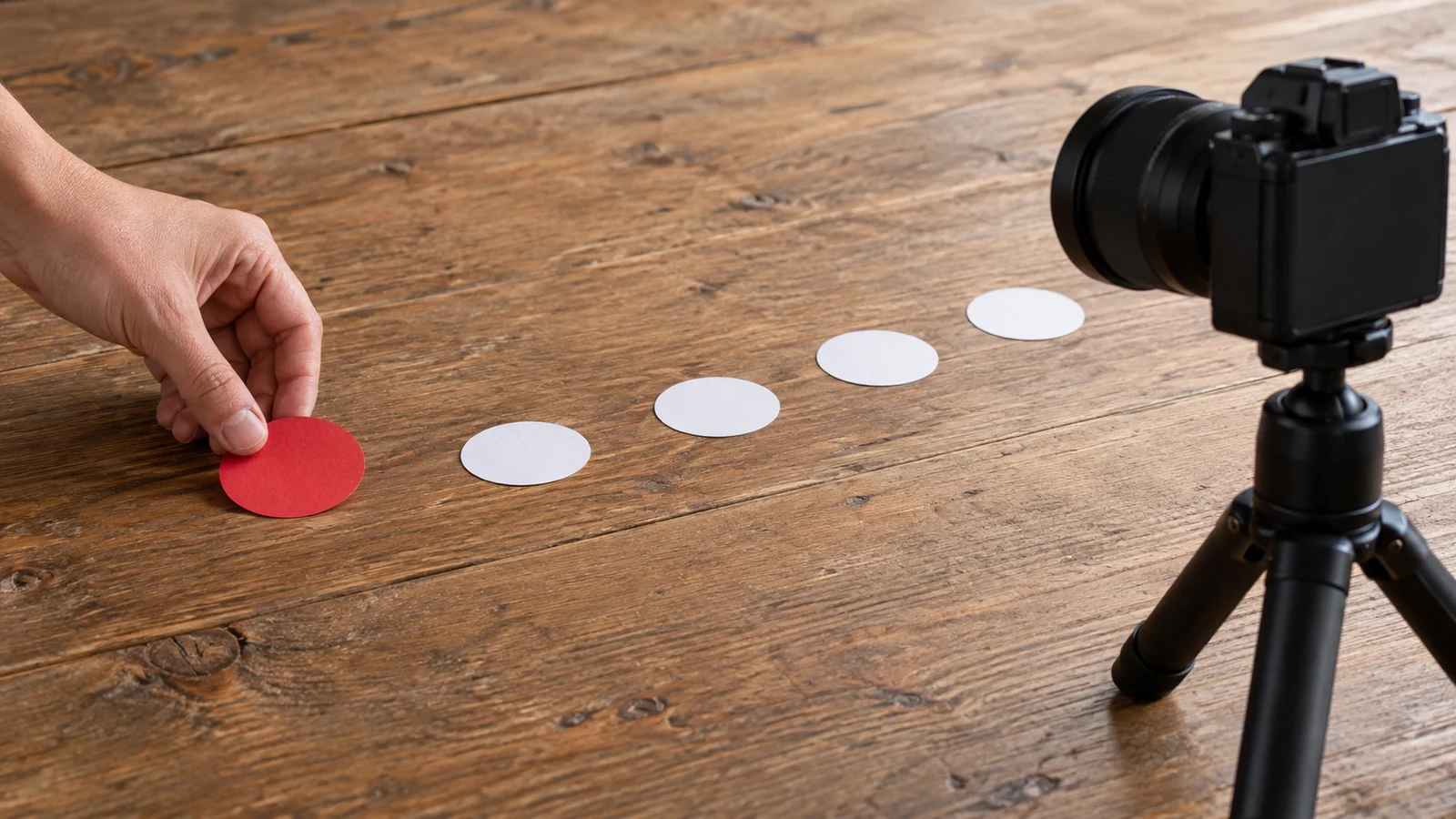
To plan a short stop motion animation, decide where the object belongs in each successive image and how long each arrangement should remain visible. Keep the intended view fixed, write down any deliberate pause, and name the parts of the scene that should stay unchanged. Those decisions turn a general idea about movement into a sequence you can examine before taking photographs.
For this hypothetical exercise, imagine a paper circle traveling across an ordinary tabletop. It approaches a paper square, pauses beside it, then continues a little farther and stops. The square stays in place throughout. Your task is to choose the circle's positions and timing, including the departure after the pause. You can make the entire plan with sketches and written notes.
A possible capture-device example for stop motion planning is the linked Sony ZV-1 II white camera bundle. Its supplied catalog description lists 20.1MP still images. That supports considering it for photographs, subject to suitable equipment and software, but does not establish an animation workflow. The movement decisions below do not require this camera or any particular computer.
Define The Movement Before Electronics Product Checks
Write one sentence that describes the proposed movement: the circle travels rightward, holds beside the square, then travels farther right and stops. Define the first arrangement with the circle to the left of the square. Define the last with the circle to its right, separated by a visible gap. Keep both shapes within the same intended view for the whole exercise.
Next, sketch a straight path that passes below the square without touching it. Treat the line as a planning mark on your sketch, rather than an element that must appear in the photographs. This gives the circle somewhere definite to travel. Choose its center as the point you follow so that every position note refers to the same part of the shape.
A path alone leaves several decisions open. Two plans can share the same starting point, pause location, and endpoint while placing the circle differently in the intervening images. One might approach the square through similar position changes. Another might begin with small changes and finish the approach with larger ones. The line describes where the circle goes; the individual positions describe how you propose to show it getting there.
Mark a few positions along your sketch and number them in image order. Beside each number, record the circle's location, its planned visible duration, and whether it is moving or holding. These are proposed arrangements, not a record of an object traveling continuously. Leave room between entries so that you can insert a position if a transition seems too abrupt in the written plan.
Separate Spacing And Duration Before Electronics Product Checks
For the first comparison, give every moving-image entry the same planned display duration. You can call that duration one beat without assigning it a number of seconds. Here, a beat is simply a consistent planning interval. Holding it constant lets you compare position spacing without also changing how long each image is intended to appear.
Consider an approach with similar gaps between the circle's successive positions. Your intention might be an approximately even progression toward the square. Now sketch another approach with gaps that grow along the same path. With the same display duration, larger gaps propose more travel between successive images and therefore a faster apparent progression. Neither sketch establishes how smooth the eventual result will look.
Changing duration is a separate choice. If the same arrangement remains visible longer before the next position appears, that transition is delayed. Shortening its duration brings the next change sooner. Record which choice you are making so that a spacing revision does not accidentally become a timing revision as well. There is no need to select a universal frame rate to describe this distinction.
A useful stop motion planning note states both parts together: "Small position change; one beat" or "Larger position change; one beat." Avoid writing only "faster" beside an arrow. The paired note tells you what you intend to change and what you intend to preserve, while leaving the appearance of the eventual sequence open for assessment.
Mark Holds And Fixed Elements Before Electronics Product Checks
Choose one exact arrangement beside the square for the pause. In this exercise, place the circle directly below it with a small gap between their edges. Write "hold beside square" and assign a proposed duration longer than an ordinary moving entry. For example, a two-beat hold would keep that arrangement visible for twice the planning interval used elsewhere.
Keep the pause instruction separate from the next position. An entry that says "beside square" followed immediately by "beyond square" does not tell you whether the circle should hesitate. Conversely, a blank space in your notes does not define a hold. Give the unchanged arrangement an explicit duration so that the pause is an intentional part of the movement.
At this stage, record only the visible result you want: the circle remains still beside the square before departing. Whether a later application would repeat an image, extend its duration, or support another method is an implementation question. The written plan can remain clear without selecting one of those methods or assuming that particular software provides it.
Now name what stays fixed. The square keeps its position and orientation. The tabletop background and intended view remain unchanged. The circle retains its shape and orientation while its position changes. This last detail matters even for a simple cutout: if an uneven edge changes orientation, the sequence could suggest rotation that you never intended to include.
Consider the pause arrangement and the image immediately after it. If the square also shifts, the sequence could suggest that both shapes move. If the circle's distance from the square changes because the square moved, your position notes no longer describe the intended action accurately. A fixed-elements note gives you a clear basis for distinguishing the planned movement from an accidental change.
Use that note to describe the desired consistency, without turning it into equipment instructions. "Square, background, and intended view unchanged" is enough for this exercise. You are defining what belongs in the animation. Camera support, lighting decisions, exposure settings, and capture procedures would require separate attention when the project moves beyond planning.
Use A Dell Inspiron Touchscreen Laptop For Written Frame Notes
The supplied catalog description of the Dell Inspiron touchscreen laptop names a keyboard and touchscreen. Those features support considering it as a workspace for writing and arranging the frame plan with suitable software. You can also use paper. The planning exercise depends on readable position and duration notes, rather than a particular screen or input method.
Give the product examples distinct, limited roles. The Sony description supplies a still-image capability relevant to a possible later capture stage. The Dell description supplies input features relevant to preparing the written plan. These descriptions do not establish that the devices form a verified animation system, that suitable editing applications are installed, or that image transfer between them is supported.
Carry unresolved technical questions into electronics product checks, including software suitability, connections, exact configurations, and equipment completeness. A bundle's mention of software does not identify its animation capabilities. If you later consider purchasing with cryptocurrency, treat that option as conditional on what is offered for the order. Neither a purchase nor a payment decision is necessary to finish this frame plan.
Compare Two Frame Plans On A Dell Inspiron Touchscreen Laptop
Use the following hypothetical plans to compare two approaches along the same straight path. Imagine position marks numbered zero through twelve on your planning sketch. These are arbitrary reference positions, not prescribed distances. The square sits above position six, where the circle will pause. Both plans start at zero, hold at six, and finish at twelve.
For both plans, one beat means the same proposed display duration. The pause lasts two beats, and the final arrangement also remains visible for two beats. In every entry, keep the square, tabletop background, intended view, and circle orientation fixed. The lists repeat that instruction in shortened form so that each entry can stand on its own when you compare positions.
Plan A uses equal position increments on the approach and departure. Its proposed effect is a relatively even progression interrupted by the deliberate pause. The numbered entries describe image order; their durations describe how long each arrangement should appear.
- Image 1: Circle at position zero; fixed elements unchanged; one beat to establish the initial arrangement.
- Image 2: Circle at position two; fixed elements unchanged; one beat after the first rightward position change.
- Image 3: Circle at position four; fixed elements unchanged; one beat to continue the same increment.
- Image 4: Circle at position six, beside the square; fixed elements unchanged; two beats for the deliberate hold.
- Image 5: Circle at position eight; fixed elements unchanged; one beat for departure after the hold.
- Image 6: Circle at position ten; fixed elements unchanged; one beat to continue rightward.
- Image 7: Circle at position twelve; fixed elements unchanged; two beats for the final stopped arrangement.
Plan B keeps the same path, image count, and duration pattern but changes the increments. The approach uses gaps of one, two, and three position units. After the hold, those progressively larger gaps begin again. This proposes a different progression on either side of the pause without changing the pause location or total distance traveled.
- Image 1: Circle at position zero; fixed elements unchanged; one beat to establish the same initial arrangement.
- Image 2: Circle at position one; fixed elements unchanged; one beat after a small rightward position change.
- Image 3: Circle at position three; fixed elements unchanged; one beat after a larger position change.
- Image 4: Circle at position six, beside the square; fixed elements unchanged; two beats for the deliberate hold.
- Image 5: Circle at position seven; fixed elements unchanged; one beat for a small departure after the hold.
- Image 6: Circle at position nine; fixed elements unchanged; one beat after a larger departure step.
- Image 7: Circle at position twelve; fixed elements unchanged; two beats for the final stopped arrangement.
Read the arrival at position six in each plan. Plan A approaches it through the same increment used earlier. Plan B reaches it through the largest approach increment, then holds. That could make the arrival feel abrupt, which may or may not suit your intention. Mark the transition from image three to image four as unresolved rather than assuming that increasing the gaps will produce the effect you want.
To finish your stop motion planning exercise, choose the proposed approach you want to develop and write one specific question beside that transition: "Should the final approach gap stay this large, or should I add an intermediate position before the hold?" Keep the pause duration and fixed-elements notes visible beside it. Your finished plan should show the intended movement clearly while preserving that unanswered appearance question for later assessment.