Crypto Commerce
Sonim RS60 rugged tablet vs WAWOKV tablets for field work or a larger screen
Compare Sonim RS60 rugged tablet by screen, scanning, connectivity, memory claims, battery, and support.
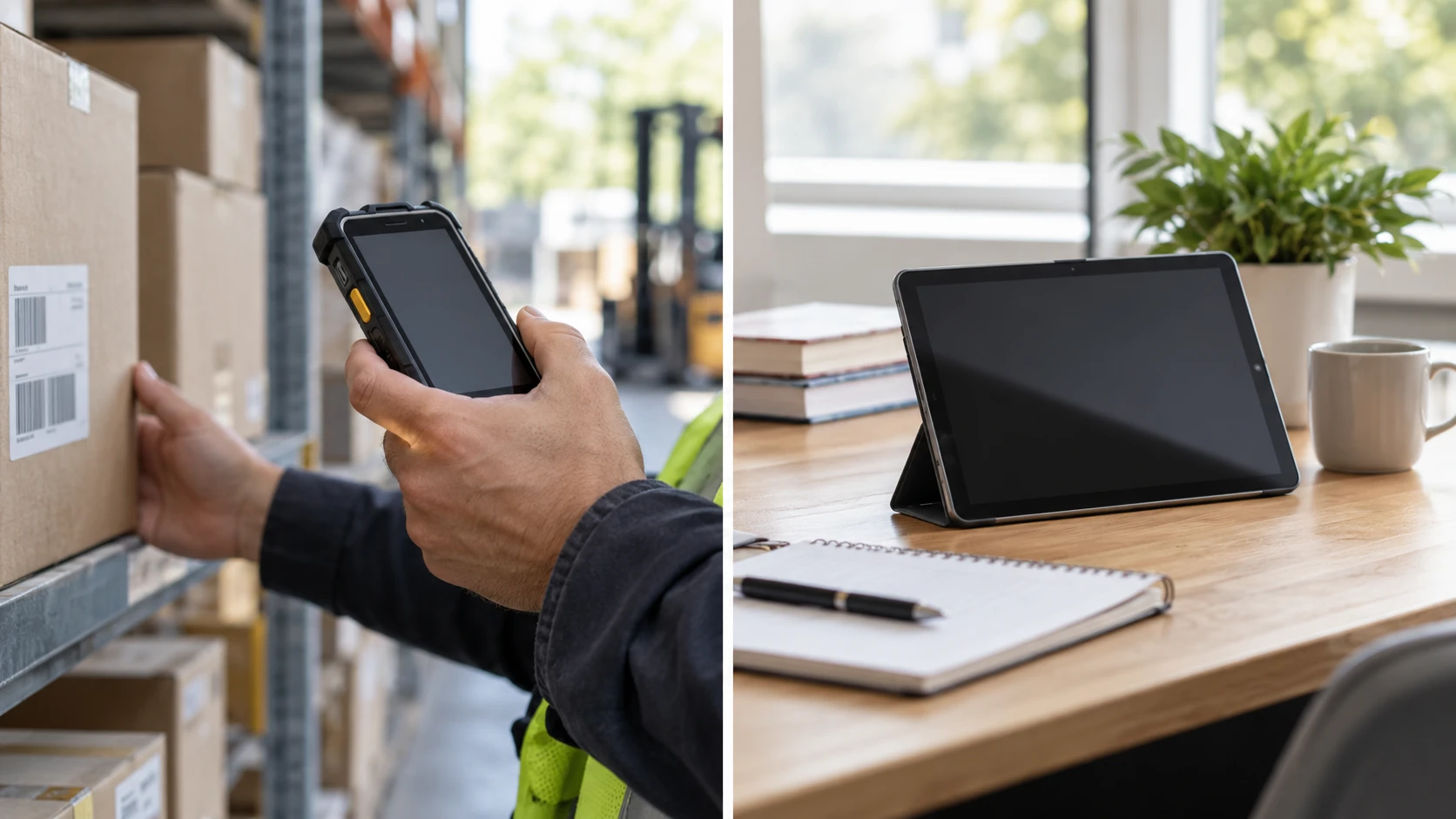
The Sonim RS60 rugged tablet is a six-inch Android device described for demanding work, with an integrated barcode scanner, programmable keys, push-to-talk control, and cellular connectivity. WAWOKV's tablet has a 10.1-inch display and is described for online classes, work, movies, and general use. The screen sizes alone make them different tools. A technician who scans labels while standing may prefer a compact device that can be held securely; someone reading documents at a desk may value more display area. Start with the task and setting rather than treating the larger specification sheet as the better tablet.
Write down where the device will spend most of its time. Will it be carried through a warehouse, used outside, mounted in a vehicle, or placed on a table for classes? Which apps must run, and will they work without a steady network connection? The published guide on rugged tablet field-use checks frames those questions for different products. Its Windows-tablet claims do not apply to these Android models. Use it as a way to plan a real use test, then verify the Sonim and WAWOKV manuals separately.
The Sonim listing says the RS60 passed 810G military testing. That phrase needs its test methods, conditions, and limits before it can guide a purchase. It does not mean the tablet is immune to every drop, chemical, temperature, or rain exposure. Request the exact ruggedness and ingress-protection documents for the offered RS60 variant. WAWOKV's saved description makes no ruggedness claim. If the tablet will be dropped often or used in wet conditions, the absence of a claim leaves protection unverified, and a third-party case should not be treated as proof of device-level certification.
Compare the work surface and screen size — WAWOKV 10.1-inch Android tablet
Sonim's six-inch screen may make a scanning interface easier to hold in one hand, but the listing gives no pixel resolution, brightness, or glove-use claim. WAWOKV describes a 10.1-inch in-cell display with responsive touch, wet-finger tracking, and low-latency stylus use. Those are useful claims for note-taking or a larger form, yet the saved excerpt gives no resolution or included stylus. Ask for the exact panel specification and test the intended software with the finger, glove, or stylus you will actually use. A touchscreen that feels responsive in a store may behave differently outdoors or through protective gear.
Screen space matters when an app displays several fields at once. A six-inch device might require more scrolling through a complex service form, while a 10.1-inch screen could show a diagram beside instructions. The larger WAWOKV is listed at 9.45 by 0.35 by 6.3 inches. Sonim's excerpt gives only the display diagonal, not overall dimensions or weight. Measure the pocket, holster, vehicle mount, and work surface before ordering accessories. Ask whether the tablet can be charged and used in its protective case or mount without obstructing the ports and scanner.
WAWOKV's in-cell description says the design is thinner and lighter, but the listing does not provide an actual weight or a comparable model. A tablet held for an eight-hour shift is judged by total weight, grip, and how often it must be repositioned. Sonim's rugged construction may add bulk, but no weight is provided in the saved excerpt. Try both physical formats during a representative task if possible. The most comfortable choice is often determined by posture and tool placement, not by a millimeter difference printed on a product card.
Check software and connectivity together — WAWOKV 10.1-inch Android tablet
Sonim is listed with Android 10, 4GB RAM, and 64GB storage, with support for an SD card up to 256GB. WAWOKV is listed with Android 15, 128GB storage, and a "20GB (8+12) RAM" phrase alongside a virtual-memory boost. The WAWOKV figure combines two kinds of memory; do not compare 20 directly with Sonim's 4GB as if both were physical RAM. Ask WAWOKV to identify installed RAM and the storage space reserved for virtual memory. Then check the actual app's memory and storage requirements on each device.
An Android version number also does not establish how long security updates will arrive. Ask the makers for their current support and patch schedules, especially if the tablet will access work accounts or customer data. Confirm that the app needed for scanning, learning, or field reporting supports the listed OS. A newer version may be attractive for general apps, while a specialized business app might depend on a tested device configuration. The saved descriptions do not answer those compatibility questions or guarantee future updates.
Consider who will manage the device after purchase. A shared field tablet may need a device-management system, restricted app installation, remote lock, and a way to restore settings after replacement. The Sonim listing's business features do not establish support for a particular management service. The WAWOKV excerpt names Google Mobile Services but does not describe enterprise enrollment. Ask the software administrator to test the exact model with the organization's policies before buying a fleet. For a family tablet, check account controls, backup, and how several people will keep their files separate.
Sonim describes Wi-Fi and cellular-unlocked connectivity. An unlocked label does not guarantee service with every carrier, SIM, band, or enterprise plan. Get the exact RS60 radio variant and supported bands, then check it with the intended provider. WAWOKV lists Wi-Fi and Bluetooth but does not mention cellular data in the saved excerpt. Do not assume it takes a SIM because another tablet in the category does. If a worker needs to submit a form from a site with no Wi-Fi, establish the real connection path before choosing the larger screen.
Both devices may need accessory decisions. Sonim's integrated scanner could simplify barcodes in a warehouse, but verify the codes it reads, supported scanning apps, and how it behaves under poor light. WAWOKV's 8MP rear camera might capture a code in some apps, but its listing does not claim a dedicated scanning engine or supported symbologies. Test the exact labels used at work, including damaged ones. A good camera for casual photos is not automatically a substitute for a scanner needed all day.
Sonim also lists programmable keys and push-to-talk. Ask which software or service activates those features, how the keys can be assigned, and whether a headset is needed in the planned environment. The saved description gives a 95dB-plus speaker claim for noisy conditions but no measurement setup or hearing-safety guidance. A loud speaker may help a message be heard, yet it could be inappropriate near customers or in a quiet classroom. WAWOKV lists a built-in speaker without a volume figure. Compare the real communication workflow, not the presence of a speaker in both products.
The cameras serve different likely tasks as well. Sonim lists 13MP and 5MP cameras; WAWOKV lists an 8MP rear and 2MP front camera. Pixel counts do not settle whether a document is legible, a video call looks clear, or a barcode can be captured reliably. Test focus, lighting, and the app that will receive the image. For a classroom, front-camera placement and audio may be more important than the rear-camera number. For field records, timestamps, location permissions, and secure upload may matter more than a high-resolution image alone.
Put battery claims into a full shift — rugged tablet field-use checks
Sonim lists an 8,000mAh battery with Quick Charge. WAWOKV lists 6,000mAh and approximately five to seven hours of streaming. Battery capacity in mAh cannot directly tell you which device runs longer because screen size, radios, processor, brightness, and the task all affect power use. Sonim's excerpt gives no runtime for scanning or cellular use. WAWOKV's time estimate is for streaming, not a shift of forms, video calls, and intermittent standby. Seek task-specific tests and plan a charging break or spare approved power source where needed.
Charging logistics matter in a shared workplace. Determine how many devices can be charged overnight, what adapter and cable each package includes, and whether a mount blocks access to the charging port. The saved sources do not list those accessories. For Sonim, ask whether the battery can be replaced or whether service is required when it ages. For WAWOKV, check its charging specification and whether a screen-on class session can continue safely while connected. Avoid choosing a tablet for an entire shift from battery size alone.
Sonim advertises a two-year warranty; WAWOKV's saved excerpt gives no warranty term. Read the exact terms, regional support, and repair process before counting Sonim's stated period as an advantage. Rugged devices can still require service after impact, and a listed warranty does not imply every kind of damage is covered. If devices support a team, ask about spare units, software setup, and data transfer after a failure. For an individual using a tablet at home, an available local repair route may be more important than a feature used rarely.
The WAWOKV 10.1-inch Android tablet is a candidate for larger-screen reading and ordinary apps, provided its actual physical RAM, software support, and connectivity suit the task. Sonim is the more specifically described field tool, with scanning, cellular, programmable controls, and a ruggedness claim that still needs its test details. Put the required app, network, screen position, barcode samples, and charging schedule into a trial plan. The best evidence is how the exact device performs that job with the accessories and conditions it will face.