Crypto Commerce
Snaptain P40 Lite vs G-SKYLINE L600 PRO: controller checks
The Snaptain P40 Lite description names one-touch shooting modes and three return-to-home options. The G-SKYLINE L600 PRO description explicitly identifies controller-adjustable camera tilt, app-drawn waypoint flight and GPS-assisted return functions. Those details answer different parts of a controller comparison. Before choosing, establish which actions you expect to perform yourself, which actions you want automated, and how you would regain manual control.
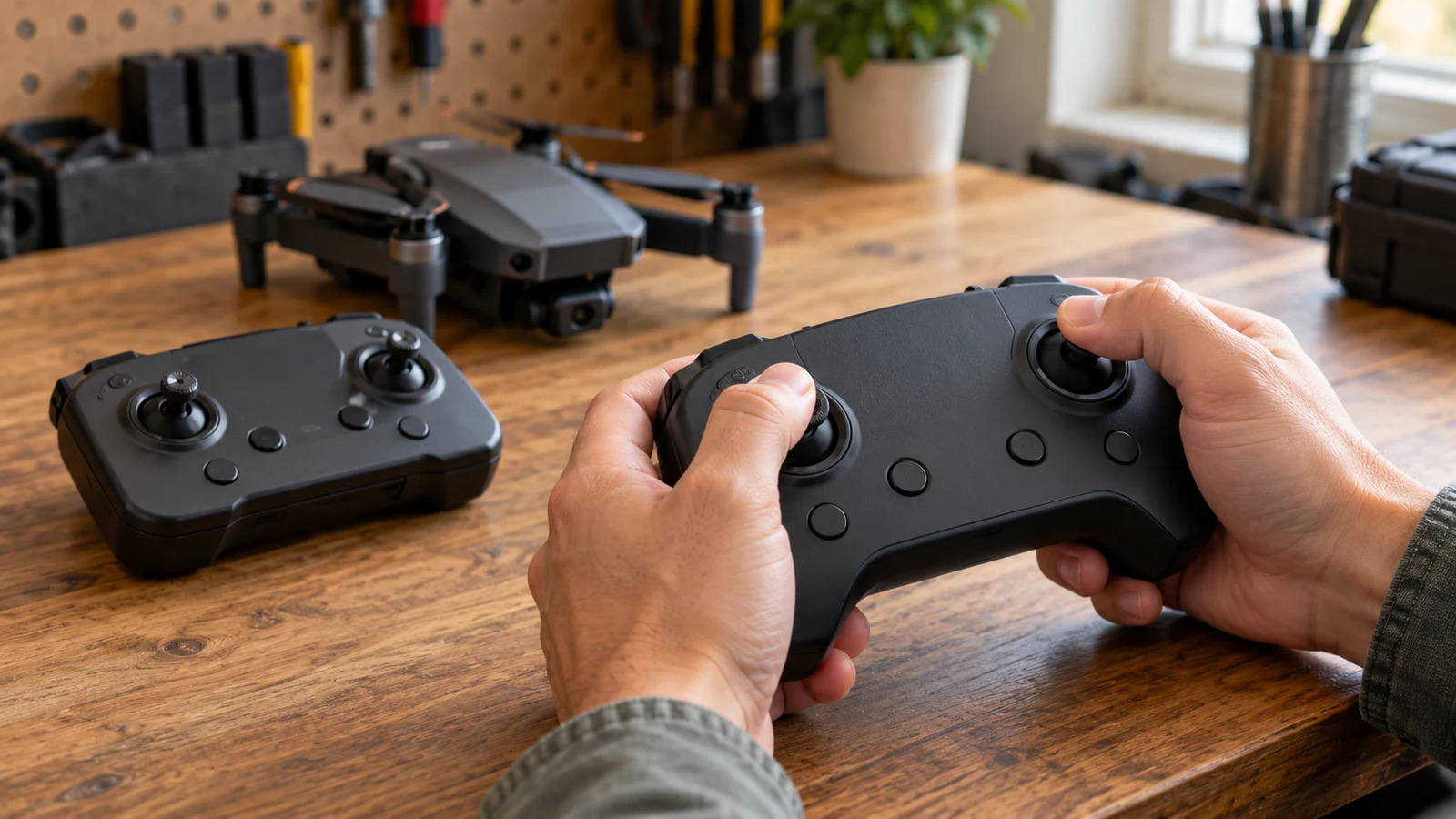
The Snaptain P40 Lite description names one-touch shooting modes and three return-to-home options. The G-SKYLINE L600 PRO description explicitly identifies controller-adjustable camera tilt, app-drawn waypoint flight and GPS-assisted return functions. Those details answer different parts of a controller comparison. Before choosing, establish which actions you expect to perform yourself, which actions you want automated, and how you would regain manual control.
Neither description provides a complete button map or operating procedure. This comparison separates the functions each listing names from the controls that still need clarification. It does not establish how either drone performs in flight. A useful purchase decision should rest on whether the documented controls cover your intended operation, with unanswered interface questions kept visible.
G-SKYLINE Drone Alternative: Camera Commands And GPS Functions
Start with a simple distinction: moving the camera, directing the aircraft and triggering an automatic sequence are separate actions. A description can document one without explaining the others. When reading the Snaptain P40 Lite listing, the named shooting functions are Point of Interest, Rocket Fly, QuickShots and Intelligent Side-Flying Follow Mode. The description says these have one-touch activation, but it does not map each function to a particular remote button or app control.
The same description lists a three-axis gimbal. That is a stated stabilization feature; it does not establish the camera's user-adjustable tilt range or identify a wheel for changing it. If adjusting the camera angle from the remote is essential, ask for the relevant control diagram and operating instructions. Do not fill that gap using the gimbal specification.
For a G-SKYLINE drone alternative, the L600 PRO description is more explicit about this particular action: its front camera has controller-adjustable 90° tilt. It also lists a bottom camera. The description does not explain how the pilot switches between camera views, whether that switch uses the remote or app, or whether switching is available during recording. Those are useful questions if your planned operation depends on either camera.
The L600 PRO also names gesture photo and video controls within 1-3m, Follow Me tracking, app-drawn waypoint flight and Fixed Point Surround. Each establishes a listed function, not a complete operating sequence. Gesture control, for example, does not explain the location of a conventional recording button. App-drawn waypoints do not establish which route settings the pilot can edit.
The return functions deserve their own comparison. SNAPTAIN lists One-Key RTH, Low Battery RTH and Lost Signal RTH. G-SKYLINE describes GPS-assisted positioning and automatic return when the battery is low or the signal is weak. The wording differs: a weak-signal trigger and a lost-signal trigger should remain separate in your notes. Neither description supplies a threshold or a detailed explanation of what the pilot sees when return begins.
If a user-initiated return command matters to you, SNAPTAIN explicitly names one. The G-SKYLINE description does not explicitly identify an equivalent button-operated return command. That omission does not prove the function is absent. It means the description alone cannot settle that part of the comparison, so the model's instructions should supply the answer before you rely on it.
G-SKYLINE Drone Alternative: What The Pilot Can Interrupt
A mode name is only the beginning of an interface check. For either model, ask how to stop an automated movement and what happens immediately afterward. Does the pilot press the same control again, use a separate cancellation command, or move a stick? The supplied descriptions do not answer these questions, and no particular cancellation behavior should be assumed.
Consider a hypothetical buyer who wants to start a programmed movement, stop it early and adjust the camera angle. That buyer needs instructions covering the transition between automation and manual input. A feature list might support the first action while leaving the next two unclear. Write the actions in the order you expect to perform them, then seek a manual section that addresses the whole sequence.
Return-to-home introduces a similar set of questions. Check how the home position is established, whether any return settings require attention before departure, and how the interface reports a return in progress. Also ask which interventions are available during each return mode. These are questions for the exact model documentation, not claims that either drone provides adjustable settings or an override.
G-SKYLINE lists 360° laser obstacle avoidance. Its description does not explain how that feature interacts with waypoint flight, tracking or automatic return. Keep those relationships unresolved until the instructions clarify them. A named avoidance feature should not be treated as proof that every automated mode can handle every obstruction.
Plan Distant Subject Photography Without Losing Context: Separate Control From Capture
The Snaptain P40 Lite description specifies video at 3840 x 2160p at 30FPS and 1920 x 1080p at 60FPS. It also lists a 48MP sensor and 8000 x 6000p photographs. Those are capture specifications. They do not tell you how quickly a recording command responds, which exposure adjustments are available, or whether camera settings can be changed during a particular automated mode.
G-SKYLINE's front camera is described as an ESC 4K camera, with 3840 x 2160p photos and 1920 x 1080p video. Its bottom camera is listed for 1280 x 720P photos and video. Preserve those distinctions when comparing the products. The front camera's 4K wording does not establish 4K video recording when the stated video resolution is 1920 x 1080p.
For controller evaluation, ask how the interface identifies the selected capture mode. You may want to know whether a recording indicator remains visible while you operate a flight feature, where the selected camera is shown, and how a failed recording command is reported. Neither supplied description documents these interface details. They are more useful to investigate than assuming a larger image specification means clearer controls.
The descriptions also use different language for stabilization. SNAPTAIN names a three-axis gimbal. G-SKYLINE names anti-shake ESC PTZ and separately describes a four-axis gimbal supporting steady flight. These statements do not establish equivalent mechanisms. If stabilization design influences your choice, request a model-specific explanation rather than ranking the products by the number of axes alone.
Transmission deserves the same care. SNAPTAIN advertises a maximum control and video-link range of 20000ft, also given as 6000 meters. G-SKYLINE separates its stated 600-800 metre live-feed distance from a maximum flight and remote-control distance of 3000 metres without interference or obstruction. For the latter, the longer control-distance figure is not the stated live-video distance.
These are listing claims, not measured results from this comparison or recommended flight distances. They also leave interface questions unanswered. Ask what information remains available if the live picture drops, how link problems are indicated, and which documented return behavior applies. Keep the connection specification separate from the procedure you would follow when the connection changes.
The related guide, Plan distant subject photography without losing context, addresses the photography-planning side of the decision. For this controller comparison, keep your attention on whether you can identify and operate the necessary commands. A photographic intention and a documented control sequence are separate pieces of preparation.
G-SKYLINE Drone Alternative: Match The Controls To The Exact Bundle
A remote's battery specification says little about its layout. SNAPTAIN lists a 3.7V 3900mAh controller battery; G-SKYLINE lists a built-in 3.7V 350mAh remote battery. Neither supplied description gives a controller runtime. Do not convert those capacities into operating hours or assume that the controller will last through a stated number of aircraft battery changes.
SNAPTAIN names the Snaptain GO app for Apple and Android. That establishes the app identified in the description, but it does not establish compatibility with your exact phone, operating-system version or connector arrangement. Check the current requirements and the connection instructions for the remote supplied with your chosen bundle. General platform support leaves those details open.
G-SKYLINE describes app functions, including waypoint drawing and one-click sharing, without naming the app in the supplied description. Ask for the correct app identity and its installation requirements for this L600 PRO model. Do not infer an app from a similarly named drone or treat the listing's 5G live-feed wording as a complete explanation of the phone connection.
The SNAPTAIN package description includes one remote controller, one aircraft battery, a storage bag and charging cables, along with spare components and a manual. G-SKYLINE describes two aircraft batteries and a carrying bag. Confirm the exact selected package before purchasing, especially if a product page presents multiple options. Accessories described for one model should not be transferred to the other in your comparison.
The advertised flight times also use different package assumptions. SNAPTAIN states up to 31 minutes with its listed battery. G-SKYLINE states up to 28 minutes per battery and up to 56 minutes combined across two batteries. The combined figure does not describe one uninterrupted flight. These claims do not determine controller runtime, and they should not decide an interface comparison by themselves.
A useful pre-purchase request is a clear control diagram for the exact remote. Ask it to identify the camera commands, any return command and the controls used to enter or leave the modes you intend to use. Where an action requires the app, request the corresponding screen instructions. This keeps the inquiry focused on the unresolved controls rather than inviting a repetition of the product's headline specifications.
SNAPTAIN also lists Beginner Mode and interactive training games. Their names establish that they are advertised, but the description does not explain their limits or which controls they teach. If these features influence your decision, check their documented scope. They should not be assumed to demonstrate every flight mode, camera adjustment or return behavior discussed here.
Plan Distant Subject Photography Without Losing Context: Complete The Purchase Checks
Your shortlist can now be specific. The Snaptain P40 Lite has explicit description support for its named one-touch shooting modes and three return options. The L600 PRO has explicit support for controller-adjustable front-camera tilt and app-drawn waypoint flight. Choose which documented functions matter to your intended operation, then keep any missing control instructions as unresolved purchase questions.
Before ordering, compare the selected model and bundle with the description you used. Check the current price and availability, along with any app installation or connection requirements that affect your setup. If a seller supplies clarification, make sure it refers to that exact model and remote. A response about a different bundle does not settle the interface questions for yours.
Read the current checkout terms and total before committing. If you choose a crypto payment option, check the currency and network actually presented, the requested amount, any fee treatment and the meaning of any displayed deadline. Nothing in the drone specifications establishes payment conditions, return eligibility or refund timing. Keep those transaction questions separate from the equipment comparison.
Return to the two product descriptions with your intended command sequence in hand. Locate the evidence for starting each action, changing it and ending it. If remote camera tilt is your deciding requirement, G-SKYLINE documents that action explicitly. If the named return options and shooting modes are your priority, SNAPTAIN documents those. For any essential action still unexplained, obtain the relevant model instructions before making the purchase depend on it.