Crypto Commerce
Use screen direction planning for a clear video sequence
A person walks toward a table, puts an object down, and stays there. In the room, the route is simple. Across three camera views, that same walk could appear to reverse halfway through. Screen direction planning lets you notice the problem before recording: draw the route on a floor sketch, mark each proposed viewpoint, and predict which way the person will travel across each frame. The sketch describes movement in the room; the frame notes describe what a viewer might see. Keep those two descriptions separate. For screen direction planning , verify each step.
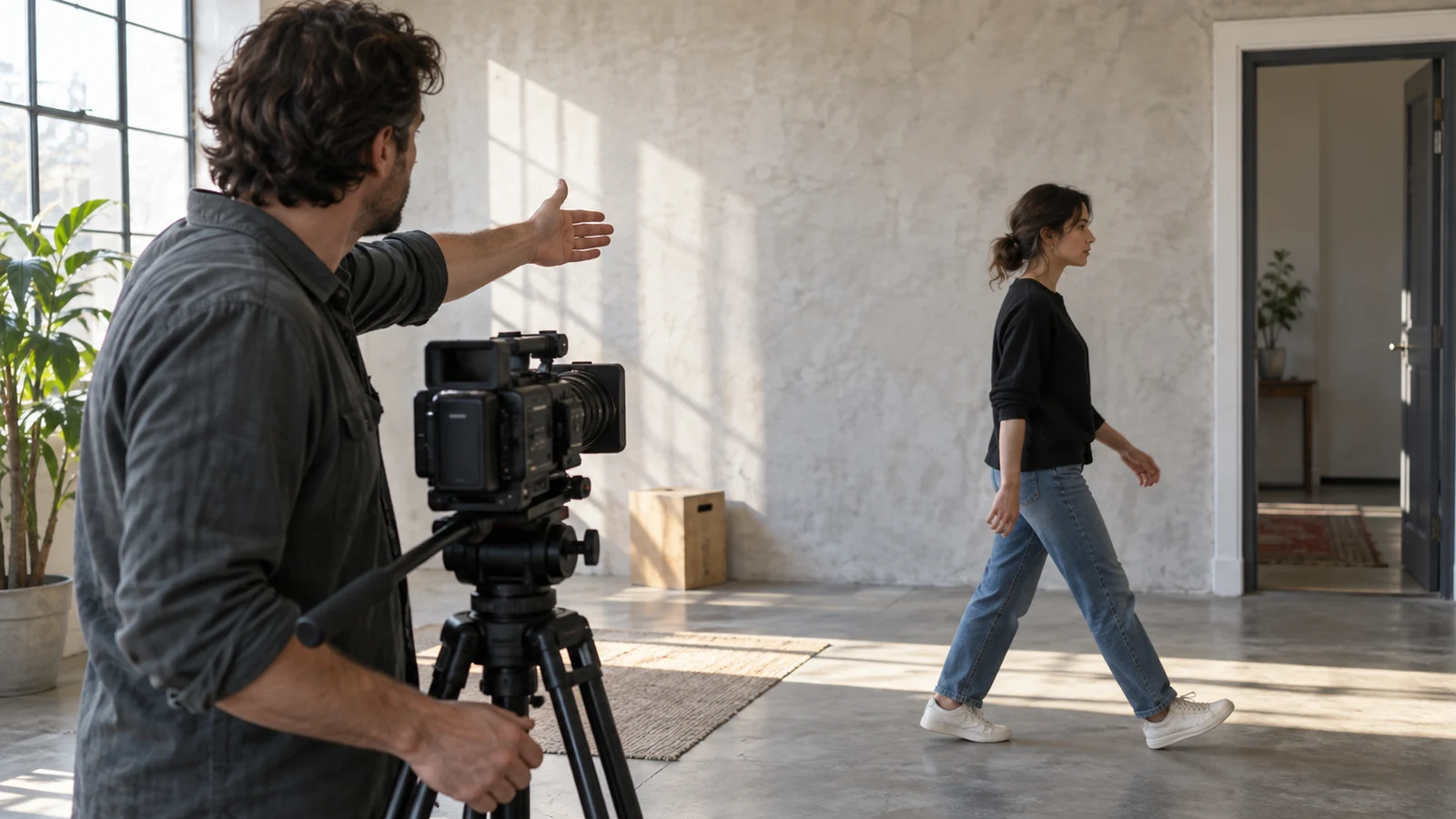
A person walks toward a table, puts an object down, and stays there. In the room, the route is simple. Across three camera views, that same walk could appear to reverse halfway through. Screen direction planning lets you notice the problem before recording: draw the route on a floor sketch, mark each proposed viewpoint, and predict which way the person will travel across each frame. The sketch describes movement in the room; the frame notes describe what a viewer might see. Keep those two descriptions separate. For screen direction planning, verify each step.
For this exercise, imagine a doorway on the west side of a room and a table to the east. A person enters through the doorway carrying a small object, walks directly toward the table, and places the object on its surface. Nothing else about the demonstration needs to be decided yet. The practical question is whether a cut between views makes the continuing walk legible. The scene is fictional, so its positions are choices for the exercise, not directions for a particular room or a promise about footage.
Product Demo Video Planning: Draw The Route Before Describing The Frames
Start with a rectangle for the room as seen from above. Label the doorway W and the table E, then draw one arrow from the doorway to the near edge of the table. The arrow points east throughout the action, including the portion immediately before the object is set down. Put a small mark where the person begins, another where they pass the middle of the room, and a final one beside the table. These marks make it possible to compare adjacent views at the same part of one journey without inventing a change of destination.
Now mark a proposed camera position S along the south side of the path. Point its viewing arrow north, across the route. From that viewpoint, east lies toward the right side of the image, so the person's planned travel runs from screen left toward screen right. Write “physical route: west to east” beside the floor arrow and “predicted image travel: left to right” beside S. The first note stays fixed if you move the camera. The second must be reconsidered every time the viewpoint changes.
Place another proposed position N on the north side, aimed south across the same path. For someone looking south, east lies toward the left side of the image. A person still walking east toward the same table may therefore move right to left in that view. The room sketch has not changed. Only the viewing side has. On the drawing, label S and N plainly instead of relying on the apparent direction of the drawn arrows; an overhead arrow cannot tell you by itself which side of a recorded frame the subject will enter.
Product Demo Video Planning: Check Three Adjacent Views
Give the sequence three planned frames. Frame A is a wide view from S showing the doorway, a stretch of walking space, and the table. The person enters at image left and travels toward image right. Frame B, also from the south side, is a closer view of the middle portion of the walk. The person continues toward image right, and enough of the route remains visible to tell that the table is still ahead. Frame C is a proposed view from N of the approach and placement at the table. If it includes the last steps, those steps could travel toward image left.
Read A to B before judging B to C. In the first cut, the person can continue in the same apparent direction if both planned compositions actually place the route as predicted. The tighter view changes how much of the room is shown, but it need not imply a turn. In the next cut, the apparent direction changes. If C begins while the person is still taking a step, a viewer could read the motion as a reversal, especially when the doorway and table are absent from that frame. The hand placing the object does not, on its own, explain where the person walked.
Write the transition as two short statements: “B ends with eastward travel appearing rightward” and “C begins with eastward travel appearing leftward.” This is a useful diagnosis because it identifies the proposed camera crossing, rather than blaming the person for changing course. It also exposes an unresolved detail: perhaps C begins only after the person has stopped, in which case the apparent reversal may be less noticeable. The plan should say where the cut falls in the movement, not pretend that a camera position alone determines what viewers understand.
There is a boundary between this direction question and product demo video planning. The related guide concerns how views explain the demonstrated task. Here, the object and its use are deliberately left unspecified. A viewer needs to follow the walk before the demonstration starts; deciding which parts of the object's operation need explanation is a separate piece of work. Keep the placement as an endpoint on the route sketch, without turning this exercise into instructions for using the object.
Product Demo Video Planning: Repair The Confusing Cut
One revision is to move the planned position for C back to the south side of the travel path. The camera can face the approach from a different distance or angle while staying on that side. On paper, the final steps then have a chance to continue toward image right. Update the predicted screen direction beside C and redraw its rough frame boundaries. Check whether the person and table still fit together at the moment of placement. Moving a camera to preserve apparent direction is unhelpful if it hides the destination that makes the movement understandable.
A second revision keeps N but gives the change of viewpoint room to register. Try a wider C that includes recognizable portions of both the doorway side and the table while the person approaches. The image may still show leftward travel, yet the visible layout could help the viewer understand that the route remains west to east. This is a candidate composition, not a guaranteed cure. If the wide view cannot show the spatial relationship clearly, leave the shot on the sketch as unresolved and consider the same-side version instead.
Either revision needs a quick walk-through at the actual location. Stand at each proposed position while someone follows the drawn path. Notice which edge of the frame they enter, whether the table is ahead of them in the image, and what is visible just before and after the proposed cut. If no camera is available for this check, a hand-drawn rectangle representing each frame can still reveal a possible reversal. It cannot establish precisely how the recorded images will read. Record the discrepancy between prediction and rehearsal on the plan before relying on the sequence.
A crossing of the path is not automatically wrong. It changes the image relationship that an adjacent cut asks the viewer to understand. The choice depends on how much of the route and destination each frame supplies, and on whether the subject is walking during the cut. For this short sequence, the least demanding repair may be to keep the final camera on the south side. If the north-side view matters for another reason, the wider orientation view deserves a rehearsal rather than an assumption that the viewer will infer the geography.
Canon G7 X Mark II Camera Bundle: Keep The Viewpoint Plan Separate From The Equipment
A recording option does not settle the direction of a planned cut. The listed White Sony ZV-1 II is one compact camera context for screen direction planning. The separately listed Canon G7 X Mark II camera bundle is another recording option. The two listings give a shopper places to examine products, not a reason to use two cameras for this exercise. Either choice leaves the human decisions about the path, camera side, frame boundaries, and cut point to the person making the sequence.
Compare a potential camera with the scene you have sketched rather than assuming the floor plan proves technical suitability. At the intended location, can you compose the doorway, the approach, and the table in the wide view you proposed? Can the closer view retain enough of the route to show where the person is going? Those are framing questions to check in the actual space. The descriptions of these products do not establish that either one preserves screen direction automatically, or that recordings made with both will match. This plan makes no claim about untested controls or recording conditions.
If you are considering a purchase, read the chosen product listing for the details that matter to your use, and confirm any checkout options there when you are ready. A payment method, including a cryptocurrency option, should be treated as available only if it is actually offered during that checkout. None of the path arrows depends on how the equipment is purchased. Avoid letting a product decision obscure the simpler test: whether the viewer can place the person and table on the same route across the cut.
Product Demo Video Planning: Annotate The Before-And-After Sequence
Finish the sketch with a compact before-and-after note that another person could rehearse. In the original plan, write: “A, south-side wide view, west-to-east walk appears left to right; B, south-side middle view, walk still appears left to right; C, north-side approach view, last steps may appear right to left.” Circle the B-to-C cut. The circle marks a predicted ambiguity, not a failed recording. This wording also shows exactly which part of the action matters: the walking steps before placement, rather than the stationary moment at the table.
For the same-side revision, write: “C revised, south-side view of final steps and table, predicted left-to-right travel.” Add a question beneath it: “Does the table stay recognizable when the person enters?” For the wider-view alternative, write: “C alternative, north-side view includes doorway side and table; predicted right-to-left travel, with the route visible for orientation.” Add another question: “Can a viewer tell that this is a viewpoint change while the person keeps heading to the table?” The alternatives solve different framing problems, so keep both until the walk-through gives you a reason to choose.
Mark the intended cut points directly on the path arrow. A ends after entry, B covers the continuing walk, and C begins near the table. If the person stops before C begins, note that as a different cut rather than quietly treating the walking version and the stopped version as interchangeable. The placement itself can remain a simple endpoint marker. This keeps the document focused on apparent travel between adjacent shots and gives the person rehearsing it a clear way to report whether the proposed frame order matches the movement.
Use the annotated sketch during a rehearsal: follow the person from doorway to table, compare each predicted screen direction with the view you can actually frame, and revise the positions or cut points that make the route hard to read. Keep the physical west-to-east arrow unchanged unless the action itself changes. The final choice is the sequence that makes the continued approach understandable in the space where it will be recorded. If neither proposed C makes that clear, draw a new C and test it before recording the full sequence.