Crypto Commerce
Reolink RLC-823A refurbished PTZ camera or Amcrest IP4M-1068EW-AI for a yard
Compare Reolink RLC-823A refurbished PTZ camera by optical zoom, continuous coverage, PoE power, tracking, night detail, recording, and refurbished condition.
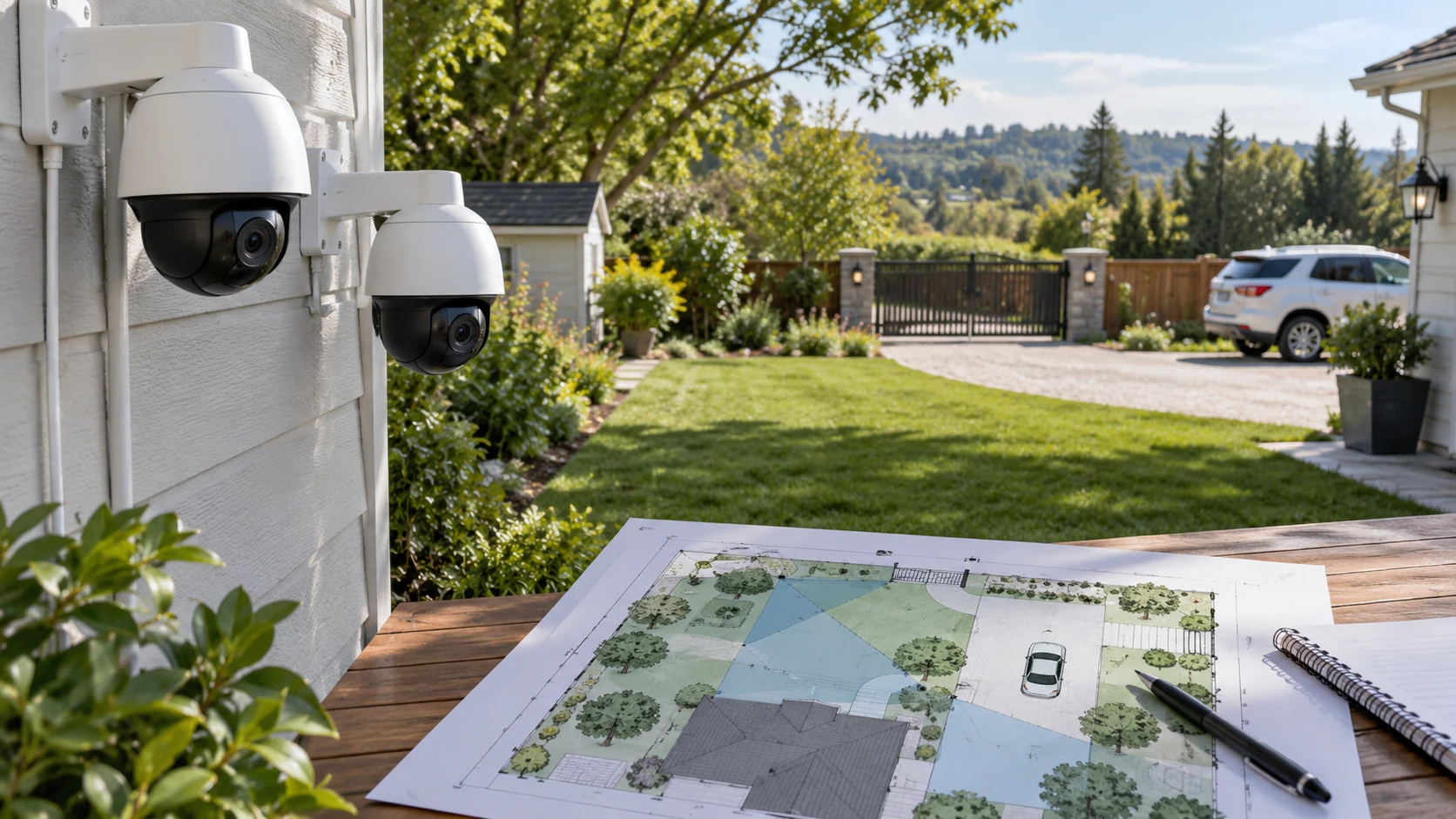
The Reolink RLC-823A refurbished PTZ camera is listed with 8MP recording, five-times optical zoom, automatic tracking, and PoE power. A published guide on PTZ and fixed-camera coverage planning uses different equipment to raise the practical question: where must the camera look while something else is happening? The Amcrest IP4M-1068EW-AI PTZ camera lists 4MP recording, 25-times optical zoom, tracking, and PoE+ power. Each can move, but neither can point in every direction at once. Start with a coverage map before comparing the headline numbers.
Draw the yard, entrances, and any distant point where a person or vehicle may stop. Mark nearby lights, network-cable routes, and spaces that should not be recorded. Identify the view that must stay continuous, such as a gate, and the view where a close look would be useful, such as a distant driveway. A moving camera can follow activity but may leave its original view. The plan may call for a fixed camera at one entrance and a PTZ for inspection elsewhere. Neither saved listing proves that one motorized unit will replace every fixed view.
Choose the zoom task before the camera — Amcrest IP4M-1068EW-AI PTZ camera
Reolink's saved row lists a 2.7 to 13.5 mm lens with five-times optical zoom. Its stated horizontal field of view changes from 105 to 31 degrees as the lens zooms; the vertical view changes from 55 to 17 degrees. A wide setting can cover more of a yard, while the narrower end concentrates the available pixels on a smaller area. Check what a face, plate, or package would look like at the actual distance before promising an identification result. The row gives optics and resolution, not a verified recognition distance for your lighting and angle.
Amcrest lists 25-times optical zoom and 16-times digital zoom with a 60-degree viewing-angle claim. The saved row does not describe a matched wide-to-tele field-of-view range, so it cannot tell you how much of the yard remains visible at every zoom position. Optical zoom changes the image formed by the lens; digital enlargement does not recover detail that was never recorded. If the target is distant, request sample footage at the relevant distance and at both daytime and night conditions. A large zoom ratio has little value if the camera cannot aim steadily at the subject or loses the entrance you needed to watch.
Reolink's 8MP label represents more recorded pixels than Amcrest's 4MP label, but sensor resolution alone does not settle usable detail. Lens position, compression, movement, lighting, and the number of pixels left on the subject all matter. Amcrest's longer stated optical zoom may serve a distant point even with a lower nominal recording resolution. Reolink's wider listed starting angle may be easier for surveying an open area. Test the view with site distances and the actual target size instead of ranking these products by a single specification.
Plan movement and its blind moments — PTZ and fixed-camera coverage planning
Reolink lists a full 360-degree pan range and a tilt range from 0 to 90 degrees. It also claims 64 preset points, a patrol visiting up to 16, automatic tracking, and a return to a guard point. Those settings could support a routine that surveys several places and returns to the primary entrance. They also create periods when the entrance is outside the frame. Decide which view can tolerate that gap. Ask whether the desired patrol and tracking behavior can coexist in the current firmware and how quickly the camera returns to its guard point after a tracked subject leaves.
Amcrest lists continuous 360-degree pan and 90-degree tilt. Its row names human auto tracking, face detection, human and vehicle detection, and rules for tripwire, intrusion, abandoned objects, and missing objects. It says these analytics work without an AI NVR. That could reduce dependence on a particular recorder for alerts, but it does not establish the accuracy of detection at your site. Set zones to avoid a moving tree, public sidewalk, or neighbor's property. Review night and rain footage after installation and adjust sensitivity using real false alerts.
A PTZ operator also needs a plan for what happens when someone manually turns the lens. Does it return to a guard position, stay on the last view, or resume a patrol? Reolink names a return-to-guard feature; the Amcrest excerpt does not state one. Obtain current documentation before assuming the same behavior. If no one will watch live video, automatic tracking and preset behavior become more important than a responsive joystick. If a person will monitor the yard, verify that the app and local interface can control the camera from the intended workstation.
Confirm the night scene and mounting point — Amcrest IP4M-1068EW-AI PTZ camera
Reolink lists infrared vision up to 60 meters, also described as 190 feet, plus three spotlights for full-color night video. Amcrest lists Starlight CMOS and infrared LEDs with a claimed reach up to 328 feet in very low light. These are Republeq's product specifications, not comparable field tests. A bright wall, rain, insects near the lens, and an unlit subject at the edge of a yard can all change the recorded image. Ask for a night sample from a distance and angle close to your installation. Mounting height matters too: a camera placed far above a doorway may see a head and shoulders but little face detail.
Both rows state an IP66 weather-resistance rating. That does not remove the need to follow the specified mounting method, weather-seal cable connections, and keep water out of the network junction. Select a structure that can support the camera and allow service access. Confirm the bracket, mounting hardware, cable gland, and any junction box needed for the exact purchase. The saved rows do not provide a complete parts inventory. A camera that arrives without the needed mount can delay installation even when its optical specifications fit the yard.
Think about privacy at the chosen angle. A motorized lens can sweep toward neighboring windows or a public walkway if its limits are set broadly. Use the current software's privacy masks, zones, and position limits where available, and check local rules for recording or audio. Reolink and Amcrest both list microphone-related or alert features, but the site owner must decide whether audio capture is appropriate. Verify the actual field of view after mounting, because a plan drawn on paper can miss an adjacent property.
A trial period should include more than a bright afternoon. Walk the paths a delivery person, resident, or vehicle would actually take, and record what each camera does. Check whether tracking begins soon enough, whether the subject stays in frame, and whether the lens returns to the intended default view. Repeat after dark and during ordinary outdoor motion, such as moving branches. Keep the clips needed to judge the result, then adjust zones and preset positions. If an entrance disappears from view during a patrol, decide whether a second fixed camera is needed for that point.
Match power, network, and recording — Amcrest IP4M-1068EW-AI PTZ camera
Reolink's row gives two power options: 802.3at active PoE at 48 volts, with the source not included, or a 12-volt DC input rated at 2 amps. Amcrest requires an 802.3at PoE+ injector or switch, also not included. Check the exact equipment and cable run before ordering. A network port that supplies a lower PoE class may not power a motorized camera reliably. Keep outdoor cable connections protected as the installation manual requires. If power comes from an injector near the recorder, confirm that the cable path and network configuration are practical from there.
Reolink lists recording to a Reolink NVR, FTP server, or microSD card up to 256GB. Amcrest lists a computer, microSD card up to 512GB, NAS, or Amcrest Cloud. Capacity limits are compatibility claims, not retention promises. Retention depends on resolution, frame rate, compression, motion settings, and how much of the day is recorded. Estimate the storage need for your schedule and decide who can retrieve footage after an incident. During setup, test a short recording and export so you know how to retrieve footage from the intended device.
Both rows mention H.265 video. Confirm that the recorder and viewing software can handle the chosen stream format and settings. Reolink names its app and client for remote control; Amcrest names the Amcrest View app and HTTPS or SSL network communications. Ask about current firmware, account requirements, and local network access for the delivered units. Plan a strong device password and a maintenance routine for updates. The listing's protocol names do not prove that every recorder or home router will interoperate without configuration.
Account for restored condition and support — Amcrest IP4M-1068EW-AI PTZ camera
The Reolink product is labeled restored or refurbished in the saved row. Confirm who performed the refurbishment, the condition grade, included mount and power accessories, return window, and warranty for this exact offer. Ask whether firmware and weather seals were checked. A restored unit can be a useful choice, but its listing should be evaluated as the specific unit being sold. Amcrest's row states a one-year U.S. warranty and lifetime support; verify the current Republeq's catalog and warranty terms before relying on that wording. The two offers may differ in support path even if both cameras meet the coverage plan.
Bring the comparison back to the map. Reolink gives documented wide-to-tele angles, guard-point behavior, and 8MP recording; Amcrest offers a much longer claimed optical zoom and detailed on-camera analytics. Choose a test location, confirm the power equipment, and ask for sample footage at the distance that matters. Check the restored Reolink offer carefully if considering it. After installation, inspect live and recorded day and night footage, including the moments when tracking turns the camera away from its default view.