Crypto Commerce
RCA J32CE1220 healthcare TV or J65PS1440 for a managed room
Compare RCA J32CE1220 healthcare TV by Pro:Idiom, IR control, channel mapping, USB cloning, volume limits, room size, and deployment checks.
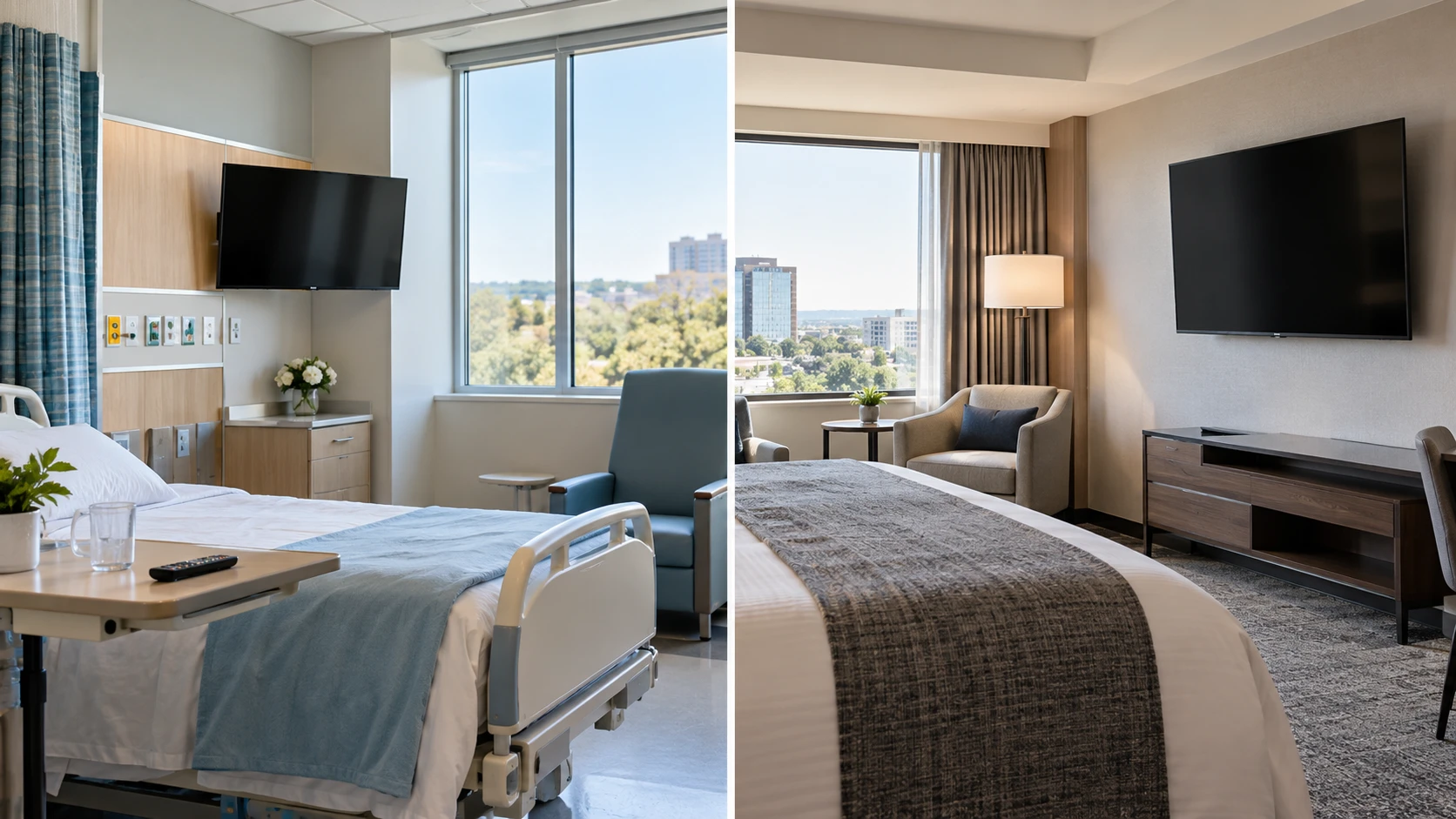
The RCA J32CE1220 healthcare TV is a 32-inch CE Series set described for healthcare and hospital settings. It has a direct-lit 1080p panel, Pro:Idiom content protection, IR-Passthrough, and built-in audio named for patient-room use. RCA's J65PS1440 belongs to a larger, hotel-focused PS Series. Its saved listing names a 65-inch 4K panel plus channel mapping, volume limiting, lockdown controls, and USB cloning. The two products answer different room and management questions even though both use hospitality-oriented features.
The published guide to hotel versus home TV planning compares a different RCA model with a consumer television. It helps frame why a managed-room set should be evaluated for configuration and content delivery as well as picture size. For these two RCA models, list the exact signal source, control system, room layout, and person responsible for support. A product page naming Pro:Idiom does not establish that the facility's existing headend, channels, or licenses will work without testing.
The RCA J65PS1440 hotel TV is described for hotels and hospitality spaces. Its Channel Mapping feature can tailor channel lineups, and USB Cloning is listed for transferring configurations among multiple sets. The saved row does not give the cloning procedure, configuration file format, or supported management system. A pilot room and model-specific installation manual should come before a bulk purchase; a fleet rollout can multiply a small setup error across many rooms.
Start with the viewer and the room — hotel versus home TV planning
J32CE1220's 32-inch screen is a plausible size for a patient room where the viewing point and available wall space may be constrained. That is a placement implication, not a statement that every patient bed is the same distance away. Measure the occupied viewing positions, furniture, mount location, and route for power and signal. The saved listing gives the screen size but not the cabinet dimensions, weight, VESA pattern, or permitted mount hardware. Those numbers are necessary before ordering a wall arm or fitting the set into an existing enclosure.
J65PS1440's 65-inch screen may suit a larger hotel room or shared area where several viewers sit farther away. Its row lists a Swivel Base Plate for positioning. It does not specify the base's range, tabletop dimensions, or whether the plate will be used in a wall-mounted installation. Test sightlines from the bed, desk, and seating area, then confirm the table or wall structure can support the exact unit and hardware. A large diagonal does not fix glare from a window or a mount placed above comfortable viewing height.
The J32CE1220 has full HD 1920-by-1080 resolution, while J65PS1440 lists 4K UHD 3840-by-2160. Both rows name HDR and direct-lit LED backlighting. The resolution difference is concrete; its visible benefit depends on content and distance. A facility distributing mostly lower-resolution channels should test those channels on both screens instead of assuming that every picture becomes more detailed on a 4K panel. The saved rows provide no matched brightness, contrast, or color measurements for deciding which looks better under room lighting.
Patient rooms and hotel rooms also have different interruptions. A nurse, visitor, or caregiver may need to see a control quickly in a crowded patient space. Hotel staff may need many rooms to start on the same channel and volume. Write down those use cases before comparing feature names. If a guest cannot find the expected channel or a patient cannot adjust sound as intended, a sharper picture will not solve the everyday problem.
Treat Pro:Idiom as a system requirement — RCA J65PS1440 hotel TV
Both product descriptions state integrated Pro:Idiom content protection. That is a relevant signal for a facility distributing protected entertainment, but the saved listings do not specify the headend, authorization steps, or permitted content package. Confirm compatibility with the existing operator and distribution equipment for the exact model number. Ask the content provider and integrator to identify the channels that require protection and the procedure for provisioning the set.
A useful acceptance test uses the facility's real feed, not a retail demo loop. In a pilot room, tune a protected channel, change channels, turn the set off and back on, and verify that it returns to the expected state. Check any room-specific welcome screen or source selection if the deployment requires one. Neither listing promises those functions, so they should be treated as contract questions for the installation team. Record the firmware and configuration used in the pilot so later rooms can be compared with it.
Content protection also should not be confused with guest-account or privacy features. The listings do not name casting, app sign-out, browser restrictions, or personal-account reset behavior. If a property needs those, request the exact feature documentation or a compatible external system. A management plan should describe what happens when a guest leaves or a patient changes rooms; a Pro:Idiom label alone answers none of those account questions.
Match the control method to staff work — RCA J65PS1440 hotel TV
J32CE1220 lists IR-Passthrough to support remote-control operation. The source does not explain which remote or external control devices can use it, or how it interacts with a facility's patient-room system. Confirm the remote model, receiver placement, control codes, and any nurse-call or pillow-speaker integration with the facility's qualified integrator. Do not infer a medical-system connection from a television feature name. Test volume, power, source, and channel commands from the positions where patients and staff will actually use them.
J65PS1440 lists Channel Mapping, a Volume Limiter, and Lockdown controls. These can help a hotel present a consistent channel lineup and stop unwanted setting changes, according to the saved description. The listing does not define the lockable settings or the limit range. Ask to see the configuration menu and written administrator procedure. Set an actual pilot-room limit, leave the room, and confirm the behavior after power is cycled. Staff should know how to reverse a bad setting without visiting a hidden menu by trial and error.
The J65PS1440's USB Cloning claim is especially relevant when a property has dozens of rooms. Prepare one approved configuration, test the copy on a second set of the same model, and compare channel order, volume limits, input behavior, and power-on state. The saved row does not say settings can be cloned across different RCA series, so do not assume a J65PS1440 USB file configures a J32CE1220. Keep a change log for the master file and the room numbers updated from it.
J32CE1220's saved description does not name USB cloning, channel mapping, volume limiting, or lockdown. That absence is not proof that none exists in the full model manual. It does mean those capabilities should not be included in a procurement checklist as confirmed features from this source. Ask RCA for the exact CE Series configuration and service documentation if centralized rollout is planned across patient rooms.
Check audio and physical integration — RCA J65PS1440 hotel TV
The J32CE1220 row calls its built-in sound Premium Audio for patient rooms and hospitality spaces. It supplies no output wattage, measured intelligibility, headphone-jack detail, or bedside-speaker connection. For a hospital deployment, test speech at the actual listening position and at a level allowed by the room's noise policy. Ask the facility team how audio must route if a patient uses headphones or a pillow speaker. The J65PS1440 excerpt does not describe its speakers or external-audio connections, so those need a model-specific check as well.
Count the signal and control connections before mounting either set. The saved rows do not provide HDMI count, antenna connections, Ethernet, serial control, or Wi-Fi details. Write down every device that will attach: facility feed, set-top box, guest input, control system, and any audio output. Compare that list with the manufacturer's port diagram. Leave access for service where cables enter the cabinet; a thin wall gap can make a simple swap slow and expensive.
Power and mounting should be reviewed for the actual room, especially near hospital beds, wet areas, or furniture guests can move. Use the model installation instructions and the facility's electrical and mounting requirements. The J65PS1440's listed Swivel Base Plate could solve a seating-angle problem only if the furniture and security plan permit a tabletop base. In a patient room, the mount may need a different reach or tamper-resistant arrangement. The saved descriptions do not certify any specific arm, lock, or enclosure.
Run a small deployment test first — RCA J65PS1440 hotel TV
For J32CE1220, pilot the real patient-room feed and remote path. Verify protected channels, usable sound, power recovery, and physical access for staff. Record how a replacement set would be configured if the first fails. The 32-inch CE listing gives the room role and a few key features, but not a complete integration design. A successful trial depends on the facility's other systems and the exact delivered firmware.
For J65PS1440, pilot the hotel channel lineup and the steps staff will repeat. Clone the approved configuration onto another unit, check that the volume limit and lockdown persist, and inspect the set from each usual seat. Confirm that USB Cloning and the chosen source equipment work together after a power interruption. A bulk order should follow a repeatable procedure, not a screenshot of a menu that happened to work once.
Choose J32CE1220 when the healthcare-oriented room role, compact size, IR-Passthrough, and patient-room audio are the concrete needs. Choose J65PS1440 when a larger 4K hotel screen and the listed channel, volume, lockdown, and cloning tools match the property workflow. In either case, obtain dimensions, port maps, control documentation, and Pro:Idiom compatibility evidence for the exact model before treating the saved listing as an installation plan.