Troubleshooting & Repairs
Pasta dough sticking to rollers: locate the stage
Locate sticking at the smooth rollers or cutter, compare Imperia and Deluxe 178 instructions, and keep each pasta-maker offer’s identity and tools clear.
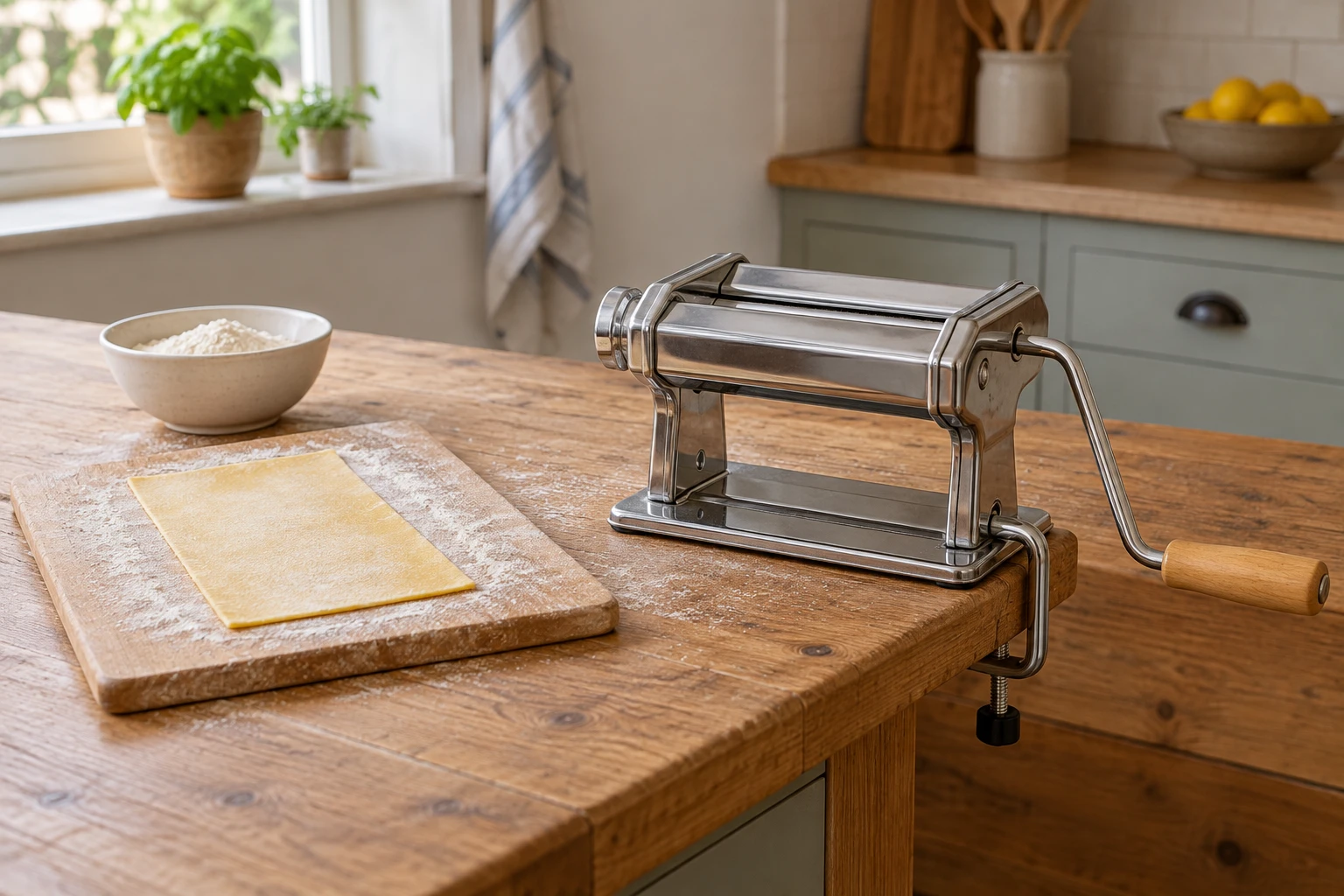
Pasta dough sticking to rollers is a useful observation, but it leaves a second question: did the sheet cling while it was being rolled, or did the strands remain joined after cutting? Locate that point before changing the dough or blaming the machine. The smooth rollers form a sheet; a cutter attachment does a different job.
The manual machines discussed here provide a practical way to separate those stages. Imperia's instructions describe flouring, gradual rolling and a pause before cutting. CucinaPro's Deluxe 178 manual gives its own rolling sequence. Use the instructions belonging to the equipment in your kitchen, and stop if the symptom calls for a repair beyond those directions.
Locate the sticking before making another sheet
Describe what you can see in ordinary terms. Perhaps the rectangle adheres to a smooth roller as it enters. Perhaps the sheet passes through normally, but comes out of a cutter with neighbouring strands still attached. Dough remaining inside a cutter after the session is a third observation. These descriptions point to the relevant part of the manual while leaving the cause open.
Keep the piece of dough, the rolling stage and the selected attachment in your account. A statement such as “the sheet rolled through, then clung at the narrow cutter” gives customer support more to work with than “the pasta maker failed.” Include whether you had already followed that machine's preparation and rest directions. If you cannot remember a detail, leave it unknown.
Separate the existing batch from a future purchase decision. Another machine's product page can explain an alternative, but it cannot tell you why your own dough behaved that way. Start with the label and supplied instructions on your equipment. This guide considers manual crank operation; adding a motor changes the operating arrangement and requires the applicable directions.
The Imperia gift set names several different tools
The Imperia La Fabbrica della Pasta gift set describes an IPASTA machine and accessories. Its account identifies manual operation, a crank handle, a table support, a wooden rolling pin, a synthetic-bristle cleaning brush and a non-slip base. Keep that inventory beside the box contents when deciding which component you are actually using.
The IPASTA description states a sheet width of 150 mm and six thickness settings. It names 6.5 mm fettuccine and 2 mm tagliolini. Separately, its DUPLEX description names 12 mm lasagnette and 2 mm spaghetti. Those are the offer's stated names and widths; they are not evidence that each named shape has a separate supplied cutter. Ask for clarification if the physical attachment inventory matters to your order.
The same account describes a Raviolamp mold for twenty-four square ravioli, each stated as 34 by 34 mm. It also mentions MilleGnocchi. A mold, a roller and a cutter do not provide interchangeable evidence about a sticking sheet. Identify the actual tool at the point where the problem appears, instead of treating the gift-set name as one mechanism.
Read the SCS Direct and CucinaPro identity together
The other deluxe pasta-maker holiday-set offer uses SCS Direct as its brand and VD-43551KC as its model identity. Its description calls the goods a CucinaPro Deluxe five-piece set. It lists a hand crank, countertop clamp, cleaning brush and three attachments, with lasagnette, fettuccine, angel hair, spaghetti and ravioli among the stated shapes.
Preserve both names when checking the offer. The CucinaPro instruction site supplies a manual labelled Deluxe 178, whose final page carries SCS Direct's copyright. That establishes a documented connection between the names. It does not, by itself, prove that every component supplied under the merchant's VD-43551KC identity is identical to the manual's illustrated equipment. Confirm the applicable instructions before using a numbered setting.
The selected account describes a chrome-coated steel machine that rolls dough and has adjustable thickness. Its size field says “Angel Hair, Ravioli,” which describes pasta forms rather than giving the appliance's footprint. If your worktop or storage space is limited, obtain actual dimensions. Neither that field nor a photograph establishes the clearance needed for your own clamp and crank.
Three attachments and five named pasta forms are different counts. Before ordering, ask which supplied component produces the shape you want and whether any extra tool is required. For an existing set, check the physical parts against its supplied inventory rather than assuming a missing cutter from the number of shape names. A photograph of the attachment and its marking can make that question specific. The same distinction applies when asking for replacement instructions: identify the component you have, as well as the name printed on the set's box.
Sticky pasta sheets in the Imperia rolling sequence
Imperia's manual begins rolling at the widest gap. It describes folding and flouring the sheet between passes, with roughly six to eight initial passes. For dough that is too sticky, it calls for a light sprinkle of flour. The subsequent gap reductions proceed one notch at a time. These are connected parts of the manual's method, not independent shortcuts to apply to any pasta appliance.
For sticky pasta sheets, compare the point you observed with the stage the instructions describe. A sheet entering the widest rollers is at the beginning of the rolling sequence. A sheet waiting beside a cutter is at a different stage, with its preparation still worth checking. Write down which stage you reached before changing your description of the problem; otherwise a later attempt can become difficult to compare with the first.
Imperia also tells the user to divide a sheet that becomes too long to handle. Apply that instruction to managing the sheet length; leave an unexplained mechanical symptom for support to assess. Judge the success of the next permitted preparation step by what happens to the sheet. Continued clinging, unusual resistance or an unexplained mechanical problem belongs in a support enquiry, with the machine identity and observed stage attached.
Keep the Deluxe 178 settings with that manual
The CucinaPro Deluxe 178 directions label the widest opening as 7. They describe a roughly rectangular dough piece, a little flour on dough and rollers, then flouring and folding as rolling continues. A strip that seems too moist receives further flouring, folding and passes. The knob then moves down to the next position for further rolling.
This is why a number alone makes a poor troubleshooting note. “Setting 7” has meaning in the Deluxe 178 instructions; it has no established meaning on an unidentified machine. If the instructions supplied with your purchase use another scale or sequence, retain theirs. Confirming the starting point is more useful than borrowing the highest or lowest number from a different model.
CucinaPro's manual then describes resting the sheet before cutting and moving the crank to the chosen cutter's drive hole. Keep those stages in their documented order. The guide's comparison gives you questions to check against your own instructions. It does not establish that attachments, control numbers or operating details can be exchanged between the two selected offers.
Pasta cutter strands sticking together need a separate account
For pasta cutter strands sticking together, Imperia's English instructions include a ten-minute rest for the sheet before the chosen cut and a light flouring before it enters the cutter. Their stated reason for waiting is to avoid cutting dough that is too soft. This is the relevant part of that manual when the sheet rolled successfully but clung during cutting.
Keep a result separate from an explanation. Joined strands are visible; damaged cutting parts require evidence you may not have. Record which attachment was used and whether the prescribed sheet preparation had been completed. If the supplied instructions do not cover what happened, ask the manufacturer or seller to assess that account before attempting to adjust a cutter.
Care instructions differ from a repair procedure
Imperia specifies cleaning with a dry cloth or soft brush and prohibits washing its machine with water or detergent. CucinaPro's Deluxe 178 care section also specifies dry care and prohibits putting the machine body in liquid or a dishwasher. It expressly rules out using a knife on the machine. Keep cleaning within the applicable instructions; this guide gives no disassembly or internal adjustment method.
A photo for support can show the equipment label and the relevant attachment while the machine is stationary. Explain whether you are asking about dough preparation, residue after use or a mechanism that will not behave as described. Those requests call for different answers. Obtain directions that identify your model before trying a remedy whose applicability is uncertain.
Use a recipe and an equipment inventory for different questions
The related bread recipe and machine-program guide discusses checking a recipe against the equipment's documented method. Its bread-maker programs do not apply to these manual rollers. It offers a way to frame your question: establish the intended process, then describe where the result departed from it.
The holiday cookie-shape planning guide examines how a set's stated shapes relate to what someone plans to make. That can help frame a separate pasta-accessory decision: identify the desired result and the tools actually supplied. A larger shape list does not resolve a sticking problem on the machine you already own.
Resolve the equipment question before arranging payment
Before paying for a pasta-making set with USDT, finish identifying the machine, attachment contents and instructions you expect to receive. Keep the offer title alongside the manufacturer's name and the merchant's model identifier, particularly where the SCS Direct description also names CucinaPro. A payment confirmation cannot answer whether a particular cutter is included or which manual applies. At republeq.com, consult the current payment information and the checkout presented for your order; verify the cryptocurrency and network actually supported there rather than choosing them from a wallet's available balances. Read the destination address and any quoted amount from that checkout. The wallet's proposed transfer should correspond to those details before you authorize it. Do not substitute another network simply because it carries a token with the same name. If the order instructions and wallet display leave a mismatch unresolved, seek clarification through the merchant's published support channel. Preserve the order reference and transaction reference after payment, and keep them distinct from a shipping confirmation. Your records should show what was ordered and what transfer was made without suggesting that one proves the other has completed. Cryptocurrency purchase terms on the merchant's published policy exclude refunds, with exchanges dependent on the stated eligibility conditions and availability. Read those provisions before committing funds, especially if the tool inventory or model identity remains unclear. A manufacturer's separate warranty should also be read on its own terms; its wording does not replace the merchant's payment policy. Check delivery information for your destination and any order-specific requirements during checkout. Once the goods arrive, compare their label, supplied parts and instructions with the order you retained before beginning the preparation process described for that equipment.