Product Compatibility & Accessories
Monitor arm compatibility: match screen, bracket and desk
Check monitor arm compatibility across screen weight, VESA pattern, desk attachment and movement space before choosing a support for your workstation.
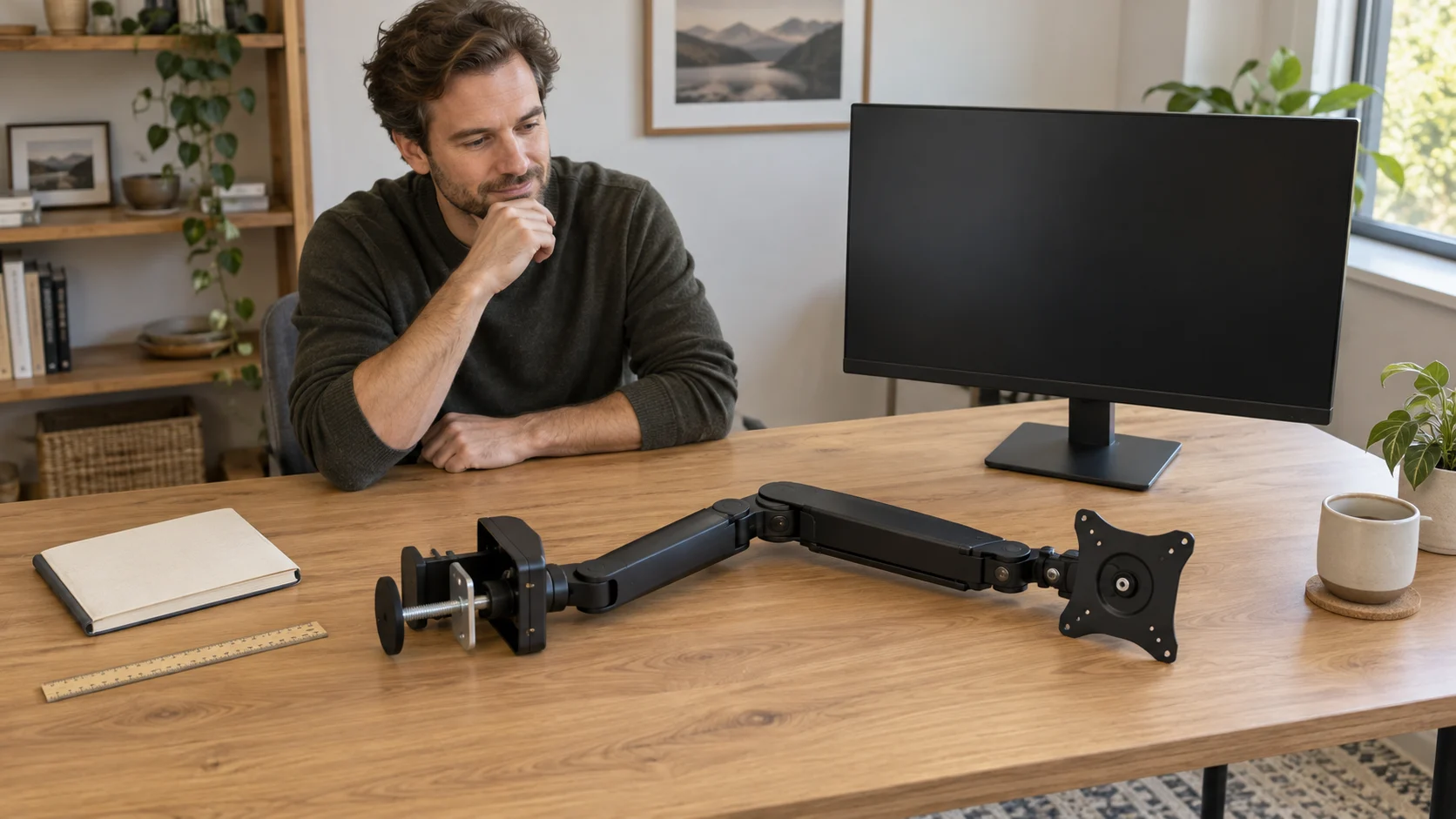
A wide display can dominate the search for a new arm, especially when the existing stand takes up the space needed for a keyboard or notebook. Yet screen size is only one part of monitor arm compatibility. The arm has to match the display's mounting arrangement and supported load, attach appropriately to the actual desk, and leave enough room for the position you want. A large size limit printed beside a product name does not answer those other questions.
Start with the screen you intend to keep and the workspace you already have. Then evaluate a proposed arm against that combination. This avoids buying a support because it resembles the one in a desk photograph, or replacing a perfectly useful monitor merely because its stand is inconvenient. You should finish with a shortlist that fits the equipment you own, or a specific missing specification to resolve before purchase.
Screen weight and VESA mounting pattern answer different questions
The screen weight and VESA mounting pattern belong together on the first comparison. Weight describes the load the support must accommodate. The pattern describes the spacing of the mounting interface. A matching pattern cannot compensate for a load outside the arm's stated support, and a sufficient load limit cannot make an incompatible interface line up.
Use the exact screen model's documentation for the configuration being mounted. A weight that includes its original desk stand describes a different configuration from a screen supported by an arm. Do not substitute the shipping weight of the whole carton. Likewise, a retailer's diagonal size is not a weight measurement. Two displays with similar diagonals can require different support decisions, so copying an arm choice from another person's screen is a poor shortcut.
The VIVO single-arm ultrawide monitor mount supplies several separate criteria. Its description states support for screens up to 49 inches, a maximum of 44 pounds, and VESA patterns of 75 by 75 millimetres or 100 by 100 millimetres. Check all of these conditions together. The 49-inch claim does not erase the weight limit or introduce a third mounting pattern.
Imagine a hypothetical screen whose confirmed mounting configuration weighs 18 pounds and uses a 100 by 100 millimetre pattern. Those two facts fall within the VIVO figures just described. That is useful progress, but it is still only the screen-side comparison: the size condition, complete model-specific compatibility information and desk-side requirements remain. Conversely, a screen with a different documented mounting pattern has an unresolved interface even if its weight is comfortably below 44 pounds. Buying first and hoping the included hardware solves that mismatch reverses the decision.
Also distinguish a published pattern from the physical access around it. A screen's rear shape, connection locations and manufacturer mounting requirements can matter to the complete arrangement. Nothing in the two product descriptions here establishes every possible rear recess or fastener requirement. This guide therefore compares published compatibility information; it does not supply a mounting procedure or approval to adapt an interface.
Read an arm's stated purpose without inventing its missing limits
The white Alogic Glide Flex C32GMA1 is described as a single-monitor mounting arm designed for curved screen displays. That makes it relevant when the accessory search begins with one curved monitor. Its description says that the dedicated mounting solution helps clear desk space and create a neater workstation. These are the supplied purpose and benefit claims, rather than a complete compatibility specification.
The same description does not give a supported weight range, VESA pattern, screen-size range or desk-thickness range. In particular, the characters C32 in the model name do not establish a 32-inch limit. Look up the specifications for that complete model code. Nor does the phrase “curved displays” prove compatibility with every curved monitor.
Suppose an owner already knows the curved screen's mounting weight and pattern. The Alogic description still does not provide the corresponding figures needed to complete the comparison. The sensible buying decision at that point is to keep this candidate unconfirmed while obtaining the exact model's applicable specifications. Keep the candidate on the shortlist if you wish, but leave its fit undecided until those figures are available.
The difference between the two descriptions is useful in practice. VIVO permits a preliminary numerical screen-side comparison. Alogic establishes a curved-display, single-monitor purpose but leaves more matching information absent. Neither description alone proves that your complete workstation is suitable. Use the extra VIVO figures to compare your screen and desk; features unrelated to the layout you need can wait.
Desk attachment and arm clearance determine whether the plan fits
For desk attachment and arm clearance, look beyond the empty space directly behind the monitor. The support needs an appropriate attachment location, and the screen needs room in the position you intend to use. A narrow desk against a wall presents a different layout from a deep desk with open space behind it. A shelf above the screen or a nearby second display can further restrict the useful movement.
The VIVO description offers a C-clamp arrangement for surfaces up to 3.3 inches thick, or a grommet arrangement up to 3 inches. These are different stated limits for different attachment methods. Do not apply the clamp figure to the grommet route, or assume that either thickness claim approves every desktop material, edge shape or internal construction. The exact desk and applicable mounting requirements still determine whether the proposed arrangement is suitable.
For example, a hypothetical desk measurement of 3.2 inches is below the stated clamp maximum and above the stated grommet maximum. That comparison identifies which published thickness condition it meets; it does not grant installation approval. The desk could still present an incompatible edge, obstructed underside or unsuitable construction. Thickness is one dimension of the decision, not a complete structural assessment.
Evaluate the intended position before treating motion specifications as available space. VIVO lists tilt from positive 85 to negative 25 degrees, 180-degree swivel, 360-degree rotation and height adjustment along a centre pole. Those figures describe the advertised movements. They do not prove that a large screen can sweep through every position beside your wall, shelf or other equipment. No reach measurement is supplied in the description used here, so it cannot establish that a desired forward position is achievable.
Visualise the actual task. If you want the screen farther back to make room for a drawing pad, the back of the desk and the wall matter. If you want a portrait arrangement beside another monitor, the display's overall width and height, neighbouring equipment and available vertical space matter. A rotation claim does not establish clearance for that layout. Keep the proposed screen position and the attachment location in the same sketch instead of considering them as unrelated purchases.
Use monitor comparisons to find the missing side of the match
The MSI MAG 322URDF E16 monitor guide discusses a display described as VESA compatible while noting that the mounting pattern, weight and installation hardware are not supplied in the available listing. Its 31.5-inch viewable size cannot establish support on an existing arm. That is the screen-side version of the gap in the Alogic arm description: one half of a proposed pairing lacks the figures needed to compare it with the other.
The NEC EA241F-BK and Philips 499P9H desk-planning guide shows why a shared mounting pattern does not make two displays interchangeable on a support. Both are described with 100 by 100 millimetre VESA patterns, while the Philips discussion distinguishes its approximate weight without the stand from the weight with it and considers its wide footprint. The accessory question still needs the arm's load and space requirements. That guide does not establish compatibility between either monitor and either arm discussed here.
These examples help you decide what to research next. If the monitor's pattern is missing, another photograph of the arm will not fill that gap. If the monitor's figures are known but the arm's range is absent, a larger screen-size label on a different listing does not resolve the shortlisted model. Research the missing pattern, load range or reach measurement before comparing additional features.
Work through two buying decisions before choosing an accessory
Consider a household keeping one conventional monitor on a crowded writing desk. Its owner wants more usable space in front of the screen, rather than dramatic repositioning. First identify the monitor's applicable mounting weight, pattern and size. Then compare the arm's published requirements and the desk's appropriate attachment options. If those comparisons remain compatible, examine whether the desired resting position actually clears the writing area. An accessory that moves the stand footprint but leaves the screen too far forward may miss the original purpose.
A second household has a wide curved display beside a tall shelf. Here, selecting a candidate merely because it says “curved” would leave important work unfinished. The owner needs the actual screen's load and interface figures, the candidate arm's corresponding support, and a layout that keeps the screen clear of the shelf. The sparse Alogic description is relevant to the initial search but cannot complete it. VIVO's larger numerical claims likewise cannot answer an unspecified reach requirement or certify this desk.
In both cases, make the purchase decision at the level of the whole proposed arrangement. A candidate can remain on the shortlist while one missing requirement is resolved. A documented mismatch deserves a different candidate or a revised workspace plan. An unsupported hope that a bundled part or an adjustment will fix the gap is not evidence of monitor arm compatibility.
Buying context when a checkout offers crypto
A monitor arm is an accessory that must suit equipment and furniture you may already own, so the method of paying should come after the compatibility decision. If republeq.com offers crypto at the actual checkout for your chosen order, and USDT is among the options shown there, consider that option only after the screen, arm and desk information supports the purchase. Do not infer current availability from this article or from the presence of an arm in the catalogue. Check the exact order's description, included items, delivery terms and return conditions while they are visible for that transaction. A curved-display purpose, an attractive white finish or a large advertised screen limit does not resolve a missing weight range or an unsuitable desk attachment. Those gaps remain the same whether a buyer considers crypto or another payment method. For a household replacing a stand to gain writing space, the meaningful comparison includes the accessory actually needed and any unresolved requirements that could prevent its use. Paying in USDT does not add mounting hardware to a parcel, prove that a desktop is appropriate, or confirm that a screen can reach the desired position. It also does not establish a discount, faster delivery or a particular refund arrangement. Keep the checkout's actual terms available for your decision and avoid treating a payment choice as a reason to rush an incomplete pairing. If the required compatibility information is still missing, defer the accessory decision until that information is clear. Once the proposed workstation makes sense and the current order is understood, an available payment option can be considered on its own terms without changing the physical requirements of the purchase.
Finish with a supported workstation plan
A useful shortlist separates confirmed matches from open questions. The screen side needs its applicable load, mounting interface and size. The arm side needs corresponding support and suitable attachment requirements. The workspace needs room for the actual intended position. VIVO supplies several explicit figures for the first comparison; the Alogic curved-screen description leaves key matching specifications unprovided. Preserve that difference when deciding what evidence you still need.
Once these parts agree, return to the original reason for buying: more writing room, a different screen position or a tidier single-monitor arrangement. Monitor arm compatibility is useful because it connects that purpose to a supportable choice. If your existing stand already leaves the space and position you need, keeping it is also a reasonable outcome.
Conceptual scene for monitor arm compatibility, with a complete generic arm laid separately from a monitor on its original stand; no exact model or installed pairing is depicted.