Crypto Commerce
Minuteman EN750G UPS and Tripp Lite BC600RNC for backup power
Compare Minuteman EN750G UPS by protected load, outlets, waveform, mounting, cloud monitoring, battery service, and missing runtime evidence.
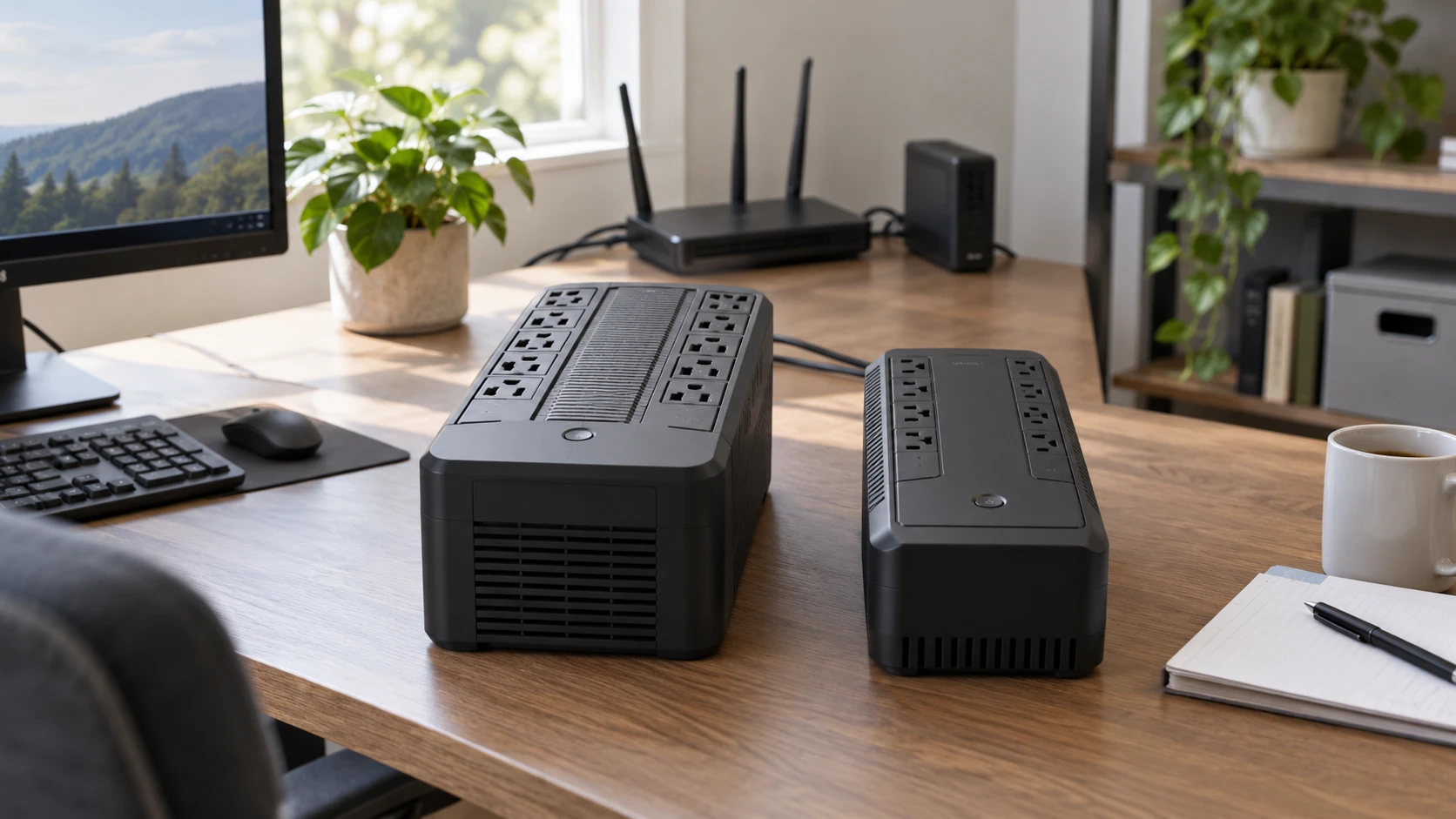
A UPS should be chosen for the equipment that must stay on during a brief power interruption. The Minuteman EN750G UPS listing states 750 VA and 450 watts of protected load, with five battery-backed outlets and five more surge-only outlets. The Tripp Lite BC600RNC listing gives a 300-watt protected-load figure and four outlets, plus cloud-based monitoring and remote-management features. Neither saved excerpt states how many minutes either unit will run your specific computer, router, or point-of-sale setup. Start with the devices and their actual power draw, then decide which monitoring features are useful.
These products also differ in how much they explain about maintenance. Minuteman describes a tool-less, replaceable battery and local alarms. Tripp Lite emphasizes remote alerts, outlet control, and a compact mountable form. The saved Tripp Lite excerpt does not give a replacement-battery procedure. A UPS is a consumable power system as well as a surge protector; its battery will eventually need inspection or replacement. Choose an installation that makes it possible to check the unit and respond when it signals a problem.
Count watts before outlets — Tripp Lite BC600RNC UPS
Minuteman gives both a 750 VA rating and a 450-watt limit. VA and watts describe related but different aspects of an electrical load. A device can exceed the UPS's watt limit even though its apparent-power number looks acceptable, or vice versa. Use the manufacturer's compatibility guidance and leave margin for startup or changing loads. The saved Tripp Lite description gives 300 watts but not a VA number, so do not infer its full rating from the model name alone. Obtain the exact technical sheet before comparing both limits.
Make a list of what must survive an outage. A desktop computer and monitor might need enough time for an orderly shutdown; a router and modem might be useful to keep connected briefly. A printer, space heater, coffee maker, or other high-draw appliance can overload a small UPS and is generally not part of an essential electronics load. Follow each maker's approved load list rather than plugging in everything nearby. Measure real consumption with an appropriate meter if nameplate figures leave too much uncertainty.
Minuteman's five battery-and-surge outlets can serve the critical devices. Its other five outlets are surge-only, so equipment there will turn off when mains power fails. Label them before attaching cords. The Tripp Lite saved description says all four outlets have surge protection and includes battery backup, but it does not clearly distinguish which of those four outlets are battery-backed. Check the outlet markings or current manual before mapping the four positions. Outlet count alone says nothing about protected capacity; all connected loads still share the unit's rating.
Physical plugs also matter. A large power brick can block a neighboring outlet, leaving fewer usable sockets than the count suggests. Check outlet spacing and plug orientation in a real photograph. Avoid daisy-chaining power strips or UPS units unless the maker explicitly permits the configuration. Keep the UPS connected as directed to a properly grounded outlet. An added extension can introduce a point of failure and may violate installation instructions. Make a simple diagram of each connected device and its outlet so shutdown behavior can be tested without guessing.
Runtime needs a load curve — battery rating versus backup runtime
Minuteman's 750 VA and 450 W rating tells you a load ceiling, not how long its battery will support a 100-watt or 300-watt setup. Tripp Lite's 300-watt rating has the same limitation. Battery age, temperature, the actual connected load, and the UPS's conversion efficiency affect operating time. The related guide on battery rating versus backup runtime explains why a battery-size label should not become a run-time promise. For these units, request model-specific runtime curves at loads near your measured total.
Decide what time you truly need. Keeping a computer on long enough to save work and shut down is a different goal from running a home network for an extended outage. If automatic shutdown matters, verify the UPS communication software, supported operating systems, and how the computer recognizes low battery. Minuteman mentions USB communications and self-diagnostics. Tripp Lite describes a USB-C port for direct command-line access and remotely initiated safe shutdowns. The saved excerpts do not establish that either supports every computer or virtualization host without additional configuration.
Test after installation with a safe procedure approved by the manufacturer. First save open work and verify the UPS reports normal battery condition. Then observe which connected devices remain powered during a controlled mains interruption and whether alarms and shutdown messages appear as expected. Do not attempt a disruptive test on production equipment without a fallback. Repeat a check after replacing the battery or changing connected devices. A product page cannot confirm that your actual outlet map, data cable, and shutdown settings work together.
Waveform and equipment compatibility — Tripp Lite BC600RNC UPS
Minuteman names a stepped-sine-wave output. Some connected equipment tolerates that waveform; some power supplies and devices may need a different output during battery operation. Its listing calls the design transformer-friendly, but that phrase does not establish compatibility with a specific active-power-factor-corrected computer supply, motor, or medical device. Check the equipment maker's input requirements and Minuteman's compatibility documentation. The Tripp Lite excerpt does not state its battery output waveform, so request that specification rather than assuming the two products match.
Both listings mention surge protection. Minuteman states a 1,000-joule surge energy rating, while Tripp Lite states 190 joules across four outlets. Those numbers come from Republeq's product descriptions and do not alone rank real-world protection. Surge testing standards, clamping behavior, connected wiring, and installation all matter. A UPS also cannot replace building-level electrical protection or a proper ground. Use the correct outlet and inspect the manuals for any restrictions on data lines, printers, or equipment with high inrush current.
Minuteman adds RJ11/45 surge protection in its saved description. That may matter for some data or telephone connections, but confirm the supported line type and bandwidth before routing a network cable through it. Tripp Lite's RJ45 port in the excerpt is an Ethernet connection for management, not necessarily a pass-through surge protector for a separate data line. Similar-looking sockets can have different roles. Follow the labeled ports on the actual unit and do not plug a cable into a jack based solely on its shape.
Monitoring locally or from elsewhere — Tripp Lite BC600RNC UPS
Minuteman describes an LED status display, audible and visual alarms, an alarm-silencer button, USB communication, and built-in self-tests. That is a clear local-maintenance path. Someone near the desk can see or hear a problem and replace the battery using the described tool-less design. Confirm which alarm indicates overload, low battery, or a failed self-test in the current manual. Silencing an alarm does not correct its cause, so record what it meant before dismissing it.
Tripp Lite emphasizes a cloud dashboard accessible from a browser or mobile app, with email or SMS alerts and remote outlet or shutdown control. It describes an RJ45 Ethernet connection, optional two-factor account protection, and NFC-assisted setup. Those features can help someone responsible for equipment in a kiosk or small remote office. They also depend on network access, account support, and the maker's service. During a local internet outage, cloud alerts may not reach you even though the UPS continues to support connected loads. Ask what monitoring and control remain available locally.
A remote command that turns off a protected outlet can disrupt equipment just as surely as a power failure. Confirm how the service authenticates users, logs commands, and prevents accidental shutdown. Use the account protections available and keep only necessary people authorized. The saved listing does not state a service fee, data retention term, or support horizon for the cloud dashboard. Obtain current terms if remote management is the reason to buy. Minuteman's saved excerpt does not advertise equivalent cloud control, so do not assume it has the same workflow.
Placement and battery service — Tripp Lite BC600RNC UPS
Minuteman calls the EN750G suitable for desktop, floor, or wall mounting and lists a five-foot cord with a right-angle NEMA 5-15P plug. It names a tool-less battery replacement design and a three-year electronics, two-year battery warranty. The saved excerpt does not give cabinet dimensions or a specific replacement-battery part number. Check both before mounting it where access is difficult. A wall location still needs a safe support, airflow, and room to reach the battery compartment.
Tripp Lite says the BC600RNC can sit on a desk or floor, mount to a wall, or attach to a monitor using supplied VESA 100 by 100 hardware. It also says it may be fastened to a shelf or beam with user-provided cable ties. Confirm the allowable orientation, weight, ventilation, and attachment method in the exact manual before mounting it behind a display. A UPS should be reachable for inspection and replacement, not hidden where a failed battery or disconnected power cord goes unnoticed. Its saved excerpt lists a five-foot power cord and mounting hardware but gives no battery-service detail or warranty term.
Batteries age even if the UPS rarely runs through an outage. Follow the maker's replacement and disposal instructions, and check whether a self-test under load is recommended. A hot location can shorten service life, while a cramped location can complicate cooling and maintenance. Do not treat a tool-less battery compartment as permission to open other parts of the UPS. If a model's replacement battery is unavailable or unusually costly, that will affect ownership more than a small difference in enclosure size.
Which one fits the job? — Tripp Lite BC600RNC UPS
Minuteman gives more stated protected watt capacity, more outlets, a described battery replacement route, and local monitoring. It is the clearer listing to investigate for a small group of devices whose measured load is above 300 watts but within the EN750G's ratings. Check the stepped-wave compatibility, current technical sheet, battery part, and runtime curve before buying. Tripp Lite's 300-watt limit suits a smaller stated load, while its cloud alerts and remote controls may justify the extra setup for equipment away from your desk.
The Tripp Lite BC600RNC UPS should be assessed as a power-and-management system, not as a guarantee that cloud service remains reachable in every outage. Confirm which outlets are battery-backed, the waveform, runtime at your load, service terms, and battery replacement procedure. With either unit, map the essential devices and test the shutdown path after installation. A UPS is useful when its protected load, runtime, and alert process are verified in the actual setup.