Office Supplies & Stationery
manual hole punch jam check: reduce the stack before forcing the handle
Check paper load, visible alignment and accessible waste collection when a manual three-hole punch resists, then try one plain sheet.
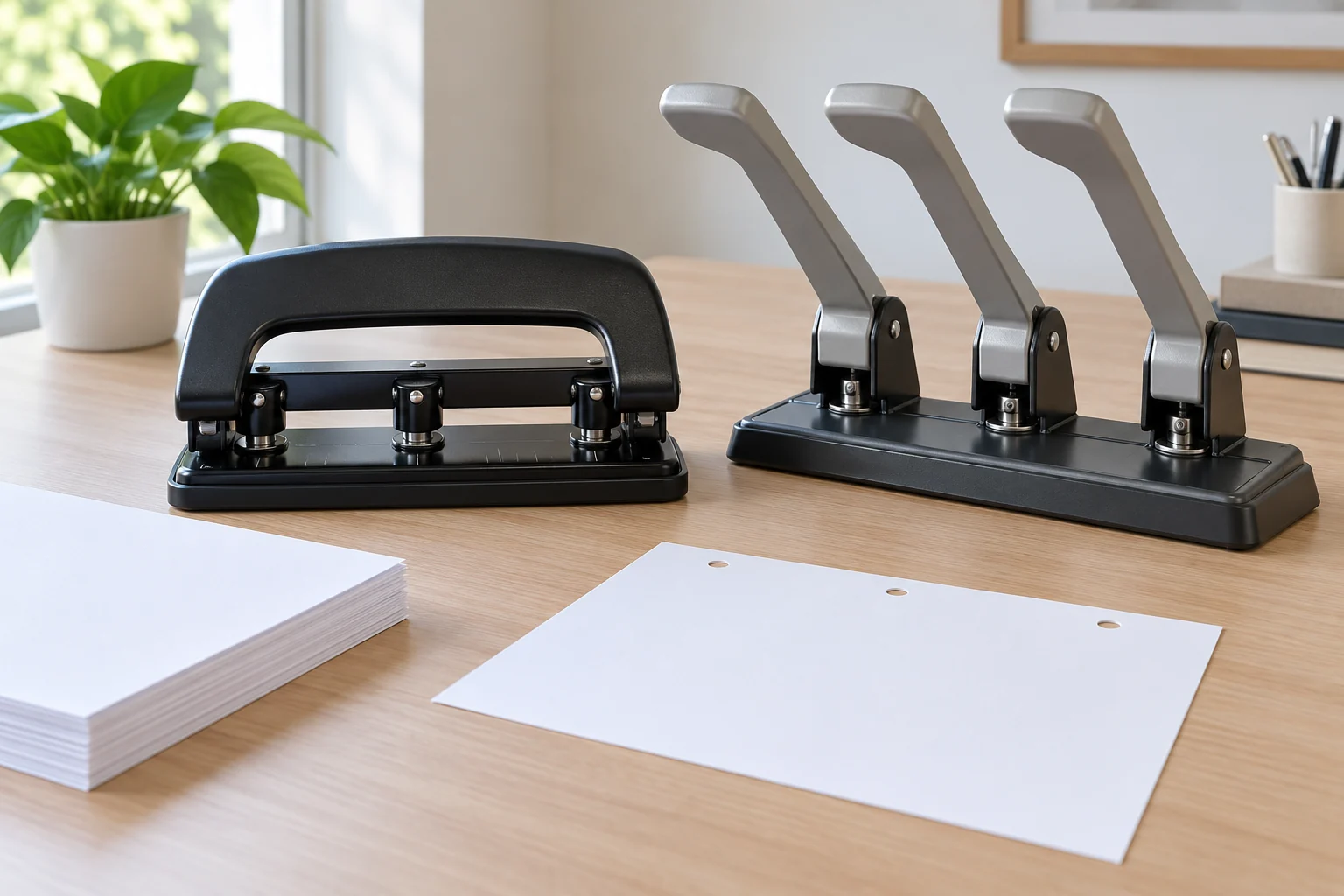
A manual punch that suddenly needs much more force is telling you to stop the run. The paper may be too thick, the stack may have shifted, or the tool may need attention. This manual hole punch jam check begins with the paper and visible settings. It does not ask you to force the handle or reach into the cutting heads. Two heavy-duty three-hole punch listings provide useful capacity and feature labels, but neither listing is a repair manual for the unit on your desk.
First, let the handle return to its resting position if it moves freely. Remove the paper only when it can be withdrawn without tearing or pushing farther into the punch. Keep hands away from the hole-making parts. If the handle will not return or paper is trapped, stop and consult the instructions for that exact model. The aim is to diagnose an ordinary loading problem without turning a resistance check into a mechanical repair attempt.
Compare the stack with the stated capacity
The JOYTECAGE heavy-duty paper punch is titled as a 30-sheet-capacity product. Its native description identifies a manual three-hole punch with adjustable hole spacing, a handle, a slip-resistant base and an integrated paper-debris tray. Those are seller statements about a product offering. The page does not prove that every kind of card, laminate or mixed stock can be punched in a 30-sheet stack, and the single gallery image cannot show how a particular unit behaves under load.
The YongCo heavy-duty three-hole punch listing states a 150-sheet capacity and describes an adjustable guide, extended handle and detachable tray. It names several materials in its intended use. Treat the capacity as the seller's stated figure, not a target to meet on every pass. The material, condition of the tool and the instructions supplied with the actual unit matter. A larger number on a listing does not tell you why a handle stopped halfway through your own stack.
Count the sheets you put in the punch before making another attempt. Include covers, dividers and any heavier insert in that count, then set aside unfamiliar material for a separate test. If the stack was near a stated limit, reduce it substantially and try a single ordinary sheet first. If one sheet passes with the usual motion, add a few more in small steps while staying within the instructions for the physical unit. Avoid treating a successful single trial as proof that the original thick stack is safe to repeat.
Paper thickness is not captured by sheet count alone. A stack of light office sheets, a cover sheet and a laminated divider can have different resistance even when the number of pages matches. The product descriptions mention possible uses, but neither page supplies independent force measurements for each stock. If you are preparing mixed documents, separate the materials and test them one kind at a time. Record the combination that caused resistance rather than labeling the entire punch “jammed” after one mixed batch.
Pay attention to the moment the resistance begins. If the paper stops before it reaches the cutting position, look for a crooked edge or an obstacle in the feed area. If the handle starts normally and then stalls, the stack may be too demanding or a cutting point may need inspection under the model's instructions. If the paper exits but the handle feels rough, do not keep cycling it to prove a problem. These observations help describe the symptom to support without guessing at an internal part.
Reset visible paper alignment
Take the paper out and square its edges on a flat surface. Loose pages can fan out when pushed into a punch, leaving one corner ahead of the rest. Reinsert a single test sheet against the visible guide, if the unit has one, and make sure it sits flat. Both native listings describe adjustable alignment features. Their pages do not supply a universal guide setting, so use the actual markings and instructions for the model you hold. Do not alter a guide while the handle is under pressure.
Check that the sheet is entering the intended slot rather than riding above a guide or folding against a stop. The gallery images show complete manual punches, but a photograph is not a substitute for a view into your own paper path. Good lighting helps you see whether the leading edge is straight. If the paper bunches or catches before punching, withdraw it and reset. Pushing harder can hide the alignment problem until several sheets are bent or torn.
Try one ordinary sheet with a clear margin where the holes should go. This separates feed alignment from the load of a thick stack. If the holes are clean and the handle moves as expected, put the finished sheet aside and test a modest batch. If the same resistance appears on a single plain sheet, stop. A capacity label does not authorize repeated forcing through an unexplained obstruction. Capture the model name and the point where the movement stalls before seeking the product's instructions or seller help.
A page that punches smoothly may still have holes in the wrong place. The separate hole punch page margin guide covers keeping printed content away from the cut area. Use it when the problem is page layout or a margin choice. This article stays with handle resistance and feeding. A stack can need both checks, but solving one does not prove the other. Test placement on a single sheet before committing a packet.
Look at the accessible waste area
The JOYTECAGE description says there is an integrated debris tray; the YongCo description says its tray is detachable. A tray full of paper circles is a visible condition worth checking after the tool is at rest. Empty only the accessible part in the way the unit's instructions describe. Hold the tray level over a bin so loose cuttings do not fall into the paper path or across finished pages. Do not pry open a casing or reach near cutting heads to search for hidden debris.
Do not assume the tray caused every stiff movement. The seller pages describe collection features, not a measured relationship between tray fill level and handle force. If you empty an accessible tray and the punch still resists on one ordinary sheet, the observation narrows the question. It does not prove the mechanism is safe to use. Stop the run and refer to the actual instructions. A short note saying “tray emptied, one sheet still resists” is more useful than repeated attempts that could damage paper or tool.
Put the tray back fully before a trial, following the model's directions. Keep the desk clear so a loose chad or a curled sheet is not trapped under the base. The paper punch chad cleanup guide treats ordinary waste collection as its main decision. Here, waste inspection is one small, visible troubleshooting step after resistance appears. If the tray design is unfamiliar, photograph or note its original position before moving it; do not invent a service procedure from another punch's photograph.
Observe whether the punch rests steadily on the work surface. The JOYTECAGE listing describes a slip-resistant base, while the YongCo image shows a broad base under its long lever. Neither statement certifies stability on your particular desk. Move loose objects away and place the tool on a firm, level surface before the single-sheet test. If it rocks or slides unexpectedly, stop and correct the setup. Additional force from an awkward angle can make a simple loading issue harder to diagnose.
Make one controlled trial
Once the paper path, visible guide, accessible tray and work surface are clear, use one plain sheet that matches the unit's ordinary paper instructions. Make one deliberate pass with the usual motion. Notice whether the sheet feeds straight, whether all expected holes appear and whether the handle returns normally. You are checking the next step, not trying to prove a published capacity figure. If anything still catches, do not keep cycling the mechanism.
When the single sheet works, increase the batch slowly. Keep early test batches small enough that you can identify which change brings resistance back. If you add a cover or other stock, test it separately first. Write down the last combination that moved freely and the first that did not. That record is more useful than “the punch sometimes jams,” because it names the load and material conditions. It also prevents the next person from starting with the original difficult stack.
Keep finished pages separate from test pages. A sheet used to diagnose the punch may have misplaced holes, a torn edge or an incomplete cut. Inspect it before filing it with the final packet. If it contains confidential information, follow your workplace's document-handling rules instead of leaving it on the desk. For routine office paper, a blank test sheet avoids putting a real document at risk while you check the mechanism. The two listings do not speak to document handling; this is part of a careful workflow.
A second person can help by observing the sheet and the guide from a safe position while one person operates the punch. Agree that the test stops as soon as either person sees folding or unusual movement. Do not have anyone hold paper near the cutting heads or push the handle for the operator. The point of an observer is to notice alignment or base movement, not to add force. If the handle only works when someone braces the tool unnaturally, the workstation or the tool needs further review.
Know when the check ends
Stop using the punch if a plain single sheet still catches, the handle will not return freely, the guide cannot be set without force, or a visible part appears loose. Do not disassemble a cutting head based on a general buying guide. Look for the manual or contact the seller or manufacturer for that exact model. Share the model name, paper type, stack size, where the sheet stopped and whether an accessible tray was emptied. Those details allow support to address the actual unit.
For a shared office station, put a short “do not use” note beside a punch that failed the single-sheet check. Move the waiting packet to another approved method rather than having each person repeat the difficult stroke. Keep the failed test sheet and your notes if support asks for them. A product page's intended-use list is not evidence that a damaged or misadjusted unit should continue in service. This is a practical stop rule, not a diagnosis of the internal fault.
If a later trial succeeds after reducing the stack, make that smaller batch the working limit for this job until you have checked the model's instructions. Do not translate the result into a new universal capacity claim. Other paper grades or a different operator may behave differently. Leave the successful batch size and material noted at the station so the next user knows what was actually tested. The seller's 30-sheet and 150-sheet figures remain listing claims, not measurements from your desk.
When shopping for a replacement, choose by the paper you routinely process and the amount of control you need over loading. Both native offerings are complete manual hole punches with stated adjustable guides and waste collection. One title cites 30 sheets; the other listing cites 150. Confirm the seller's actual unit, included instructions and intended paper before ordering. A higher stated capacity alone does not solve an unexplained jam. The useful comparison is whether the tool and its documented operating range fit your recurring packet.
Keep the troubleshooting note concise: what happened, what you removed, which visible settings you checked and the result of one safe trial. That lets you resume a batch with a known setup or hand the question to the model's support channel. If the single-sheet test remains difficult, leave the punch idle. A stopped run costs less time than repeatedly bending pages while the reason for the resistance remains unknown.