Crypto Commerce
MAMNV BR151 vacuum and mop vs Tesvor X500 Pro: robot cleaning around real room boundaries
Compare MAMNV BR151 vacuum and mop by app controls, navigation claims, mopping details, room boundaries, runtime, and saved price.
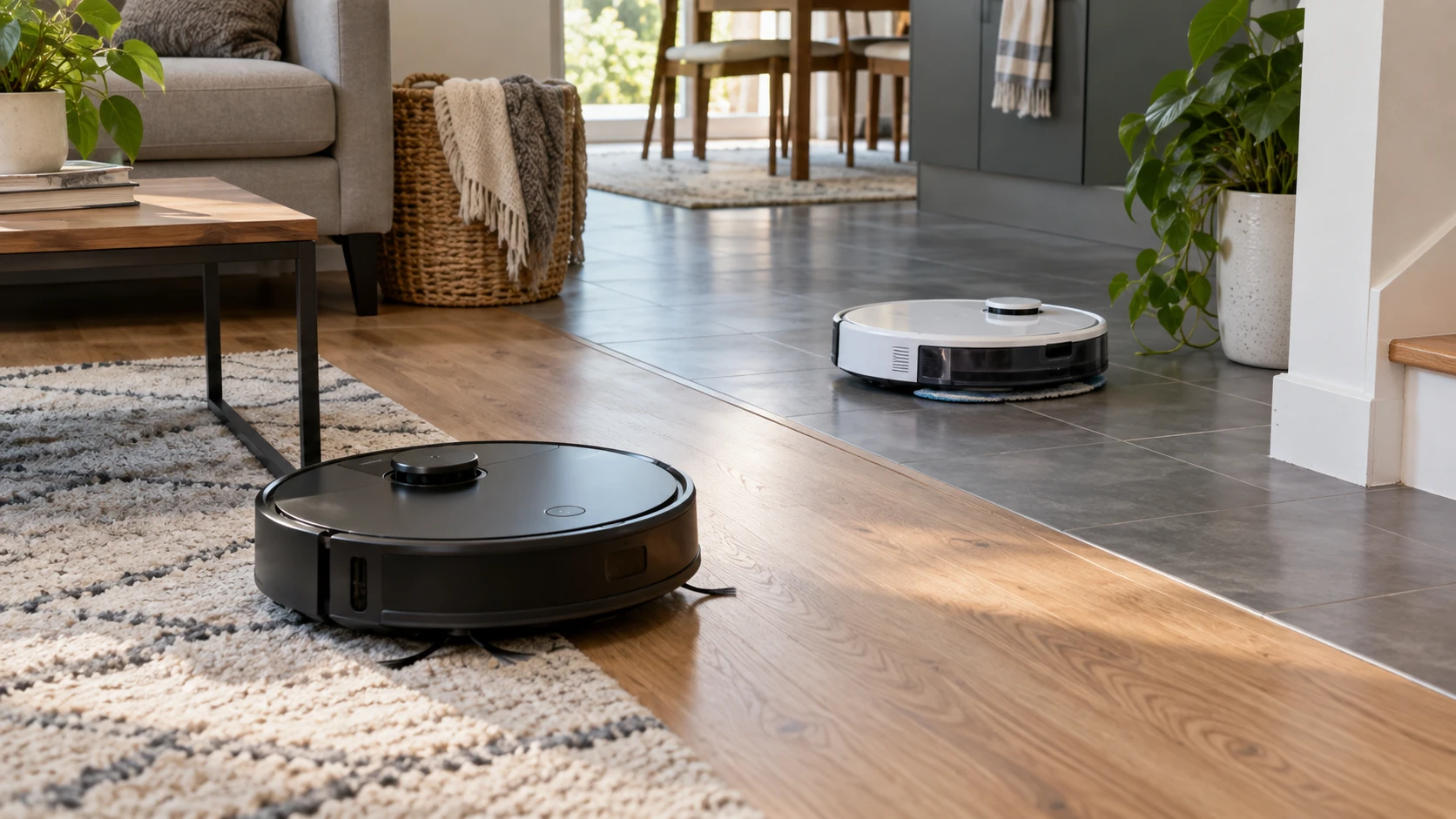
Robot vacuums promise time back, but their useful work depends on the floor plan. A low cabinet, a stair edge, a rug beside a mopping area, and a tangle of charging cables can each change the job. The MAMNV BR151 listing describes a slim two-in-one vacuum and mop with app, remote, voice, and cleaning-mode controls. Tesvor's X500 Pro listing describes gyroscope navigation, a real-time map, adjustable mopping water, and a magnetic-strip virtual wall. Those claims point to different setup questions. Neither short listing proves how either robot will navigate a particular home.
The saved September 30, 2026 catalog snapshot listed the MAMNV BR151 vacuum and mop at $220 and the Tesvor X500 Pro at $250. That $30 difference may change with the current offer. Before paying for a feature name, check the rooms the machine must cover, the surfaces it will meet, and which control method everyone in the household can actually use.
Navigation language needs a room test — guide to robot-vacuum mapping and room controls
MAMNV claims 3D obstacle sensors and fall detection. It lists Auto, Spot, Edge, and Z-shape cleaning modes, selected by remote or app. The saved description says its zigzag path can increase coverage by up to 30%, but does not give the compared baseline or a floor-plan test. Tesvor describes “3.0 gyro navigation,” S-type planning, wall-edge cleaning, and a real-time smart map that shows cleaning status. Its claim of more than 90% area coverage also lacks a shared test condition. A percentage from one listing cannot rank these robots against each other.
Try a representative room with chairs, cables removed for safety, a table edge, and a route to the dock. Watch what each robot reaches and which places it repeats. Mark a corner or narrow path it misses. A tidy demonstration room can flatter a navigation system; a household with mixed furniture may reveal the limits. For either model, verify that the robot can find its charging base from the rooms it is meant to clean. The Tesvor description says it can return to charge and then continue if a multi-room job is unfinished. MAMNV says it auto-docks for a recharge, but does not state in this source whether it resumes the interrupted route.
The guide to robot-vacuum mapping and room controls concerns a broader setup question, not a test of these two units. Its most useful framing here is to decide which rooms and boundaries need explicit control before buying. “Mapping” can mean a live picture, a saved editable map, a cleaning history, or merely a route the robot calculates while moving. Check each Republeq catalog entry or consult the exact manual to determine which of those is available, and whether a map persists after the robot is moved or restarted.
Boundaries, furniture, and floor transitions — Tesvor X500 Pro robot vacuum
Tesvor's listing names a magnetic strip for a virtual wall to keep the robot out of a chosen area. Check whether the strip is included, how much length arrives, and where it must be placed. A strip may be useful around a pet bowl or a room where a machine should not enter, provided the robot detects it reliably. It is also a physical item that needs a clean place on the floor. MAMNV's saved description does not identify a magnetic-strip method or an editable no-go zone. That omission is not proof that it has no boundary controls; it is a reason to verify them if one blocked area is a requirement.
MAMNV lists a height of 2.87 inches. That helps the buyer start a furniture-clearance check, but allow for an uneven floor, rug edge, or any part of the machine that protrudes above the quoted body. Measure under the lowest sofa or cabinet where cleaning matters. Tesvor's short listing gives no height figure. Ask for the exact dimensions rather than assuming two robot cleaners fit the same opening. Neither description gives a reliable climbing height for thresholds, so test any transition between rooms that the robot must cross.
Fall detection is claimed for MAMNV, while the Tesvor source does not describe stair sensors. A household with stairs should verify the exact safety instructions for both products. Sensor claims can reduce risk; they do not replace a first supervised run near a landing. Keep cords, fabric fringes, and small objects out of the initial path. The MAMNV description calls its suction port brushless and suitable for homes with pets, but a brushless port is not a promise that hair, litter, or every toy will be cleared without maintenance. Inspect the intake after a few cleaning sessions.
Mopping is not equally documented — Tesvor X500 Pro robot vacuum
Tesvor explicitly describes an electronically controlled water tank with app-adjustable output. That may be valuable where one hard floor needs a lighter pass than another. Verify the compatible floor surfaces, tank size, pad attachment, permitted cleaning liquid, and whether the water level can be changed while a job is active. The catalog text does not specify them. Keep wet cleaning away from rugs unless the exact robot has a verified way to recognize and avoid them. A room map alone does not establish that the mop will lift or stop at carpet.
The MAMNV title calls it a vacuum and mop combination, but its saved description spends more detail on navigation and controls than on its water system. It does not give a tank capacity, water-output control, or pad arrangement. Confirm that the offered package includes the mopping hardware and read the maintenance instructions before treating the title as a complete mopping specification. Tesvor's product title calls it a robotic bagless vacuum even though its description discusses a water tank and mopping plans. The offered configuration needs the same accessory check. Product-page titles often compress a range of functions; the delivered box is what matters.
For either unit, run a small test on a floor finish that the manufacturer permits. Check whether it leaves a wet streak, reaches edges, or drags dirt from one room to the next. Empty and clean the tank and pad as instructed. Mopping attachments need attention between uses; a robot that can follow a schedule still needs someone to refill, empty, and clean it. Compare that upkeep with the manual floor cleaning it would replace.
Battery and app setup — Tesvor X500 Pro robot vacuum
MAMNV lists a 2,500 mAh battery, up to 100 minutes of runtime, and a claimed coverage area around 1,290 square feet before auto-docking. Tesvor describes more than 100 minutes of automatic cleaning, with a return-to-charge-and-continue behavior for an unfinished multi-room job. Neither listing provides a common test with identical surface, suction level, and mopping settings. The capacity of a battery in mAh alone does not translate into comparable cleaning minutes across different machines. Observe how long a normal run lasts in the actual rooms and whether it resumes cleanly after charging.
MAMNV says it works with the Tuya Smart app on iOS and Android using 2.4 GHz Wi-Fi only, and mentions Google Assistant voice control. It also includes a remote for physical operation. Check whether your home network offers the required Wi-Fi band and whether the app can be installed on the phone that will manage schedules. An app feature is little help if pairing cannot finish. Try the basic on-device or remote controls before relying on voice commands. Tesvor says its app can adjust water output and control cleaning remotely, and it mentions over-the-air updates. The saved Tesvor description does not name a Wi-Fi band, supported phone system, or voice assistant, so confirm those separately if they matter.
The household should agree on who can stop, move, and restart a scheduled clean. A remote may be convenient for someone who does not want an account or phone in hand; the MAMNV listing at least identifies one. A map and app water control may suit someone who wants to adjust tasks by room; the Tesvor listing points toward that possibility. Check actual account requirements and whether multiple people can control the robot. Do not assume that an over-the-air update preserves every saved setting until the maker documents it.
The purchase check — Tesvor X500 Pro robot vacuum
The MAMNV offer is $30 lower in the saved snapshot and gives specific claims for body height, 2.4 GHz app pairing, physical remote, several cleaning modes, and an up-to-100-minute run. Tesvor's source gives more detail on adjustable mopping water, magnetic boundary strips, a live map, and charging before resuming a larger task. Neither source gives a complete accessory inventory, spare-part availability, dustbin volume, filtration specification, or measured cleaning result. Those omissions can change the practical value more than the saved price gap.
Before buying, sketch the actual cleaning route, mark stairs and rugs, and decide which areas must stay off limits. Confirm that the chosen box has its dock, power supply, mop pieces, boundary strip if required, and consumables. Then run it while you can still return it. A successful test should include an ordinary cleaning pass, a dock return, the app or remote controls the household will use, and the maintenance needed afterward.
Review the Tesvor X500 Pro robot vacuum listing against that route and accessory list. If a physical boundary and adjustable water output solve known problems in the home, its saved $30 premium deserves a closer look. If low furniture clearance and a remote are more pressing, the MAMNV description offers clearer starting evidence. The final choice should follow the floor plan and a supervised trial, rather than the broad promise that any robot can clean every room on its own.