Crypto Commerce
Logitech Pro X Wireless gaming headset vs Razer Kraken BT for play and calls
Compare Logitech Pro X Wireless gaming headset by host compatibility, mic design, battery claims, fit, and lighting.
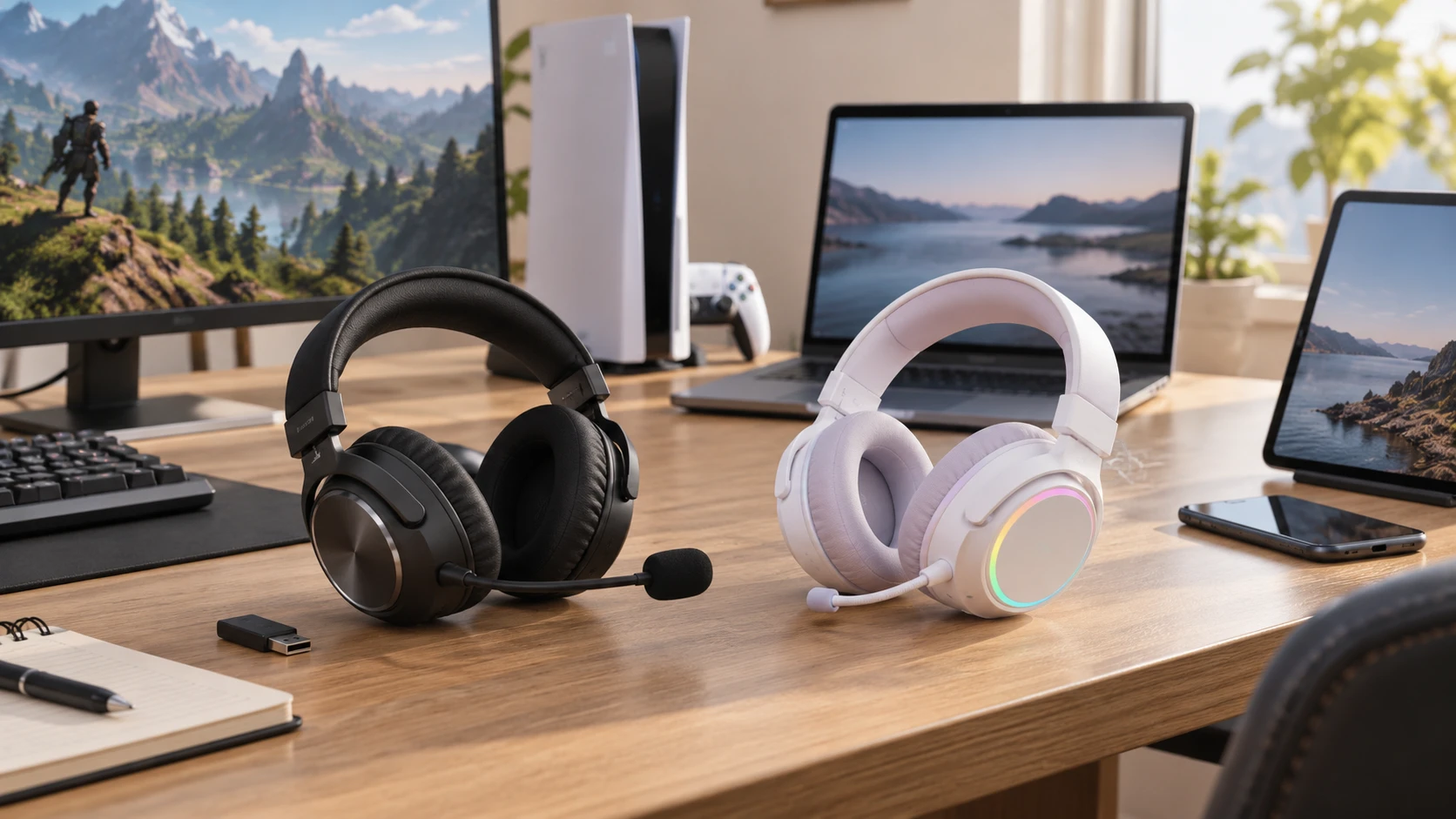
These two wireless headsets use different connection paths. The Logitech Pro X Wireless listing names LIGHTSPEED 2.4 GHz wireless, a removable 6 mm microphone with Blue VO!CE processing, and memory-foam cushions described in leatherette and velour. The Razer Kraken BT Hello Kitty and Friends listing names Bluetooth 5.0, a beamforming microphone, Chroma RGB lighting, and a Gaming Mode with a stated 40 ms latency. Before comparing battery life or driver size, check which connection your computer, console, phone, or tablet can actually use. A headset with the right wireless mode for your main device will be easier to live with than one chosen from a feature list alone.
The Logitech Pro X Wireless gaming headset source gives a range of 13 meters or more in one phrase and up to 15 meters in another. Treat those as listing claims under unspecified conditions, not as two precise measurements that need to agree. Walls, other 2.4 GHz devices, and the position of the host can change a real connection. Verify what transmitter or receiver ships with the exact package and whether the intended platform supports it. The saved row does not list every compatible console or operating system.
Match the wireless path to the host — Razer Kraken BT Hello Kitty headset
A LIGHTSPEED 2.4 GHz link and a Bluetooth 5.0 link are not interchangeable just because both avoid an audio cable. The host needs to support the specific pairing path. Logitech's saved description identifies its proprietary wireless connection but does not describe a Bluetooth mode. Razer's saved row identifies Bluetooth 5.0 but does not say that this version has a 2.4 GHz receiver. Check the manufacturer's current compatibility list before promising use with a particular console, phone, work computer, or dock. A USB port on a host does not automatically mean it will accept a given headset transmitter.
If you move between a desktop and a phone, write down the switch you expect to make. Will you carry a receiver, pair again, or use a separate headset on one device? The source rows do not say either model can maintain two active audio connections at once. Avoid assuming simultaneous game and phone audio. For a shared household computer, also check whether the headset remembers settings on the device or depends on installed software. That matters when a user cannot install an app or when the headset travels to another machine.
Razer's Gaming Mode is described as a 40 ms low-latency connection. That is a product claim for the mode, not a measured end-to-end delay on every host. The Logitech listing does not supply a comparable latency number, so the two cannot be ranked by a single figure from these descriptions. If timing matters for competitive play, test voice chat and game audio together on the exact platform. For video meetings, listen for interruptions when other wireless devices are busy in the same room. Both use wireless links, and a stable real setup is more useful than a headline measured under unknown conditions.
Microphone design and voice work — Razer Kraken BT Hello Kitty headset
Logitech describes a removable 6 mm microphone using Blue VO!CE for real-time noise reduction and compression. A removable boom can be useful if the headset is also worn just for listening. The processing features may help voice calls, but their behavior depends on settings and software support. Check whether the chosen host provides the Blue VO!CE controls and record a short sample before relying on it for streaming or work meetings. Aggressive noise reduction can change a voice as well as suppress room sound, so use a setting that remains clear to listeners.
Razer describes a beamforming microphone intended to reduce background noise pickup. The saved row does not say the microphone is detachable or specify its control software. Test it near the keyboard, fan, or other noise source that matters at your desk. Listen to the recording through a second device; sidetone alone may hide how the call sounds to others. If you switch between games and calls, confirm how mute is indicated and whether the microphone follows the host's selected input. Neither source row documents every button or mute behavior.
A headset microphone cannot fix all room acoustics. Moving a fan away, closing a door, and setting input level correctly may do more for intelligibility than a processing label. If voice is the main use, put both candidate microphones through the same short test with normal speech and a few quiet phrases. You can then hear whether the signal clips, pumps, or drops syllables. The listings identify technology, while the test shows how it behaves in your own environment.
Battery claims and lighting — Razer Kraken BT Hello Kitty headset
Logitech's saved listing says up to 20 hours or more per charge. Razer states up to 20 hours with lighting on or 50 hours with it off. These estimates are not a controlled comparison because their test volumes, features, and conditions are not supplied. Razer's split figure does show that its Chroma RGB lighting changes the stated runtime. If the lighting is the reason you like that model, budget charging around the lit mode and its stated 20-hour estimate. If you usually turn lighting off, confirm the setting persists when switching hosts.
Razer's Hello Kitty and Friends design includes stream-reactive RGB lighting. That can be part of a visible streaming setup, and the saved row makes it a specific product feature. Consider whether the lighting is visible on camera and whether it distracts in a shared room. The Logitech row does not mention decorative lighting. Its stated battery life should be read with the same care as Razer's: ask how it was measured and test a normal session. Neither listing gives a charge time, wired-while-charging mode, or replaceable-battery detail, so those remain questions for the current manuals.
Charging routine affects a wireless headset more than a small difference in marketing hours. Where will the cable sit, and can you tell when there is enough power for a call? If you play for several hours after work, a predictable nightly charging place may matter more than an advertised maximum. Keep the exact cable and charger requirements with the product documentation. A generic battery estimate does not establish which accessories are included in the box.
Fit, isolation, and sound features — headphone fit during long sessions
Logitech describes hybrid-mesh PRO-G 50 mm drivers and DTS Headphone:X 2.0 positional surround sound. It describes leatherette and velour memory-foam cushion options with passive noise isolation. Razer names custom-tuned 40 mm drivers, treble, midrange, and bass, and a listed weight of 300 grams. Driver diameter alone cannot tell you which headset sounds better or locates footsteps more clearly. Fit, seal, ear shape, processing mode, and game mix all influence what you hear. Compare at a comfortable level on familiar content and turn optional processing on and off during the test.
Positional processing also needs a fair trial. Logitech names DTS Headphone:X 2.0, but the saved row does not say how every game or host exposes it. Confirm the option appears on the device you use, then compare a familiar scene with the feature enabled and disabled at the same volume. Ask a friend to speak from different in-game positions if voice placement matters. Razer's saved description does not name an equivalent surround-processing mode. Its absence from this row is a reason to verify current software features, not a controlled sound-quality result.
The published headphone fit during long sessions guide discusses different listening products, but its fit questions carry over. Notice pressure at the top of the head, around glasses, and under the ears after more than a quick try-on. The listed Logitech cushion materials may feel different during a warm session. Razer's 300-gram listing gives a weight reference, but weight by itself does not predict comfort. A headband that distributes it well can feel different from one that presses at a single point.
Passive isolation from Logitech's cushions is different from a stated active noise-cancellation system. Neither saved listing promises active noise cancellation for playback. If you use the headset in a noisy room, listen to ordinary room noise while wearing it with audio paused. Then check voice chat at a moderate volume. Cranking the game to cover noise can make long sessions unpleasant. The Razer description does not give a cushion material or measured isolation figure, so ask about those details if heat or outside sound is a deciding factor.
A purchase based on the main device — Razer Kraken BT Hello Kitty headset
The Razer Kraken BT Hello Kitty headset is the candidate when Bluetooth 5.0 matches the primary host and its licensed design and lighting are features you will use. Confirm Gaming Mode support on that host and plan around the shorter lit battery estimate. Logitech is the candidate when its LIGHTSPEED path fits your platform, its removable microphone and Blue VO!CE controls suit voice work, and the alternate ear cushions help with fit. Confirm the receiver, host compatibility, and software features for the exact package.
Try the complete routine before committing: connect to the main device, play a game or video, join a call, mute and unmute, walk the normal distance from the host, then charge the headset. Record how the microphone sounds to someone else. That test answers practical questions the saved catalog rows leave open and keeps a style preference, driver diameter, or battery headline from becoming a substitute for daily usability.