Crypto Commerce
KQJQS GPS drone with screen remote vs YUNAFFT GPS drones with screen remotes
Compare KQJQS GPS drone with screen remote by display details, camera claims, return behavior, battery evidence, flight modes, and kit contents.
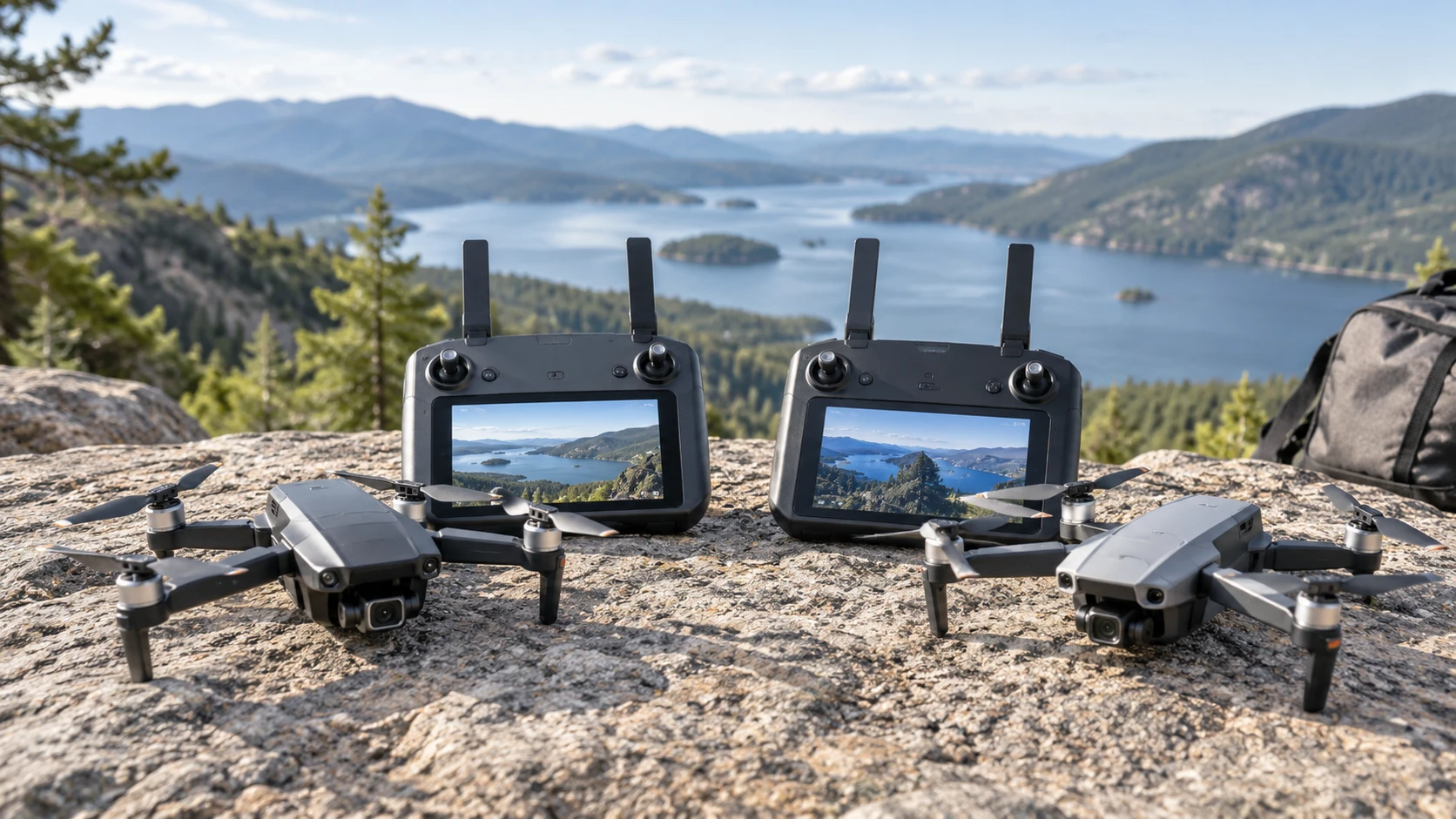
The KQJQS GPS drone with screen remote and YUNAFFT's GPS drone both put a live view on a controller, so a phone is not needed just to watch the flight. Their saved listings leave different questions unanswered. KQJQS gives a 1080P camera label, a 22-minute battery claim, and several flight-assistance features, but no screen dimensions. YUNAFFT gives a 4.5-inch HD display, dual-camera and follow-mode claims, but no battery duration in its short description. A buyer should decide which part of the flight needs evidence first: a usable controller view, recorded image quality, or time in the air.
A published guide on GPS drone screen controller checks examines two different models. It offers a way to think about screen visibility and flight controls, but it is not a test of either drone here. Arrange a model-specific demonstration or inspect the exact manual before relying on the features named in these listings. A controller screen can simplify setup, yet the quality of the view, the location of flight warnings, and the response when video drops are just as important as the fact that a screen is present.
See what the controller actually shows — GPS drone screen controller checks
KQJQS says its remote has a screen and that its 5G transmission allows use without a smartphone. The saved text does not give the display size, brightness, pixel count, or working video range. It also does not explain whether every feature works without an app. Ask to see the screen outdoors in ordinary daylight. Check whether battery state, GPS status, recording state, and a return warning are easy to read while holding the controller. The term "5G" appears in the listing, but it does not establish a measured range or the radio configuration of the delivered unit.
YUNAFFT is more specific about its remote. It describes a built-in 4.5-inch HD LCD that shows live video and flight telemetry and says it can be viewed in bright sunlight. That is a claim in Republeq's catalog about visibility, not a measured brightness result. See what the telemetry includes on the exact unit, especially battery level and distance. The source says a phone is unnecessary for viewing; it does not say whether a phone or computer is needed for updates, file transfer, or other tasks. Ask for the controller's full operating steps before assuming the screen replaces every other device.
In either case, try the basic controls before exploring automatic modes. Identify takeoff, landing, camera start and stop, return, and emergency stop if the model has it. Look at the screen while the aircraft is still on the ground so you know how a change in GPS or video connection is presented. A pilot who has to search through menus to recognize a low-battery warning may miss the chance to land deliberately. Neither short catalog entry provides a complete controller map or a shared usability test.
Separate camera labels from recorded files — YUNAFFT GPS drone with LCD remote
KQJQS names a 1080P camera in its compact foldable drone listing. It does not specify frame rate, sensor size, stabilization method, or whether the label describes recording or preview. Ask for an original file from the exact model rather than judging a compressed product-page clip. Test a slow pan and a stationary hover in similar light. If the camera view appears stable on the controller, confirm that the saved file is also usable; a live preview and a recording can differ in detail and smoothness.
YUNAFFT describes two cameras, a stabilized wide-angle lens, and one-touch recording. Its video and photo quality is marketed as comparable to 4K resolution. That phrase does not establish a native 4K sensor or file, and the saved excerpt does not state a recorded pixel count or frame rate. Request original sample files and inspect their properties. Confirm which camera records, whether switching changes the view or the saved file, and what "stabilized" means for this model. A wide-angle image may capture more of a scene while making distant subjects look smaller.
The intended footage affects the choice. For a simple overhead view of a yard, the first concern may be whether the shot is framed and retained on the memory card. For a moving subject, look for changes in framing when the drone turns or loses the person briefly. KQJQS names surround shooting, intelligent tracking, and gesture control; YUNAFFT names Follow Me. Those feature labels do not supply comparable tracking accuracy or finished-video quality. Test a representative, permitted scene in a clear area rather than assuming an automated shot will match a promotional example.
YUNAFFT says its Follow Me mode tracks the pilot from a set distance of 3 to 50 meters while holding a steady altitude. That range describes a selectable following distance, not a demonstrated ability to navigate around obstacles. Choose a clear route and keep direct control available. If the subject changes direction or passes behind a tree, observe what the drone actually does before trusting it with a longer shot. The short listing does not describe how tracking is canceled or how the aircraft responds when it loses the subject.
Learn the return behavior before relying on it — YUNAFFT GPS drone with LCD remote
Both listings describe GPS-based return to the takeoff point. KQJQS names return-to-home alongside obstacle avoidance, altitude hold, and ground detection. It also names a low-battery reminder. The source does not specify the return altitude, obstacles that can be sensed, or whether avoidance is active during return. Mark a safe home point according to the current manual and practice a manual return command in open space. A return function is useful only when the path and battery reserve allow the aircraft to get back.
YUNAFFT says GPS auto return can begin after signal loss, low battery, or a manual command. The listing does not give the conditions for each trigger, how the home point is confirmed, or how close to the launch spot the aircraft will land. Verify those details on the controller and in the manual before flying near trees or structures. It does not name obstacle avoidance in the saved description. That omission leaves the question open; it should not be converted into a claim that sensors are present or absent without model-specific evidence.
KQJQS lists an emergency stop, one-button takeoff and landing, and selectable speed gears. Learn when an emergency stop is appropriate from the manual; using it casually may create a different hazard. The same listing includes high-speed rotation and a 360-degree flip, which should wait until the pilot understands basic hover, orientation, and landing. YUNAFFT's excerpt emphasizes simple controls but does not inventory equivalent buttons. On a first outing, a steady manual circuit in a spacious legal area provides more information than trying every named trick mode.
Plan battery time and kit contents — YUNAFFT GPS drone with LCD remote
KQJQS lists a 7.4-volt, 2,000-mAh lithium-polymer body battery with a 22-minute flight-time claim. It says charging takes 90 to 120 minutes. Those are catalog figures without a stated wind, camera, or speed condition. Expect to land with a reserve rather than using the last minute to test a low-battery return. Ask whether Republeq's catalog lists only the one body battery named in the excerpt and whether approved spares and charging equipment are available. A quoted 22 minutes is not a promise for every flight location.
YUNAFFT's short description does not give battery capacity, flight minutes, or charging time. It says the package includes a carrying case and what is needed to start flying, but that broad phrase does not identify the number of batteries or charger details. Ask for a written box list and current battery specification. Without those facts, it would be misleading to rank the two models by endurance. If you plan to travel to a launch area, charging and spare-battery logistics may matter as much as the first-flight figure.
KQJQS is described as foldable and packaged with a screen controller, spare fan blades, and a carrying case. YUNAFFT also names a case. It supports a 32 GB SD card for onboard storage, but the source does not say a card is included. Check the recommended card type, whether the aircraft can record without one, and how files are copied after a flight. KQJQS's excerpt does not identify its storage medium. Lay out the actual kit before a trip, including controller, batteries, cable, blades, and any card you need.
Choose a safe first test — YUNAFFT GPS drone with LCD remote
KQJQS is marketed to hobbyists aged 14 and above; YUNAFFT is described for adults. Those labels are not training instructions or a substitute for the rules where you fly. Check local requirements and choose an open permitted site. Inspect propellers and batteries, verify the home point and controller warnings, then try a short manual flight. Keep the aircraft in sight and land before the battery runs low. Save one recording and play the original file on a separate device so you can judge the camera claim rather than only the live display.
The saved catalog listed KQJQS at $203 and YUNAFFT at $292. Those historical prices may have changed, and the complete kit matters more than the headline difference. Confirm the exact SKU, Republeq's catalog, warranty, replacement propellers, and battery availability before paying. KQJQS lists more flight modes and a specific battery estimate. The YUNAFFT GPS drone with LCD remote specifies its larger controller display and Follow Me range of 3 to 50 meters. Neither listing establishes which aircraft records better footage or behaves more reliably in your flying area. A controller demonstration and original video files are the next useful evidence.