Crypto Commerce
Jennov 8MP PoE PTZ camera PTZ or Pelco fisheye for a wide area
Compare Jennov 8MP PoE PTZ camera by coverage, network power, recording, night details, and setup.
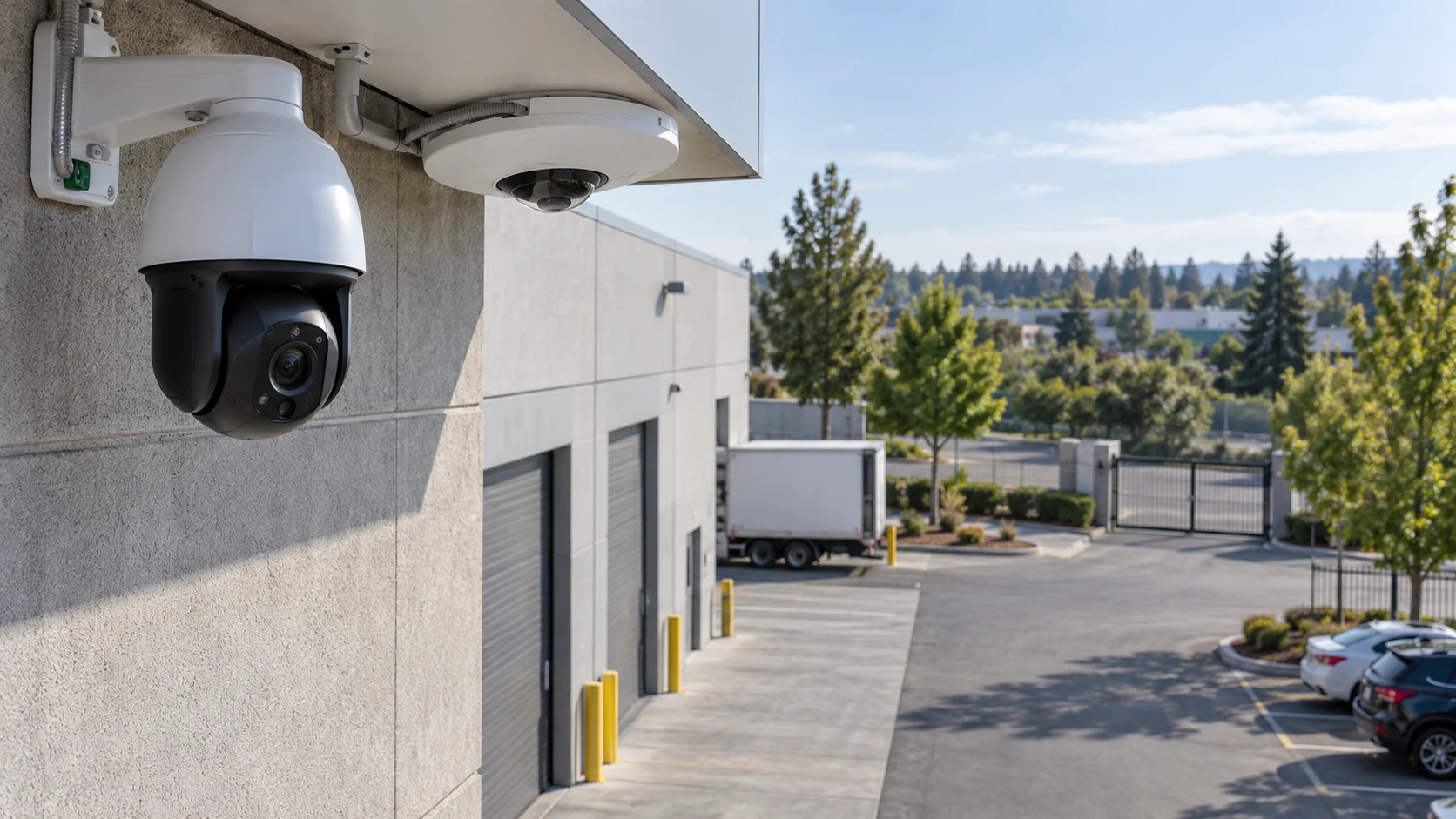
The Jennov 8MP PoE PTZ camera can pan, tilt, and zoom toward a point of interest, according to its listing. The published guide on PTZ and fixed-camera coverage planning uses other products to frame the coverage decision. The Pelco IMF82-1ES panoramic fisheye camera has a fixed panoramic view and lists two simultaneous streams. Both are network cameras, but they answer different questions: whether someone needs to inspect a distant detail or keep a broad area in view all the time.
Draw the site before choosing either one. Mark entrances, the places where people or vehicles stop, nearby lighting, network cable routes, and areas that should not be recorded. Note which scene must be visible continuously and which can be checked by moving a camera. A PTZ cannot point at every direction at once. A panoramic lens may show many directions but spread its pixels across that wide view. The right design could require more than one camera; neither saved listing proves that a single unit will eliminate every blind spot.
Decide what must stay in view — Pelco IMF82-1ES panoramic fisheye camera
Jennov's row names a 20x optical zoom, a motorized 4.7-to-94 mm lens, 360-degree panning, and a tilt range stated elsewhere in its long specification. It describes presets, patrol routes, and automatic tracking of a person in a selected zone. Those functions can help an operator investigate a gate or a vehicle from a more distant mount. They also mean the camera may be looking away from another location during that movement. Ask what is recorded when the lens follows a subject and whether a fixed overview camera is needed beside it.
Pelco's fisheye uses a fixed panoramic perspective. Its saved row gives an 8 MP, 2048-by-2048 image and describes two video streams. A fixed camera can leave the same broad scene visible while people move through it, provided the mount and lens actually cover the intended area. The wide image may need software dewarping for a useful view on a monitor. Check how the selected recorder or management system displays, exports, and searches the fisheye stream. A flat-looking preview in product photography is not proof that every corner will be recognizable at the installation point.
Make a simple test plan: identify an item near the camera, an item at the far edge, and a person moving across the central aisle. Determine what detail is needed at each point. Counting people entering a doorway is a different task from reading a small sign at a distance. Jennov's optical zoom can enlarge one direction; Pelco's panorama may preserve the broader event sequence. Decide which failure would be more costly: missing what happened outside the PTZ's current aim or lacking enough detail in a wide fixed image.
Interpret the image specifications in context — Pelco IMF82-1ES panoramic fisheye camera
Both listings use 8 MP language, but their stated pixel layouts differ. Jennov names a 3840-by-2160 main stream at 20 frames per second in its detailed row. Pelco names a 2048-by-2048 panoramic image and adjustable stream rates. Pixel count by itself cannot rank how much detail either will show on a face, vehicle, or package at a particular distance. Lens field of view, mounting height, lighting, compression, and where the subject sits in the image all matter. Ask for model-specific sample footage from a comparable site or arrange a test before making a critical coverage promise.
Jennov's Republeq's product-page text describes a 328-foot infrared range in one place and 50 meters in another, while its title uses 50M. Those figures conflict. They also do not establish useful identification distance in darkness. Ask for the exact infrared specification and a demonstration under the site's actual lighting. Pelco's row describes day-and-night operation but gives no matched infrared-distance figure in the saved excerpt. Do not assume it has the same built-in illumination. Plan separate lighting where needed, following the camera maker's exposure guidance and the site's safety requirements.
Jennov also describes human detection and automatic tracking. Verify how those functions behave with shadows, branches, vehicles, and people passing near the edge of the selected zone. A setting that sends too many alerts may be turned off; one that ignores a relevant path may miss activity. Pelco's saved excerpt emphasizes image and platform integration rather than a directly comparable alert configuration. Check the exact firmware and management software before treating an absent claim in Republeq's catalog as evidence a feature cannot exist.
Check power, cable, and recorder compatibility — PTZ and fixed-camera coverage planning
Jennov says PoE carries power and data on one network cable. Its package list also names a power supply, cable, screw kit, waterproof cap, and manual. Confirm the required PoE standard, switch budget, maximum cable length, and weatherproofing method for the actual mount. A cable reaching the camera is not enough if the switch cannot supply the needed power. Test the camera, switch, and recorder together before fixing the cable inside a wall or conduit.
Pelco's title states DC 12 V or PoE Plus Class 4. A PoE Plus device may require more power than a basic PoE port can provide. Check the exact Pelco specification and budget every powered port on the switch, including any other cameras already connected. Its row names 10/100 LAN, H.264, H.265, and MJPEG, with adjustable bit rates. Those formats offer recording choices, but a recorder must support the selected profile, frame rate, and fisheye presentation. Confirm storage estimates with the actual recording settings rather than assuming a codec name guarantees a particular retention period.
Jennov's title mentions ONVIF compatibility, while Pelco names ONVIF Profiles S, G, and T and native Pelco VideoXpert integration. Compatibility labels are a starting point for an integration test. Ask whether the recorder will receive video, audio, motion events, PTZ controls, and playback functions that matter for the project. A live image can work while another needed function fails. Test the exact firmware versions and save the settings that succeed. If the system uses cloud access, understand account permissions and the path that footage takes before enabling remote viewing.
Mount and maintain the system deliberately — Pelco IMF82-1ES panoramic fisheye camera
Jennov lists an IP66 metal housing for indoor or outdoor use and names a built-in microphone, speaker, and siren. Check whether local rules and the site's notice policy allow audio recording or audible alerts in the planned location. Confirm the cable-entry seal as well as the camera body's housing rating. A connector left exposed under a roof can still corrode. The Pelco row calls its housing water and vandal resistant but does not give a directly matched rating in the saved excerpt. Request the mounting and enclosure specifications for the exact model.
Pelco's fixed fisheye should be mounted where the intended area falls within its useful panoramic view and where a service person can reach it safely. Jennov's moving head needs clearance through its intended pan and tilt path, with no nearby sign or eave blocking a patrol position. Check how each camera is cleaned and how a lens cover will be protected from water spots, dust, and insects. A clear image on installation day can deteriorate if the camera faces a road spray or a bright light that was not considered in the site sketch.
Privacy is part of placement. Frame the view to cover the property or task that justifies recording, avoid unnecessary neighboring areas, and set access and retention rules before the cameras go live. The Jennov row mentions sharing a main account with up to five users. That is a Republeq's catalog feature statement, not a permission design for an organization. Give access only to people who need it and review the recording system's account controls. Pelco's enterprise-oriented integration also needs an administrator to set those rules; platform compatibility does not do so automatically.
Run an acceptance walk after installation. Have one person move through the intended scene in daylight, at dusk, and under the normal night lighting while another checks live view and saved playback. For Jennov, repeat the walk while the lens is on a preset and while it is tracking. Look for any event that happens outside the current frame. For Pelco, inspect the panoramic original as well as the dewarped view the operator will actually use. Export a short clip and confirm that time stamps, image orientation, and audio settings match the site's requirements. A status light or app thumbnail cannot prove the saved recording is usable. Document any blind spots and adjust mounting or add another camera before relying on the system.
Choose the view the site needs most — Pelco IMF82-1ES panoramic fisheye camera
Jennov is worth examining when an operator needs to move and zoom toward specific distant points and can accept that the camera's attention shifts. Pelco is worth examining when a fixed broad record and recorder integration matter more than optical zoom toward one target. Test the relevant details at the real mount height, verify PoE and recording functions on the exact network, and confirm night and outdoor performance before committing to a full installation. A reliable coverage plan depends on what the camera actually sees and records, not the longest number in its specification list.