Crypto Commerce
HopeHub hybrid ANC headphones vs JLab wireless headphones at a work desk
Compare HopeHub hybrid ANC headphones by fit, noise modes, multipoint, calls, controls, codecs, battery claims, and Republeq's catalog details.
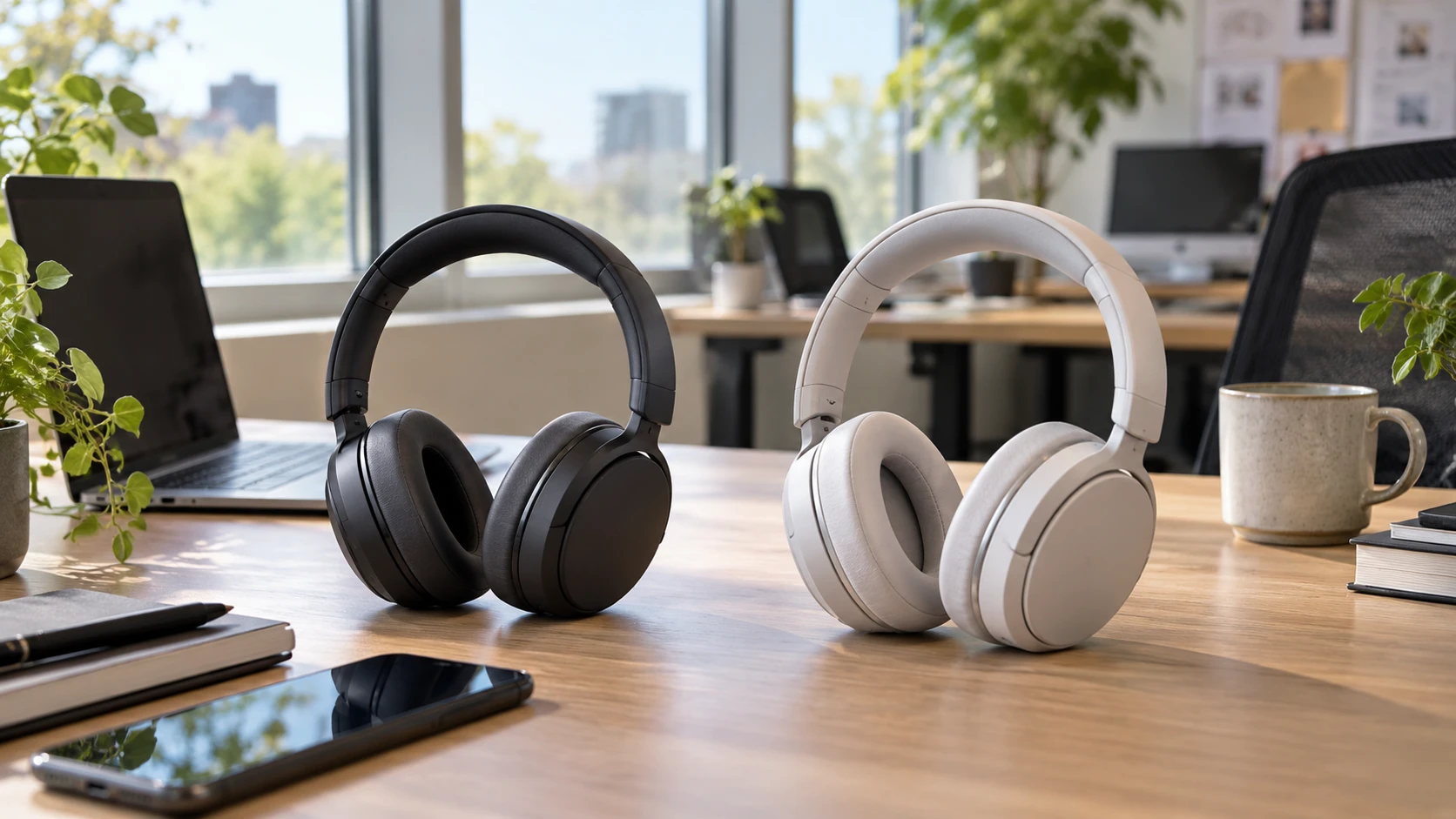
Wireless headphones used for calls and music face a different test from a quick listening session. You may wear them through several meetings, switch from laptop to phone, and still want voices or alerts from the room to remain audible. HopeHub and JLab both describe active noise control and connections to more than one device. Their saved listings differ in battery figures, controls, and detail about calls. HopeHub also has a fit-label conflict: its title says on-ear while the description says over-ear. Confirm what actually ships before judging comfort or isolation.
The HopeHub hybrid ANC headphones are listed with up to 30 hours of playback, USB-C quick charging, a battery indicator, and a built-in microphone. Their description names an adjustable headband, swiveling ear cups, soft protein-leather cushions, touch controls, wear detection, and selectable sound modes. JLab's listing claims 90-plus hours of playtime, adaptive active noise cancellation up to 42 dB, an awareness mode, four microphones with noise reduction for calls, and both touch and button controls. The operating modes and physical fit will decide whether those features help during your own workday.
Resolve the fit before comparing features — headphones for desk listening
HopeHub's catalog title calls the model on-ear; its description calls the fit over-ear. The distinction changes how a cup contacts the ear and how much pressure you may feel during a long call. Request a current photo of the actual model on a person, cup dimensions, and a manufacturer model number. Check with Republeq to reconcile the two labels in writing. A photo of a similar headset is not enough if its cushions or headband differ. If possible, wear the unit for a full meeting-length trial and note pressure on the outer ear, heat around the cushion, and how the seal changes when you turn your head.
JLab's saved excerpt gives no cup dimensions, clamp force, weight, or cushion material. Its model number is HBELUXLABRBLK42, while the linked product name calls it Epic Lux Lab Edition. Check the model label and package so any accessory or warranty information applies to the delivered unit. Try the same wear test with both headphones. Comfort deserves a full meeting-length test even when the app has many settings. Glasses, earrings, hair, and head shape can change comfort, so a reviewer else's fit report may not predict your own.
The published guide on headphones for desk listening provides a way to frame the workday use case. Write down which device supplies music, which handles calls, and whether you need to hear someone speaking nearby. Then try the controls without looking at them. A quick adjustment during a call is more useful than a menu of modes you rarely use. The listing text cannot establish comfort, seal, or microphone sound under the conditions of your own room.
Compare noise control in the right room — JLab Epic Lux Lab Edition headphones
HopeHub describes hybrid active noise cancellation, clear treble, and deep bass, without giving a reduction figure or a frequency range. JLab claims adaptive noise cancellation that reduces ambient sound by up to 42 dB and provides a Be Aware mode that lets surrounding sound in. That 42 dB number needs a test method and frequency context before it can be compared with anything from HopeHub. ANC often behaves differently with steady fan noise, intermittent voices, and keyboard taps. Try the specific noises you want to manage, at a safe listening level, rather than expecting one setting to erase an entire office.
Awareness settings deserve a separate trial. JLab names Be Aware mode. HopeHub's saved excerpt does not describe a comparable ambient-listening mode. Ask whether it has one and how it is activated. During the test, see whether you can understand a nearby person without removing the headphones and whether the microphones add hiss or amplify sharp sounds. If you work near a doorbell or need to hear a child, the way the mode handles voices may matter more than the maximum cancellation figure. Keep the volume modest enough to avoid masking important sounds.
Neither saved description gives a controlled comparison of passive isolation, microphone feed-through delay, or wind handling. A good seal can affect both music and ANC, and the HopeHub on-ear versus over-ear uncertainty makes that especially important. Move around the room, stand up, and adjust the headband. If the sound changes sharply when the cups shift, a short seated demonstration may miss a problem you would notice during daily calls. Record what you hear with ANC on, off, and any transparency mode instead of treating the label as a single performance score.
Test switching and calls — JLab Epic Lux Lab Edition headphones
HopeHub says it can maintain simultaneous connections to multiple devices, with switching among phone, tablet, and laptop. JLab describes Bluetooth Multipoint for two devices at once. These statements are related but not identical. Ask how many devices may be connected at one time, which device wins when a call arrives, and whether music pauses automatically. Test an incoming phone call while a video meeting app is open on the laptop. Then return to music and see whether audio resumes at the intended volume. A pairing list of three devices does not by itself establish three simultaneous audio connections.
JLab's four-microphone array is described as reducing noise during calls. HopeHub lists a built-in microphone, without a microphone count or call-noise method. Make two short recordings from the same desk position: one in a quiet room and one with ordinary background noise. Listen on another device rather than judging your voice from the headphones' own sidetone. Check whether a call sounds natural when you turn your head or walk to a nearby shelf. Neither saved source supplies comparable speech samples, so this test can answer a question the feature lists leave open.
HopeHub's wear detection pauses playback when the headset is removed. JLab's excerpt does not name wear detection but does list Google Fast Pair and LabShare Mode for sharing audio. These are separate conveniences. If you often lift one cup to speak, test whether HopeHub pauses reliably without unwanted interruptions. If you share audio with another compatible device, ask JLab which headphones work with LabShare. Fast Pair may simplify setup on a supported device, but it does not replace testing reconnection after a computer wakes from sleep.
Check controls, apps, and audio formats — JLab Epic Lux Lab Edition headphones
JLab lists swipe, touch, and button controls, along with an app for changing sound and settings. HopeHub describes touch controls for calls and music and selectable sound modes. Its saved excerpt does not name a companion app. Try basic tasks without consulting a manual: answer a call, lower volume, pause, change noise mode, and reconnect to the second device. Touch surfaces can be awkward if the gesture area is small or if you wear gloves; buttons can be easier to find by feel but may press against an ear. Only a hands-on trial can decide which layout you prefer.
The JLab listing names 32mm dynamic drivers, Lab Spatial Audio with headtracking, LDAC on Android, and AAC on iOS. These are compatibility and processing details, not a promise that every recording will sound better. Confirm your phone supports the codec you plan to use and whether enabling it changes multipoint or battery behavior. HopeHub's description mentions clear treble and deep bass but gives no codec list or driver size. If music matters, compare the same tracks at matched volume with any sound enhancements turned off first, then turn on the modes you would actually use.
Spatial processing deserves a short check of its own. JLab's headtracking feature may be interesting for video or supported spatial audio, but the saved excerpt does not say which apps, formats, or devices enable it. Play familiar material and turn your head slowly. Decide whether the effect helps or distracts you during work. For meetings, speech clarity and microphone reliability may be more valuable than a wide sound effect. Keep the test focused on the jobs these headphones would perform each week.
Put the battery claims into a schedule — JLab Epic Lux Lab Edition headphones
HopeHub says up to 30 hours of playback and mentions USB-C quick charging. JLab says 90-plus hours of playtime. Neither saved excerpt tells us the ANC state, volume, codec, or listening mode used for those maximum figures. Ask for runtime with ANC enabled and with the connection pattern you will use. Check charging time, what cable is included, and whether listening or calls can continue while charging. If a busy day includes several calls, the battery indicator on HopeHub may help plan a charge, but only if its reading is easy to see and reasonably accurate.
Choose HopeHub for further inspection if its swiveling cups, wear detection, and stated multi-device switching match the way you work, after the on-ear versus over-ear conflict is resolved. JLab merits a closer look for its named awareness mode, call-mic array, codec options, and much longer stated playtime. Verify their claims in the modes you will leave enabled. The JLab Epic Lux Lab Edition headphones and HopeHub should be judged through the same fit, call, switching, and battery tests before either becomes a daily desk headset.