Crypto Commerce
Geek Smart L7 robot vacuum — Decide whether the robot needs to know each room
Compare Geek Smart L7 robot vacuum: schedules, room mapping, floor transitions, mopping, and the unresolved S80/S8 identity in two robot-vacuum listings.
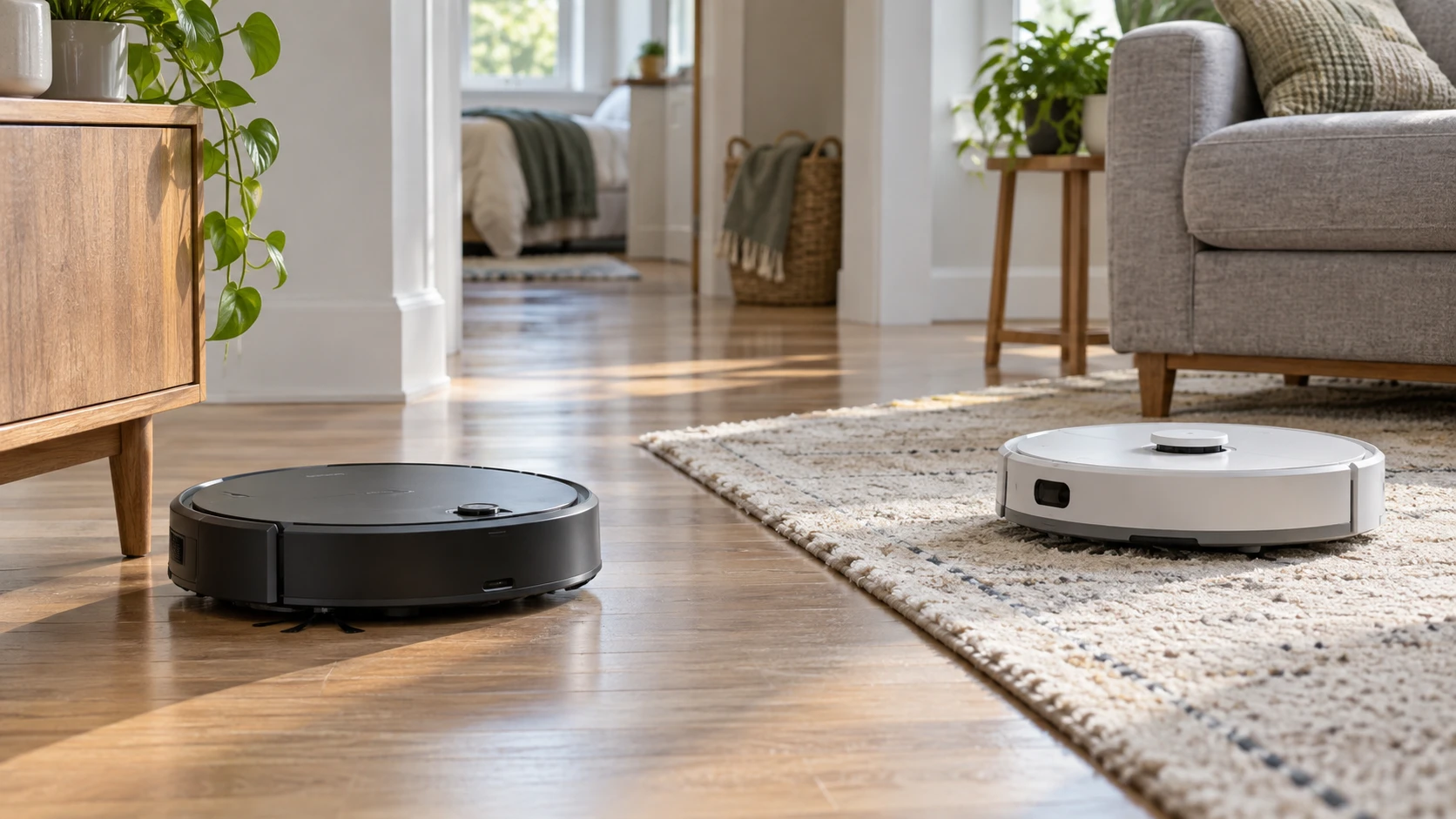
The Geek Smart L7 robot vacuum listing emphasizes four cleaning modes, app scheduling, direction controls, and a low body that can reach beneath some furniture. The other listing describes a Roborock machine with LiDAR mapping, no-go areas, 3D room information, and a mop that lifts at carpet edges. Those features suggest different levels of room control, but the Roborock product identity needs verification before a fair comparison: the saved title says S80 while its description and URL say S8. Check Republeq's product page for the model printed on the unit and box, plus a matching manufacturer specification sheet. Do not assume every S8 claim applies to an S80-labeled offer.
Map the work you expect the robot to do. A single open room with hard floors may need only a reliable schedule and a clear route to the charging dock. Several rooms with rugs, pet bowls, cables, and areas to avoid make saved maps and restricted zones more useful. The published guide on robot vacuum mapping and room controls frames that decision. Apply its questions to the exact units here, rather than transferring features from the guide's examples to either listing.
The Geek Smart excerpt says its app can set schedules, switch cleaning and suction modes, and control cleaning direction. It does not describe a saved map, room names, virtual walls, or a route-planning system. That omission is not proof the device lacks those functions, but they are unverified from this source. The Roborock description explicitly claims LiDAR route mapping, no-go areas, invisible walls, and 3D map information for furniture, floor materials, and pet areas. These controls would matter if the household wants the robot to clean the kitchen while leaving a play area alone. Confirm them on the exact unit after resolving the S80/S8 mismatch.
The difference becomes concrete when a room changes. A chair may move, a pet bowl may be set down, or a bedroom door may close during a scheduled run. Ask how the Geek Smart L7 handles an interrupted path and whether the app shows where it cleaned. For the Roborock listing, verify whether its saved map can be edited after furniture moves and how it handles a room that is temporarily inaccessible. Neither excerpt guarantees that a robot will always recognize a changed floor plan correctly. Watch the first few runs after a major rearrangement and revise any permitted zones as needed.
Test the house before comparing numbers — Roborock S80-listed robot vacuum
Walk the floor with a tape measure. Note the clearance beneath the bed and sofa, the width of narrow passages, high thresholds, loose cords, and the place a dock could sit without blocking a walkway. Geek Smart lists a 2.85-inch body height, which may help it pass under low furniture; its description does not provide the rest of its footprint. Roborock's excerpt gives no body height or dock dimensions. Compare current dimension drawings with your actual clearances. A device that can fit under a sofa still needs a path back out and enough room to approach its charger.
Both listings discuss obstacle behavior. Geek Smart names anti-collision and drop-sensing sensors intended to avoid furniture and stairs. Roborock names obstacle avoidance. Neither short description identifies every object type its sensors detect or guarantees perfect avoidance of small cords, pet toys, or dark surfaces. Clear loose objects before a run and supervise the first trips through each area. Check the manuals for stairs, reflective surfaces, and any places a physical barrier is recommended. The presence of sensors should reduce work, not erase ordinary floor preparation.
If the floor includes rugs, read the carpet language precisely. Geek Smart describes pickup on hard floor and low-pile carpet. Roborock says its VibraRise mop lifts up to 5 mm, with automatic lifting suitable only for low-pile carpet no higher than 4 mm. It also describes a carpet-avoidance setting in the Roborock and Mi Home apps. These are model-specific claims inside the description whose identity remains disputed. Measure the rug pile and ask how the exact machine handles a wet mop near it. A raised mop may still touch a thicker carpet, and the saved source does not establish performance on every rug edge.
The Roborock description names Carpet Boost+ for pet hair and crumbs. Geek Smart says it can adjust suction to different ground conditions. Both are useful ideas, but the sources do not give a comparable test on the same carpet and debris. If pets shed heavily, look for independent measurements with the same floor type, then check how easily hair can be removed from the brush. The Roborock text names a DuoRoller brush; the Geek Smart excerpt does not describe its brush construction. Ask for replacement-part costs and cleaning steps before assuming either one will need less maintenance.
Keep suction and runtime claims in context — robot vacuum mapping and room controls
Geek Smart lists a maximum 1,800 Pa suction figure. The Roborock description lists 6,000 Pa HyperForce suction tested to IEC 62885-2:2016 section 5.8 in Max+ mode with a full battery. These numbers were not established under one shared test in the saved material. They do not predict how much cereal, dust, or pet hair each robot will collect in your home. Brush design, airflow, bin capacity, and floor contact also affect pickup. Treat the figures as prompts for comparable tests, not a simple three-to-one performance ranking.
Geek Smart claims a 100-minute run on a home floor and says the robot returns to its dock when cleaning finishes or the battery runs low. The excerpt does not say which mode produced the 100-minute result, how large an area was covered, or whether it resumes an unfinished job after charging. Roborock's description mentions a Clean and Mapping mode that can create a map up to six times faster before a first task, with results varying by home, but gives no comparable cleaning runtime in the saved source. Ask for current battery and resume specifications if the home is large or divided by several closed doors.
A schedule only works if the robot can finish the assigned area. For Geek Smart, ask whether its app can name rooms or just start a whole-home cycle. For the Roborock unit, check whether map editing, no-go zones, and scheduled room selection are available in the app version you will use. The listing says the Roborock device supports 2.4 GHz Wi-Fi; it does not claim 5 GHz. Geek Smart mentions Wi-Fi without a band. Check the home network, app account requirements, and privacy settings for both. A router's advertised Wi-Fi generation does not tell you whether a robot can join a particular band.
App features also depend on ongoing support. Check the maker's current software listing for your phone, what control remains available without an account or network connection, and how maps or schedules are stored. The saved product excerpts do not answer those questions. If the robot will clean a shared office or a home with several occupants, decide who can change schedules and restricted areas. A map of a living space may be convenient for cleaning, but it is still household data worth managing deliberately through the available privacy settings.
Decide whether mopping is part of the routine — Roborock S80-listed robot vacuum
Only the Roborock description here discusses a mop. It calls the mopping sonic and says the module was tested at up to 3,000 vibrations per minute, or 50 Hz. It also describes automatic mop lifting, with the test results noted as varying in home conditions. Those details should be verified against the exact model offered. The Geek Smart L7 excerpt describes vacuuming and does not claim a mop. If the household needs regular damp cleaning, ask about water tank size, floor restrictions, cloth washing, and where the robot may travel with a wet pad. A mopping feature can add useful work and also add maintenance.
If most floors are carpeted, a mop may spend much of its time lifted or avoided. If floors are hard but have delicate finishes, ask the flooring manufacturer and robot maker about permitted water use. Neither saved listing provides a floor-safety guarantee. A robot mop also does not replace removing a sticky spill that needs targeted scrubbing. Judge the feature by the daily floor mix and the willingness to clean pads, not by the word "sonic" on its own.
Dock placement affects both robots. Geek Smart explicitly returns to its charging dock at the end or when power runs low; the Roborock description does not give a dock-return claim in the saved excerpt, though a dock would be expected for this product category. Check its exact package and manual rather than inferring included accessories. Ask how much space is required around each dock and whether the robot can reliably approach it from the rooms you want cleaned. A narrow corner that hides the dock from view may be convenient for people but troublesome for a robot.
The Roborock S80-listed robot vacuum should be considered only after its S80 title and S8 description are reconciled to one physical model. If Republeq's catalog confirms the mapping and mop features for the exact unit, it suits a home that needs restricted zones and mixed-floor handling. Geek Smart offers a simpler documented set of schedules, four modes, direction control, and a low stated body, while saved-map support remains unknown. Measure the house, decide which areas must be excluded, and verify the app and maintenance details before selecting either robot.