Crypto Commerce
Garmin RV 795 navigation device vs HWEVDHJ truck GPS: enter the right vehicle first
Compare Garmin RV 795 navigation device by RV and truck route inputs, map coverage, road warnings, traffic claims, mounting, and trip planning.
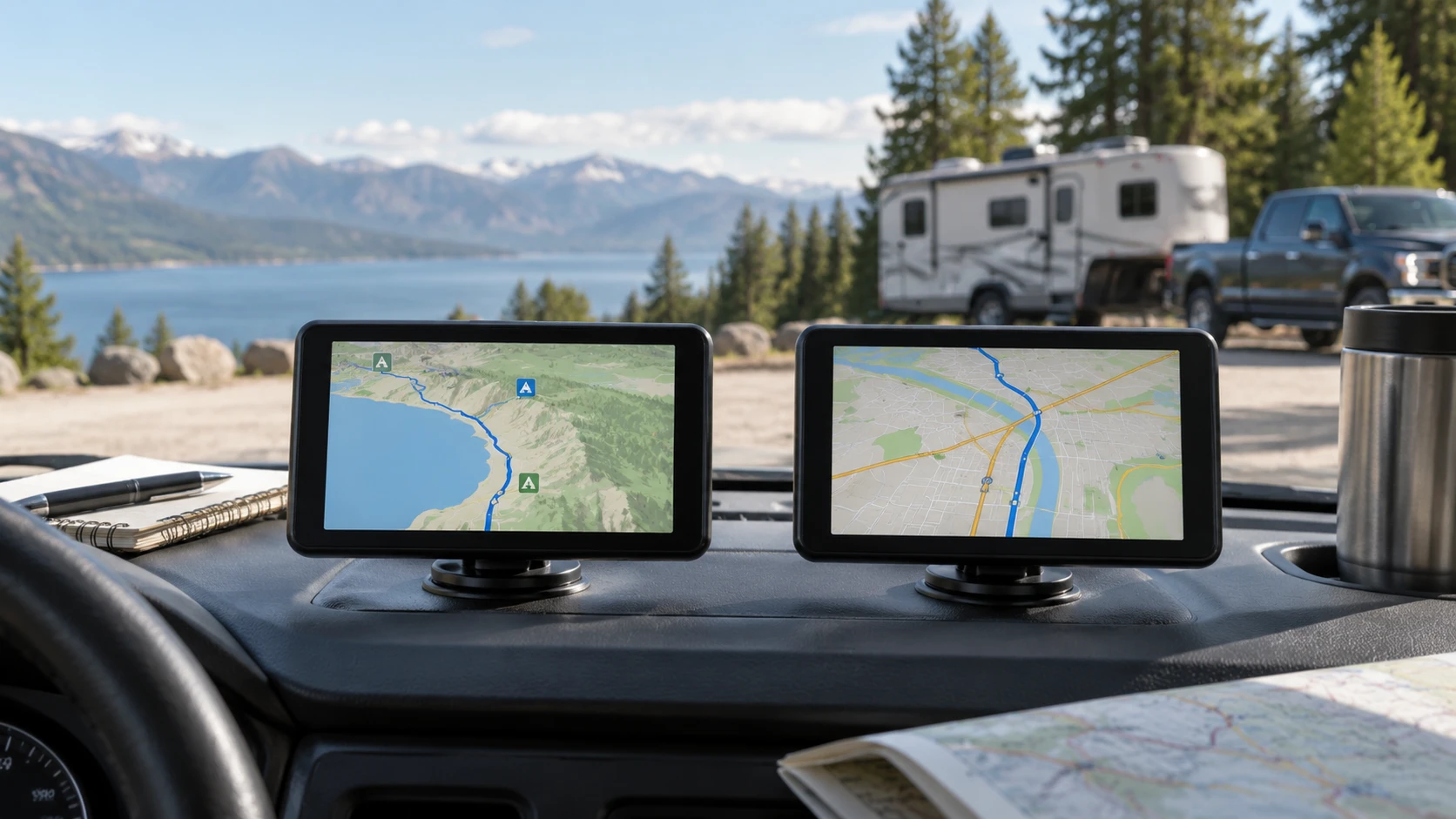
Two seven-inch navigators can give very different planning prompts. The Garmin RV 795 navigation device is described around RV and trailer size, weight, campgrounds, and road warnings. The published guide to truck GPS route setup illustrates why the vehicle profile must be checked before following a proposed path. The HWEVDHJ seven-inch truck GPS is described around truck dimensions, fuel prices, live traffic, and truck-specific points of interest. The useful comparison begins with the vehicle you actually drive, not the screen diagonal they share.
Enter the vehicle's real height, length, weight, and any other dimensions that the exact navigator asks for. Then inspect a familiar route before a long trip. A navigation system may propose a path that looks efficient but is inappropriate because of a restriction, a changed road condition, or incomplete map data. Garmin's saved entry explicitly warns that custom routing may not account for every vehicle characteristic and tells drivers to follow posted signs and conditions. Apply that habit to either device.
RV and trailer routing on Garmin — HWEVDHJ seven-inch truck GPS
Garmin's listing says its custom routing uses the size and weight of an RV or trailer. It also mentions warnings for steep grades, sharp curves, and weight limits. Those features are relevant when an ordinary car route would ignore a large vehicle's clearance or handling concerns. The source does not provide a complete list of every characteristic Garmin can enter or every location where custom routing is available. Verify the current map and routing coverage for your vehicle and travel area before relying on it.
Garmin also lists an RV parks and services directory, campground content from Ultimate Public Campgrounds and KOA, traveler ratings from Tripadvisor, and U.S. national parks information. These can make the device useful beyond turn-by-turn directions for an RV trip. They are leads for further checking, not live proof of an open site, an available space, or an entrance suitable for your rig. Confirm current campground details and reservations directly with the destination.
BirdsEye Satellite Imagery is described as showing aerial views of campgrounds and approach routes. That could help you understand the shape of a site before arrival, but the saved excerpt does not state how recently an image was captured or whether it shows current construction, tree growth, or lane markings. Use an aerial view as a planning aid. At the actual entrance, signs, staff directions, and visible conditions take priority.
The saved Garmin map coverage includes the U.S., Mexico, Canada, Puerto Rico, the U.S. Virgin Islands, the Cayman Islands, and the Bahamas. A place on a coverage list does not guarantee that every road restriction is current or that every RV-specific feature works there. Check the exact map edition and update process for the routes you expect to travel. This is especially important when a trip crosses jurisdictions or uses roads that change seasonally.
Truck-focused information on HWEVDHJ — truck GPS route setup
HWEVDHJ's saved entry says drivers can set routes using truck dimensions and can view fuel prices and live traffic. It also lists lane assist, junction views, weather overlays, three-dimensional structures, and millions of truck-specific points of interest. Those functions may be useful for a commercial route, but the excerpt does not explain which services require a data connection, a subscription, or a map update. Verify the current service terms and coverage rather than assuming every dynamic feature works offline.
The listing does not specify the exact truck attributes accepted by its profile. Ask whether it handles the dimensions, weight, vehicle type, and restrictions relevant to your operation. A field labeled truck size does not by itself prove that a route is suitable for a particular load or permit. Test the route against known restrictions before depending on the unit for an unfamiliar delivery.
Fuel-price information can help plan a stop if it is current and available in the region you use. The saved description does not say how often prices refresh or identify the providers. Treat a displayed price as a lead, then verify it before changing a time-sensitive route. The same caution applies to live traffic and weather overlays: their usefulness depends on data freshness and the connection the device uses.
HWEVDHJ's truck-specific points of interest may help find services, but a database entry does not guarantee that a lot is open, has space, or accepts your vehicle. Confirm hours, access, and parking rules for a planned stop. Garmin's campground and RV-services directory requires the same kind of current check. The two directories address different travel routines, and neither replaces direct confirmation of a critical stop.
Map, road, and driver are three separate sources — HWEVDHJ seven-inch truck GPS
The linked truck-route guide covers other devices and is useful as a route-setup checklist, not as a certification of Garmin or HWEVDHJ. For either navigator, first set the correct vehicle profile. Next, preview the proposed road sequence, including bridges, grades, turns, and the final approach. Finally, compare it with official restrictions and current conditions. If a route conflicts with a posted sign or direct instruction, follow the authoritative road information rather than a screen.
For a route you already know, enter a destination that includes a problematic low clearance or weight-restricted road nearby. See whether the navigator's proposed path avoids it under the correct vehicle settings. This is a practical way to learn the device's interface and spot a profile mistake. It does not prove the unit will avoid every future hazard; it checks one known case before the device is used on an unfamiliar route.
Note the difference between a route warning and an actual restriction. A warning about a curve or grade can prompt extra attention, while a legally posted limit governs the road. The saved descriptions do not state how each unit distinguishes those cases on screen or how quickly its map data changes. Read the current manual and practice with the alert settings before driving. Avoid trying to decipher a new warning menu while the vehicle is moving.
If you travel with a trailer, measure the full combination rather than only the tow vehicle. If you drive a truck, use the dimensions that apply to the configured load and equipment. The article cannot supply those values; they come from the actual vehicle. Recheck the profile after a different trailer, load, or vehicle is used. A correct map with an old profile can still produce the wrong route for today's trip.
Screen and mounting information — HWEVDHJ seven-inch truck GPS
Garmin lists a bright, high-resolution seven-inch touchscreen and exterior dimensions of 7.0 by 4.2 by 0.8 inches. The saved excerpt does not give the screen's pixel count, power draw, or mounting hardware in the short description. HWEVDHJ lists a seven-inch touch display with 800 by 1280 pixels and a magnetic mount described as tested for harsh driving conditions. Its saved text does not state exterior dimensions or an independent vibration-test method. A shared screen size is therefore not enough for a fair legibility or mounting ranking.
Try each screen from the driver's normal seated position in the intended vehicle. Check whether the next turn, alert text, and route preview can be read without looking away too long. The device should not block sight lines or vehicle controls. Follow local mounting rules and the manufacturer's instructions. A mount that works on a desk may behave differently over rough pavement or in a warm cab.
HWEVDHJ's entry says the unit is not water resistant. That matters if the navigator will be moved between a truck and an exposed work area. Garmin's saved excerpt does not state a water-resistance rating either. Keep the units within their stated operating and care instructions, and ask for the relevant environmental limits if a vehicle is routinely left in extreme heat or cold. The catalog summaries do not establish those limits.
HWEVDHJ lists Bluetooth, a six-core processor, 2 GB of memory, 32 GB of storage, and version 8.1. Those internal figures do not tell you whether maps load faster or routing is more accurate than Garmin on a particular trip. They may matter for software compatibility or storage planning, but the short excerpt does not give a controlled performance comparison. Test menu responsiveness and update behavior with the current device if they are decision factors.
Updates, connectivity, and a workable routine — HWEVDHJ seven-inch truck GPS
Garmin's listing names the Garmin Drive app for paired features, including participating U.S. travel-plaza loyalty information. It does not establish that the app is required for every navigation feature or that every service works without pairing. HWEVDHJ names live traffic, fuel prices, and weather overlays, but its saved text does not say how those features receive data. Ask what each device does offline, what requires a phone or network, and how maps are updated.
Plan for the moment a connection fails. A preloaded map may still be useful while dynamic traffic or fuel data becomes stale; the exact behavior needs verification in the manual and a safe pre-trip test. Carry the current route information and contact details needed for the trip. Do not wait until a difficult junction to discover that a feature depended on a phone connection that has dropped.
For a routine RV journey, Garmin's campground and park content may answer questions that a truck-services list does not. For a truck route, HWEVDHJ's described traffic, fuel, and truck-specific points of interest may be worth testing. Both remain route aids. Good practice is to plan a stop, verify its access, preview the final turn, and keep current road restrictions in view as the trip unfolds.
Choose by vehicle and evidence — HWEVDHJ seven-inch truck GPS
Put Garmin RV 795 on your short list if an RV or trailer profile, campground information, and its stated geographic map coverage match your trips. Confirm the exact vehicle fields, map edition, update process, mount, and which paired features require a phone. Its saved description already cautions that custom routes are limited, so keep an independent check on critical restrictions.
Put HWEVDHJ on your short list if truck dimensions, live traffic, fuel prices, and a truck-services directory address your route planning. Verify how those data services work, whether they cover your territory, and whether the magnetic mount fits your cab. Its seven-inch screen and 800-by-1280-pixel statement are specifications to inspect, not proof that its route advice is safer or more current.
The exact saved identities are Garmin RV 795 model 010-02747-00, SKU sku-1373467349, and HWEVDHJ Truck GPS, SKU sku-17405123110. Check the current product pages, software and map terms, warranty, price, and availability for those offers. Enter the actual vehicle, preview one known route, and compare every critical restriction with current authoritative road information before trusting either device on a new trip.