Product Compatibility & Accessories
A food dehydrator accessory compatibility checklist for trays and sheets
Check food dehydrator accessory compatibility using exact model identity, supplied tray counts and separately sold sheets before choosing an extra.
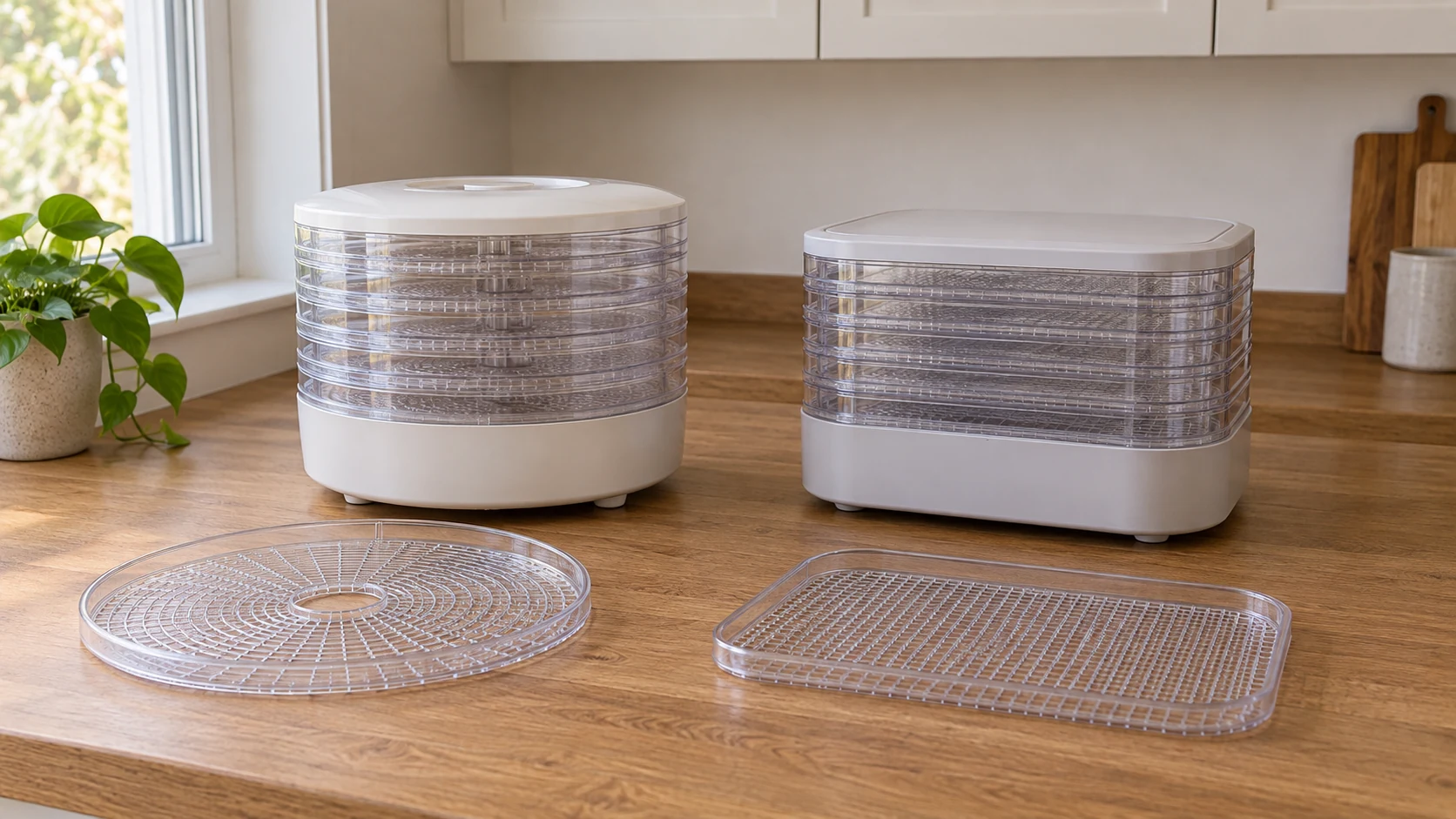
An extra tray, a fruit roll sheet and a mesh screen can all appear in a dehydrator shopping search. They answer different needs, and their appearance beside a familiar machine name does not establish which item fits. A food dehydrator accessory compatibility check starts with your exact machine and the particular accessory you want to add. Keep the supplied tray inventory separate from the description of an optional item.
The two listings discussed here illustrate why that distinction matters. One describes five removable plastic trays and gives their dimensions. The other describes four trays, expansion with separately sold trays and several optional accessories. Ask about the specific accessory for the machine named in that description. Neither description provides a universal fit list or permission to substitute an accessory simply because it looks similar.
Dehydrator trays versus separate accessories
Decide which item you are looking for. Write its name in your own shopping note: an additional tray, a fruit roll sheet or a mesh screen, for example. If a product description uses one of those names, preserve it when you contact the supplier. A count of supplied trays does not state how many optional sheets or screens are in the package.
Keeping dehydrator trays versus separate accessories clear also helps when you are replacing something you already own. Identify the existing part and record its model or item reference if available. A request for “another drying layer” may leave a responder unsure whether you mean a complete tray or an accessory associated with it. Ask for help identifying the part before ordering if you cannot tell.
The distinction affects what you need to confirm. A model-specific expansion claim addresses adding the stated trays to that machine. It does not identify every accessory that could be associated with those trays. Keep each proposed item on its own line so a confirmed tray recommendation does not silently become a confirmed sheet or screen recommendation.
Keep the machine identity beside the accessory question
Use the model you actually own or intend to buy. An order record, existing documentation and visible product information can help establish that identity. If two sources use different wording, keep both references and ask which applies to the item. Do not resolve the difference by borrowing a model number from a product that merely looks familiar.
The first example is listed under a COMMERCIAL CHEF title that includes model CHD200S, while its brand field says PAWTY. The second identifies Presto 06300. Include the exact listing or order reference along with the model in an accessory inquiry. That lets the responder address the actual offered item without requiring you to change the brand identity recorded for it.
For an existing machine, make clear whether the listing is the one from which you ordered it or a page you found later. A current product page can describe an accessory relationship without establishing the identity of an older item in your kitchen. If that connection is unresolved, put it into the question before relying on a recommendation.
Read the five-tray description without extending it
The COMMERCIAL CHEF CHD200S five-tray dehydrator listing describes five plastic removable trays measuring 10 inches by 9.25 inches. It also gives the machine's dimensions as 10.2 inches by 8.26 inches by 9.8 inches. Preserve those as separate sets of supplied measurements when you ask about an accessory.
The stated tray dimensions alone do not establish a compatible replacement tray, sheet or screen. The description does not supply a corresponding optional accessory identifier or a cross-model fit list. If a proposed accessory uses the same numbers, ask for confirmation that it is intended for the exact CHD200S item.
Do not try to reconcile the supplied tray and machine dimensions by inventing an orientation or an omitted measurement. The description does not explain that relationship. Quote both sets if their relationship matters to the inquiry, and ask for the relevant model-specific clarification. Keep the fit question open until the supplied measurements have been clarified for the item you are considering.
Read the four-to-eight tray statement as model-specific
The Presto 06300 dehydrator listing says the unit includes four trays and expands to eight with separately sold trays. That provides a model-specific distinction between the supplied inventory and an expansion possibility. It does not say the additional trays are included in the four-tray order.
The description separately names fruit roll sheets, nonstick mesh screens, a jerky gun and seasoning as sold separately. Keep those optional items out of the supplied inventory unless the exact offer you are considering expressly includes them. The expansion statement does not establish a supplied quantity or a fit identifier for those separate accessories.
The complete description does not provide tray dimensions or an accessory item number for the expansion trays. If you want to use the stated expansion option, ask for the exact tray intended for model 06300 and confirmation that the proposed offer contains that item. Avoid substituting the CHD200S tray measurements, which belong to a different listing.
Say whether you are expanding or replacing
Tell the responder whether you want to add a tray to the existing inventory or replace a particular missing or damaged item. Those are different requests. The Presto description's expansion statement concerns separately sold trays for the named model. It does not identify an individual replacement part in your possession, and the five-tray CHD200S inventory does not identify a replacement offer.
If an existing tray needs identification, describe the part you are asking about and provide the model or order details you already have. Use visible information or an existing photograph; an accessory inquiry is not a reason to take the machine apart. Ask which exact replacement item the response recommends and whether it covers the part you described.
For an expansion purchase, ask what quantity the proposed accessory offer supplies. Keep that answer separate from the machine's original tray count and the stated expansion limit. You can then record the intended extra without treating a maximum or a product photograph as the package contents.
Checking accessories for the exact dehydrator model
Begin checking accessories for the exact dehydrator model by naming both sides of the proposed pairing. Write the machine model on one line and the accessory's actual item name or identifier on another. Add the statement that links them, if the accessory description provides one. If you have only found a shared dimension or similar appearance, record that as the basis of your question.
A useful inquiry asks whether the specific accessory is intended for the exact machine, and what documentation establishes that relationship. Include the two listing references if you are shopping for both items. If the answer names a different accessory, check that identifier against the offer you intend to order. A recommendation for one item does not automatically cover another item in the same search result.
Where a response is incomplete, follow up on the missing relationship. A reply saying that trays are available may still leave your selected tray unidentified. Ask which item the response covers and which machine model it applies to. Keep the question open until those identities are clear.
Keep quantities attached to named objects
Give each figure a named object: five supplied CHD200S trays, four supplied Presto trays or a Presto expansion statement reaching eight trays. These numbers come from their respective descriptions. Do not combine them into a universal count for a “standard dehydrator” or treat a maximum tray statement as the inventory delivered in a particular order.
If you are comparing two accessory offers for the same identified machine, check what each offer actually includes. One product photograph may show several objects without explaining which are supplied. Use the written item description and ask about an unresolved quantity. Do not assume an accessory bundle is complete because the image includes a machine or food arranged on it.
For an order containing separate items, keep the machine and accessory lines distinct on your record. You can then compare what arrives with what each offer said it included. This is an inventory check; it cannot establish that an accessory fits or is appropriate to operate simply because the expected number of pieces arrived.
Separate an accessory question from operating guidance
Both descriptions include statements about dehydrating food, but this accessory check provides no recipe, time or temperature instructions. Product material claims and operating figures do not establish the fit or permitted use of an unidentified sheet, screen or tray. Keep any use question attached to the exact item and the guidance applicable to it.
The Presto description calls its fan and heating element both top-mounted and bottom-mounted. Preserve that inconsistency if an accessory answer depends on the machine's construction. Do not pick whichever description seems convenient, and do not use a general airflow claim to infer that a substitute accessory is suitable. Ask for model-specific clarification.
Likewise, a statement about cleaning the supplied trays does not establish the cleaning method for a separately obtained accessory. Keep the guidance for that accessory with its identity. If an answer only discusses the machine's supplied parts, follow up on the optional item rather than treating the response as instructions for everything in your shopping basket.
Use an unanswered fit question to defer a specific item
You can finish the known part of the record while leaving an accessory unresolved. If the machine identity and supplied inventory are clear, save those details. Write the exact unanswered question beside the proposed extra. That makes it possible to discuss the item without pretending the whole equipment decision has already been confirmed.
Check whether the proposed accessory has been tied to the actual model. A matching measurement or a familiar name can help frame the inquiry, but neither substitutes for that relationship. If support recommends a different item, record the reason and the new identifier before updating the shopping note. Preserve the earlier question so a second person can understand why the selection changed.
When an answer confirms only part of the request, mark that part accurately. A reply may identify the right tray while leaving its order quantity unclear, or explain the package inventory while leaving a sheet recommendation unanswered. Follow up on the remaining question, keeping the accessory selection and the inventory question separate.
Keep the answer with the order you rely on
Save the model-specific response with the relevant offer or order. Include the accessory identifier and any scope the responder stated. If you later choose a different listing, check whether the earlier answer still describes that item. The apparent similarity of two accessory pages does not transfer a response from one offered item to the other.
When the package arrives, compare its visible identity and described inventory with the order before relying on the proposed pairing. If the model, item identifier or quantity is unclear, ask the supplier to resolve that discrepancy. Receiving a package is not evidence that its contents match the accessory about which you asked.
Keep the compatibility question attached to the exact machine and accessory through the purchase decision. The five-tray CHD200S disclosure and the four-to-eight Presto expansion statement answer different inventory questions. Use each for the information it supplies, then obtain the missing item-specific answer before treating an extra as confirmed.
The Apex 300 and B300K package guide keeps an explicitly named included expansion battery separate from an unspecified future expansion option. It also leaves the supplied system’s operating connection as a different question. Apply that inventory distinction to the Presto account: four included trays, separately sold expansion trays and optional sheets or screens are different entries. The power-station package supplies no dehydrator accessory reference or fit permission.
The Ninja and nutribullet supplied-accessory guide distinguishes named spout lids, To-Go Lids and rings, then leaves cross-offer accessory compatibility unconfirmed. The names identify different items in the order rather than interchangeable extras. That is useful when asking about a dehydrator tray, sheet or mesh screen: identify the actual accessory and machine before relying on a pairing. No blender component, care permission or dimension transfers to either dehydrator here.
Dehydrator accessories need separate records for the exact machine, the named extra and the stated package contents.