Crypto Commerce
Epson DS-530 II duplex document scanner vs CZUR ET MAX: loose-page batches or bound books?
Compare Epson DS-530 II duplex document scanner by document handling, speed, OCR, image checks and file workflow.
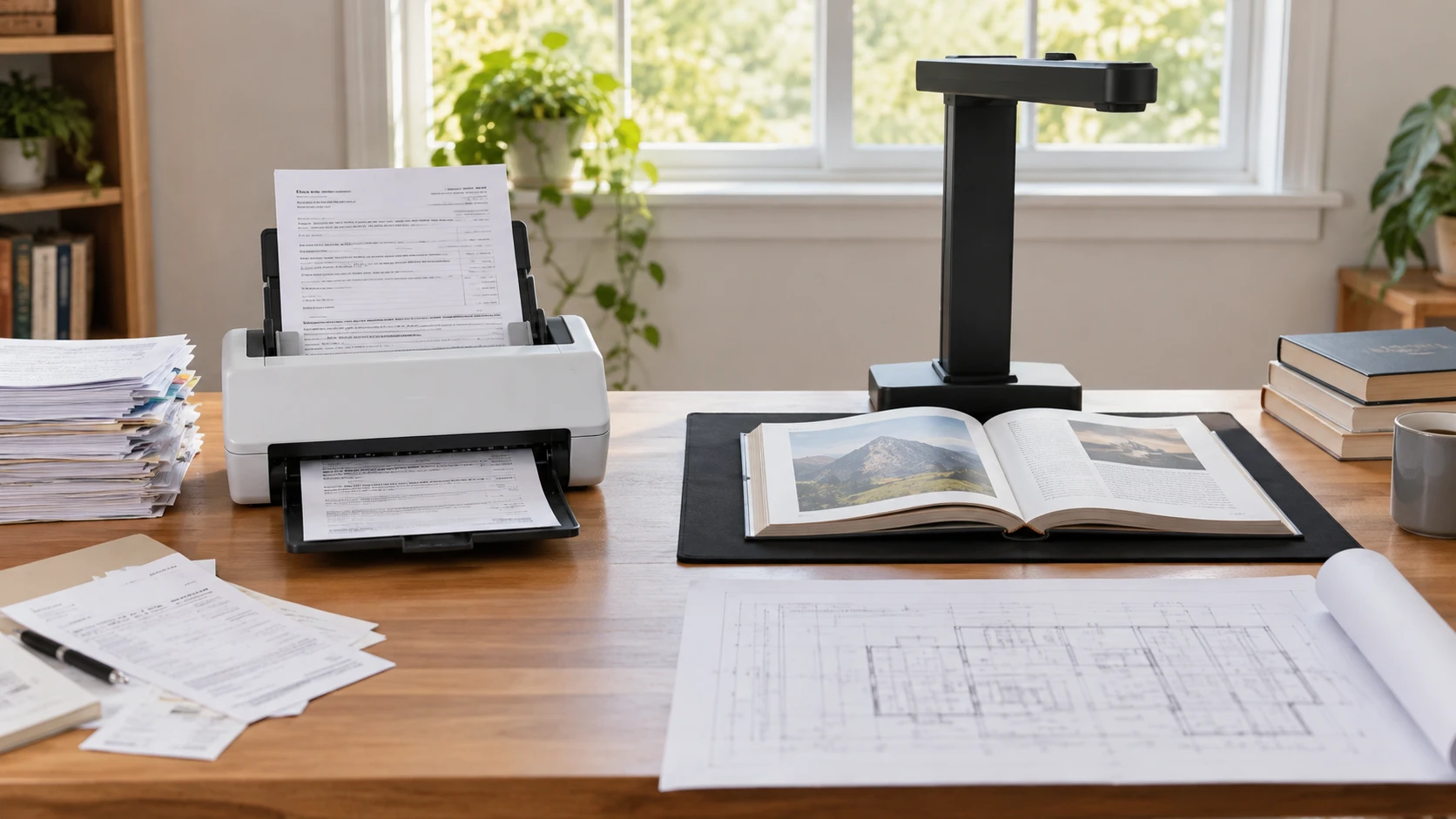
The Epson DS-530 II and CZUR ET MAX address different kinds of paper. Epson lists a 50-sheet automatic document feeder that scans both sides of a loose page in one pass. CZUR describes an overhead camera that captures open books and documents up to A3 size, with software meant to flatten curved pages. A stack of invoices, a bound reference book, and a large drawing each demand a different handling path. Sort the materials you actually need to scan before comparing the speed and resolution figures in the product titles.
The September 30 catalog snapshot marked both products available at minimum prices of $494.99 for Epson and $873.75 for CZUR. That historical difference is $378.76. Both exact product pages and a related guide returned HTTP 200 on October 3, but those checks do not establish today's price or the condition of a particular offer. The saved descriptions come from Republeq's catalog entries, not a common test of image accuracy, feed reliability, or OCR. Check the current manuals and software requirements for the exact models before choosing a workflow.
Sort the originals before choosing a scanner — CZUR ET MAX overhead book scanner
The Epson DS-530 II duplex document scanner has a 50-page automatic document feeder. It is built for loose sheets that can safely pass through rollers. The listing says it can scan both sides in one pass, which is useful for forms, letters, and receipts printed front and back. Before feeding a stack, remove staples and clips, align pages, and consult the manual's approved paper sizes and weights. A booklet or fragile bound page is a different physical problem from a set of clean office sheets.
CZUR's ET MAX uses a 38-megapixel overhead camera and claims an A3 capture area of 16.5 by 11.7 inches. Its Laser Curve-Flatten feature is described as correcting the curvature of open book pages without unbinding them. That avoids forcing a book through a feeder or cutting off its spine. It does not prove that every curved page will be corrected perfectly. Thick books, tight bindings, glossy paper, hands holding pages down, and room lighting may affect the captured image. The saved description specifically says the CZUR is not recommended for glossy materials.
Make three piles: loose pages, bound pages, and oversize items. Count how many are in each, then test the awkward examples, not only a pristine sample. A feeder may speed through uniform letter-size sheets but require preparation for folded or mixed-size originals. An overhead camera may protect a bound volume but require manual page turning and careful placement for every capture. The sources do not give a shared test with the same documents, so a pages-per-minute label cannot settle which machine finishes your collection sooner.
If an item cannot be replaced, check whether the proposed handling method is acceptable before trying it. A delicate certificate may be safer under a camera than in an automatic feeder, but that depends on its size, finish, and the mount used to hold it flat. The CZUR's no-glossy-material warning matters for photos and shiny brochures. Epson's saved excerpt does not specify an approved path for fragile originals. Consult each manual and use a conservation-appropriate service if the item is valuable or especially brittle.
Read the speed claims in context — CZUR ET MAX overhead book scanner
Epson's listing gives up to 35 pages per minute, or 70 images per minute for two-sided pages. It also names a peak daily duty cycle of up to 4,000 sheets. These are Republeq's product specifications under particular conditions, not a promise for mixed originals or a guarantee that every day at that peak is advisable. Paper preparation, pauses to inspect output, software processing, and misfeeds can dominate a small job. Ask about recommended rather than peak daily volume if the scanner will support a regular office workload.
CZUR claims a page capture in about 1.5 seconds. That does not include turning a book page, positioning the volume, correcting an image, or naming the resulting file. If you plan to scan a long chapter, time a complete ten-page sequence rather than multiplying the advertised capture interval by the page count. The overhead approach may still save work when the alternative is manually flattening a book on a conventional flatbed. The value depends on the binding, page size, and how much correction the software needs afterward.
Epson includes a Slow Speed Mode and programmable jobs according to its description. Slow mode is a feature to investigate for delicate or difficult sheets, not permission to feed anything fragile. Programmable jobs may simplify repeat work, such as scanning a two-sided stack to a chosen destination, but verify the exact setup steps and profiles in current software. CZUR's workflow is centered on camera positioning and page processing. If another person will use the station, ask how easily each machine returns to a known setup after a different project.
Keep resolution and OCR claims separate — document index planning to find subjects
Epson lists 600 dpi optical resolution. CZUR lists a 38 MP CMOS sensor at 7168 by 5376 pixels and up to 410 dpi scans. Dpi and total pixels describe different aspects of an image; neither number alone proves better legibility for a particular page. Text size, paper condition, focus, lighting, and processing all matter. Scan a small footnote, a shaded chart, and a page with handwriting if those are common in your archive. Compare the original image and the processed output at the size you will actually read or print.
CZUR says its OCR recognizes more than 180 languages and can make searchable PDFs and editable Word and Excel files. The source expressly excludes Thai, Arabic, and Hebrew from that language claim. Treat OCR as a way to find or reuse text after checking it, not as a perfect transcription. Curved pages, equations, tables, unusual fonts, and marks near a binding can be misread. The Epson excerpt lists image correction and destinations but does not state a comparable language count or complete OCR output contract. Check its software for the languages and file types your work requires.
The published guide on document index planning to find subjects helps with the step after scanning: naming and organizing files so a later search finds the right page. It does not certify either scanner's OCR. Decide whether you need a searchable archive, editable text, or just a faithful image of the original. A high-resolution image with no useful file name can be hard to retrieve; an OCR file with errors can be misleading. Keep the original scan when editing recognized text for an important document.
Epson's listing names blank-page removal, auto-rotation, auto-cropping, Dynamic Skew Correction, Dirt Detection, Double-feed Detection, and Paper Protection. These may reduce cleanup for repetitive loose-sheet jobs, but their accuracy needs checking with the paper you have. A blank back might hold a faint handwritten note. A crop could exclude a page number. An automated rejection can also interrupt a batch. Test settings on a small stack and inspect the output before processing a full box of records.
CZUR's curve-flattening software addresses a different image problem. It may make a book page look flatter, but it should be inspected where text approaches the gutter and where the paper bends sharply. Check that page order remains correct and that no line is duplicated or lost during processing. If you need an archival reproduction, save the uncorrected capture as well as the processed version if the software allows it. The Republeq's product description does not state every export and backup option, so verify those settings before beginning a large book.
Check computer, connection, and destination requirements — CZUR ET MAX overhead book scanner
Epson describes TWAIN and ISIS drivers and says Epson Document Capture can send scans directly to SharePoint, Evernote, Google Drive, and other destinations. Verify current compatibility with your operating system and the services your organization permits. A listed integration does not establish that credentials, permissions, or file naming will match your workflow. If records contain private information, determine where the data travels and who can access the destination before enabling a cloud option. A local folder may be easier to audit for some projects.
CZUR lists high-speed USB transfer, HDMI output for projection or live demonstrations, and compatibility with Windows, macOS, and select Linux systems. The phrase select Linux systems needs a specific version check. HDMI output is useful for showing a page live, but it is not itself proof that a captured scan reaches your archive. Confirm the required computer, software version, cable, and export path. If a classroom or meeting room is the main setting, test the display connection and where the overhead unit will stand relative to the audience.
Neither saved excerpt gives a complete desk-footprint or cable-routing plan. Epson needs space for a stack entering and leaving the feeder. CZUR needs a clear capture area beneath the camera and enough room to open the largest book or A3 page. Draw both setups on the actual desk, including a laptop, lamp, and the place where finished originals will go. A scanner that fits while idle may still crowd the desk during a large session. Check whether its lighting or screen creates glare on the material you must capture.
Choose the handling path you can repeat — CZUR ET MAX overhead book scanner
Epson is the candidate to investigate when most originals are ordinary loose sheets, two-sided batches are common, and the 50-page feeder can be used without risking the documents. Verify the approved paper range, current drivers, destination setup, and accuracy of its double-feed and image-correction controls. Its lower saved price may leave room for a separate method for the occasional book, but price the whole workflow before assuming that combination is cheaper.
The CZUR ET MAX overhead book scanner deserves investigation when bound books, A3 pages, or live projection are regular tasks. Test the curve correction near a real binding and confirm that your materials are not the glossy types the Republeq's catalog warns against. Verify OCR language support, file formats, operating-system compatibility, and the time needed to turn and inspect pages. The historical price premium may be justified by preserving bound originals, but its camera specifications alone cannot establish that value.
Pick ten representative originals, including the hardest item, and write down how each machine would capture, correct, name, and store them. Estimate hands-on time, not just the advertised scan interval. A scanner succeeds when the original survives the process and the resulting file can be read and found later.