Crypto Commerce
Dyrabitick N5 robot vacuum — Two robot vacuums for rooms that need different cleaning
Compare Dyrabitick N5 robot vacuum by room controls, dust handling, mop upkeep, floor changes, and the questions to settle before purchase.
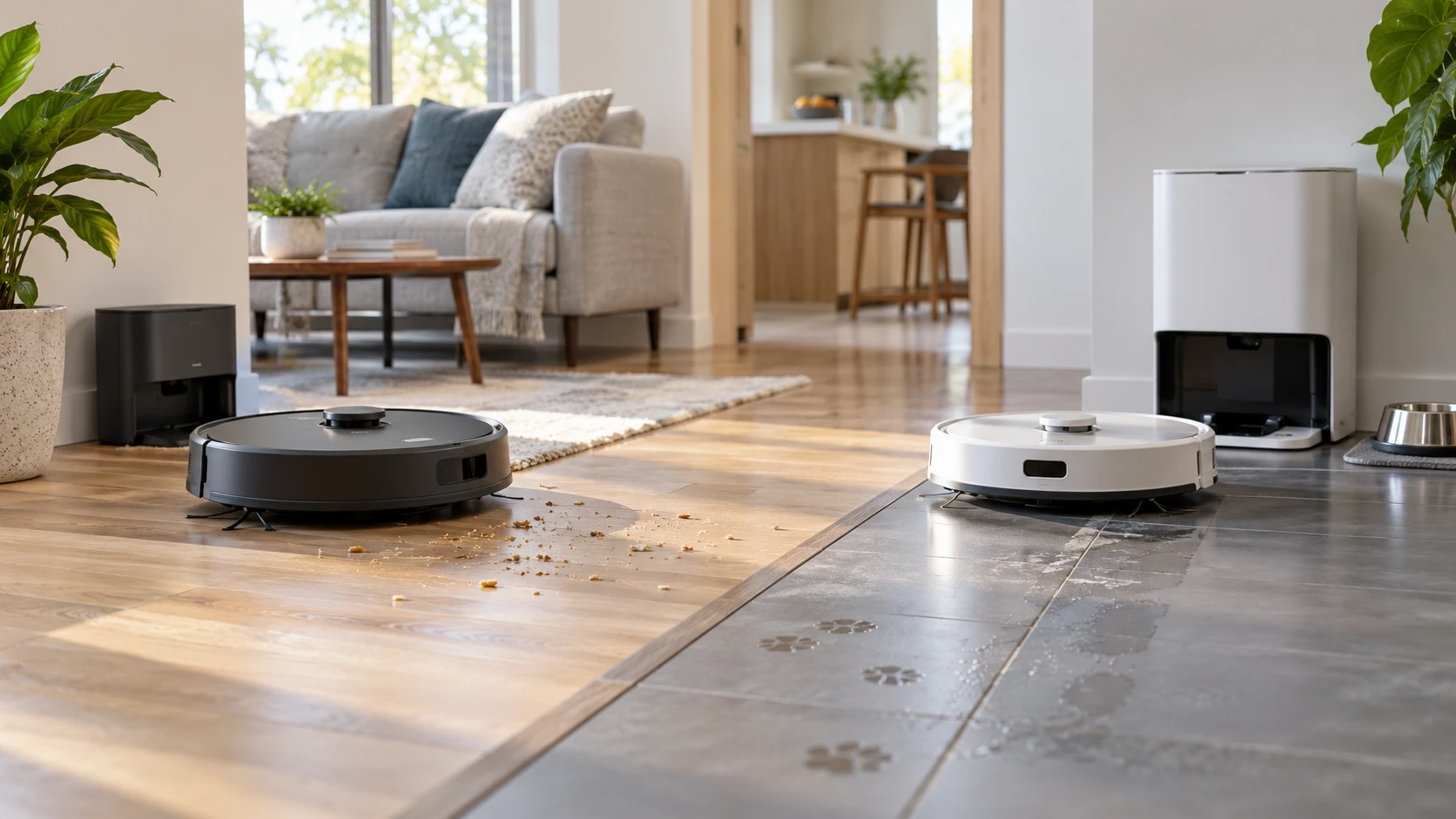
The Dyrabitick N5 and iHome Luna Pro listings both describe machines that vacuum and mop, navigate with a mapped view of the home, and offer controls for directing a cleaning run. The practical difference may be what you expect to do between runs. The Dyrabitick description emphasizes a 650 ml onboard dustbin, multi-floor maps, and an anti-tangle comb. The iHome listing adds an auto-empty base, a vibrating mop, room selection, and electronically controlled water flow. Those are catalog descriptions, not results from a side-by-side cleaning test. Start with the rooms you want cleaned, the debris they collect, and the maintenance you are willing to do.
The Dyrabitick N5 robot vacuum is presented as a two-in-one vacuum and mop. Its listing names 360-degree LiDAR navigation, multi-floor maps, No-Go Zones, a 650 ml dustbin, and a return to the dock when the battery runs low. The iHome listing calls its machine a three-in-one vacuum and vibrating mop with a bag-lined auto-empty base. Those labels leave some details open: neither saved description gives a measured pickup result on a particular floor, a measured map accuracy, or a full maintenance schedule. Match the named functions to a task before treating the feature count as a verdict.
Plan the cleaning request before comparing maps — iHome Luna Pro vacuum and mop
Imagine asking the robot to clean the kitchen after dinner, avoid a play area, and leave a carpeted room for a separate pass. Each request calls for a different control. A route that looks orderly may still lack a named-room command; a saved map may show where the machine went without letting you draw an exclusion. The published guide on robot vacuum mapping controls explains how to separate navigation, reports, room selection, and areas to avoid. Use that distinction when reading either product page.
Dyrabitick's description explicitly says that its LiDAR system maps routes in real time, that it supports multi-floor maps, and that No-Go Zones can keep it out of low-clearance areas. It also says you can set schedules and suction levels in the app. It does not spell out, in this saved excerpt, whether you can select a named room for every scheduled run, whether a zone can be assigned to only one floor, or how detailed the boundary can be. Ask for a demonstration of the exact command you expect to use. A general statement that the robot makes a map would not settle those questions.
The Luna Pro description is more explicit about room-by-room choices. HomeMap 2.0 uses a front laser to scan a floor plan for row-by-row cleaning; the listing names virtual boundaries and room selection for vacuuming, mopping, or both. That supports a request such as selecting a room and choosing a cleaning mode for it. It does not establish how narrow a boundary can be drawn, whether a stored map survives a furniture rearrangement, or whether the robot recognizes several floors. If you need those abilities, confirm them for the exact iHRV13-BLK model. Do not transfer functions from another iHome model merely because an app screenshot looks similar.
Decide how much dust handling you want to do — iHome Luna Pro vacuum and mop
Dyrabitick's listed dustbin capacity is 650 ml. That gives a concrete onboard capacity to compare with the amount of crumbs, hair, and grit you normally collect. It does not tell you how often you would empty the bin, because that depends on the home and the cleaning run. The saved description says the machine returns to its dock when the battery runs low. It does not claim that the dock empties the bin. If avoiding frequent manual emptying is a primary reason for buying, verify the dock's exact functions before ordering.
The iHome Luna Pro vacuum and mop is listed with an auto-empty base and a bag-lined bin. The description says the robot returns to empty its dustbin and recharge, and presents the base bag as holding weeks of debris. Treat that time claim as an advertised estimate rather than a promise for a home with pets or daily tracked-in dirt. Check replacement bag availability, the cost of keeping bags on hand, and whether the base has enough space at the intended outlet. The saved description does not give a measured bag capacity or a fixed replacement interval.
An auto-empty dock moves some work from the robot to the base, but it does not explain every maintenance step. Ask how to clear hair from the brush, rinse or replace the mop material, and clean the water path for the model you are considering. Dyrabitick names an anti-tangle comb beside its main brush, which may help separate hair; the saved text does not quantify how much hair it prevents from winding around the brush. iHome's source does not provide a comparable brush design in this excerpt. A household with long hair or shedding pets should check the brush and consumables directly rather than infer maintenance from suction figures alone.
Read the mop claims as different kinds of work — iHome Luna Pro vacuum and mop
The N5 is called a vacuum and mop, but the saved listing gives little detail about its water control, pad motion, or whether a pass can avoid rugs. It names the basic combination and leaves the quality and setup of a wet pass unresolved. If your main problem is a dried spill rather than light daily dust, ask how the mop is supplied with water and whether its cleaning motion is suited to that job. Also ask how a scheduled vacuum run handles a fitted mop pad when it reaches carpet. A two-in-one label does not answer those operating questions.
Luna Pro's description is more specific. It names PowerMop Scrub, a vibrating action intended for stubborn spills, and a two-in-one tank with a dry compartment for debris during a wet pass. The listed water flow is adjustable and electronically controlled. These details help you choose a mode for a tile kitchen or another hard-floor room. They do not prove that a spill will be removed in one pass, identify which floor finishes are safe for the pad, or state whether the robot lifts the mop on carpet. Look for model-specific instructions on floor compatibility and on cleaning the pad after use.
For a house with both carpet and hard flooring, draw the boundary between dry and wet zones before placing the order. iHome says its robot is intended for hard floors and carpet and that suction increases automatically when it detects carpet. The description does not say how a mounted wet pad is kept off the carpet. Dyrabitick likewise lists carpets, rugs, and hard floors among its vacuum targets while leaving mop behavior on rugs unexplained. The right question is what the robot does at that boundary in the mode you intend to schedule, not simply whether the box says it has a mop.
Put suction numbers in their place — iHome Luna Pro vacuum and mop
Dyrabitick advertises up to 5,000 Pa of suction. iHome lists 2,700 Pa for Hyper Drive Plus. Its carpet-detection sentence switches to the name Nova, so confirm that function on the exact Luna Pro model before counting on it. Those numbers come from separate product listings with no common measurement method or test conditions in the saved sources. They cannot establish which machine will pick up more cereal, pet hair, or fine dust in your room. Brush design, floor type, run speed, bin fill, and how well the robot reaches an edge can also affect the result. Use the figures to identify claims worth checking, then seek a comparison that tests the exact models on the surface that matters to you.
The N5 description calls out an anti-tangle comb, which is pertinent if hair gathers around a roller. Neither source reports a hair-wrap test or a measured transition between floor types. If carpet is thick or furniture has tight clearance, also verify the machines' dimensions and climbing limits. The saved listings do not provide enough of those details to promise that either robot reaches under your sofa or crosses a particular threshold. Measure the difficult spots in your home and compare them with current model specifications.
Check the controls you can actually use — robot vacuum mapping controls
Dyrabitick lists app control, Alexa, Google Assistant, and a remote, along with schedules and suction settings. It specifically supports 2.4 GHz Wi-Fi and says it does not support 5 GHz. Check that your home network can provide the required band where the dock will sit. A remote could be useful when you want a quick start without a phone, but the saved excerpt does not identify which mapping functions the remote can operate. If voice control matters, verify the exact command supported by the service you use, rather than assuming every app function has a voice equivalent.
The iHome listing names an app and Google Assistant voice control. It does not state a Wi-Fi band in the saved excerpt. It also contains inconsistent naming in its control description, so confirm the current app and setup instructions for the iHRV13-BLK instead of relying on a copied product-family phrase. Consider who in the household will change schedules, draw boundaries, and receive alerts. The source does not establish whether those controls can be shared across several accounts or whether a connection outage changes the saved cleaning plan.
A robot can map a room and still need help with cords, lightweight mats, and objects that change position between runs. Move hazards before the first mapping pass and watch an initial route through the areas you care about. Dyrabitick explicitly mentions No-Go Zones for low-clearance places; iHome names virtual boundaries. Neither claim guarantees the robot will recognize every small object on the floor. Before committing to unattended scheduling, confirm how the exact unit behaves near stairs, rugs, and any pet bowls or floor vents in your home. The catalog does not substitute for a careful first run.
Choose by the task you repeat — iHome Luna Pro vacuum and mop
If you want a known onboard bin size, a map for more than one floor, and an explicitly listed remote, the N5 gives you those details to investigate. If you want room selection, a vibrating mop, adjustable water flow, and a dock that empties the robot's bin, the Luna Pro listing names those functions. For either model, settle the unanswered parts that could overturn your choice: wet-pad behavior at carpets, current app and network requirements, consumables, and the precision of the map controls. Confirm those details on the exact model page and with current instructions before ordering. The better fit is the one that can carry out your ordinary cleaning request with a maintenance routine you will actually keep.