Crypto Commerce
dreame L40 Ultra robot vacuum and mop vs Greenworks 4704802 for the floors you actually clean
Compare dreame L40 Ultra robot vacuum and mop by mapping, mopping, dock upkeep, carpet care, and the actual work each leaves behind.
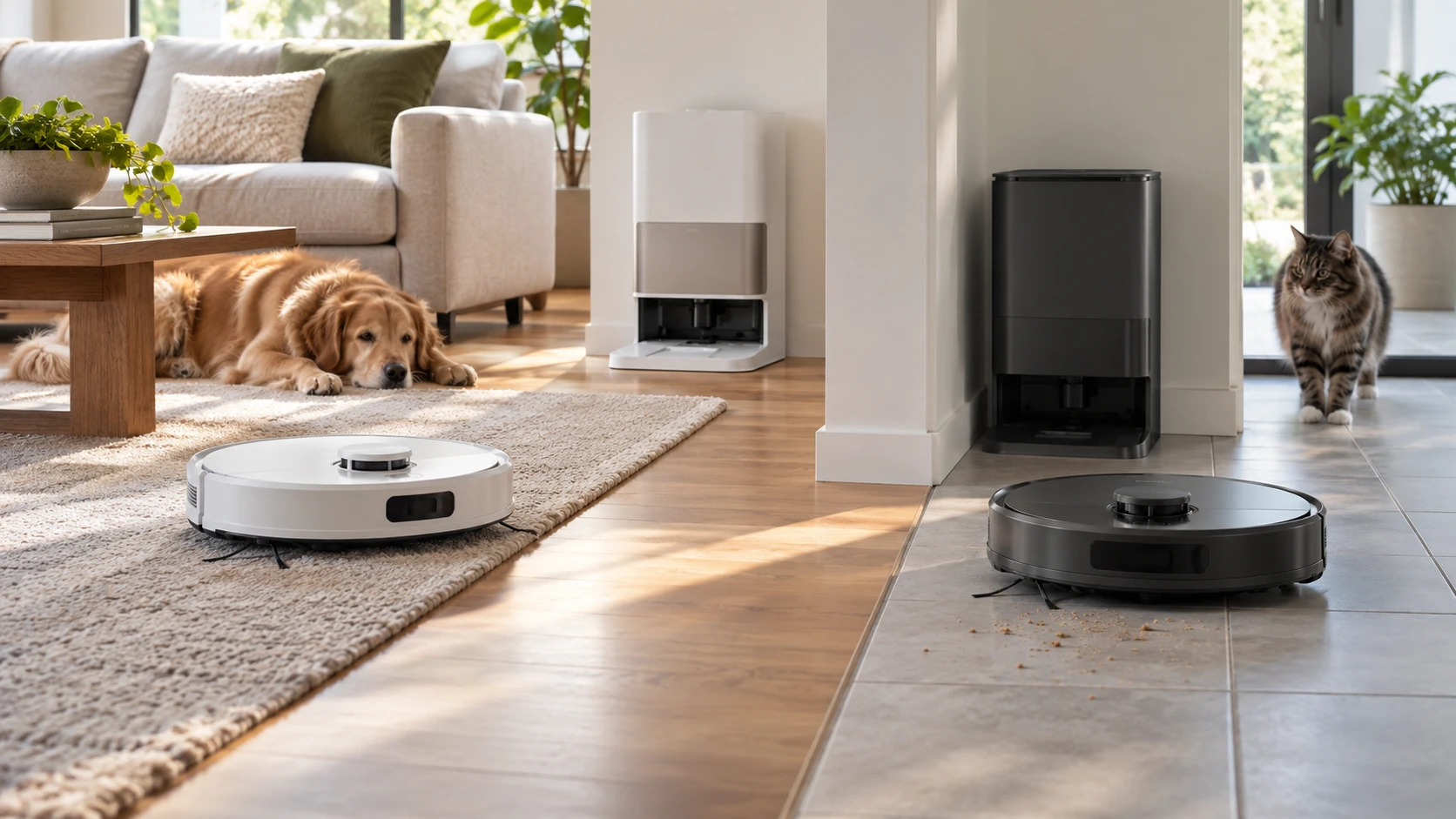
Both of these robots can map a home and return to a dock, but the docks have different jobs. The dreame L40 Ultra is listed as a vacuum and mop with a station that washes its mop, empties debris, and refills water. Greenworks 4704802 is listed as a robot vacuum with an auto-collection base that charges the machine and transfers dirt into a bag. If your main problem is dust and pet hair, the Greenworks feature list may cover what you need. If hard-floor mopping is a frequent chore, the dreame offers more ways to assign it to a robot, along with more parts to maintain.
The dreame L40 Ultra robot vacuum and mop has an extendable side brush, a mop that can be lifted or removed, app-set rug bypass zones, and a dock with mop washing. The Greenworks description names LDS laser navigation, vSLAM mapping, room and zone selection, and a 4-liter collection base. These are saved catalog claims, not a test in the same house. Start by listing the rooms, floor types, and recurring messes you would give to either machine.
Match the work to the floor — robot vacuum room mapping
A kitchen with hard flooring may need a different routine from a carpeted bedroom. dreame's saved description says its mop can lift 10.5 millimeters around carpet or be removed, and its app can set rug bypass zones. That gives you several ways to keep a damp pad away from a rug. It does not prove that every carpet edge in your home will be recognized or cleared. Measure the rugs you care about, especially thick piles or raised borders, and check the current manual's guidance for mop lifting and avoidance.
Greenworks lists use on hard floors and carpet, with laser and vSLAM navigation to plan cleaning. Its saved entry does not describe a mop or water system. If wet cleaning is part of your goal, confirm the exact model's current package before expecting one. If you already mop by hand and want the robot to collect crumbs and hair between deeper cleanings, a vacuum-focused routine may be sufficient. Decide which floor task is actually going undone rather than paying for a function you would rarely set up.
The published guide on robot vacuum room mapping offers a useful starting point. Mark the rooms you would clean most often, the ones you would skip, and any temporary obstacles. Both product descriptions mention room-level control, though they use different apps. A kitchen that needs daily cleaning and a guest room that needs occasional cleaning make a better test of the software than a generic promise to map a house.
For mixed flooring, draw the route through each doorway. Does a robot have to cross a rug to reach a hard-floor area? Are there thresholds or chair legs around the edges? dreame lists a SideReach brush for corners and furniture legs and a MopExtend RoboSwing feature for hard-to-reach floor areas. Greenworks describes obstacle avoidance and planned routes. Neither saved listing guarantees that a robot will clear your particular threshold or clean every narrow gap. Check dimensions and clearance instructions, then keep another tool for places the robot cannot enter.
Compare what the dock does — Greenworks 4704802 robot vacuum
The dreame dock is described as emptying the vacuum, refilling it, and washing the mop and washboard with water heated to 149 degrees Fahrenheit. Its app reportedly offers four wash-temperature settings. That is more than a charging station, but the station still needs attention. Find out how often you must add clean water, dispose of dirty water, replace a dust bag, and clean the wash area. The saved listing does not give those intervals for your household. A dock that handles daily mopping only helps if you have a convenient place to service it.
Greenworks' auto-collection base charges the robot and empties its onboard bin into a dust bag. The listing gives the base a 4-liter capacity and says it can allow up to 45 days of automatic dirt disposal. Treat that duration as a catalog claim. A household with shedding pets, large rooms, or frequent cleaning may fill the bag sooner. Find the correct replacement bags and check their current price. Automatic transfer also leaves brushes, filters, sensors, and the dock inlet to inspect and clean.
Choose a dock location before comparing product photos. Both bases need an outlet and enough space for the robot to approach. The dreame also needs room for the water-handling tasks described in its listing. A station hidden behind furniture may be difficult to service, while a station in a narrow corridor may interrupt traffic. Check each maker's exact clearance requirements. Neither saved description gives a measured dock footprint or noise level, so do not assume one will fit a particular cabinet or run quietly at night.
A useful question is what happens after an interrupted run. The saved dreame entry lists a 5,200-mAh battery and up to 194 minutes in a low-noise sweeping-and-mopping mode. It also says charging can be scheduled for off-peak hours and describes a faster charging claim without a common comparison. Greenworks' excerpt does not give a corresponding runtime or recharge-and-resume detail. Ask how each app reports incomplete work and whether the robot continues where it stopped. The longest advertised runtime cannot tell you how much of your furnished floor will be covered.
Look at maps, sensors, and daily control — Greenworks 4704802 robot vacuum
dreame names 3D structured light, a built-in camera, and LED lights for navigation. Its app is described as controlling modes, pet zones, and mopping levels, with voice commands also available. Greenworks lists LDS laser navigation and vSLAM, plus a SmartG app for choosing rooms, areas, zones, and cleaning modes. Its description also names Google Assistant control. These are different ways to set a route, but the saved text does not show either app's current interface or every option available on the exact model.
Before buying, imagine the first three commands you would issue. Perhaps you would clean the entryway after a walk, skip a room during a video call, and run the whole floor on weekends. Check whether the app for the exact model can express those commands without repeatedly editing the map. Voice control may be helpful for a simple start command, while room boundaries may require the phone app. Confirm account and network requirements from current documentation if those details affect your setup.
Maps need upkeep when a home changes. Chairs move, seasonal decorations appear, and a pet bed may shift from one room to another. Check how to adjust a zone after moving furniture and how to recover if a saved map becomes wrong. A robot that follows an old boundary can miss a newly used corner or enter a place you meant to exclude. Both listings discuss mapping, but neither proves how well an app handles your next rearrangement. Leave time for a trial run before relying on an unattended schedule.
The dreame entry also mentions OmniDirt detection and features aimed at messes under furniture or in corners. Those names do not measure pickup on your carpet or tell you whether a wet spill is safe for the machine. Greenworks' description says its mapping helps avoid obstacles. It does not promise to identify loose cords, socks, or pet waste. Pick up items that could tangle a brush or smear across a floor before testing either robot. Review each maker's instructions for spills and fragile objects.
Read performance claims with their limits — Greenworks 4704802 robot vacuum
dreame's saved listing gives 11,000 pascals of suction with five levels. The Greenworks description includes a 2,000-pascal claim, although that figure is absent from its saved product title. Verify the current specification before using it in a comparison. Even confirmed figures would not be a controlled cleaning test: airflow, brush design, floor contact, and debris type all matter. A stronger suction number does not tell you which machine will lift hair from your rug or fine dust along a baseboard. Look for independent tests using the floor types you own if pickup performance is the deciding factor.
The dreame description also claims coverage up to 1,948 square feet per charge in a stated mode. Your furniture, obstacles, settings, and floor mix will change the route and energy use. The Greenworks excerpt gives no directly comparable coverage figure. Measure the area you would actually schedule, excluding rooms the robot will never enter. If your home has stairs, plan to carry a robot or use another cleaning tool; no saved listing says either machine travels between floors on its own.
The September 30 catalog marked both models available and listed dreame at $1,874.99 and Greenworks at $300. Those historical prices could have changed, and the gap is large enough to make the package details important. Check the current SKU, Republeq's catalog, included bags and mop parts, warranty, return policy, and replacement-supply prices. A sale price is less useful if the accessories required for your routine are unavailable. Likewise, an expensive dock earns its place only when its functions save work you would otherwise do.
Decide which chores stay with you — Greenworks 4704802 robot vacuum
A robot vacuum still leaves high shelves, stairs, tight spaces, and occasional deep cleaning to other tools. The dreame adds wet-floor equipment and a dock that needs water and mop maintenance. Greenworks gives you a mapped vacuum and bagged dirt collection, with fewer functions described in the saved source. Think about the work after a week of use: emptying a bag or bin, washing a pad, checking brushes, and correcting a route. The simpler routine for your home is the one you will keep doing.
Choose dreame for closer investigation if you have significant hard-floor area and would use room-specific mopping often enough to maintain its station. Verify rug handling, dock space, water care, and the current app features before paying for those functions. The Greenworks 4704802 robot vacuum deserves a closer look if mapped vacuuming and bagged auto-collection address your main floor task. Confirm its current package and bag supply. In either case, a trial route across your actual rooms tells you more than the longest feature list.