Crypto Commerce
Dell UltraSharp U2725QE vs LG 34GN850-B monitor for work and gaming
Compare Dell UltraSharp U2725QE vs LG 34GN850-B monitor by space, refresh, connections, and listing condition.
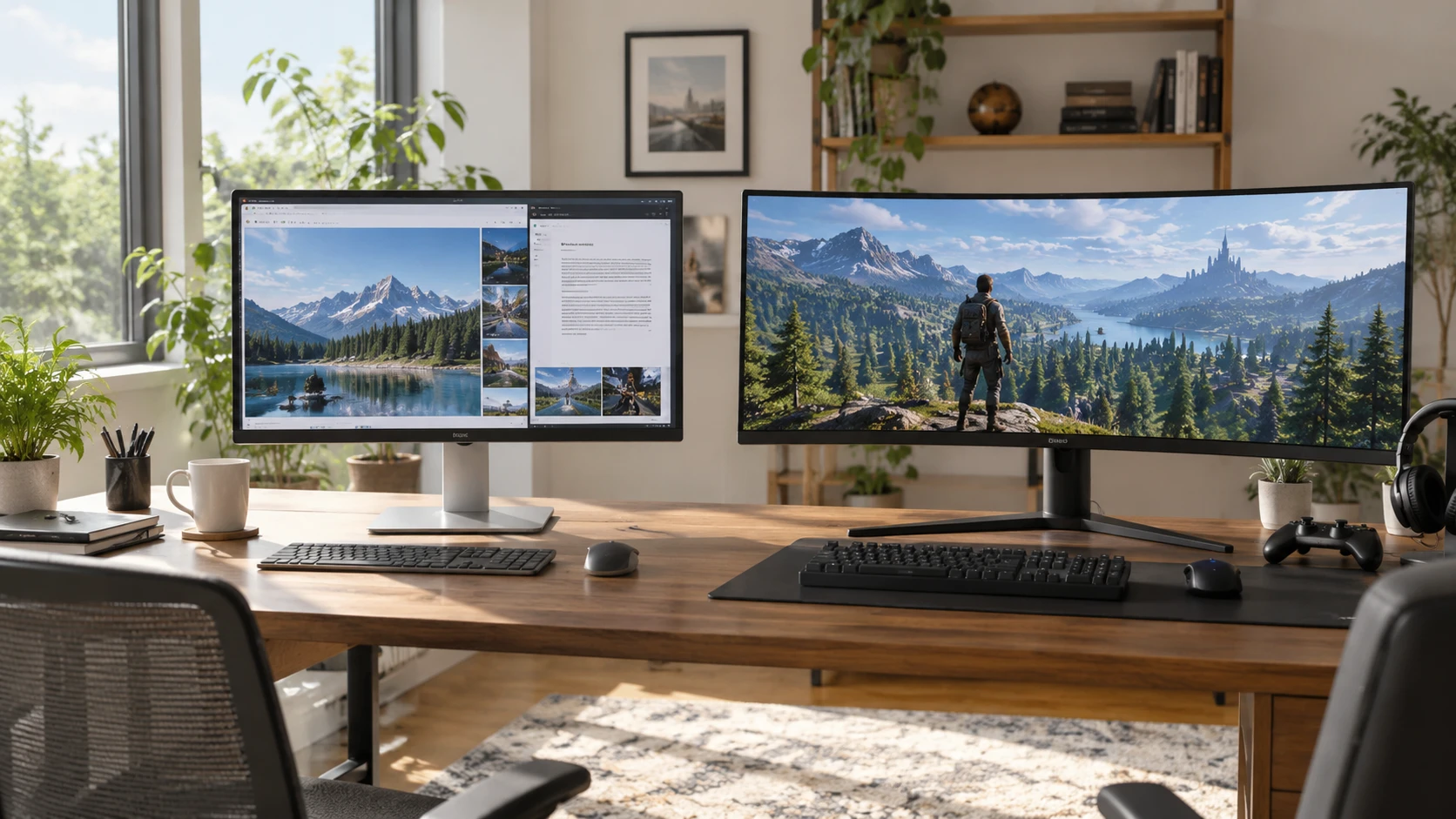
The Dell UltraSharp U2725QE vs LG 34GN850-B monitor choice turns on the shape of your daily screen space. Dell's listing describes a 27-inch, 3840 by 2160 display sold as a 15-item bundle. LG's listing describes a curved 34-inch, 3440 by 1440 ultrawide gaming monitor. One gives you more pixels within a narrower, taller 16:9 canvas. The other gives you a wider 21:9 view. Neither listing can decide which arrangement feels better at your desk without considering the software, games, and source devices you use.
The exact offers also differ in ways that a specification chart can hide. Dell names a dock and other accessories in its bundle. The LG page describes its unit as refurbished, while its structured product data marks the condition as new. Check the condition of that exact LG unit before comparing the two prices as though both offers were factory-new. The current pages establish the model identities, but they leave some port, accessory, and condition details for the Republeq's catalog or manufacturer documentation to resolve.
First choose the workspace shape — LG 34GN850-B ultrawide gaming monitor
The Dell U2725QE listing gives a 27-inch 4K UHD panel with 3840 by 2160 pixels. That resolution leaves substantial detail for text, photographs, and design work at the monitor's stated size. It also gives more vertical pixels than the LG's 1440-pixel-high picture. If you spend long hours in documents, code, spreadsheets, or portrait photographs, think about how much vertical material you want visible before scrolling. Scaling settings and viewing distance will determine how much of that resolution you actually use comfortably.
The LG 34GN850-B page lists a 34-inch curved screen with a 21:9 aspect ratio and 3440 by 1440 native resolution. Its wider view may suit a timeline, several side-by-side windows, or a game that supports ultrawide presentation. Screen width by itself does not ensure that every application uses the extra area well. Some games and video sources may show unused space or handle menus differently. Check the software you care about and consider how far you sit from the display.
A diagonal measurement is a poor substitute for a desk measurement. The LG's 34 inches describe the diagonal of a wider panel, not a simple seven-inch increase over a 27-inch Dell in every direction. Measure the available width, the distance from your eyes, and the space for the stand. The reviewed descriptions do not provide a complete side-by-side set of stand dimensions. A monitor that fits across the desk can still leave too little room for speakers, notes, or a second screen.
The LG listing explicitly describes a curve. That may draw a single seated viewer into the width of the display, but it is not evidence of better image quality. If you regularly show work to someone sitting beside you, consider how a curved screen looks from that position. Dell's reviewed description does not call its panel curved. Check the current images and specifications for both exact models if the panel shape is decisive.
Resolution and refresh answer different questions — monitor input and refresh checks
Dell's page advertises a 120 Hz refresh rate and a 5 ms response-time figure. LG advertises 160 Hz and 1 ms GtG. Those are listing specifications, not a matched motion test. A higher refresh ceiling can matter in games if the computer produces enough frames and the chosen connection supports the desired mode. Response-time numbers often depend on how the maker measures a transition, so the listed 1 ms and 5 ms should not be treated as a direct score for ghosting or clarity in every scene.
The work-versus-gaming split is therefore more nuanced than the product categories suggest. The Dell is listed at 120 Hz, which is above the familiar 60 Hz baseline for desktop motion. The LG combines a stated 160 Hz with adaptive-sync support described as G-Sync, FreeSync, and Adaptive-Sync. Those features are relevant to a compatible gaming system, but the listing does not establish how every graphics card, cable, and input will behave at 3440 by 1440 and 160 Hz.
Before relying on either headline refresh rate, check the output capabilities of the computer or console and the monitor's supported mode table. The published monitor input and refresh checks guide uses another gaming monitor to show why a listed refresh number and a list of ports do not prove every input can use that rate at every resolution. Apply that same question here. Identify the exact source, cable, port, resolution, and refresh setting you plan to use. A product title alone cannot confirm the complete path.
If most of your screen time is static text and photographs, refresh may be a secondary factor behind pixel density, ergonomics, and the fit of windows. If competitive play is a frequent use, test whether your system can supply the frame rate you want at the LG's ultrawide resolution. Do not buy a refresh number without checking the workload and connection that must deliver it.
Color claims are useful but incomplete — LG 34GN850-B ultrawide gaming monitor
The Dell description calls its panel IPS Black and claims 99% coverage of DCI-P3 with factory calibration and Delta E below 1.5. Those statements make the model worth examining for color-conscious work. They do not provide a calibration report for the particular unit in the box, describe uniformity across the panel, or establish that every application will use the same color profile. If color accuracy is essential to paid work, verify the maker's current documentation and consider a measurement of the unit you receive.
LG describes an IPS-type LCD with 98% DCI-P3 coverage, a stated maximum brightness of 400 nits, and a 1000:1 contrast ratio. It also lists an anti-glare matte coating. These are different facts from the Dell's factory-calibration claim. One percentage point of advertised DCI-P3 coverage is not enough to rank their color accuracy, nor does it tell you how the panels look in your room. Room lighting, the chosen display mode, and unit condition can affect the result.
The LG page also lists 178-degree viewing angles in each direction. That is a specification, not a promise that color and contrast remain unchanged at every seat. For a shared review of photographs or a multiplayer session at one desk, look at the display from the actual seating positions. For solo work, prioritize the position you use most and check whether the screen surface helps with your room's reflections.
Dell names ComfortView Plus low-blue-light filtering. The page presents it as an eye-comfort feature, but it does not establish that one screen will prevent fatigue or that every viewer will prefer its appearance. Breaks, text size, ambient light, and display placement remain relevant. Treat the feature as an available setting to assess, not a health guarantee.
Read the Dell bundle as a list of physical items — LG 34GN850-B ultrawide gaming monitor
The U2725QE product title says “15 Items.” The description names the monitor, a Quantum Dual Mode Thunderbolt 3 Dock Pro Station, screen cleaner, a ten-pack of hook-and-loop cable ties, and two six-foot HDMI cables. The count appears to include pieces within the packs. Check the current package list and exact dock model before assigning value to the bundle. A buyer who already owns a dock and cables may find those extras less useful than someone building a new work station.
There is a connection detail worth resolving. The product title describes a Thunderbolt 4 monitor, while the bundle description names a Thunderbolt 3 dock. These are not necessarily contradictory, because a monitor and a bundled dock are separate devices, but the short listing does not map every port, feature, and cable to each one. Verify the U2725QE's built-in connections, the dock's actual model and ports, and your computer's capabilities. Do not assume that the dock turns every laptop into a full-resolution, high-refresh one-cable setup.
The page says the monitor has a 120 Hz panel and describes the included HDMI cables as high speed. It does not establish that those particular cables and a given computer will run 4K at 120 Hz. Confirm supported input modes and cable requirements for the exact hardware. If you use multiple computers, note which machine will supply video, power, data, and peripheral connections. The bundle may simplify a desk only when its parts solve the connections you actually have.
The cleaning solution and ties are small conveniences, not display features. Check the manufacturer's care instructions before applying any cleaner to the panel. Keep the bundle list separate from the screen's performance claims so a longer box contents list does not stand in for better picture quality.
Treat the LG as a condition-specific offer — LG 34GN850-B ultrawide gaming monitor
The LG 34GN850-B page describes the monitor as refurbished, and its URL begins with “restored.” Its structured product data, however, labels the offer “NewCondition.” That inconsistency needs a direct answer about the exact unit being sold. The visible title identifies the LG model and Black color, but it does not explain the refurbishment process, cosmetic grade, hours of use, included accessories, or who performed any work.
Confirm with Republeq condition in writing, including the panel surface, stand, power adapter, cables, and any applicable warranty or return terms for that unit. The listing says an external adapter powers the monitor and that a 100 by 100 mm VESA mount is supported. It does not establish that every adapter or mounting part needed for your desk is included. A missing stand or power accessory can change the practical cost of a restored offer.
LG's page also says there are no built-in speakers. If you expect game audio through the monitor, plan a separate output path and check the source device's audio settings. The listing does not describe every audio port or headset option. If your desk already has speakers or headphones, this may be a small issue. If it is a first monitor for a console or compact computer, settle the audio plan before purchase.
The restored condition is relevant to a gaming display's claimed performance. A model specification such as 160 Hz or 98% DCI-P3 describes the design; it does not verify that a specific refurbished unit has no damaged pixels, uniformity problems, or worn connectors. Ask what inspection and return path applies to the actual offer. Do not let the generic “new” field override the more specific restored wording without confirmation.
Make the choice around your current devices — LG 34GN850-B ultrawide gaming monitor
The Dell UltraSharp U2725QE is the stronger candidate to inspect first if you want a 27-inch 4K work canvas and would use the bundled dock and cables. Its listing gives a meaningful resolution, color-coverage claim, and 120 Hz refresh rate. Verify the exact monitor inputs and the separate dock before planning a cable layout. If detailed visual work is central, confirm color behavior on the unit you receive instead of treating a factory-calibration phrase as a personal measurement.
The LG 34GN850-B ultrawide gaming monitor is the closer candidate if a wide 21:9 view and its listed 160 Hz adaptive-sync features serve games you play. Check that those games and your computer support the desired mode. Resolve the refurbished-versus-new condition discrepancy and included accessories before treating the current price as comparable to a new monitor offer.
Bring three facts to the final product check: your desk width and viewing distance, the video outputs of the computer or console, and the software you use most. Those facts will reveal whether 4K detail in a 27-inch frame or a wider gaming view is more useful. The two listings can narrow the decision, but they cannot verify your connection path, the state of a refurbished unit, or the picture each screen will show in your room.