Crypto Commerce
Dell Latitude 7030 Rugged tablet vs SUXI A3 Tablets for Work and Travel
Compare Dell Latitude 7030 Rugged tablet by software, screen, memory, ports, cellular claims, condition, and field use.
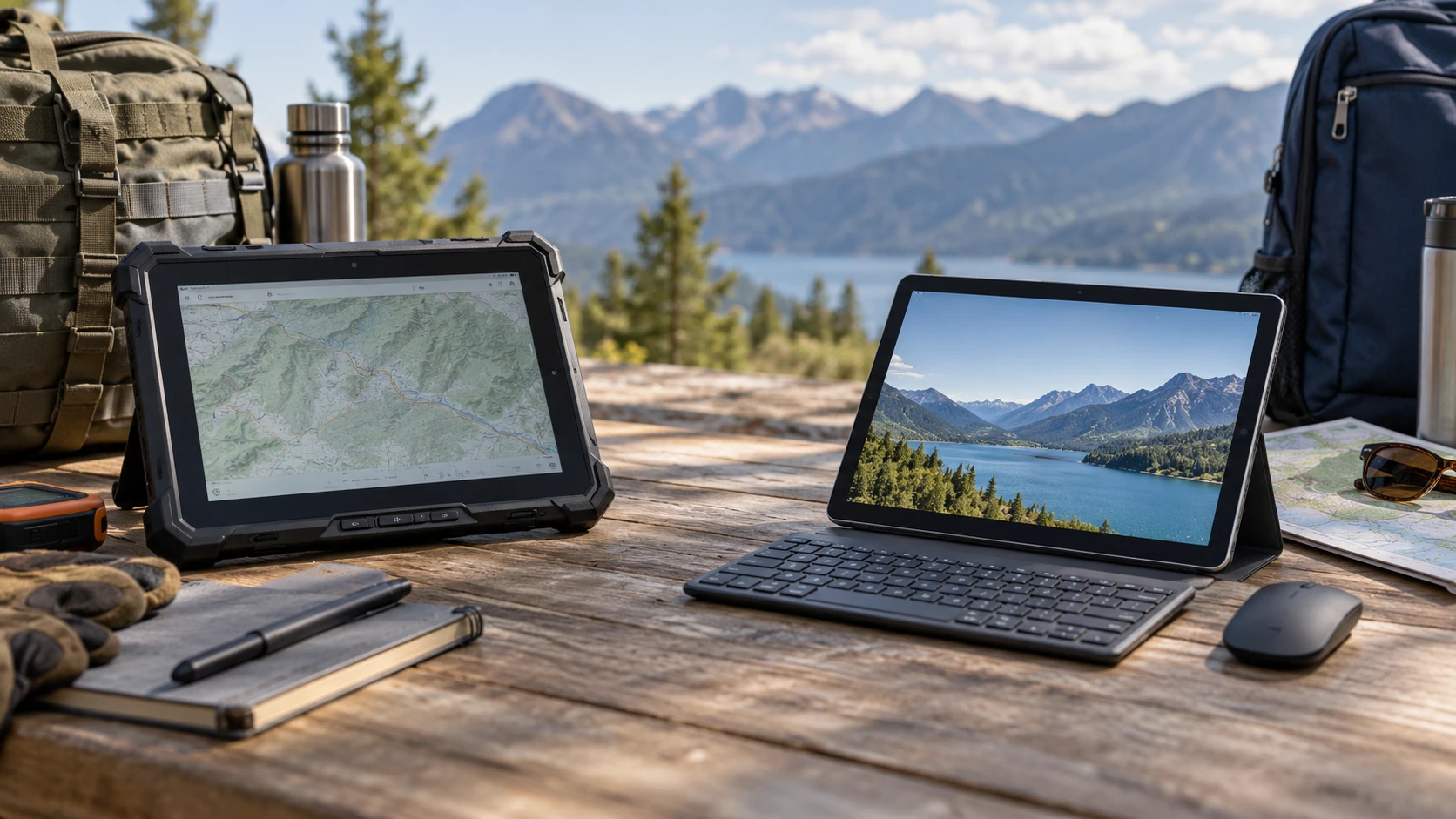
The same 10.1-inch size can hide two different computing jobs. The Dell Latitude 7030 Rugged tablet listing describes a Windows 11 Pro device with a bright touchscreen, Intel processor, physical ports, and a refurbished or like-new condition label. SUXI's A3 listing describes an Android 14 tablet bundled with a Bluetooth keyboard and mouse, dual-band Wi-Fi, and cellular claims. Their specifications cannot be ranked by a single memory or screen number because the operating systems, software, and intended handling differ.
Begin with the application that must work on day one. A field technician may need a Windows desktop program, Ethernet, or GPS data. A student or traveler may need Android apps, video, reading, and a portable typing setup. Write down required software versions, files, peripherals, and network access before comparing capacity. Check each requirement against the exact model and region offered. An accessory-rich bundle is useful only if its keyboard, mouse, software, and connection method support the work.
Let the operating system decide the first cut — rugged tablet use checks
Dell's saved source says the 7030 ships with Windows 11 Pro. That matters when an organization deploys desktop applications, Windows management tools, or security policies. Confirm the application is supported on the specific processor and Windows version, then test it with the touch interface or an approved keyboard. Windows compatibility does not mean every older program is pleasant on a small screen. A technician using dense forms or legacy menus should try the actual workflow before buying a tablet in place of a laptop.
SUXI says the A3 runs Android 14 with Google Play and YouTube preinstalled. It also mentions app-permission controls. Check the exact apps required for school or work in the current Play store and verify they work with the tablet's shipped software. The saved excerpt does not state how long updates will be supplied or whether the device receives a later Android release. A high version number at purchase does not replace a current security-support policy for a device that will hold private work.
The published guide on rugged tablet use checks examines another tablet choice where operating environment changes the answer. Apply that method here. List whether the device will be used at a desk, carried outdoors, or shared by several people. Then check application support, mounting, display visibility, and service terms in that order. Neither saved listing gives a measured drop test or a complete field-use assessment of the exact delivered unit.
Compare the screens in the real light — SUXI A3 Android tablet
Dell's source calls its 10.1-inch panel Full HD at 1920 by 1200 pixels and says it reaches 1,000 nits for outdoor reading. It lists anti-glare and anti-smudge treatment, a polarizer, Gorilla Glass, and touch that can be used with water or gloves. Those are useful claims for field work, but the excerpt does not give a standardized sunlight test, drop rating, or details about which gloves and wet conditions work. Test the display outside at the time and brightness needed for the job. Try entering a form while wearing the gloves staff actually use.
SUXI describes a 10.1-inch 1.3K IPS display for reading, video, and web browsing. The saved excerpt does not give exact pixel dimensions, brightness in nits, glass protection, or wet-touch behavior. Do not infer that its screen is unreadable outdoors; ask for measurements or try it in the intended location. A tablet used mainly inside may be judged more by comfortable text size, viewing angle, and how the bundled keyboard holds it upright. Use the same document and video on both at a practical brightness rather than judging product photographs.
Dell says its display supports an Active Pen, but the saved description does not say a pen is included. SUXI names a keyboard and mouse in its bundle without a pen claim. If handwritten notes are central, ask for exact pen model, price, and whether palm rejection works in the applications used. If typing dominates, test the SUXI keyboard's layout, connection, and stability on a desk or lap. The Dell may need separate accessories for the same routine. Count the whole working setup, including cases and chargers, before comparing bare-tablet dimensions.
Read memory and storage as different things — SUXI A3 Android tablet
Dell lists 16 GB LPDDR5 memory and a 512 GB PCIe Gen4 NVMe SSD. SUXI lists "12 GB" as 4 GB physical memory plus 8 GB expanded memory, with 128 GB onboard storage. The expanded portion is not another 8 GB of physical RAM. Ask how the virtual expansion works and whether it can be disabled, then judge app switching with the actual tasks. A headline 12-versus-16 comparison hides a more important distinction in physical memory, storage technology, processor, and operating system.
The SUXI source says storage can be expanded by TF or microSD card up to 1 TB. Verify card type, file-system support, and whether apps or downloaded media can actually move there. A card can add space for photos or documents without improving all app performance. Dell's excerpt names a microSD reader, but does not state maximum supported card capacity or whether the SSD can be replaced. Ask for the current service manual if future storage changes matter. Back up files on either device; larger built-in storage is not a backup plan.
Dell names an Intel Core i5-1240U vPro processor with ten cores and twelve threads, plus Intel Iris Xe graphics. SUXI names an eight-core Unisoc T606. These chip descriptions are not comparable benchmark results. Identify one demanding app, open a realistic file, and watch how quickly each device responds. For Dell, test Windows software and any external display or data connection. For SUXI, test the Android app, keyboard input, and media tasks it is meant to handle. A device can have sufficient processor power while still being limited by a poorly adapted tablet interface.
Trace ports and networks — SUXI A3 Android tablet
Dell's saved description lists two USB-C ports with DisplayPort and Power Delivery, one USB-A port, microSD, RJ45 Ethernet, dGPS, Bluetooth, and Wi-Fi. Confirm each port on the exact refurbished configuration and ask what adapters, docks, and power supply are included. A field worker may value a wired network link or USB-A test instrument, but connector location and cable strain matter when holding a tablet. Run the actual peripheral through the intended port, and check that charging still works in the field setup.
SUXI says it supports dual-band 2.4 and 5 GHz Wi-Fi and dual SIM slots with cellular and telephone functions. It also uses the phrase "virtual SIM cards." The saved excerpt does not identify cellular bands, carrier certification, physical SIM size, eSIM support, or a region-specific activation procedure. Ask for a current radio specification tied to the exact variant and carrier. A claim of North American compatibility is too broad for a field plan that depends on service in a specific location. Test a SIM and data connection during the return period if mobile access is essential.
Dell's dGPS claim also deserves a practical check. The saved source does not state accuracy, antenna arrangement, or offline-map behavior. Test a mapping or location application in the vehicle or outdoor setting where it will be used. SUXI's excerpt does not name GPS, so ask rather than assume it has or lacks location hardware. Wi-Fi positioning, cellular service, and dedicated GPS can behave differently away from buildings. Navigation or inspection records should be verified under the conditions that produce them.
Treat condition and support as part of the purchase — SUXI A3 Android tablet
Dell's title says refurbished or like new. Its description claims a Dell USA one-year warranty. Ask what "like new" covers, who performed refurbishment, whether the battery was tested or replaced, and which components remain under Dell's written warranty for this particular Republeq's catalog and serial number. Inspect the touchscreen, ports, camera, speakers, charging, and any rubber seals or covers on arrival. A rugged product name does not establish that a used unit still meets every original durability condition after repair or wear.
SUXI's saved excerpt does not give a warranty term or a condition label, so obtain written terms and verify the exact keyboard, mouse, charger, and tablet in the delivered box. Test pairing after a restart and note whether peripherals need separate batteries or charging. The excerpt does not specify their weight or battery life. Accessories can help a desk routine but add pieces to lose during travel. Compare the weight and handling of the complete carried kit.
Neither source gives a comparable runtime figure, charging time, or a battery replacement price. A bright screen outdoors, cellular data, GPS, or Windows workload can change how long a device runs. Charge the delivered unit, perform a representative task for several hours, and record remaining battery and heat. If it will be mounted in a vehicle, check safe power supply, cable routing, and the maker's operating-temperature limits. A battery test in a quiet room does not settle a full outdoor shift.
Run one complete task before the return period closes — SUXI A3 Android tablet
For Dell, open the Windows application, connect any Ethernet or USB accessory, use the display in outdoor light, and record a location if that is part of the job. Verify camera operation, touch with gloves, battery duration, and the condition of the refurbished body. For SUXI, activate the required Android apps and network, type a real document with the supplied keyboard, connect the mouse, and test any intended SIM. Keep the model and serial numbers with test notes and Republeq's catalog replies.
Dell's listing provides a detailed Windows configuration and features aimed at field work, with condition and actual durability of the delivered unit still to verify. The SUXI A3 Android tablet offers an Android bundle with a keyboard, mouse, and stated cellular capability, while its physical memory and network details deserve careful reading. The right choice follows the software and connection that must work every day, tested on the unit that arrives.