Crypto Commerce
CZUR ET24 Pro book scanner — A fixed desk or a folding arm for book capture?
Compare CZUR ET24 Pro book scanner by portability, lighting, preview, platform support, OCR, file output, and the limits of glossy-page scanning.
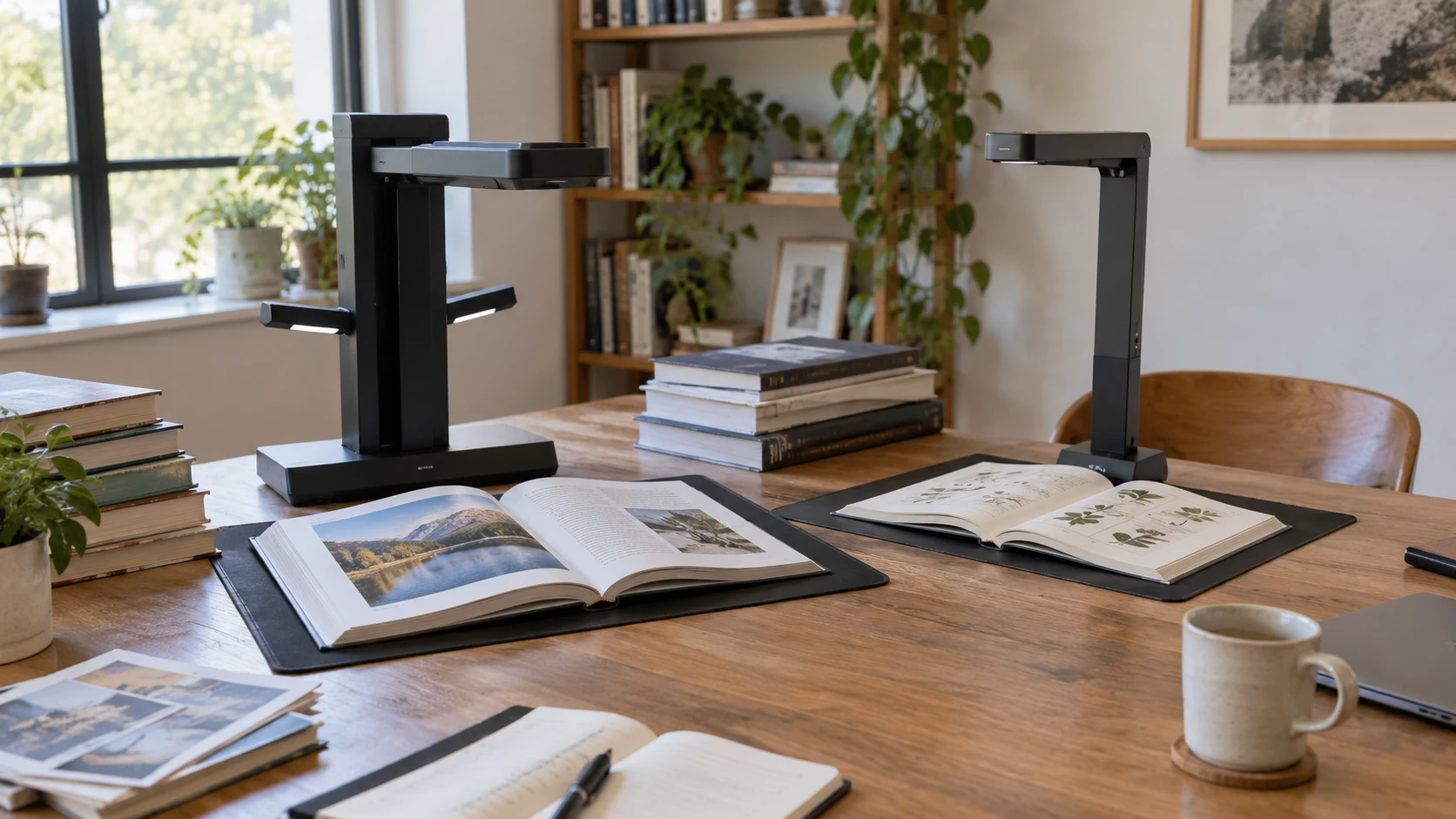
The CZUR ET24 Pro book scanner is described for books, magazines, receipts, business cards, paintings, and documents up to A3 size. It uses a 24MP camera and page-flattening processing for curved book pages. Its listing gives the operator a small display on the scanner head, side lights and a head light, HDMI output for its document-camera function, and an ABBYY OCR path. Those details suit a desk where the scanner can stay set up for a long batch of pages.
Once pages become files, they still need names and a way to be found. The published guide to planning a document index addresses that later job. A scanner may produce a PDF with recognized text, but an archive can remain confusing when the file names and subject terms change from one book to the next. Decide how you will identify volumes, chapters, dates, and page ranges before you create hundreds of scans.
The CZUR Shine Ultra Pro scanner also lists a 24MP camera, A3 page coverage, and processing to flatten curved pages. Its description emphasizes a different handling pattern: a two-pound unit that folds 90 degrees, with adjustable height for transport and setup. It also lists use with Zoom, Skype, and Google Meet. That makes it a candidate when the same device must scan books at one table and work as a document camera elsewhere.
Compare the page and the place first — planning a document index
Both descriptions name A3 capture. The ET24 Pro states a maximum of 16.5 by 11.7 inches; the Shine Ultra Pro gives approximately the same A3 dimensions. That covers many magazines, ledgers, and large sheets, but page size alone does not tell you how easily a bound volume will lie beneath the camera. A thick book may need careful positioning to keep the gutter visible. Before buying for a particular archive, measure a representative open spread and check the device's working area and page-positioning instructions for that exact model.
The two listings also describe page flattening through pixel transformation. This is image processing applied to the captured curved page. It can make a book scan easier to read, but it should not be mistaken for a guarantee that every gutter will be legible. A tight binding can hide letters physically. Flattening cannot recreate text the camera never saw. Try a page near the center of your thickest book, where the curve and shadow are hardest, before committing to an all-day scanning routine.
Shine's stated two-pound weight, folding arm, and adjustable height are meaningful if the scanner will be packed after each session. The ET24 Pro listing gives no comparable weight or folding specification. Its head display, lighting arrangement, and HDMI document-camera output are concrete features, but they do not prove that it is impossible to move. For the ET24 Pro, confirm the footprint and storage routine separately if desk space is scarce. For the Shine, confirm how much clear table space is needed once the arm is extended, even though it folds for storage.
An overhead camera changes how you handle fragile books. An overhead camera keeps a volume out of a sheet feeder. You still need to support the binding and keep fingers out of the page image. If an original is delicate, make a short, careful trial and decide whether you can turn pages without stressing it. Neither product description is a conservation assessment. Irreplaceable material may deserve a specialist workflow instead of a speed target inferred from marketing copy.
Put the pixel and DPI figures in context — CZUR Shine Ultra Pro scanner
The ET24 Pro says its 24MP camera captures 5696-by-4272-pixel images and lists 320 DPI. The Shine Ultra Pro also specifies a 24MP autofocus camera at 5696 by 4272 pixels. Its maximum DPI is listed as 440 for A4 and 320 for A3. Those numbers describe different combinations of image pixels and page area. The 440 figure should not be treated as a simple win over ET24 Pro's 320 without matching the same page size and capture settings.
A full A3 page spreads a fixed number of pixels across a larger surface than an A4 page. Fine print can therefore be more demanding than a bold title or a large photograph. If you need to read marginal notes or reproduce illustrations, scan an actual page with the smallest marks you care about. Look at the file at full size, then at the viewing or printing size planned for the archive. A megapixel figure alone does not establish whether the original's tiny pencil marks will be readable.
The catalog does not give a controlled image-quality comparison between these two products. It does not show the same page scanned under identical lighting and software settings. It would be unsound to infer that one produces sharper text or more faithful artwork merely from a matching 24MP count or one listed maximum DPI. Assess output from the kind of material you own, especially a curled page and a page with an illustration or small footnote.
Color and lighting also affect the result. The ET24 Pro description lists two side lights and a head light. It says the lights can illuminate a page from different angles to reduce reflections, and recommends side lights only for glossy material. Yet the same listing cautions that very glossy paper is not recommended. This is not a promise that the side lights will solve every reflective page. The Shine listing likewise says glossy photos and magazines are not recommended; it does not provide the same lighting layout in the saved description.
If your collection is dominated by glossy magazines or coated art books, test a typical page under the lighting you can actually use. A white glare patch can erase printed detail before OCR ever begins. Move the book or the light and inspect a trial image. Do not build a purchasing decision around software correction of a reflection that obscures text in the original capture.
Decide what the files need to become — CZUR Shine Ultra Pro scanner
ET24 Pro's description names ABBYY OCR for turning JPG scans into editable PDF, Excel, and Word files in more than 180 languages. It also says TIFF files must first be converted to scanned JPG images for that path. That is a specific processing claim, not evidence that a handwritten note or a complex page layout will convert perfectly. Make a trial with columns, captions, and any language you expect to process. Compare the recognized text with the page image before making an editable file your only archive copy.
Shine Ultra Pro lists JPG, PDF, searchable PDF, Word, and Excel among its output formats. It does not name ABBYY in the saved product description. A searchable PDF can be useful for finding a phrase in a book, while an editable Word or Excel file may help extract text or tables. Neither format guarantees accurate recognition. Keep the page image so you can resolve OCR mistakes later, particularly in names, dates, numerical tables, and worn printing.
The guide about indexing is relevant after OCR too. Searchable text helps when you remember a word that appears on a page. An index or consistent folder structure helps when you remember the subject, source volume, or date instead. Plan a naming pattern such as collection, volume, page range, and scan date, then use it consistently. If a batch is interrupted, those names let you see what has already been captured without trusting a vague “final” folder.
Neither listing provides an OCR accuracy percentage, a scan-rate benchmark under comparable conditions, or a promise that a multi-column book will retain its layout after conversion. Treat the output menus as workflow possibilities. The practical check is a small mixed batch: a plain text page, a page with a table, and a page that curves into the binding. Verify the images and the recognized text before scaling up.
Check computer and presentation requirements — CZUR Shine Ultra Pro scanner
ET24 Pro gives a detailed platform list: macOS 10.13 or later, Windows XP, 7, 8, 10, and 11, plus specific Linux distributions and versions including Ubuntu variants, Linux Mint, Kubuntu, MX, and TUXEDO-OS. A listed old operating system is not proof of current support from its vendor, so check the current software download and your actual computer before purchasing. Linux users should match the exact distribution and version in the listing rather than treating “Linux” as a universal promise.
Shine Ultra Pro lists Windows XP, 7, 8, 10, and 11 and macOS 10.13 or later. It does not list Linux support in the saved description. The listing leaves Linux compatibility open, so a Linux buyer needs confirmation for the current software. Ask for current software compatibility and confirm the exact model name; similarly named CZUR products can have different bundled software or support notes.
The ET24 Pro's HDMI output is specified for its document-camera function, and its two-inch head display previews scan setup and progress. That might help when you need to show a page to others or check the capture position without staring at the computer monitor. The Shine listing instead names video meeting services, making live demonstrations part of its stated use. The source does not establish that Shine has the ET24 Pro's HDMI port or head display. Choose the presentation route that matches your equipment, then verify the connection before a class or meeting.
Make a short trial before a long archive — CZUR Shine Ultra Pro scanner
For a scanner that will stay at one workstation, ET24 Pro's explicit lights, head preview, HDMI document-camera route, named OCR engine, and detailed platform list give more setup information to evaluate. For a unit moved between rooms, Shine Ultra Pro's foldable two-pound design and adjustable height address the daily burden of packing and repositioning it. Both claim A3 capture, 24MP images, and curved-page processing, so neither can be declared the better image maker from the saved specifications alone.
Select a trial book that resembles the rest of the project. Capture a flat text page, a curved center page, an illustration, and any coated page you cannot avoid. Check that the file includes the whole page, that fine print can be read, and that OCR matches important names and numbers. Then name and file the test scans in the structure you intend to keep. Use that trial to judge which page-handling routine and file output you can sustain through the full collection.