Office Supplies & Stationery
Clipboard clip covering a form header: test a usable layout
Use one representative form to identify the hidden header, test a reversible placement, and prove the first and last fields remain usable.
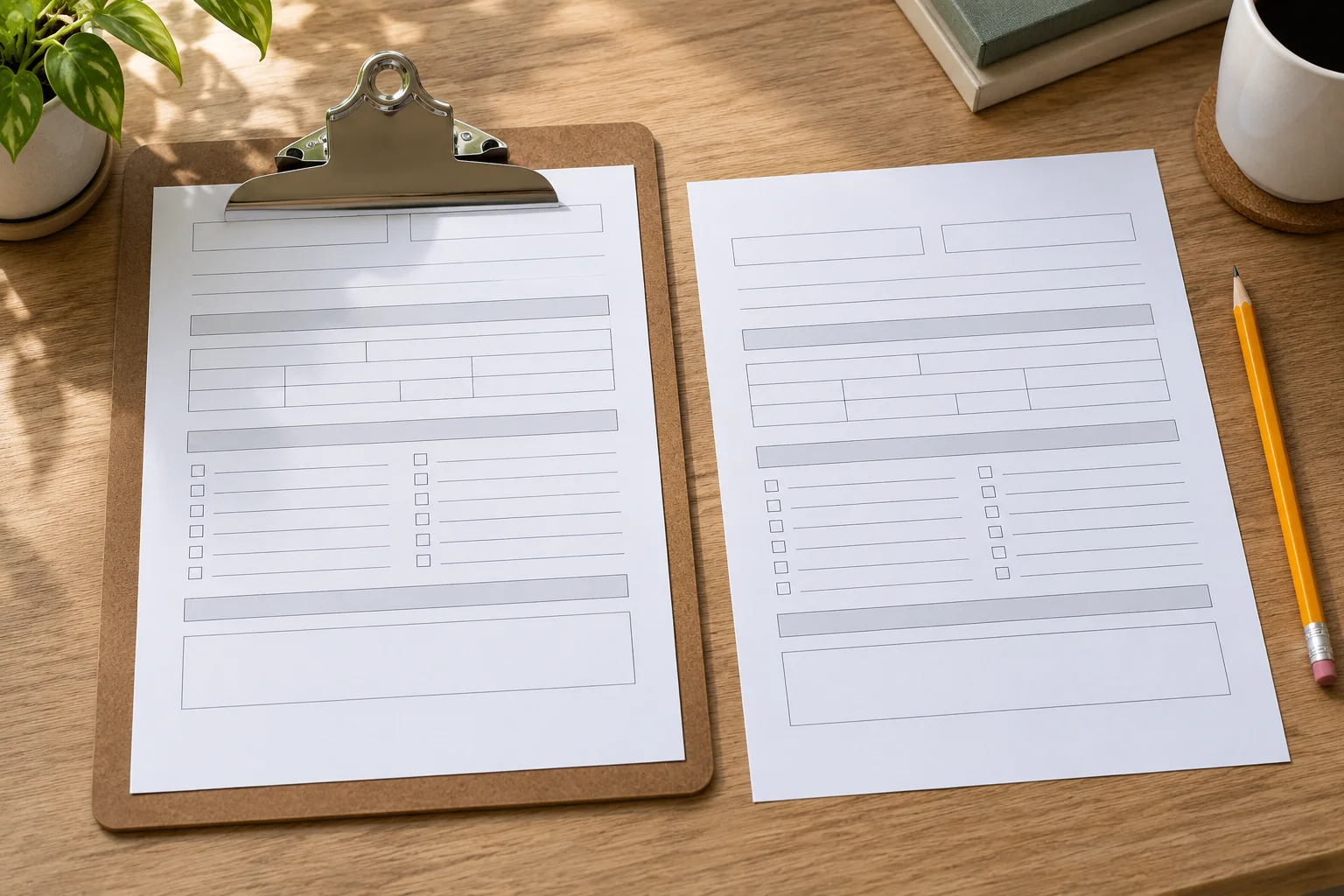
A clipboard clip covering a form header can make an otherwise readable page hard to use. The title, date field, first instruction, or top row may disappear beneath the clip as soon as the sheet is secured. Pushing the paper farther down can expose the header but leave too little writing surface at the bottom. Before changing the form or buying a different board, test one expendable copy in the way the form will actually be used. The goal is to preserve both a secure sheet and a visible, writable first line.
This is a page-layout and placement problem, not a verdict on the clipboard's advertised capacity. A board may hold the paper size and stack you need while its clip still obscures a particular form's near-edge content. Another board may leave the header visible but be too small for the full sheet. Keep those decisions separate. A simple sample can show whether the obstruction comes from the clip position, the form layout, the page orientation, or the way several sheets are stacked.
Describe the exact obstruction
Place one representative form on the board and close the clip as you normally would. Look directly at the top of the page. What disappears: a decorative title, an instruction people must read, a field they must fill, or part of the first row of a table? Mark the affected area on a spare copy, not on the only original. A hidden logo may be tolerable in a working copy; a hidden safety instruction or signature field is not. State the consequence before choosing a fix.
Check the sheet in the user's working position, not just flat on a desk. Someone holding the clipboard while standing may see the first line differently from someone who lifts the clip with one hand. If the intended task requires reading and writing without releasing the page, test it that way. A solution that works only when the clip is held open is not a working solution. Watch whether the sheet slips when moved to reveal the header, but do not use a large stack for this first test.
Turn to the back if the form is double-sided. Moving the front content down or rotating the paper can hide a field on the reverse. A printed form may also have a reference number at the top of each page that must remain visible for sorting later. List these near-edge details before making an edit. The header problem is not solved if the workaround creates a new hidden instruction or makes pages difficult to identify after they leave the board.
Test the sheet and board together
Compare the actual paper size with the board's writing surface. The listed Cruiser Mate storage clipboard and compact hardboard clipboard illustrate different board formats. Their product descriptions do not prove that a particular form header will remain visible. A board's paper-size and capacity claims answer other questions. Put your actual form against the actual clip and inspect the writing area before treating either listing as a fix.
Start with a single sheet. If its header is already covered, adding more pages will not clarify the layout. If it is visible alone but disappears in a working stack, record the number of sheets and how the stack sits under the clip. Do not infer that an internal storage compartment's thickness describes what the active clip holds. The clipboard paper and storage capacity guide
Place a small pencil mark on the spare copy at the lower edge of the clip, then remove the page. That mark gives you an observed obstruction boundary for this board and stack. It is not a universal top margin for every clipboard. Another clip shape, paper thickness, or orientation can move the boundary. Use it to decide whether the form can be shifted, reprinted, or placed on a different board without sacrificing the rest of the page.
Try a reversible placement change
Slide the spare page slightly lower and secure it again. Check that the header is fully visible, the bottom remains supported, and the user can still write in the last field. If all three conditions hold, the solution may be as simple as a repeatable placement mark or a backing sheet. If the bottom hangs off the board or the sheet pulls free, do not call the lower position a success. Revert to the original position and consider a layout or board change instead.
Test portrait and landscape only if the form is meant to be used both ways. A rotated page can put the clip against a different edge, but it may also make instructions awkward to read or separate the form from its intended filing orientation. Put a small arrow on the test copy to show which way the user reads it. Do not rotate a completed original merely to get the title out from under the clip if that reverses page order or hides a signature field on the back.
If a backing sheet helps keep the form in a lower position, verify that the backing does not cover another field or make the clip unstable. Use an ordinary clean sheet for a short trial. A backing sheet is a placement aid, not a capacity upgrade or a repair to the clipboard. If the form must be removed and replaced often, test that action too. A solution that takes several fiddly steps every time may be less practical than a small form-layout change.
Change the form only where needed
If you control the file, move the meaningful header or first field below the observed clip boundary, then print one new sample. You may be able to move a title or reduce an empty top band without shrinking the entire form. Do not compress instructions until they are hard to read. A form is successful when the person using it can see and complete the information, not merely when every line fits on one page. Keep the original file so you can compare the new layout.
For a table, check the first data row after moving the header. It is possible to expose the title while leaving the column labels under the clip. If the page has a repeating header on later sheets, test a representative later page too. A stack of identical forms may be easy to update; a packet with several templates needs each distinct near-edge layout checked. Do not assume a correction to the cover sheet fixes the inner pages.
If you cannot edit the document, use an authorized copy or a different board arrangement rather than altering the original. Some records need their printed fields unchanged. A protective sleeve or alternate holding method may be more appropriate, but test whether the user can still write where required. Do not place a sleeve over a field that needs ink. When a form's legal or operational status matters, ask the document owner which modifications are permitted before distributing a redesigned version.
Separate clip obstruction from other edge problems
A punched binder page has a different edge risk: holes can remove or crowd content. The hole punch page margin guide
Check whether the issue is really the clip or a pen, hand, or accessory placed over the header. Move loose items away and inspect the secured form again. A clear desk test can avoid redesigning a form for a problem caused by a temporary object. If the clip itself covers the field, record that fact. The aim is to change one cause at a time rather than producing a new layout and then discovering that the old one would have worked with the accessories removed.
Do not bend or remove the clip to expose content unless the manufacturer provides an approved adjustment. A bent clip can change how the sheet is held and create a new problem. Do not claim that a low-profile clip always solves the issue, either; its shape and the form's top margin still have to meet in the real setup. Compare a sample page on each available board rather than translating a marketing term into a guaranteed clear area.
Make a working proof
Once one adjustment appears to work, complete a short practice entry on the test copy. Can the user read the header, fill the first and last fields, turn any pages, and remove the sheet without tearing it? If the form is used outdoors or while walking, perform an ordinary handling check in that context without inventing a durability test. A static photograph of a visible header is not enough when the actual task requires writing, flipping, or carrying the board.
Keep the passed sample with a note naming the board, paper size, number of active sheets, and page placement. A later user can repeat the setup instead of guessing why the form starts lower than expected. If the form file changes or a different clipboard is issued, treat the old proof as historical. One model's clip boundary is not a specification for another. A new pairing deserves a new single-sheet check before a large set of forms is printed.
If the problem remains after a reversible placement and a permitted layout adjustment, state the remaining constraint plainly. Perhaps the required header and final field cannot both fit on the board. Perhaps the form owner does not allow a redesign. That is useful evidence for choosing another holding method or board. Do not hide the unresolved problem by telling users to lift the clip every time they need the first instruction; a required instruction must be available at the point of use.
If several people use the same form, invite one representative user to try the corrected sample before printing the rest. Someone who designed the page may already know where the header is and unconsciously lift the clip to read it. A new user will reveal whether the solution is obvious. Ask what they could see without help and whether any field felt cramped. Record their observation in plain terms, then make only a justified adjustment. This is a short usability check for the exact form and board, not a claim that one person's trial certifies every possible setting.
Preserve the usable form
When a batch of forms has already been printed, avoid marking every copy until the sample proves the fix. Keep the original packet together and test one spare. If the adjustment succeeds, document the placement so the group can use the remaining forms consistently. If it fails, do not waste the packet by forcing a lower position or trimming the top edge. The form may still be usable with a different board, a permitted reprint, or an approved sleeve.
A clipboard clip covering a form header is a specific pairing problem. Observe which information disappears, test the actual board with one representative sheet, move only one factor at a time, and judge the result during the real writing task. Keep active-stack capacity and storage-compartment claims separate from visibility. The right outcome is a form that stays secure while its first and last useful fields remain readable and writable, with an honest unresolved state if this board and layout cannot provide both.