Crypto Commerce
Brother ADS-1800W scanner — When twenty pages become sixty
Compare Brother ADS-1800W scanner for an office document backlog.
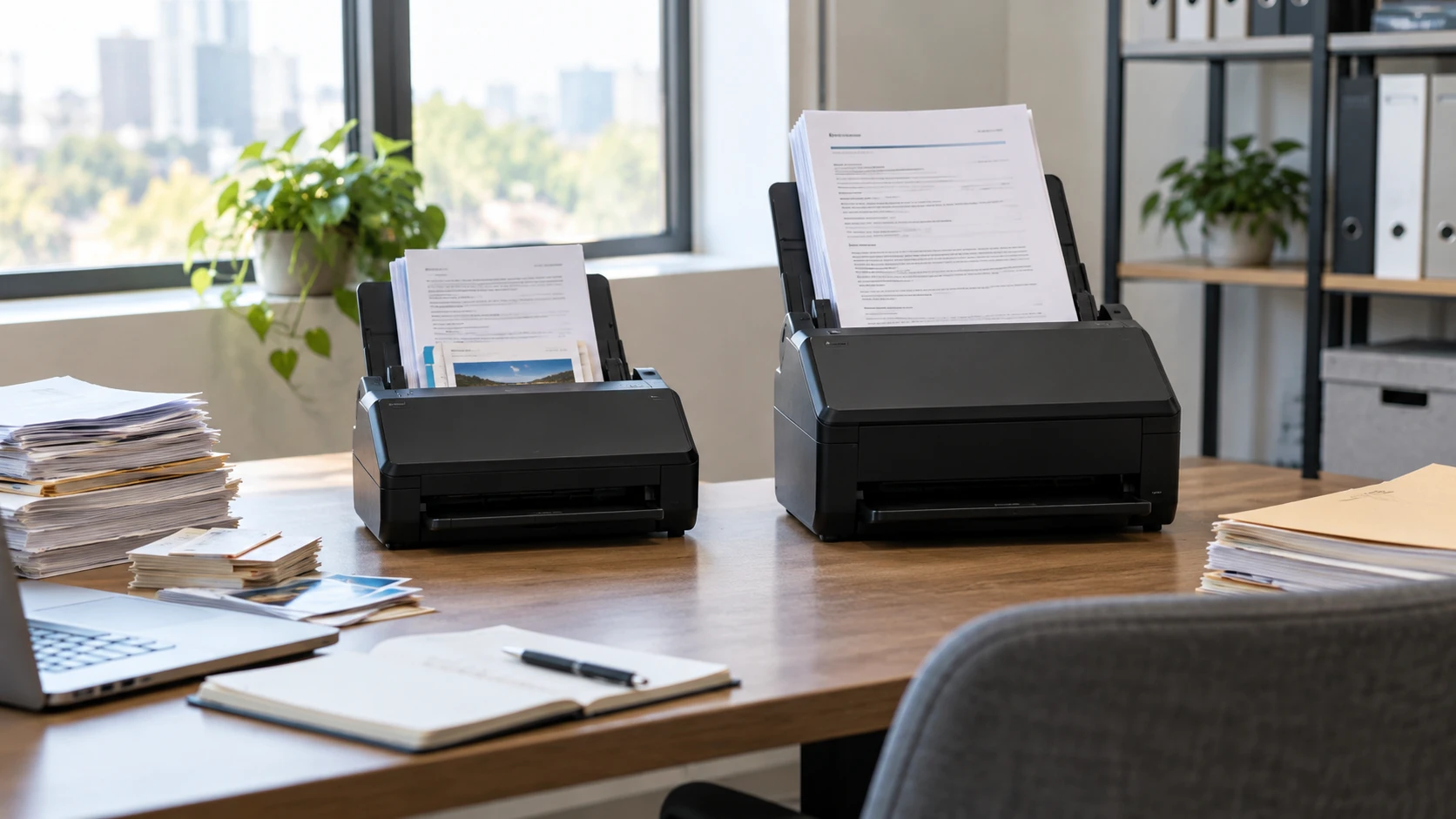
The Brother ADS-1800W scanner is listed with a 20-page automatic document feeder, double-sided scanning at speeds up to 30 pages per minute, and a 2.8-inch color touchscreen. It targets a desk where the operator scans small stacks, cards, and occasional long sheets. The feeder capacity is the first useful number here: a 100-page packet means several loads before anyone has checked the resulting files.
That check needs a naming plan. The published guide to planning a document index concerns how a file collection can be organized and found by subject. It does not grade scanner speed or image quality. Use it to decide what a finished batch should be called, where it belongs, and which terms will help a colleague find it later. Searchable text can help with a remembered phrase; a stable index helps when the person remembers the client, case, date, or topic instead.
The Brother ADS-3300W scanner raises the listed feeder capacity to 60 pages and the quoted scan rate to up to 40 pages per minute. It also names wired Ethernet alongside wireless and mobile connections, and gives a broader set of direct destinations including SharePoint and FTP. Those are more consequential differences for a shared office queue than the fact that both models have 2.8-inch touchscreens.
Match the feeder to a real batch — Brother ADS-3300W scanner
Count the pages in a typical packet, not the tallest pile on the desk. If most jobs are five to fifteen sheets, the ADS-1800W's 20-page feeder may cover them without a refill. Its saved description also names single sheets as long as 197 inches and a card-ready slot for business, credit, and ID cards. Those features make sense when the paper varies in size and format. The long-sheet number is a listing claim; confirm the handling instructions and supported stock before feeding an unusual original.
The ADS-3300W's 60-page feeder suits larger packets. Its description says it can scan continuously while more pages are added to a job. That could reduce stops during a backlog, but the listing does not provide a timed test of a 100- or 500-page collection. It also does not say that every type of paper can be mixed in the feeder. Remove staples, sort fragile or odd-sized material, and test a small group before trusting a long unattended run.
Capacity is distinct from duty cycle. Neither saved description gives a verified daily page-volume rating in the material used for this comparison. A 60-page feeder says how much the tray holds at once; it does not establish how many pages a team should run through the mechanism every day for years. If you are replacing a production scanning station, ask for the current manufacturer's duty and maintenance specifications for the exact model and expected paper stock.
There is also the exception pile. A receipt with a curl, a laminated card, and a thin form may each need different handling. ADS-1800W explicitly mentions its card slot. ADS-3300W's source description concentrates on its document feeder and continuous scanning; it does not enumerate a separate card route. Do not infer from that silence that the larger model cannot scan a card. Check its actual supported media and carrier guidance if cards form a material share of your workload.
Read speed claims as a ceiling — Brother ADS-3300W scanner
The ADS-1800W listing says up to 30 pages per minute for double-sided scans. ADS-3300W is described as single-pass duplex at up to 40 pages per minute for color and monochrome documents. An “up to” number is a ceiling from stated conditions, not a promise for an office's mixed packet. Resolution, destination, image corrections, paper condition, and the time spent naming and verifying files can all affect how long a job takes.
Do not convert the difference between 30 and 40 into an invented number of minutes saved per day. The two descriptions do not present a controlled, same-settings throughput test. A 60-page feeder can remove some loading work for large batches even when actual scanning speed is lower than its headline figure. Conversely, an office with mostly short jobs may spend more time choosing a destination and checking the PDF than feeding pages. Measure the full process on a typical packet if throughput drives the purchase.
Both models describe automatic color adjustment, text enhancement, bleed-through or background removal, color drop-out, and image rotation with a PC-only qualification. Those tools can make a scanned form easier to read, but no listing proves that a faint pencil entry will survive automatic cleanup. Keep a few originals with challenging marks in your test batch. Open the final PDF at readable size and compare those marks to the paper before filing the originals away.
The ADS-1800W lists scans up to 600 by 600 dpi. The saved ADS-3300W description used here does not provide a directly comparable optical-resolution figure. That prevents a source-bound ranking by DPI. For everyday text, legibility, page completeness, and reliable recognition matter more than a number read without its settings. For fine diagrams or very small print, ask for an actual sample from the kind of document you scan.
Map destinations before making shortcuts — Brother ADS-3300W scanner
ADS-1800W's touchscreen can store shortcuts, preset destinations, and scanner settings. Its listing names a computer or laptop, email, cloud services, and a USB flash drive as destinations. Wireless networking and Brother Mobile Connect provide another route within the stated Wi-Fi environment. This is useful when one person alternates between receipts, client forms, and personal records, as long as each shortcut sends files to a clearly named place.
ADS-3300W also has a 2.8-inch color touchscreen for one-touch operations. Its description adds wired Ethernet and names cloud services, SharePoint, FTP, a USB memory stick, PC destinations for file, OCR, and email, plus a mobile device. A shared office may value that network and repository list because files need to reach the same folder or service no matter who is at the scanner. Confirm authentication and access for the actual destination before buying; a named destination does not guarantee that an organization's security settings will accept the connection.
The ADS-1800W source does not list Ethernet. That is a gap in this specific product description, not proof that every connection variation is impossible. If wired network access is a requirement, confirm the current port and specification for the exact ADS-1800W unit; a family name is too broad. The ADS-3300W expressly lists wired Ethernet, making it the clearer source-backed choice for that requirement in this comparison.
One-touch routing is convenient only after a bad scan has a place to be noticed. Plan who checks missing pages, skew, blank backs, and file names. A shortcut to a cloud folder may move an incomplete packet just as efficiently as a complete one. Run a trial into the real destination, open the file from a second account if the team shares it, and verify that permissions and naming fit the office's normal retrieval process.
Decide what OCR must do — planning a document index
ADS-1800W's software list includes Brother iPrint&Scan, Kofax PaperPort 14SE, Kofax Power PDF, Brother Mobile Connect, Bizcard, BR-Receipts, and Image Folio. The saved description says PaperPort adds OCR for searchable, editable PDFs, while Power PDF covers further PDF creation and editing. Software inclusion and current licensing can change, so confirm the box and download terms if a particular program is essential to your workflow.
ADS-3300W names a PC OCR destination and says it integrates with document-management solutions, but the saved description does not name the same Kofax bundle. That does not establish worse text recognition. It tells you which OCR and software details the source actually supplies. Ask for the current software package, output formats, and setup steps for both models before migrating a process that depends on editable PDFs.
OCR turns visible marks into text that can be searched or edited. It can misread a faint zero as an O, or put table cells in the wrong order. For contracts, invoices, and forms, retain a page image alongside any recognized text and check the fields that carry decisions. A searchable PDF is a retrieval aid, not a replacement for reading a sensitive record. The document index can then organize files around stable subjects and dates even when OCR misses a term.
ADS-3300W's source also describes advanced, multilayer security for documents and device connections. It does not enumerate settings or certifications in the saved text, so avoid treating that phrase as proof of compliance with an office policy. Ask the administrator to test the exact network path, accounts, and repository permissions. The operational question is whether the team can route and retrieve a sample document without leaving an unintended copy in a shared location.
Choose by handling time and routing needs — Brother ADS-3300W scanner
The ADS-1800W is the more specifically documented fit for short mixed-media jobs: a 20-page feeder, long single-sheet claim, named card slot, touchscreen shortcuts, wireless/mobile options, and a named software bundle. The ADS-3300W's 60-page feeder, continuous loading claim, up-to-40-ppm rate, wired Ethernet, and named SharePoint and FTP routes are stronger source-backed reasons to investigate it for larger shared backlogs.
Neither listing settles the purchase by itself. Take a representative packet with ordinary pages, a double-sided form, and one awkward original. Scan it to the actual destination, inspect the page order and OCR, and see how many times an operator has to intervene. Name the file using the index pattern the office will keep. That test reveals whether the larger feeder or the more varied media route saves work for the documents that actually arrive.