Crypto Commerce
Brother ADS-1300 desktop scanner or Epson ES-60W for a document backlog
Compare Brother ADS-1300 desktop scanner for documents and searchable files.
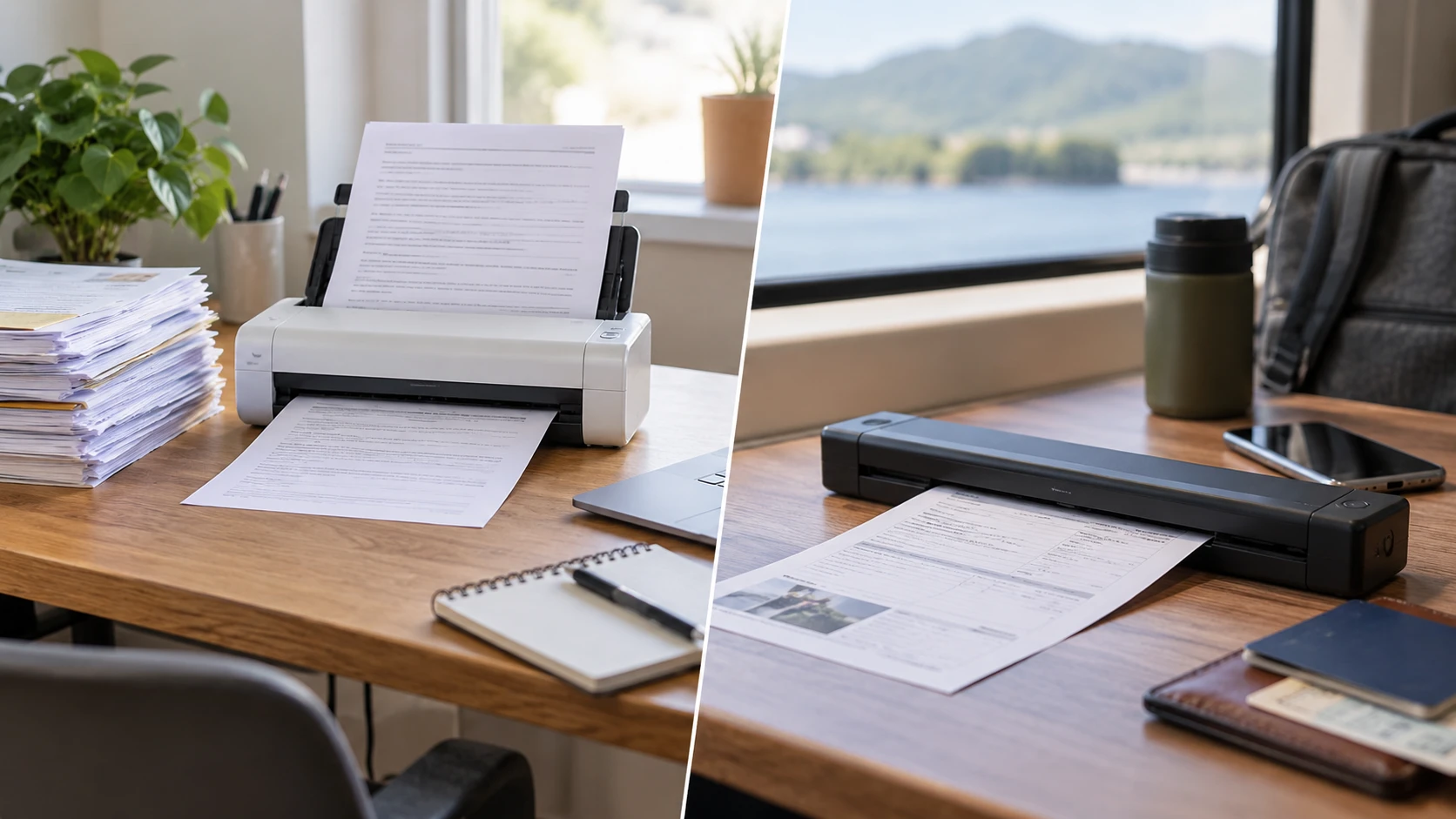
The Brother ADS-1300 desktop scanner has a 20-page automatic document feeder and scans both sides of a sheet in one pass, according to its saved product description. The Epson WorkForce ES-60W feeds one sheet at a time. It can run from a battery and send scans wirelessly to a computer or mobile device. Those differences determine how much paper handling the operator does: Brother suits a stack of similar pages at a desk, while Epson suits individual documents that need to travel with the person scanning them.
There is a naming wrinkle in the Brother listing. Its saved title says "ADS1300w," while the description calls the device "ADS-1300" and specifies setup through an included USB-C cable. This comparison uses the description's ADS-1300 identity. The listing does not establish wireless operation for that Brother unit. Confirm the model label and connection options on the box or current manufacturer specification before ordering, especially if wireless scanning is essential.
Neither scanner organizes a document archive by itself. A page can be captured cleanly and still be hard to find later if it gets a vague file name or lands in an unplanned folder. The published guide to planning a document index so subjects can be found is useful after capture, when deciding how files will be named and grouped. That work applies to files made with Brother's feeder or the Epson WorkForce ES-60W single-sheet scanner. The guide addresses indexing rather than scanner or optical character recognition specifications.
Start with the shape of the paper pile — Epson WorkForce ES-60W single-sheet scanner
Brother's feeder capacity is stated as 20 pages using 20-pound paper. That makes it a plausible choice for small, repeatable batches of standard forms, invoices, and letters. Separate staples and mixed-size pages before feeding. The capacity figure does not guarantee that a stack of glossy cards, curled receipts, or heavyweight sheets will feed the same way. If those make up most of the work, test samples on the exact machine rather than multiplying 20 pages by a headline speed.
The Brother description says it handles single- and double-sided documents up to 8.5 by 14 inches and accepts a single long page up to 197 inches. The long-page claim concerns a single document; it does not turn the feeder into a 197-inch stack path. The listing also mentions a built-in reader for paper and plastic cards, including ID, business, and credit cards. Check the manual's card orientation and thickness limits before a batch of IDs. A bent card or a page with attached material calls for a different handling decision from an ordinary letter.
Epson's ES-60W is described as a single-sheet scanner measuring 11.7 by 3.9 by 2.4 inches. Feed each page separately. That is manageable for a receipt at a client visit or a signed page at a meeting; a box of correspondence would require much more handling. The saved Epson row leaves its card path, duplex process, and maximum paper length unspecified. Ask for those specifications if any of those jobs are routine.
Look at the actual ratio of single-page captures to batches. A consultant who returns with five receipts a week may save more effort by having a scanner in the bag. A small office receiving several two-sided packets each day may value the feeder and duplex path more. Count how many sheets arrive together and how often they must be scanned away from a desk. This tally makes the scanner choice less dependent on broad labels such as "portable" or "office."
Read speed claims as test conditions — Epson WorkForce ES-60W single-sheet scanner
Brother lists scanning at up to 30 pages per minute. Its footnote ties color and monochrome speeds to letter-size paper at 200 or 300 dpi and warns that data transfer and software processing can change actual speed. A 20-page feeder could empty quickly under the stated conditions, but that does not include the time to prepare a stack, handle an exception, name the file, or check that both sides were captured. For a real backlog, time one complete batch from the first staple removed to the final file opened and checked.
The Epson listing says a page can scan in as fast as four seconds. The saved excerpt leaves out the page type, resolution, connection, and processing time behind that best-case figure. For a single page, setup time may matter as much as the scan movement. If a person has to wake the device, connect it, position a bent receipt, and send the file, record that complete sequence. Measure the time to a usable file alongside the capture time.
Duplex work is a more concrete distinction than either speed headline. Brother explicitly scans both sides in one pass. For a two-sided packet, that reduces manual page flipping and the risk of mixing fronts and backs. The Epson saved row calls it single-sheet-fed but does not describe how two-sided originals are handled. A buyer with many signed forms should ask to see that workflow demonstrated and confirm how the software assembles the final file. It is easy to lose the back of a page when an intake process assumes every sheet is one-sided.
Image quality needs a task-based check. Brother's listing gives image capture up to 600 by 600 dpi and describes automatic color detection, bleed-through and background removal, text enhancement, color drop-out, and rotation on a PC. These are processing options, not guarantees that faint pencil or a small stamp will be legible. The saved Epson description does not give a comparable resolution or adjustment list. Scan a sample with the lightest text and most troublesome paper you handle, then inspect it at normal reading size and at enlargement.
Choose a connection that fits the work site — Epson WorkForce ES-60W single-sheet scanner
Brother's description specifies an included USB-C cable for computer setup. It says scans can be saved to a computer or USB flash drive, attached to email, or sent to cloud services through Brother iPrint&Scan. The cloud route requires internet access and an account with the chosen service. The saved description does not explain every step for every destination or establish that this Brother model itself uses Wi-Fi. Confirm the exact computer operating system, software version, flash-drive support, and account path before writing those destinations into an office procedure.
Epson states that the ES-60W can send scans wirelessly to a PC, Mac, iOS, or Android device. It detects the connection and switches between USB and battery-powered wireless operation, and its LCD shows wireless and battery status. That is useful when the scanning location has no convenient desk outlet or the receiving device is a phone. It also introduces a battery check into the day's routine. The listing does not give battery runtime, charging time, wireless range, or a promise that every operating-system version is supported. Verify those details for the devices in use.
Wireless convenience can be lost if files move to an unexpected device or account. Before relying on the Epson workflow, test who receives the scan, where the app stores it, and how a shared office retrieves it later. For Brother, test the equivalent computer or cloud destination from the workstation that staff will actually use. A one-page pilot should include opening the file on the device of the person who needs it, not stopping when the scanner reports a completed capture.
Both descriptions name software, but at different levels of detail. Brother lists iPrint&Scan, Kofax PaperPort 14SE, and Kofax Power PDF, with a note that additional downloads may be needed and compatibility varies by device and operating system. Epson names ScanSmart for scanning and file organization. Do not assume every listed application is installed, licensed, or capable of the same output on every platform. Check current download availability and the exact feature needed, such as combining pages or searching text, before choosing a device on the strength of a software name.
Make searchable files a measured outcome — planning a document index so subjects can be found
Brother's product description says its processing and bundled applications support creating readable, editable documents and search and retrieval. It does not establish the quality of optical character recognition for a particular language, font, or original. Epson's excerpt says ScanSmart helps organize files but does not make a specific OCR performance claim. If searchable PDFs are the requirement, create a short test set with a clear printed page, a faded copy, and a form with a few handwritten fields. Search for a distinctive phrase in the resulting file and compare extracted text with the original. Handwriting may need manual review regardless of the chosen scanner.
Decide where text recognition happens in the process. It may be a scanner application, a bundled PDF tool, or a later document-management step, depending on the installed software. The saved listings do not define a single universal path. Record the selected settings and output format so a second operator can repeat them. A file with a .pdf extension may contain only an image; the extension alone does not prove its contents can be searched or edited.
After capture, set a naming rule that helps the next person find the record. A useful pattern might use document date, source, and subject, but the actual fields should fit the office's retention and privacy rules. The indexing guide mentioned above can help frame that post-scan work. It does not replace a check of page order, missing backs, skew, or text-recognition accuracy. Keep an exception queue for files that need rescanning so a bad scan does not quietly enter the archive.
Sensitive documents add another decision. The Brother row mentions credit and ID cards; the Epson row mentions sending files to mobile devices. Those examples should prompt a review of where files are saved, who can open them, and when local copies are deleted under the organization's policy. The source excerpts do not provide security certifications or retention settings for either workflow. Test the destination and access controls in the intended software rather than inferring them from the scanner hardware.
Decide with a small real-world trial — Epson WorkForce ES-60W single-sheet scanner
For a desk with repeated two-sided paper batches, Brother's 20-page feeder and stated single-pass duplex path are the stronger documented fit. Check the exact model label because of the ADS1300w/ADS-1300 inconsistency, then test a batch containing a long page and a card if those are part of the job. Confirm the desired file destination and search behavior on the office computer. A 30-page-per-minute claim helps narrow the shortlist, but only the complete intake trial will show how much staff time the workflow saves.
For one-at-a-time documents gathered away from a workstation, Epson's battery-powered wireless design is the stronger documented fit. Try it with the phone or laptop that will receive the files and measure battery use during a normal day. If a packet has two-sided pages, verify how its software joins them before making it the routine scanner for that packet. Its four-second claim is worth testing on the paper you actually receive.
Keep the trial modest and inspect every output. Scan a few representative originals, confirm page count and orientation, search a known phrase if searchable text is required, and open the file from its final storage location. Then count the handling steps and record the failures. Those results will show whether a feeder at the desk or a battery-powered scanner in the bag saves more work for this particular document pile.