Crypto Commerce
Bigme B6 color e-paper tablet vs XP-Pen Magic Note Pad for reading and notes
Compare Bigme B6 color e-paper tablet by screen, reading, pen features, Android 14, portability, storage, and saved price.
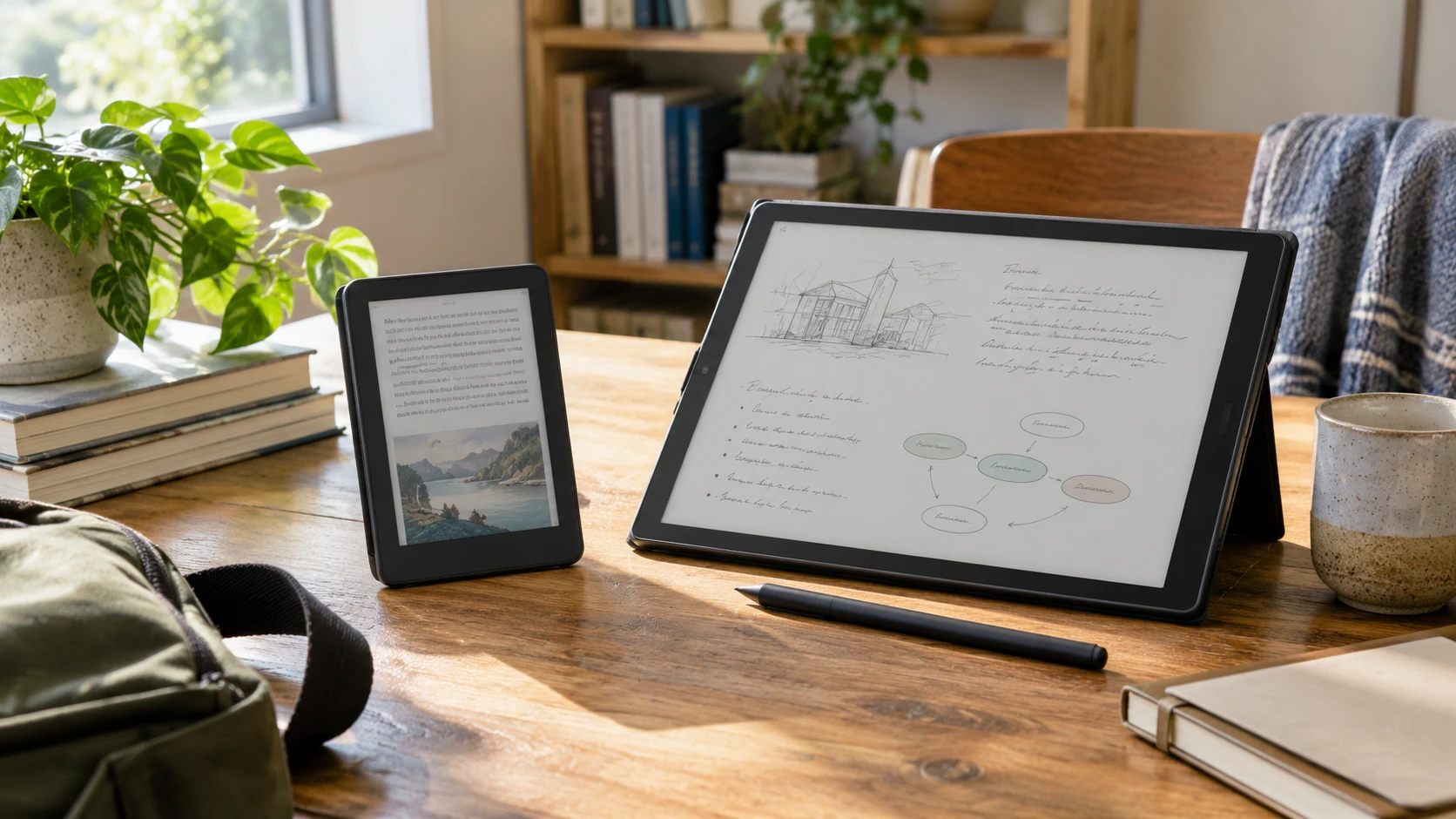
These Android 14 devices invite different habits despite both being described as paper-like tablets. Bigme B6 has a six-inch color e-paper display, 4GB of RAM, and 64GB of storage. XP-Pen Magic Note Pad has a 10.95-inch X-Paper screen, an included pressure-sensitive pen, and a 6GB/128GB configuration in its saved listing. The X-Paper screen uses TCL NXTpaper technology; it should not be treated as the same display technology as e-paper. Choose first between pocketable reading and a larger surface for writing or meetings, then verify that the apps and files needed for the routine actually work.
Both exact product pages and the related published guide returned HTTP 200 on October 3. I checked their live Product data too: each page's SKU and MPN match its saved product ID. The September 30 catalog snapshot marked both available, with a minimum price of $225.51 for Bigme and $549.99 for XP-Pen. Those are historical offers rather than today's checkout totals. Display comfort, app speed, battery life, and writing feel below are not independently tested here; the figures come from Republeq's product descriptions.
Decide whether the screen is for reading or writing — XP-Pen Magic Note Pad tablet
The Bigme B6 color e-paper tablet is described as a six-inch reader with an adjustable front light. That size may be convenient for novels, articles, and short documents during a commute. It could be cramped for a full-page PDF, sheet music, or a detailed form. The saved description does not give pixel density, refresh modes, color depth, or a measurement of page-turn speed. Ask for the current manual or a demonstration with the files you actually read.
XP-Pen's saved description gives a 10.95-inch nano-etched X-Paper display and three selectable modes called Ink Paper, Light Color, and Nature Color. It lists a 90Hz refresh rate, 16.7 million colors, and peak brightness of 400 nits. Those are screen specifications in the Republeq's product-page text, not a head-to-head test against Bigme's e-paper panel. A larger surface can help with two-column PDFs or handwriting in a meeting, while the smaller Bigme may be easier to hold for a chapter at a time. Check the actual display and case dimensions, not only the diagonal number.
The two displays also respond differently by design. E-paper is commonly chosen for a reading-oriented look and may handle rapid motion differently from a conventional tablet screen. XP-Pen's NXTpaper-based panel is presented as a color digital notebook with a fast refresh figure. The saved sources provide no comparable motion or reflection test. Do not assume Bigme can play video as smoothly as XP-Pen, or that XP-Pen has e-paper's behavior merely because its finish is described as paper-like. Try scrolling a document, changing pages, and viewing a familiar color image on each model if possible.
Bigme claims that its color e-paper reduces eye strain. XP-Pen's listing names TÜV SÜD Low Blue Light and Paper-like Display certifications and says its screen reduces up to 95 percent of ambient-light interference and up to 75 percent of harmful blue light. These are Republeq's catalog-presented claims, not medical outcomes or results measured here under the same conditions. Lighting, viewing distance, font size, and breaks still matter. Ask for the exact certificate and measurement method if one of these claims is central to the purchase.
Our related Android tablet version and SIM guide discusses different tablets and why a version label and connectivity claim need separate checks. It does not test Bigme or XP-Pen. Both saved listings name Android 14, but neither promises a cellular SIM feature here. Verify whether Wi-Fi is sufficient for the intended reading or note-sync routine, and do not infer mobile-data capability from the word “Android.”
Establish the handwriting workflow — XP-Pen Magic Note Pad tablet
XP-Pen's saved offer includes a battery-free X3 Pro Pencil 2 with magnetic attachment, a shortcut key, and a stated 16,384 pressure levels. Its XPPen Notes app is described with handwriting-to-text conversion, PDF import and editing, audio recording, automatic saving, and uploads to OneDrive or Google Drive. Those are potentially useful for lectures, meeting notes, and document review. Confirm that the pen and any folio in the title are included with the current offer and that the app functions are available without an extra subscription.
Republeq's catalog says XPPen Notes includes permanent membership. That phrase needs current terms: what is included, what depends on an account, and what happens if the app or cloud service changes? Ask whether handwritten notes can be exported as ordinary PDF or image files and opened on another device. Test the conversion with your handwriting and language if that feature matters. A long list of software functions has value only when the files can be saved, found, and shared in the way the user needs.
Bigme's saved candidate calls it a reader and Android tablet, but does not claim an included stylus, handwriting layer, or a particular note-taking app. It might run some Android apps, yet the listing does not establish pen support or writing precision. Do not buy it as a substitute for XP-Pen's pen workflow without a model-specific pen compatibility statement and a demonstration. For short typed notes or annotations, a phone or laptop may already cover the need; the Bigme purchase can then be judged mainly as a reading device.
Writing space is another distinction. A six-inch panel can be practical for highlights and small annotations, but a full-page document may need frequent zooming. XP-Pen's nearly 11-inch display should show more of a page at once, depending on app layout and scaling. The saved sources do not give usable writing-area dimensions, palm-rejection behavior, or measured pen latency. Bring a representative PDF and note-taking task to a demonstration rather than assuming pressure levels predict a natural writing feel.
Check Android access, storage, and file movement — Android tablet version and SIM guide
Both Republeq's product descriptions name Android 14. Bigme pairs that with 4GB of RAM and 64GB of storage. XP-Pen's saved title says 6GB/128GB and its description says Android 14 with Google Play access. Android version alone does not guarantee that a particular reading service, library app, note app, or workplace account is supported. Confirm the exact app installation route and sign-in requirements. Bigme's candidate speaks broadly of app access but does not explicitly name Google Play in the saved text.
Storage numbers also do not tell the whole story. Bigme's 64GB may hold many books, but high-resolution PDFs, comics, and offline media can fill space faster. XP-Pen's 128GB offers more stated internal storage, yet its note recordings, imported PDFs, and app data can also accumulate. Ask whether either model supports removable storage, cloud backup, or a direct computer transfer; neither saved candidate establishes those paths completely. Test an export and a restore before building an important archive on one proprietary notes app.
XP-Pen's description includes a 13-megapixel front camera, two speakers, and two microphones for remote meetings. The Bigme candidate does not list comparable meeting hardware. That difference could matter to someone who wants to review a PDF while on a call. It does not establish microphone quality, video-call compatibility, or comfortable multitasking on either device. If meetings are central, check the exact conferencing app, camera position, and sound with a real call.
The description also mentions XP-Pen's AI assistant. Its availability, privacy behavior, and usefulness for a particular workflow are not verified here. Do not make that feature the deciding factor without seeing it process the kind of note or PDF the user handles. A device that reliably stores plain notes may be more useful than an untested automated summary feature.
Compare travel weight and charging evidence — XP-Pen Magic Note Pad tablet
XP-Pen's saved listing gives a weight of 495 grams and a thickness of 7 millimeters. It also lists an 8,000mAh battery and a 20-watt charger. Those figures help plan a bag and charger, but do not establish hours of reading, writing, or video meetings. Battery life depends on brightness, wireless use, apps, and workload. Ask for a standardized runtime test and check what charger is actually included with the current unit.
Bigme is described as slim, lightweight, and portable, but the saved candidate does not give exact weight, dimensions beyond the six-inch screen, battery capacity, or charging rate. It may be easier to carry because of its smaller display, but that is not a measured comparison. Request the full dimensions and weight with any cover. A device that is light bare can feel different once protected for travel. Check whether the front light, Wi-Fi, and color content change real battery use.
Consider where the devices will be used. A reader held in one hand on a train has different requirements from a notebook propped on a desk for an hour-long meeting. A larger display may reduce zooming but require a stand or table. A smaller one may be easier to pack but difficult for full-page annotation. Neither listing gives a protective-case drop test. Budget for a suitable cover and a safe charging cable if those are not in the box.
Price the job each device actually performs — XP-Pen Magic Note Pad tablet
The September 30 minimum-price gap is $324.48, with XP-Pen higher. That difference corresponds to a larger stated display, an included pen, more memory and storage, and a broader note-taking package in the saved description. It does not prove that XP-Pen is the better reader for a person who mostly opens books, nor that Bigme can replace a pen tablet for handwritten work. The two products solve overlapping but distinct problems.
Check both Republeq catalog entries for the current price, exact model, box contents, warranty, return terms, app support, and update policy. For Bigme, verify display performance, app-store access, battery figures, and any pen support before relying on them. For XP-Pen, verify the included pencil and folio, export formats, and XPPen Notes membership terms. Review the current XP-Pen Magic Note Pad tablet page beside Bigme's, then choose according to the files and actions the device must handle every week.