Crypto Commerce
Audio-Technica BPHS1 broadcast headset vs TruVoice BT65 for voice work
Compare Audio-Technica BPHS1 broadcast headset by connections, microphone use, desk setup, mobility and offer contents.
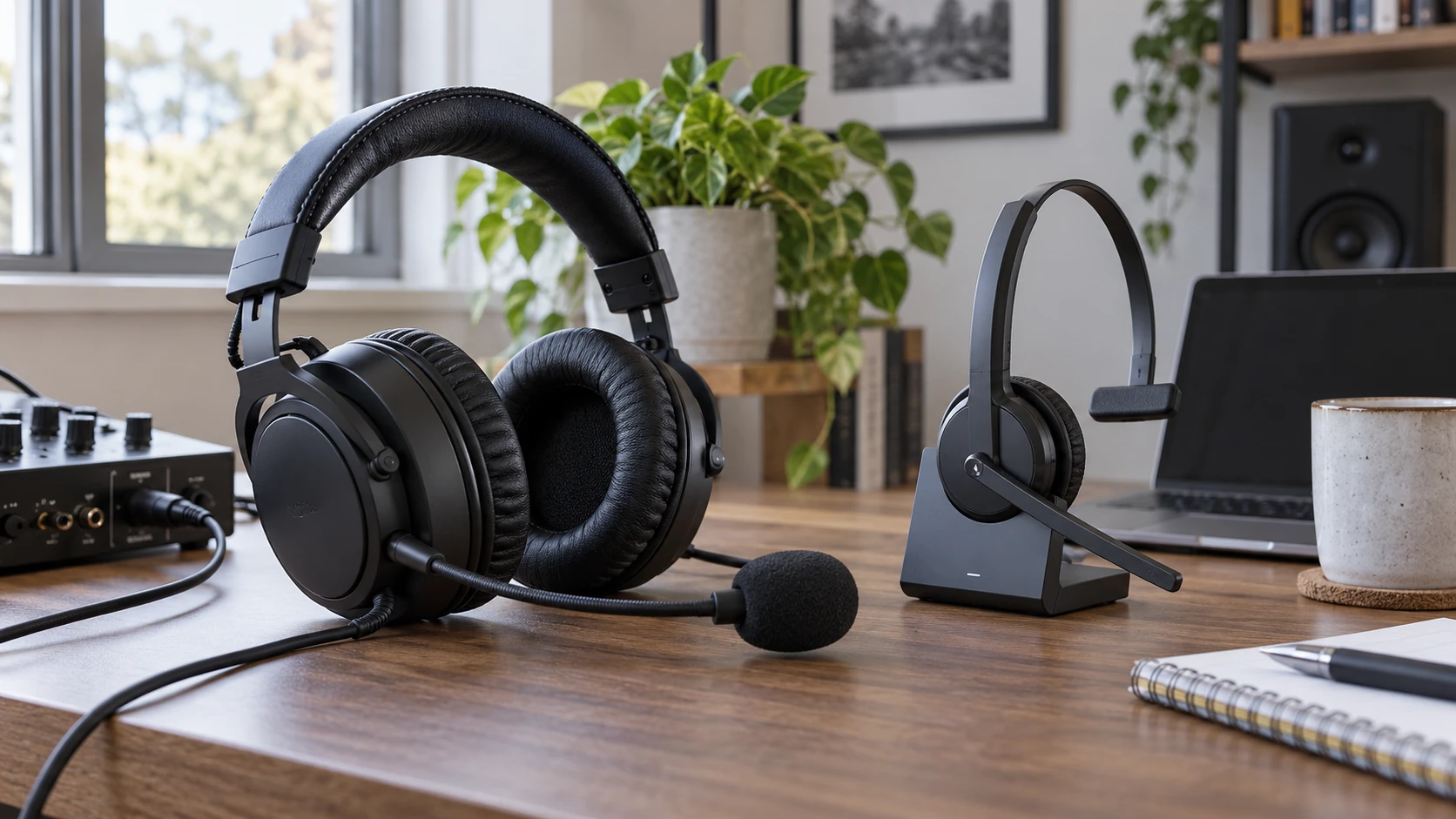
The Audio-Technica BPHS1 broadcast headset and the TruVoice BT65 put a microphone near your mouth, but they are built around different workstations. The BPHS1 listing describes a wired broadcast headset for commentary, interviews, and announcing. The BT65 listing describes a wireless headset for computer, softphone, and mobile calls. Choose by the audio equipment you need to connect and how far you move during a conversation, rather than by the phrase “noise canceling” alone.
The current BPHS1 offer also describes an AKG K72 pair of closed-back headphones in the box. That bundle detail matters when comparing prices: the second pair of headphones is not a second BPHS1 microphone headset. Confirm the contents of the selected offer before ordering. The listings are the source for this comparison; neither headset was independently tested here, and real microphone quality, comfort, and wireless range still need verification.
A cable or a base changes the workstation — TruVoice BT65 wireless headset
The BPHS1 description lists a detachable cable with separate microphone and headphone connectors. It describes an XLR microphone termination and a quarter-inch headphone connection. That suits equipment with the matching inputs, such as certain mixers or audio interfaces, but it may require an adapter or interface for a laptop with only a combined headset jack. Check the actual cable and connector diagram for the selected bundle. A connector that looks familiar in a product photo does not prove it will carry both signals to your particular device.
TruVoice describes a headset that can connect to a computer or softphone and a mobile phone using USB and Bluetooth paths. The page indicates that a user can handle calls from either source without changing headsets. Verify which USB connector and wireless accessory are included, how switching works, and whether both sources can remain paired. A workplace softphone may have its own approved-headset list and security settings. Confirm those requirements before assuming that a general claim of compatibility covers your deployment.
A fixed desk with an audio interface may benefit from the BPHS1's separate voice and listening paths. A worker who walks to a printer or another room while talking may prefer a wireless headset. These are workflow differences, not proof that one product's audio sounds better. Write down each device in your chain: computer, phone, mixer, interface, conferencing software, and any desk phone. Then mark the port that the headset will use. That simple diagram often reveals a missing adapter before a box arrives.
The microphones solve different background problems — TruVoice BT65 wireless headset
Audio-Technica describes a high-output cardioid dynamic boom microphone on the BPHS1. Its directional pattern is intended to reduce sound arriving from the sides and rear. The flexible boom can be positioned on either side. That is useful in a noisy commentary setting where the speaker stays near a microphone, but the listing does not establish how well it rejects a particular crowd, keyboard, or ventilation unit. Placement matters. A boom moved too far from the mouth can make a directional mic sound thin or require more gain.
TruVoice describes a noise-canceling microphone on a rotating boom, with one-touch mute. The listing does not provide a comparable microphone polar pattern or a measured noise-reduction result. It also does not state that every background sound disappears on a call. Check how mute is indicated on the headset and in the calling app; a hardware mute can be confusing if the software has a separate mute state. If a call might carry private details, practice the actual mute workflow rather than relying on an icon alone.
For either model, test the microphone with the application you use. A broadcast feed may run through a mixer with monitoring controls; a video meeting may compress and filter the microphone in software. Ask a colleague to listen to a sample from the actual workstation and room, including a quiet sentence and a louder one. That check would reveal more than comparing two Republeq's catalog phrases. The product pages do not include an independent side-by-side recording, so this article cannot rank voice clarity.
What you hear while speaking — wired desk monitoring with headphones
The BPHS1 uses closed-back over-ear cups. Its listing says this design helps block crowd and background sound, which may make speech monitoring easier near other people. It also lists the separate AKG K72 headphones in the offer. Be clear about which pair is on the commentator's head and which is for another listener or a different task. The K72 does not add a microphone to the BPHS1's connection path.
The published guide on wired desk monitoring with headphones discusses an AKG K271 model, not the K72 in this bundle. It is relevant for planning a fixed listening station: trace the audio output, headphone connector, and monitoring level before you choose a headset. Do not transfer the K271's specifications to the BPHS1 or bundled K72. Check the exact connector and level requirements of the gear in your own desk setup.
TruVoice's page refers to high-definition audio and acoustic-shock protection in the ear speakers. Those are product claims, not a shared measurement against the BPHS1. Ask whether the headset is mono or stereo in the selected variant, how call and media levels are controlled, and whether sidetone lets you hear your own voice. A wireless office headset may prioritize clear conversation over the detailed monitoring a producer expects from a wired setup. The listings do not supply enough common test data to score those priorities.
Comfort is more personal than a spec table. Audio-Technica lists padded over-ear cups, an adjustable cushioned headband, and a weight of about 264 grams for the BPHS1. The long cable may be useful at a console but needs a route that will not catch a chair. For TruVoice, check the exact BT65 ear arrangement, weight, clamp, and included ear cushions. The listing's broad claims about all-day work do not reveal how a particular person will feel after several calls.
Range, power and interruptions — TruVoice BT65 wireless headset
A wired BPHS1 does not rely on a headset battery. It does rely on a cable and the connected equipment. The description says the cable and ear pads are replaceable, a useful lead for maintaining a station that is used often. Verify availability and pricing of the correct spare parts. A cable that can be replaced still needs protection from chair wheels, desk edges, and repeated tight bends.
The BT65's wireless path requires charging and has a working range that depends on walls, other radios, and the connected device. The listing mentions Bluetooth and a 50-foot figure, but it does not show the measurement conditions. Do not promise that range across an office floor. Ask for talk-time and charging specifications for the exact bundle, and check whether the headset can be used while charging. Plan where it will be parked between calls so an uncharged headset does not become a morning surprise.
Wireless convenience also depends on handoff behavior. What happens when a phone call arrives during a computer meeting? Does the headset move between sources automatically, ask for a button press, or follow the currently active device? The BT65 page suggests easy switching but does not document every simultaneous-call case. Test it with the calling apps your team uses. For the BPHS1, the equivalent handoff is usually handled by the mixer or software, where the routing can be visible and under operator control.
Neither setup is immune to interruptions. A loose wired connector can create noise; an unpaired wireless unit can miss a call. A small pre-session check helps both: confirm microphone input, headphone output, mute state, and a short recording or test call. For a live event, add a spare headset or a known fallback route if losing audio would disrupt the program. The current listings cannot establish a failure rate for either product.
Bundle details and total cost — TruVoice BT65 wireless headset
The BPHS1 product title combines Audio-Technica and AKG names. Read the offer contents carefully: the catalog description lists one BPHS1 broadcast headset and one AKG K72 pair. Confirm the cable, adapters, warranty coverage, and return terms for both items. If you need only a single microphone headset, the extra headphones may not justify a higher price. If a producer or guest also needs to listen, the bundle could be useful, provided both listening connections are available at your desk.
For the BT65, verify the base, dongle, charging lead, and any required desk-phone adapter in the actual offer. Wireless compatibility claims often depend on a specific accessory or firmware version. Check the manufacturer's current compatibility information for your phone or softphone and the stated warranty. Do not treat a generic “USB headset” label as proof that your organization's call controls will work.
Compare prices only after adding any interface, adapter, spare ear pads, or charging equipment you need. The product pages may show a starting offer that changes with variants or stock. Review the selected configuration and checkout terms immediately before purchase. The least expensive headset on the page may not be the least expensive working setup for your desk.
The TruVoice BT65 wireless headset is the stronger candidate when calls move between a computer and phone and the worker needs to leave the chair during a conversation. The BPHS1 bundle deserves attention when a fixed broadcast desk already has, or will add, the appropriate microphone and headphone connections. Verify those connections, the exact bundle contents, and the way the microphone sounds in your own room before deciding.