Crypto Commerce
APIZCUK U99MAX camera drone vs Gumesh: check the screen before the first flight
Compare APIZCUK U99MAX camera drone by GPS claims, flight-time wording, camera controls and first-flight preparation.
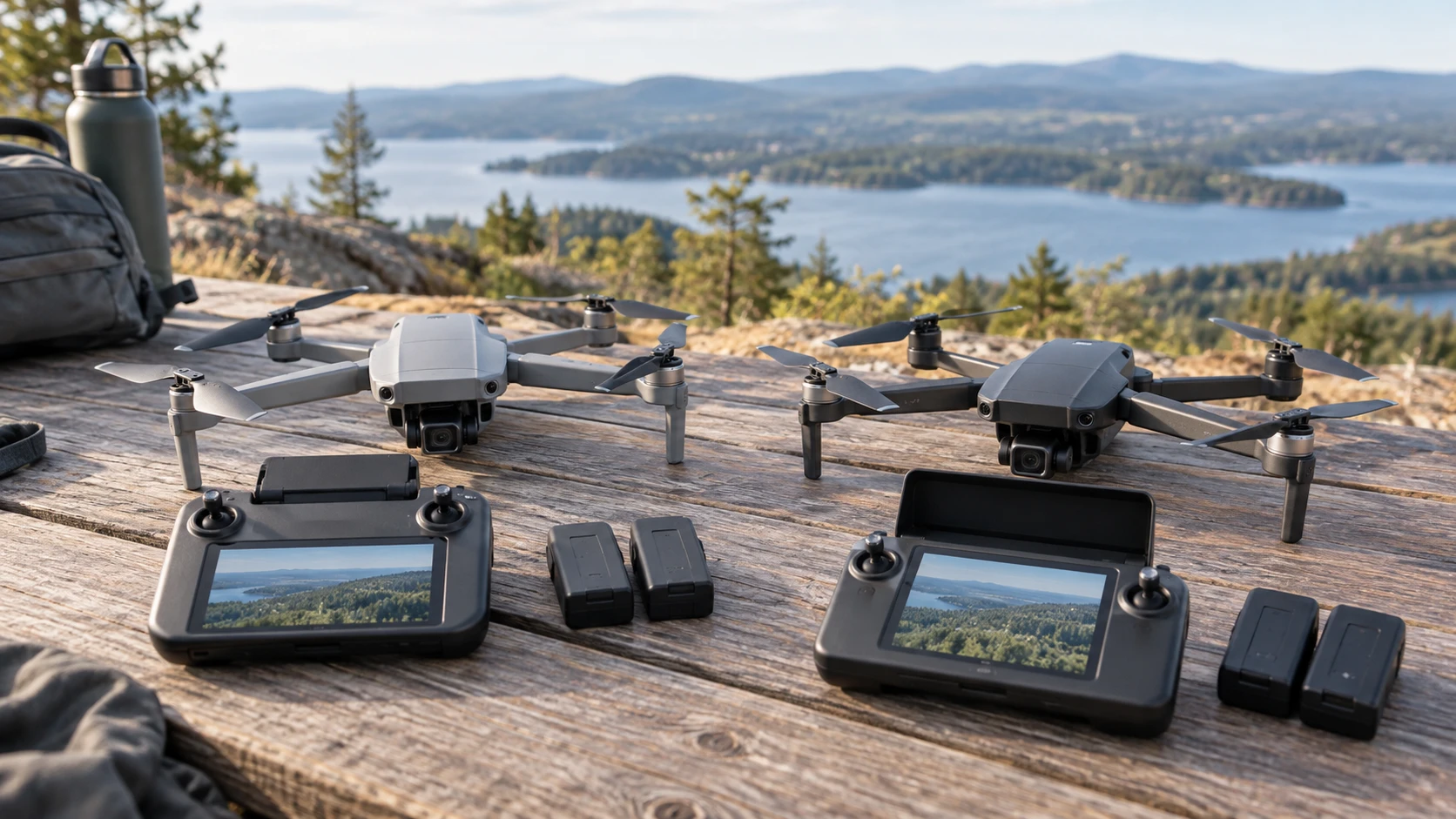
The APIZCUK U99MAX camera drone is listed with GPS navigation, a viewing display, app control and two batteries. Gumesh describes a 4.5-inch screen on its remote, brushless motors and several flight modes without requiring a phone for the live view. Both promise an easier way to see what the camera sees, but the controls around that view differ. For a first flight, confirm where the screen is, how the drone gets home and what its battery claim actually covers.
These are Republeq's product descriptions, not measured range, obstacle-detection or image-quality tests. The word 5G in both listings describes a claimed image feed and should not be read as proof that either drone uses a mobile data plan. Neither saved row supplies a full radio specification, screen brightness test or actual footage from a shared course. Treat the feature names as questions for a manual and a short, controlled first-flight test.
Separate a screen from a complete control setup — GPS and screen-controller drones
Gumesh explicitly describes an included controller with a 4.5-inch display. It says the live first-person view can be used without a smartphone. That could simplify getting ready in an open field, especially if a phone's battery is already needed for other tasks. Ask whether the controller records anything, how its screen is charged and what settings can be changed without an app. A live display is useful only if it is legible outdoors and the controls remain easy to reach while watching the drone itself.
APIZCUK says a built-in 4.5-inch HD display shows the camera view and also describes app control for adjusting parameters and planning flight paths on a smartphone. The saved wording does not clearly identify every control that works from the display alone. Confirm whether that display sits on the supplied controller, how it is powered and whether the phone is optional for the functions you want. An app may add planning tools, but it can also add setup steps before takeoff.
Make a first-flight checklist for each machine: charge the aircraft and controller, inspect the propellers, connect the display, establish the live feed and identify the return or stop control. The best screen is the one that stays usable without drawing your attention away from the aircraft's actual position. Do not plan to fly by video alone until you understand the manufacturer's instructions and the limits of the feed.
The published guide comparing GPS and screen-controller drones discusses different models, but its control questions are directly relevant here. Its batteries, ranges and app steps do not transfer to APIZCUK or Gumesh. Use it to decide which tasks you expect from the controller, from a phone and from the aircraft itself before comparing camera numbers.
Ask what GPS actually does on the aircraft — Gumesh 4.5-inch screen-remote drone
APIZCUK's saved description names GPS navigation, Follow Me, Circle Fly and one-key Return Home. It says Return Home also activates when the battery runs low or the signal is lost. Those are useful functions to verify, but their presence in a listing does not prove they will work safely at any location. Ask how the home point is recorded, what happens when GPS is weak, what altitude the return flight uses and whether the user can cancel it. Test the function only where there is clear space and under the current manual's procedure.
Gumesh describes maintain-height and ground-detection functions, along with surround shooting, tracking, gesture control, headless mode and an emergency stop. Its saved row does not name GPS or a GPS-based Return Home feature. Avoid assuming it has one because another screen-controller drone does. Ask what the drone does when control signal is lost or its battery reaches a warning level. A low-battery reminder is not the same as an independently verified route back to the launch point.
For either drone, choose a first-flight area with room to recover from a mistake. Check local airspace rules and any registration requirements before flying. Power lines, trees and people are poor places to discover what an obstacle sensor can and cannot see. A claimed automatic function can assist a practiced pilot; it does not replace planning a safe takeoff and landing area.
APIZCUK lists optical-flow positioning for low-altitude hovering, while Gumesh names ground detection and maintain-height behavior. These may help the aircraft stay steadier near the ground, but the saved descriptions do not give surface or lighting limits. A reflective floor, water or low light may produce different behavior from a clear lawn. Request the maker's operating conditions and try a short hover before attempting a moving camera shot.
Read obstacle claims as limitations to investigate — Gumesh 4.5-inch screen-remote drone
APIZCUK calls its avoidance system full-range 360-degree laser scanning. Gumesh says its upgraded system uses light detection to identify obstacles. Neither listing supplies a map of sensor directions, minimum object size, detection distance or flight speed at which the system remains effective. A thin branch or wire is a demanding target. Ask for those limits and inspect the actual aircraft, rather than treating 360 degrees as permission to fly near objects.
Emergency controls differ in the saved descriptions. Gumesh specifically lists an emergency stop and a low-battery reminder. APIZCUK emphasizes Return Home on low battery or weak signal. Both behaviors need a practical explanation: a stop may make a drone fall, while a return can take it through space you did not intend to cross. Learn when the maker recommends each action before flying near buildings or people. The listings do not provide enough detail to make that decision during a surprise.
Brushless propulsion appears in both product descriptions. APIZCUK also says the drone folds for transport; Gumesh describes brushless motors, LED lights and a tail spray effect. Those features can affect the experience, but neither saved row provides a controlled noise or durability comparison. Inspect folding joints and propeller protection, and ask which spare parts can be purchased. If a beginner will use the drone, the ability to repair a damaged propeller is more practical than a long list of automated modes.
Compare flight-time claims on the same basis — Gumesh 4.5-inch screen-remote drone
APIZCUK lists a 7.4-volt, 3,000 mAh battery in a two-battery setup and says the setup provides up to 30 minutes of flight time. The wording does not clearly state whether 30 minutes is a combined total or a per-battery figure. It also mentions Type-C charging between flights. Confirm the number of batteries in the exact package, charging method and measured run time for the camera mode you expect to use. Plan to land well before the advertised maximum.
Gumesh claims up to 20 minutes of battery life. Its saved row does not specify how many batteries are included or the test conditions for that maximum. A 20-minute claim cannot be directly compared with an ambiguous two-battery 30-minute claim. Ask for the charging time and replacement-battery availability. At the field, reserve time for setup, a safe return and landing; the last minute of the listing's maximum is not a useful filming budget.
The controller needs power too. Gumesh's screen remote and APIZCUK's described display must remain charged throughout the session. The saved Gumesh row gives no controller-battery specification, and APIZCUK's row does not explain all display-power details. Check the manual and charge both parts before leaving home. A drone with a full flight battery is not ready if the viewing screen or controller is empty.
Separate camera labels from finished footage — Gumesh 4.5-inch screen-remote drone
APIZCUK says front and rear 4K cameras send footage over its image feed. The saved row does not state the recorded video resolution, stabilization method or which camera views are saved to its included 4 GB SD card. It also does not identify a bit rate or sample file. Ask for unedited sample clips from each camera, and confirm whether the controller's live view differs from what is recorded. A 4K label can refer to a sensor, a still image or a processed output; the listing is not precise enough to settle that.
Gumesh promises HD photos and video from an electrically adjustable camera, plus lens switching for different views. Its description does not provide exact recorded pixel dimensions. That makes a numerical image-quality comparison impossible from these two rows. Look at clips from the same daylight conditions, paying attention to motion, vibration and exposure changes. If the purpose is casual practice, a stable view and reliable controls may matter more than a resolution label.
APIZCUK's listed package includes an SD card, eight spare propellers and a shockproof carry case. Check that those accessories are present in the current offer and that the card meets the camera's recording requirements. Gumesh's saved description does not supply an equivalent package inventory. Ask about its memory method, spare propellers and carrying protection before budgeting for a trip. Missing small accessories can interrupt the first outing even when the drone itself is charged.
Both products describe additional camera moves, such as tracking and circle or surround shots. These modes depend on the drone's sensing and control behavior, not just a button name. Begin with simple manual framing and review the footage afterward. If a mode moves the aircraft unexpectedly, stop using it until you understand its path and limits. Neither Republeq's product description verifies how well the feature follows a subject in a crowded or windy place.
Choose the setup you can explain before takeoff — Gumesh 4.5-inch screen-remote drone
APIZCUK is the candidate to inspect if you want a listed GPS-assisted return path, app planning and two batteries in the package. Verify the location and functions of its display, the ambiguous 30-minute flight-time wording and the actual recorded camera specifications. The 360-degree obstacle claim needs a sensor-limit explanation before it should affect where you fly.
The Gumesh 4.5-inch screen-remote drone is the candidate to inspect if a phone-free live view and direct controller setup appeal more than app planning. Confirm what happens on signal loss, how the emergency stop works, the battery count and recorded video resolution. Its saved row does not establish GPS-based Return Home.
Before ordering, write down how you will prepare, launch, monitor, return and land each aircraft. Put a manual page or Republeq's catalog answer beside every automatic feature you plan to rely on. That exercise makes the screen and flight controls concrete, and exposes the questions a product title cannot answer.