Crypto Commerce
Anpviz PTZIP204WX4IR PoE PTZ camera or Reolink T1 Outdoor for a yard
Compare Anpviz PTZIP204WX4IR PoE PTZ camera by cable route, optical zoom, tracking, night coverage, recording evidence, and power needs.
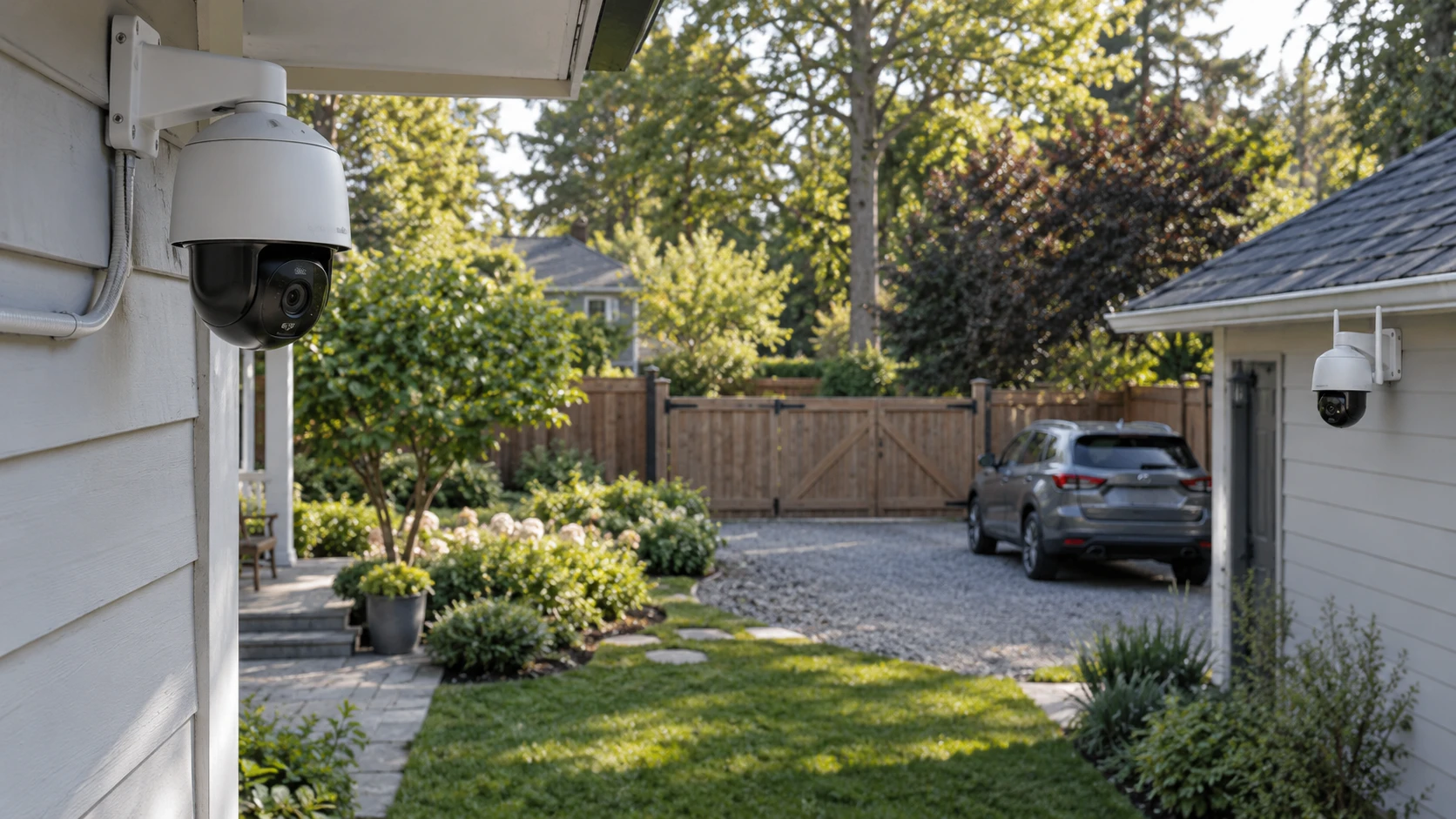
The Anpviz PTZIP204WX4IR PoE PTZ camera lists 8MP video, 20-times optical zoom, tracking, and power over its network cable. A published guide on PTZ and fixed-camera coverage planning uses other equipment to explain why the position a moving lens leaves behind still matters. The Reolink T1 Outdoor Wi-Fi PTZ camera lists 5MP video, three-times optical zoom, automatic tracking, and dual-band Wi-Fi. These are two ways to reach an outdoor camera: a planned cable route or a wireless network at the mounting point. Neither listing replaces a site survey.
Sketch the yard, driveway, doors, and nearby structures. Mark what must be visible continuously and what could be inspected by turning the camera. Measure the distance to a gate or parked car if you expect to zoom in. Then map the route for network service and electrical power. An Ethernet cable can carry both data and power to a compatible Anpviz installation, while Wi-Fi removes the network cable for Reolink but still leaves a power question to resolve. The Reolink saved row does not specify its power source, adapter, or cable length. Check the current manual before choosing a mount beyond an outlet's reach.
Design for the view that cannot disappear — Reolink T1 Outdoor Wi-Fi PTZ camera
Both products can pan and tilt and are described as tracking moving subjects. That helps follow one activity but can take the lens away from a fixed entrance. Put a mark on the site sketch for the default view and identify how long that area may safely leave the frame. The Anpviz row mentions a cruise mode between eight preset positions; it does not establish that every point is watched at once. The Reolink row names Auto-Track but gives no preset count or return-to-home timing in the saved excerpt. Ask for current control behavior if an unattended camera must recover a particular view.
A fixed camera may be the simpler answer for a doorway that must always be recorded. The PTZ can then scan a wider yard or look toward a distant area when an alert arrives. If there is room for only one camera, place it where the most important view can be captured even during ordinary motion. A nearby pole or roof corner can appear ideal on a map and still create a blind patch behind a tree or vehicle. Walk the site from the likely approach paths and photograph what a camera at the proposed height would see.
Anpviz claims a full 360-degree tracking range. Reolink's row states pan and tilt control but does not give numerical travel limits. Neither figure tells you whether the housing, bracket, or building edge blocks part of the actual view. Ask for mounting diagrams and test the full movement after installation. Check whether a privacy mask or motion zone can keep the lens from following activity onto a neighbor's property. A motorized camera needs explicit limits when its potential field extends beyond the intended yard.
Compare useful zoom, not a single pixel count — Reolink T1 Outdoor Wi-Fi PTZ camera
Anpviz lists 20-times optical zoom with 8MP video at 3840 by 2160 pixels. Its source claims detail at distances up to 300 feet. That distance is a product claim, not proof of recognition at a specific gate after dark. Reolink lists three-times optical zoom and 5MP recording with autofocus. The Anpviz lens may be more appropriate for a distant target, while Reolink's shorter zoom may be sufficient in a compact yard. Test using the actual distance and target size. A face or license plate viewed at an angle may remain hard to read even when a zoomed picture looks large.
Try an example shot at the farthest place where detail matters. Record a person walking and a parked vehicle, then inspect both the live preview and saved footage. Movement, compression, focus behavior, and night light can each affect the result. If the target is close, use the wider scene to retain context around an event. Zooming too far can show a small part of a vehicle and lose where it came from. The right field of view is one that answers the monitoring question, not merely the one with the larger zoom ratio.
The Anpviz row claims H.265+ compression can reduce bandwidth use by 60 percent during continuous recording. That estimate lacks a matched baseline in the saved excerpt. Real traffic depends on settings and motion in the scene. Reolink's row does not give a codec or bitrate for the T1 Outdoor. Ask both makers for current encoding options and use a test recording to estimate storage and network demand. If the camera runs all day, a busy street or moving branches can produce more data than a quiet wall.
Check the night scene and alert behavior — Reolink T1 Outdoor Wi-Fi PTZ camera
Anpviz describes spotlights and infrared LEDs. Its row claims color night vision to 100 feet when the lights activate and infrared viewing to 130 feet in darkness. Reolink lists color night vision without a measured range in the saved excerpt. Compare sample clips under conditions close to your yard: a dark corner, a porch light, a moving person, and rain if possible. A long-range number cannot predict how a wet lens or an unlit face will appear. Verify whether the Anpviz spotlights will shine toward bedrooms, traffic, or neighbors when motion triggers them.
Anpviz names human and vehicle detection, adjustable zones, app or email alerts, and two-way talk. It claims more than 95 percent accuracy without a stated test method. Treat that as wording in Republeq's catalog until it is tested on site. The row says two-way talk works through an Anpviz U-Series NVR, so ask whether the chosen recorder is needed for that feature. Reolink describes person, car, and pet detection, selectable zones, mobile live view and playback, and an instant siren. Decide which alerts are useful and which routine movements should be ignored. A flood of false notifications will make the useful one easier to miss.
Run an alert trial after mounting. Walk across the selected zones at different speeds and distances; repeat after dark. Note whether each app sends an alert, whether the camera follows the subject, and whether the default view returns afterward. A pet at the edge of a yard, headlights, or moving foliage can produce different results from a demonstration clip. Adjust zones and sensitivity with those observations. If audio is enabled, review local recording rules and the privacy needs of people who use the space.
Make network and power a single plan — Reolink T1 Outdoor Wi-Fi PTZ camera
Anpviz says PoE carries both network data and power. Confirm its required PoE standard, switch or injector budget, maximum cable route, and weather protection for the network connector. The saved row does not state all those details. Pulling one cable may be straightforward in a new installation but difficult through a finished wall. Plan a safe route that can be serviced later. If the network equipment is indoors, consider what happens to the camera when a switch or circuit loses power.
Reolink states support for both 2.4 GHz and 5 GHz Wi-Fi. That gives two network-band options, but it does not guarantee a reliable signal at a roofline or an outbuilding. Test the chosen mounting location with a device on the same network, preferably during the hours when the camera will be used. Walls, metal cladding, and distance can change performance. Confirm which power adapter or wiring comes with the T1 Outdoor and where it can connect safely. Wi-Fi removes one cable from the route; it does not power the camera by itself.
Choose a recording destination before the mount is permanent. Anpviz's row says a 512GB SD card is included and lists cloud backup and ONVIF-compatible NVR support. Confirm the card is present, compatible, and recognized by the delivered unit. Check whether the Republeq's catalog cloud service has a subscription or other terms, and test the intended NVR profile. The Reolink T1 Outdoor excerpt mentions mobile live view and playback but does not specify local-card capacity, NVR compatibility, or cloud retention. Ask for its exact recording options; capabilities differ between Reolink models.
Any storage choice needs a retrieval test. Set the desired schedule, record a short daytime and nighttime clip, and export each from the device that will be used after an incident. Work out how many days of footage the chosen capacity holds with the actual settings. Keep firmware and app versions current under the maker's guidance and use a strong device password. The product rows list functions, but they cannot verify that your router, recorder, and phone will work together without setup.
Check installation parts and decide — PTZ and fixed-camera coverage planning
The Anpviz row calls the camera a PoE PTZ speed dome; Reolink calls the T1 Outdoor weatherproof. Neither excerpt supplies a complete mount, fastener, and cable inventory. Inspect the exact SKU contents and the surface where it will attach. Weather-seal the connection as the maker requires and leave access for future service. The camera should see the intended path without an eave or bracket entering the frame when it pans. Check the image from the planned height before drilling the final holes.
Anpviz has the longer stated optical reach, a wired network path, preset cruising, and a detailed local-recording claim. Reolink offers shorter zoom and dual-band Wi-Fi, with several recorder and power details still needing confirmation. Choose based on measured distance, the route for power and data, and the view that must remain visible. After setup, test alerts, tracking, the return position, saved clips, and night footage at the actual site. Those checks will show whether the selected camera covers the yard as planned.