Crypto Commerce
Anker eufy Clean T2252Z11 robot vacuum vs EUDIDV robot cleaners for room coverage
Compare Anker eufy Clean T2252Z11 robot vacuum by route tracking, mapping claims, mopping, controls, suction discrepancy, obstacles, and maintenance.
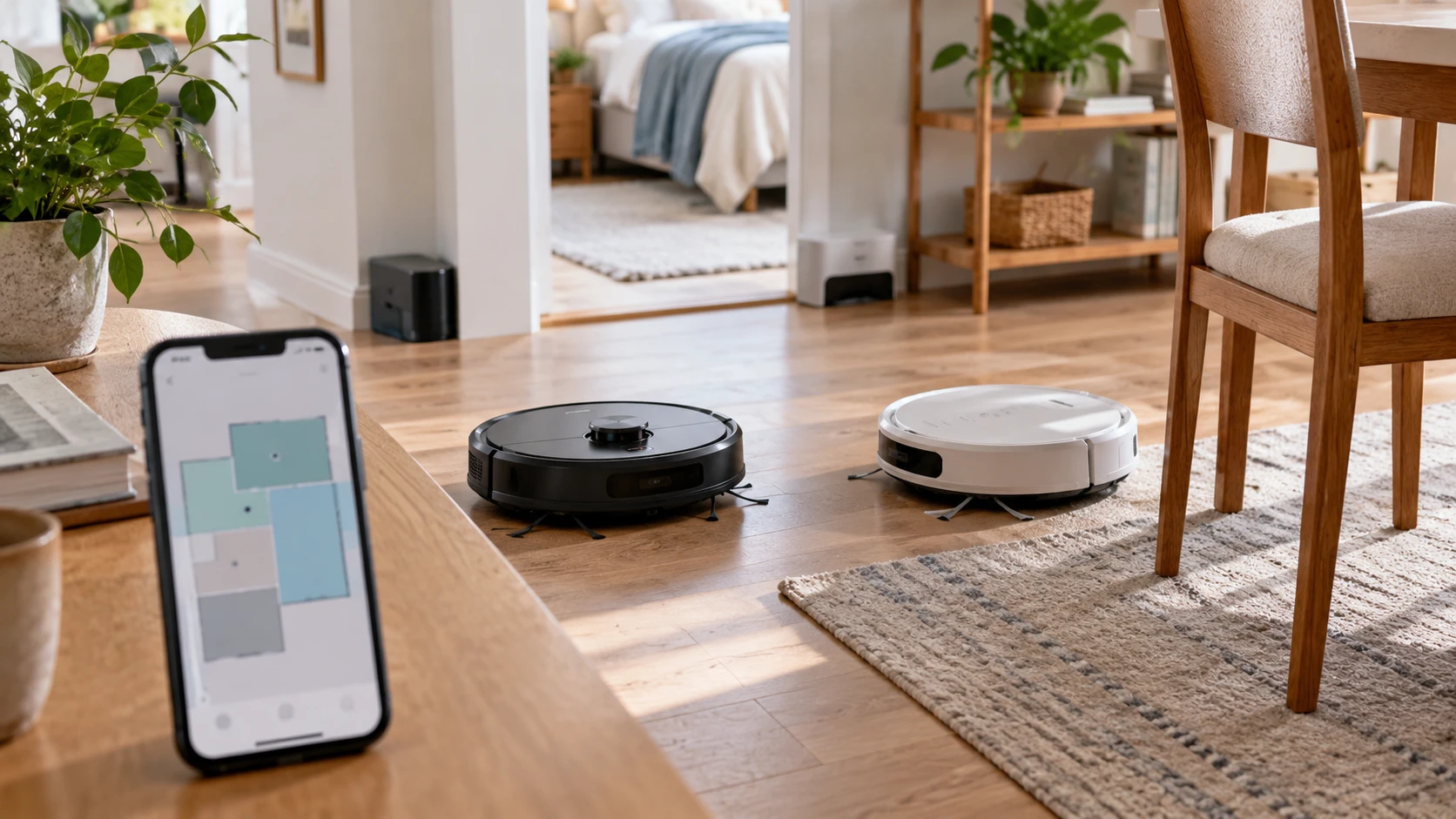
A robot that gets trapped under a chair or misses a room will need manual help even if its app shows a completed run. The Anker eufy Clean T2252Z11 listing describes Smart Dynamic Navigation with an optical-flow sensor and a real-time view of cleaning progress. EUDIDV describes obstacle sensors, app and remote controls, a water tank, and six modes for sweeping, suction, and mopping. The Anker and EUDIDV descriptions leave different questions unanswered. Anker's product URL says 2000Pa while its saved catalog description says 2200Pa. EUDIDV gives no suction number at all. The useful first test is whether either robot reaches the intended floor and handles the obstacles there.
The Anker eufy Clean T2252Z11 robot vacuum is listed as Wi-Fi compatible, with path tracking and a map-like display of cleaning progress. An independent live page check identified T2252Z11 in the title and page text. The page did not show either suction figure, so ask for the manufacturer's model-specific rating before relying on 2200Pa or the URL's 2000Pa. The EUDIDV FDJH-8693 listing names app and remote control, a built-in water tank, obstacle guidance, and six cleaning modes. It describes quiet operation and long battery life without giving test numbers. Neither saved excerpt establishes how often either unit completes a whole home without intervention.
Define what the map can do — EUDIDV FDJH-8693 robot cleaner
The published guide on robot vacuum mapping raises a key distinction: seeing a route after a run is not the same as being able to direct a robot to a selected room. Anker's excerpt says real-time mapping shows cleaning progress and optical-flow sensing helps path tracking. It does not state that the map persists between runs, supports room names, creates no-go zones, or lets you send the robot to a specific area. Request screenshots and the current app manual for the exact T2252Z11 model. Test whether the feature meets the room-control task you actually want.
EUDIDV's saved source does not mention a map. Its obstacle sensors may guide the cleaner around furniture, but the description does not identify the sensor type or route method. Ask whether the app displays a map, whether it saves one, and whether you can restrict a room. If the answer is no, the remote and cleaning modes may still be enough for a small open space. A user who wants the kitchen cleaned after dinner may care about targeted room selection, while another household may simply start a full-floor run and empty the bin afterward.
Sketch the floor plan before comparing apps. Mark rugs, thresholds, narrow chair legs, loose cords, and furniture with low clearance. Run each robot from the same starting position if a demonstration is possible. Watch whether it revisits areas repeatedly, misses an open patch, gets trapped beneath a chair, or returns to where it started. A route image may look orderly while a high threshold still keeps half the home out of reach. Neither saved source gives a climbing height or robot body height, so measure those from a current specification sheet.
Settle the suction numbers and floor use — EUDIDV FDJH-8693 robot cleaner
Anker's linked URL includes 2000Pa, while its saved catalog text says 2200Pa. These figures may reflect different revisions, measurement points, or a catalog mismatch; the available evidence does not identify which. Ask for the exact model label and manufacturer's current suction specification. Do not compare either number directly with EUDIDV, which provides no quantified suction claim in the saved excerpt. A pressure figure alone also cannot predict how well a side brush, intake, and brushroll move crumbs or hair from a particular floor.
EUDIDV's description says it handles dust and debris and combines sweeping, suction, and mopping modes. It does not specify floor types or whether its wet-cleaning system avoids rugs automatically. Find out where it may safely mop and how the user prevents a damp pad from crossing carpet. Anker's excerpt says nothing about mopping, so this comparison cannot treat it as a wet cleaner. For a home with mostly hard floors, the EUDIDV water tank may be relevant; for someone who only wants dry pickup, water-tank maintenance may be an extra task rather than a benefit.
Try an ordinary debris test on each floor type you own. Place a small, measured amount of crumbs along a baseboard and on an open patch, then watch whether the robot carries them into the bin. Pet hair can catch in a brush or wheel even when a suction claim sounds strong. Neither saved source supplies a standardized carpet or pet-hair result, so the test should be interpreted as a household check, not a laboratory ranking. Clean the robot first and use the same debris and settings if comparing two units directly.
Understand the wet-cleaning routine — EUDIDV FDJH-8693 robot cleaner
EUDIDV's built-in water tank and six modes create more questions than the words sweeping and mopping answer. Ask the tank capacity, how water flow is controlled, whether the pad can be removed, and whether a detergent is allowed. The saved listing does not give those details. A robot mop commonly needs a clean pad and a floor free of cables or small objects; follow the maker's instructions for this model. Decide where a damp pad will be washed and dried after each run. A neglected pad can turn a convenient feature into another cleaning chore.
The six modes also need names and definitions from the manual. The description says they cover sweeping, suction, and mopping but does not explain whether all six are combinations of those jobs or route patterns. Try the mode you expect to use most often and note its time, water use, and path. If the robot alternates between wet and dry areas, confirm how it handles that transition. Anker's app details are sparse in a different way: we know it shows progress, but not whether it offers scheduled cleaning, manual spot runs, or saved room routines.
Water and electronics require a sensible setup. Follow the manufacturer's filling and emptying instructions, keep the charging contacts clean and dry, and use only approved cleaning liquid if any is permitted. The EUDIDV excerpt does not state whether the water tank must be removed before charging or whether a wet pad can be left attached at the dock. Check the manual rather than guessing from another robot's routine. If the home has wood or another moisture-sensitive floor, verify the flooring manufacturer's care directions too.
Compare control and maintenance effort — EUDIDV FDJH-8693 robot cleaner
Both products involve an app. Anker is described as Wi-Fi compatible; EUDIDV has app and remote control. The remote may be useful when a phone is unavailable, though the saved excerpt does not say which functions it exposes. Ask what still works without Wi-Fi, whether the app requires an account, and how updates are delivered. If room maps or schedules are important, verify whether they remain accessible after a network interruption. A connection method affects daily use after the first setup. Place the dock where the manual allows the required side and front clearance, then watch several returns from different rooms. A doorway or chair leg beside the dock can affect whether a robot finds its way home. Ask what happens to a saved route if the dock is moved, the app is reinstalled, or another household member uses a different phone. The saved listings do not answer those questions, and they matter in a shared home.
Battery information is incomplete. EUDIDV uses the phrase long battery life without a duration, and the Anker excerpt gives no runtime. Neither saved source explains dock return, recharge-and-resume behavior, or the area cleaned on one charge. Test a normal route and record start level, elapsed time, interruptions, and whether the unit returns to charge without help. A robot can have enough battery for its motor yet still lose time to furniture traps. Check how easy it is to carry back to the dock if it stops in another room.
Brushes, filters, bin, and wheels require routine care. The saved product descriptions do not give bin capacity, filter type, replacement intervals, or part numbers for either robot. Ask to remove and replace the bin and inspect the brush for wrapped hair. See whether the water tank crowds the dust path on EUDIDV and whether the robot can be cleaned without a special tool. Price replacement pads, brushes, and filters under the exact model number. Confirm that consumables for the exact model are available before the first brush and filter set wears out.
Match the robot to the rooms — robot vacuum mapping
Anker supplies a more specific route-tracking claim and a quantified suction figure that needs reconciliation with the product URL. EUDIDV supplies wet-cleaning hardware and a remote but fewer measurements of navigation, suction, and battery life. Neither saved record proves targeted room control or whole-home coverage. Compare them with a floor-plan test and Identify with Republeq the exact shipped model, app features, consumables, and return terms.
If you mainly need dry pickup with visible progress, verify Anker's map functions and route consistency. If wet hard-floor cleaning is essential, investigate EUDIDV's pad, water flow, rug boundaries, and upkeep. The EUDIDV FDJH-8693 robot cleaner and the Anker unit can then be judged by the rooms they reach and the work they leave for you after a run.