Crypto Commerce
AirPulse A300PRO active speaker pair vs Kali IN-5: listening pair or studio monitor
Compare AirPulse A300PRO active speaker pair by system count, inputs, placement, and listening purpose.
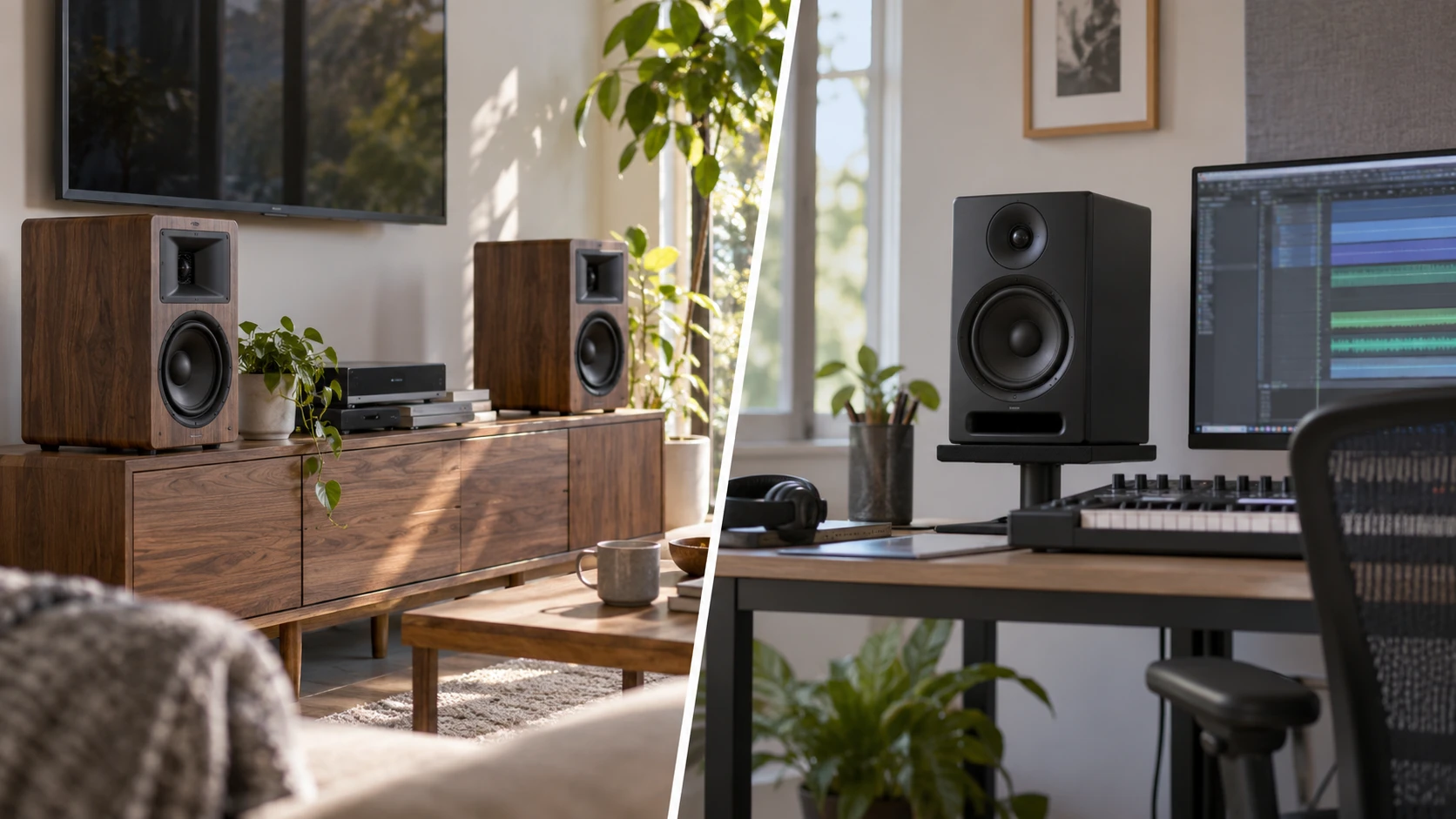
The AirPulse A300PRO and Kali Audio IN-5 are both powered speakers, but their catalog entries answer different buying questions. AirPulse sells the A300PRO as an active left-and-right pair with several consumer source inputs. Kali lists the IN-5 as a single three-way powered studio monitor intended to help a listener hear detail in a mix. For a music or television listening system, the AirPulse package starts with two speakers. For a studio desk, first decide how many IN-5 monitors the room needs and how the audio interface or source will feed them.
The AirPulse A300PRO active speaker pair listing names optical, coaxial, Bluetooth 5.0 with aptX, RCA, AUX, and USB as connection options. It describes a built-in amplifier in one speaker, ribbon-horn tweeters, and 6.5-inch woofers. Those details make it a candidate for a listening space with several kinds of sources. Before buying, match a specific output on each source to the appropriate input. A port name alone does not establish which cables, adapters, or wireless codecs every device will support.
Count the complete listening system — Kali IN-5 powered studio monitor
A pair provides the left and right channels needed for ordinary stereo playback. AirPulse's listing explicitly says the A300PRO is sold as a pair. That makes the package price easier to interpret when you compare a two-speaker listening setup with other listings. It does not settle every setup detail: check what comes in the current box, where each cabinet receives power, and how the two speakers communicate or connect according to the manufacturer's instructions. The source description calls the pair cordless, but it does not provide a full installation diagram. Do not infer that every cable disappears from the room.
Kali's IN-5 listing is singular. It describes one powered monitor with a 5-inch woofer, a 4-inch mid-range driver, and a coaxial 1-inch tweeter. If you want a left-and-right studio image, calculate a two-monitor system and confirm that the retailer's quantity and price reflect that plan. If the goal is to check a mono mix or fill a particular monitoring role, one unit may be intentional. Either way, count the actual units before comparing price or desk space. The single-unit distinction is a purchasing fact, while the more interesting question is how the intended listening task shapes your placement and signal chain.
Both products contain amplification, so neither comparison begins with choosing a separate speaker amplifier. That does not mean they share identical input arrangements. AirPulse's saved listing gives a detailed input list. Kali's saved description explains its driver design and mixing purpose but does not enumerate its ports or cable requirements. For a proposed IN-5 setup, consult the current manufacturer specifications for the exact input type, level, and controls before buying an interface or cable. Leaving this unknown explicit is safer than assuming a studio monitor accepts the same optical, Bluetooth, or USB connections as the AirPulse pair.
Choose the source before the speaker position — speaker signal-path planning
AirPulse's variety of inputs can simplify a room with a television, computer, and other playback devices, provided their outputs are compatible. An optical connection may be relevant to one television, while a computer may connect through a different listed input. Bluetooth can be convenient when a phone is the source. The listing names aptX support, but the result depends on the transmitting device and actual pairing path. If latency matters for video or interactive work, check the complete system; a codec name alone is no timing guarantee.
A studio desk is often organized around an audio interface, computer, and a repeatable listening position. The IN-5's source description speaks to assembling a detailed picture of a mix, including off-axis behavior and stereo imaging. It does not identify the interface you need. Select the interface and monitors as a system, then confirm output level, connectors, cables, and volume control from their manuals. This work is especially important if you plan two monitors and a subwoofer later. The final routing should be clear on paper before any equipment is connected.
The published speaker signal-path planning guide discusses a different set of home-audio layouts, but its wiring focus is useful when sketching where sources and speakers belong. Use the layout exercise, then rely on the A300PRO or IN-5 product instructions for their actual connections. A wired soundbar comparison cannot substitute for the missing IN-5 input details in this saved listing.
Listening position and room use — Kali IN-5 powered studio monitor
AirPulse describes the A300PRO as a bookshelf-format active pair. In a living room or larger work area, place the two cabinets so the main seat has a balanced left-and-right view. Try to keep the listening distance and the nearby boundaries reasonably similar for each side. Shelves, desk surfaces, corners, and furniture can affect what reaches the listener. Make room for the cabinets and their connections instead of deciding from woofer diameter alone. A 6.5-inch woofer in the source description tells you a driver size, not how the speaker will sound against a particular wall.
The IN-5 is described as a studio monitor. For a nearfield desk, a stable, repeatable speaker position is usually more useful than moving cabinets every session. Decide where the listening position is, then check the size and weight of the actual monitors and the capacity of stands or desktop supports. The saved IN-5 description does not give cabinet dimensions, stand recommendations, or a placement distance. Use the manufacturer's current documentation for those values. If two monitors sit at unequal heights or one is hidden behind a display, the setup can undermine the stereo image you wanted to assess.
Kali says its mid-range and tweeter arrangement is designed to reduce off-axis anomalies. That is a design claim about the monitor; it is not proof that any position in a room produces identical sound. The description also speaks of clarity and precision while mixing. Treat those as the product's intended use and design goals, then evaluate whether the layout helps you hear the details that matter in your work. An untreated room, a desk reflection, or a large movement away from the listening position can still change the result. The listing does not supply measurements of your room or a calibrated monitoring outcome.
AirPulse emphasizes listening performance and flexible source access. Its description calls the pair Hi-Res Audio Certified and credits audio engineer Phil Jones with the design. Those claims help identify this exact product, though they do not replace listening in your own space. For casual music use, the convenience of switching among listed input types may matter more than a studio-oriented driver layout. For editing or mixing, repeatability and a known monitoring chain may matter more than having many consumer inputs on the back of one speaker.
What the driver designs tell you — Kali IN-5 powered studio monitor
The AirPulse pair combines ribbon-horn tweeters with 6.5-inch woofers according to its listing. Kali's IN-5 uses a three-way arrangement: a 5-inch woofer, 4-inch mid-range driver, and coaxial 1-inch tweeter. The driver counts and sizes describe how each product is constructed. They do not establish a winner for bass, accuracy, maximum volume, or distortion without comparable measurements. It would be especially misleading to compare a 6.5-inch woofer in one product with a 5-inch woofer in the other and declare the first speaker better at every low frequency.
The Kali IN-5 powered studio monitor uses a separate mid-range driver in its three-way design, and the coaxial tweeter places the high-frequency element with that mid-range assembly. The source says this arrangement aims to reduce off-axis anomalies. That may be a useful feature when the listening position shifts slightly at a work desk, but the actual response still depends on placement and the room. AirPulse's description says its ribbon-horn design and woofers aim for clear highs and bass at higher volumes. These are product claims, not a controlled comparison between the two speakers.
If detailed mix decisions are the priority, gather the IN-5's measured specifications and setup guidance from the manufacturer before committing to a pair. If leisure listening and source flexibility are the priority, check the A300PRO's connection list against the devices already in the room. An audition at comparable playback levels would be more informative than selecting solely by driver terminology. Where an audition is impossible, prioritize the hard requirements you can verify: unit count, source outputs, physical fit, service terms, and return conditions.
Cables, controls, and service terms — Kali IN-5 powered studio monitor
The AirPulse listing names several inputs, but a broad input menu can still leave a connection problem if the source uses an incompatible output. Look at the source's settings as well as its connector. Optical and coaxial are different digital paths; RCA and AUX are analog paths; USB and Bluetooth each bring their own setup requirements. Confirm the supported format and cable for your actual device in the manufacturer documentation. Avoid buying an adapter merely because both ends physically fit. For a television, also determine where volume is controlled and whether the selected output mode works with the speaker.
For Kali, the saved description's lack of input detail is a specific gap to close before ordering. Identify the model revision and read its current rear-panel or manual information. If you intend to buy two units, plan how the left and right signals leave the interface, how each monitor is powered, and where the level controls will be set. The speaker's powered status tells you an amplifier is built in; it does not tell you the cable type or whether a particular consumer device can connect directly. Put those answers on the shopping list beside the monitors before installation.
AirPulse's saved listing states a two-year parts-and-labor warranty in the United States and Canada. Read the current warranty terms for coverage conditions and the return terms in Republeq's offer. The Kali saved description does not specify warranty terms, so check those separately with the Republeq's catalog or manufacturer. A warranty line in one listing and silence in another do not establish which company offers better support overall. Keep the terms tied to the exact unit, territory, and purchase channel.
A decision based on the work you do — Kali IN-5 powered studio monitor
Choose the A300PRO if you want a complete active stereo pair for listening and its stated optical, coaxial, Bluetooth, RCA, AUX, or USB paths match your sources. Confirm the cabinet fit, included connections, and operation of the specific input you expect to use most. Choose the IN-5 when you are building a monitoring setup around mix decisions and are willing to specify the interface, number of units, cables, and repeatable placement. Its three-way design and stated off-axis goal are reasons to investigate it; the saved listing alone does not specify a complete studio system.
These two purchases can also coexist. A room for leisure listening and a desk for production ask different things of speakers, even when both sets have built-in amplification. Write down the source devices, listening positions, unit counts, and connections for each room. That short plan makes the AirPulse pair's ready stereo format and the IN-5's single-monitor role clear before you compare prices or react to claims about sound quality.